Lindy vs Zentor: Teammate or Cloud Computer?

Lindy is a team AI teammate for Slack and inbox routines. Zentor is a personal cloud computer for browser, file, and scheduled work. Which fits yours?
Lindy vs Zentor is a comparison between a team-facing AI teammate and a personal AI computer. Lindy is built around shared channels, integrations, routines, skills, and editable AI memory. Zentor is a managed cloud assistant for users who want a persistent cloud computer with browser control, files, schedules, model choice, and reviewable task history.
Key Takeaways:
- Lindy fits work that begins in Slack, inboxes, meetings, or shared team routines.
- Zentor fits work that begins in a personal cloud workspace.
- Lindy AI teammate workflows are strongest when context should help a team.
- Zentor cloud assistant workflows are strongest when browser and file state matter.
- Both products still need human approval for customer, account, payment, or record changes.
My practical test for this comparison is simple: where does the work begin? In my Lindy memory test, the useful moment happened inside Slack. I corrected a recurring competitor-brief format and checked whether the change survived a fresh prompt. In a Zentor-style workflow, I would expect the same brief to start from a cloud workspace: open sources, browser tabs, saved files, and a scheduled task log.
This article is written from a Zentor workflow perspective, but the recommendation is scenario-based rather than a default Zentor win. Last checked: August 31, 2026.
Quick Verdict
Choose Lindy when the work is team-facing. It is a better fit for Slack-native handoffs, meeting follow-ups, shared inbox routines, and internal processes where several people need the same AI teammate.
Choose Zentor when the work is workspace-facing. If the task depends on browser state, local files, recurring runs, model selection, or a personal cloud computer, Zentor's AI Cloud Computer is the clearer fit.
Choose a personal cloud computer over a shared channel
Zentor runs on its own cloud machine with browser control and a reviewable task history, built for one person's recurring work.
Get started →
What Lindy and Zentor Actually Are
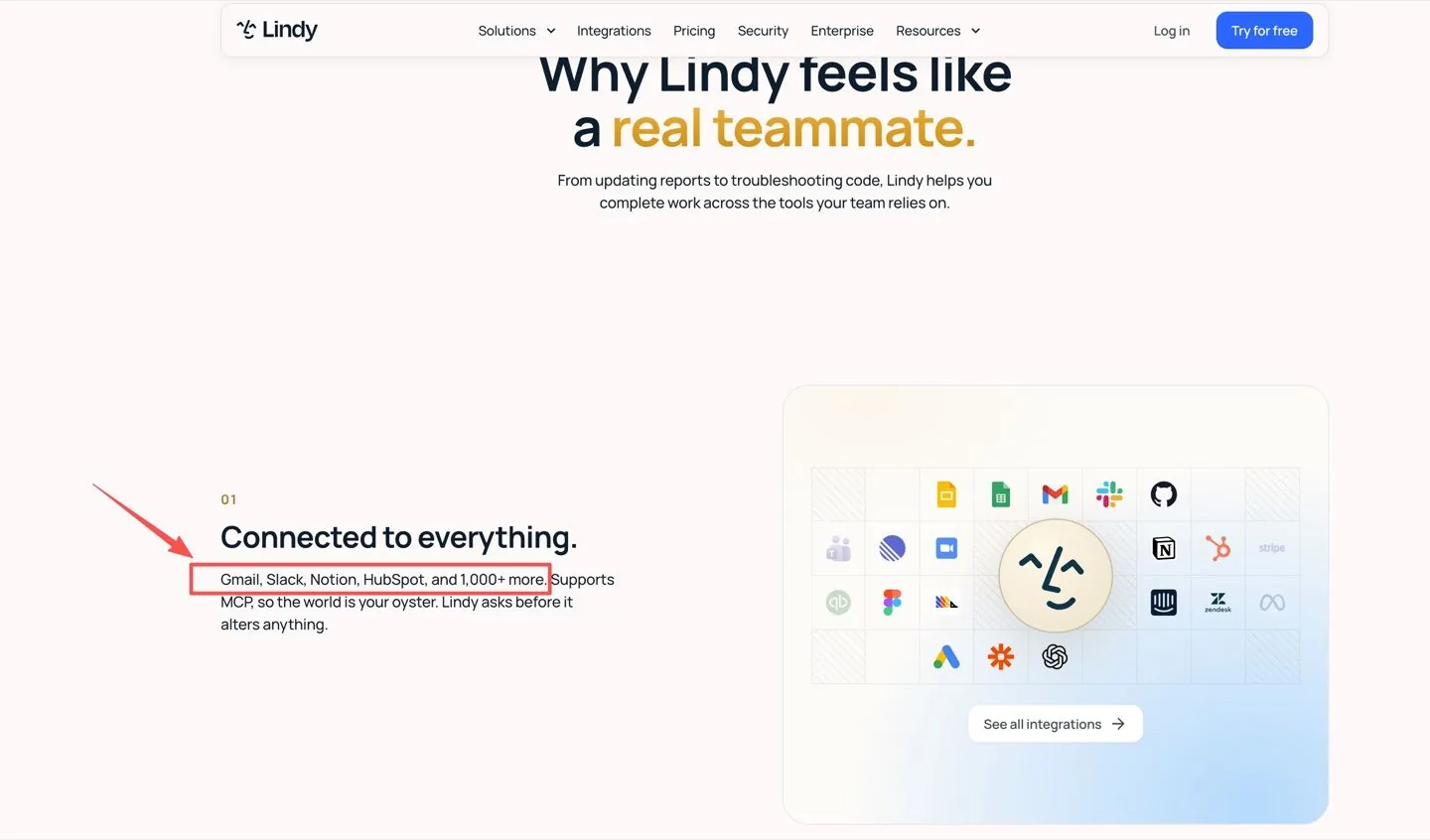
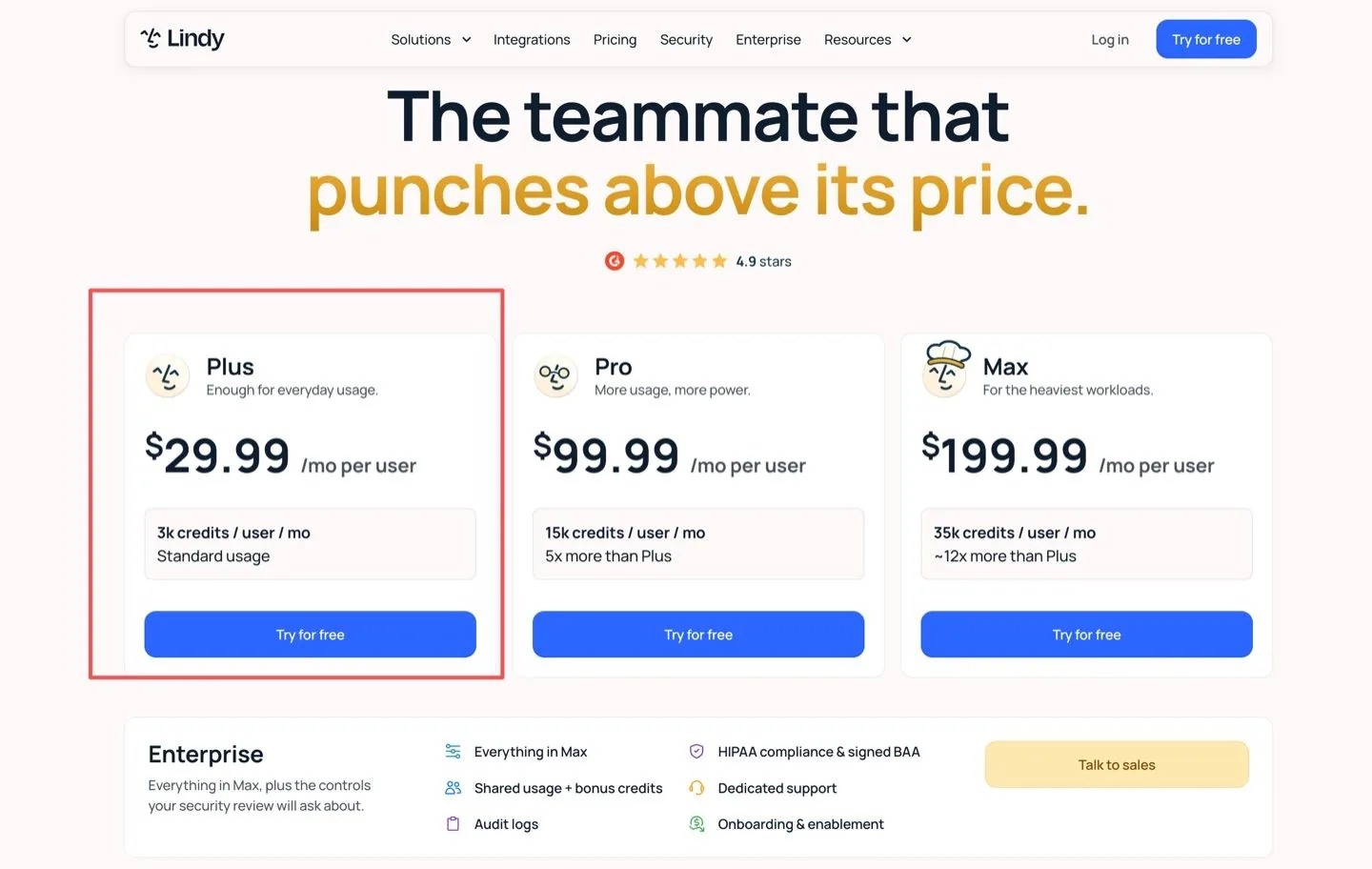
Lindy is closer to a team AI teammate. Its product surface emphasizes Slack, Gmail, Google Drive, Calendar, Notion, MCP, scheduled routines, approvals, and 1,000+ app integrations. At publication, Lindy starts at Plus $29.99 per user per month with 3,000 credits, with higher tiers for heavier use.
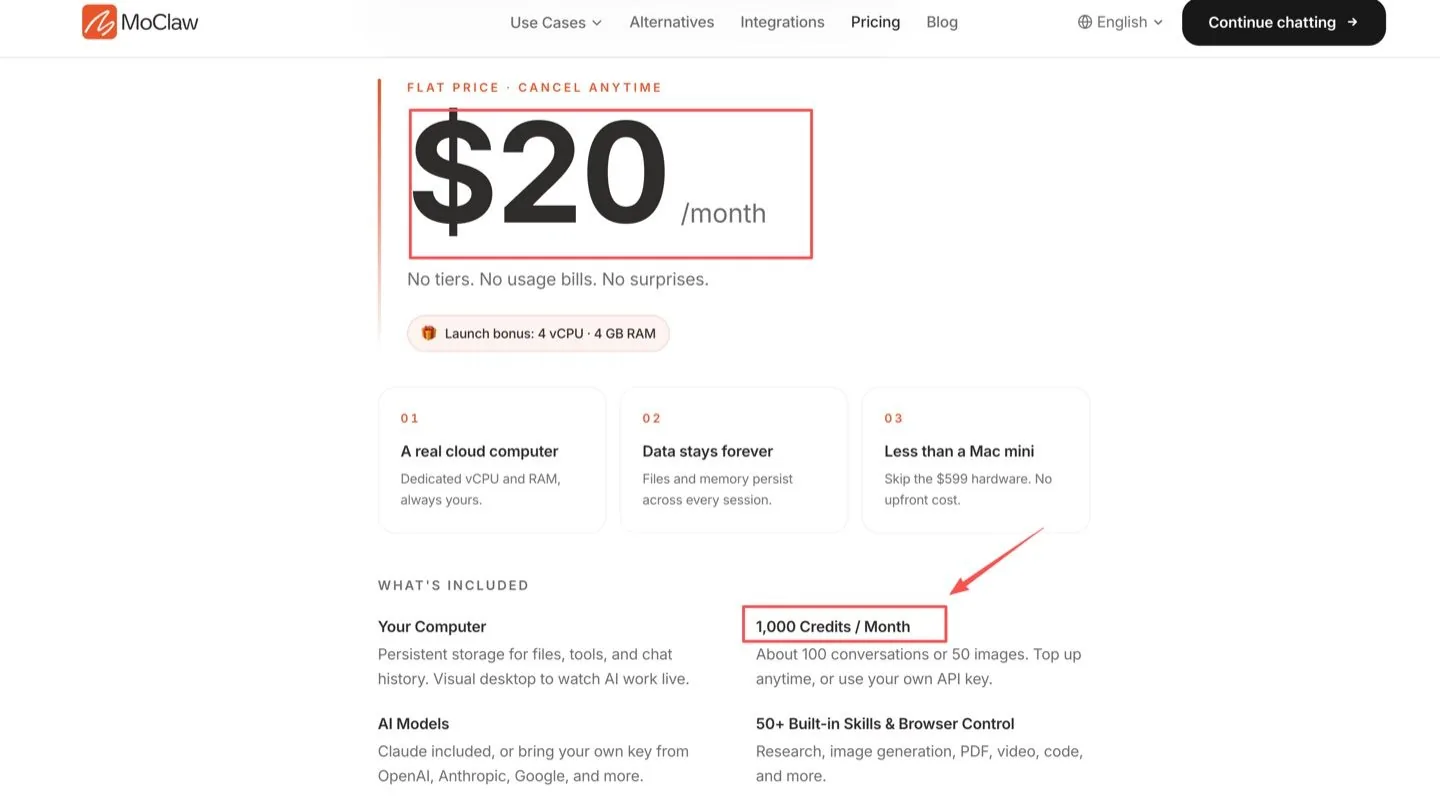
Zentor is closer to a managed personal cloud assistant. The public plan is $20 per month with 1,000 credits, browser control, schedules, persistent files, Slack and Telegram access, and Claude included, with the model picked per task rather than fixed by the platform.
Team Channels vs a Personal Cloud Workspace
Lindy fits when collaboration is the main surface. A manager can bring Lindy into Slack, a sales team can reuse a routine, and a founder can ask for meeting follow-up without opening a separate workspace.
Zentor fits when continuity is the main surface. If a task needs to open websites, keep downloaded files, preserve browser state, or run again tomorrow, the cloud computer matters more than the chat channel. Zentor's persistent AI cloud computer guide explains that category without making it sound like ordinary chat.
Memory, Skills, and Repeat Work
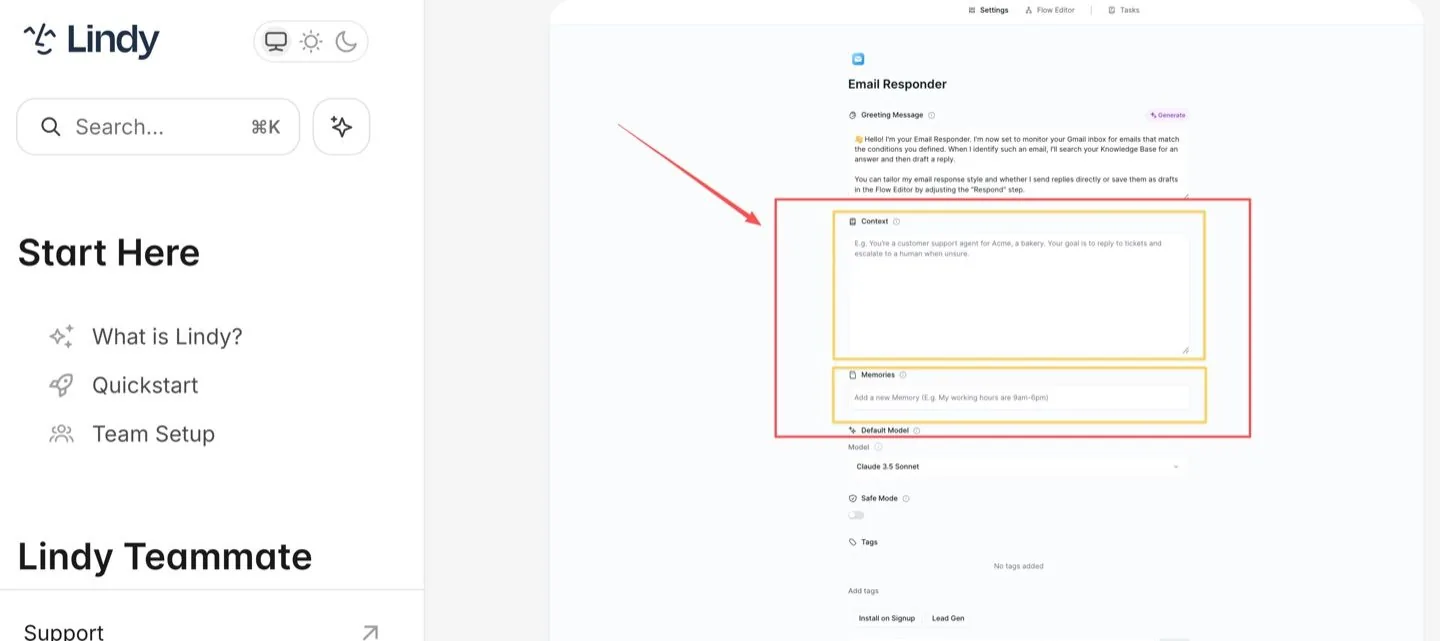
Lindy has the stronger team-memory story. The Lindy memory model separates live task context from persistent memories, which supports editable AI memory for preferences, customer notes, standing rules, and corrections.
Zentor's advantage is continuity around the workspace. Files, browser activity, chat history, skills, and schedules stay tied to the personal AI computer. Zentor's agent memory vs chat history is the better internal read when the question is how durable context differs from a normal conversation.
Runtime Responsibility and User Oversight
Both products reduce self-hosting work, but they do not remove responsibility. Lindy users still manage seats, credit pools, connected apps, approvals, and channel behavior. Credit-using actions can pause when a pool runs low, so someone still needs to watch usage before a routine becomes business-critical.
Zentor users manage a workspace: connected accounts, files, schedules, model keys, credits, and task review. A managed AI agent is still not permission to let payments, deletions, customer emails, or account changes run without approval.
When Lindy Fits Better
Lindy fits better when the team surface is the product. Use it for shared Slack requests, meeting follow-ups, inbox triage, internal knowledge Q&A, and teammate-style work that should remain visible to a group.
It also fits when per-user pricing and shared credit pools match the organization. If one person's prompt should benefit the whole team, Lindy AI teammate behavior feels natural.
When Zentor Fits Better
Zentor fits better when the task needs a private working environment. A consultant building weekly research packs, a founder checking competitor pages, or an operator running scheduled browser work may care more about browser and file continuity than channel-native collaboration.
Zentor is also cleaner for users who value a personal AI computer where the model is a per-task decision rather than a platform default. That matters when a long research run and a quick rewrite should not draw on the same model, and when the cost record needs to stay visible per task.
Trade-Offs Before You Choose
The trade-off is not "which AI is smarter." It is where the work lives. Lindy is stronger when work is social, channel-based, and shared. Zentor is stronger when work is stateful, browser-heavy, file-heavy, and tied to one user's cloud environment.
Before choosing, run one real recurring task in both places. Check which system captured context better, which made review easier, and which left a cleaner record after the task ended. If a capability is not clearly described, treat it as a rollout question, not proof that the product lacks it.
FAQ
Can Lindy send work into a Zentor browser-controlled session?
Do not assume a native handoff. A safe setup would need an approved bridge, scoped credentials, browser access rules, and a log showing what was sent and why.
Can Zentor schedules trigger a Lindy teammate through connected channels?
Only after testing the exact channel, permission, and message format. Cross-tool schedules should have an owner and a failure notification path.
Would Lindy memory and Zentor memory remain separately editable?
Yes. Treat them as separate context stores unless you deliberately build a sync process. A correction in one product should be tested in the other before reuse.
Can one approval stop actions in both Lindy and Zentor?
Not by default. Cross-product approval needs one system of record, otherwise each product may treat approval as local to its own workflow.
Which product keeps task history when both products cooperate?
Both may keep partial history. For client or compliance work, save the final record in one agreed place with timestamps, inputs, approvals, and output links.
Lindy vs Zentor Decision
The Lindy vs Zentor choice is a workflow-location choice. Choose Lindy when work belongs in team channels and shared routines. Choose Zentor when work belongs on a persistent personal cloud computer with browser, files, schedules, and model flexibility.

Zentor Editorial Zentor editorial team
The Zentor editorial team writes about workflow automation, AI agents, and the tools we build. Default byline for industry overviews, listicles, and collaborative pieces.
Choosing between tools? Let Zentor run the work.
An always-on AI assistant that does the work. No switching required, no setup.
References Lindy product site · Lindy memory model documentation