Agent Launcher: One App for Coding CLIs

Agent Launcher runs Claude Code, Codex, OpenCode, Pi, Gemini CLI and Hermes from one desktop app. What it does, and the maturity caveat (as of Sept 2026).
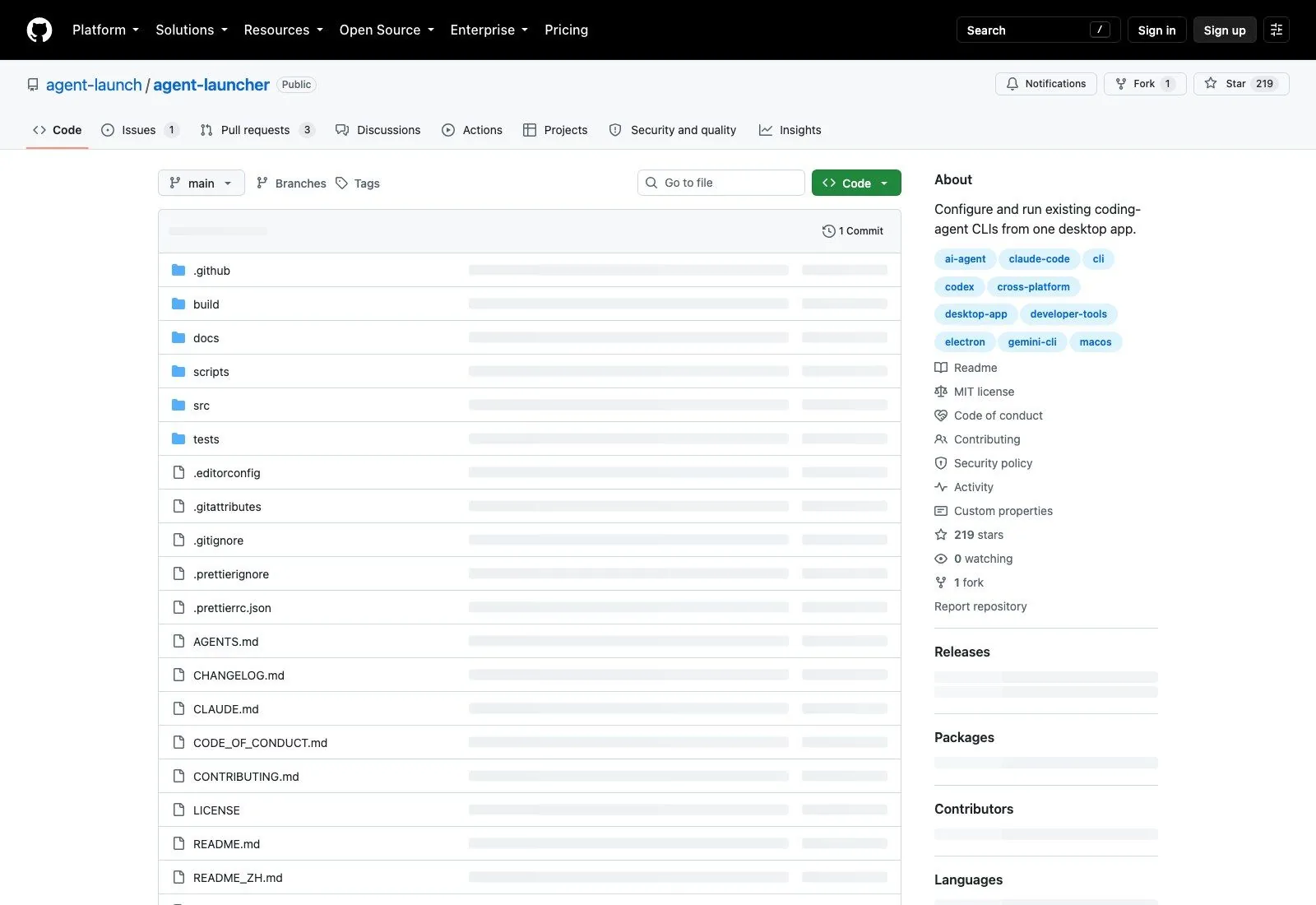
If you've accumulated more than two coding-agent CLIs, you know the tax: each one keeps its config somewhere different, authenticates differently, and remembers a different working directory. Agent Launcher is a desktop app that tries to collapse that into one window. It appeared on GitHub on 10 September 2026 and has 219 stars as of 17 September, which makes it roughly a week old at the time of writing.
It's worth being upfront about maturity, so: one commit, one release, and nothing pushed since the day it launched.
What Agent Launcher does
The pitch in the repo description is six words long: configure and run existing coding-agent CLIs from one desktop app. The word doing the work is existing. This isn't a new agent, and it doesn't wrap the models itself. It detects CLIs already installed on your machine, links to them, and runs each one inside an embedded terminal or chat view. The README is explicit that a CLI you already have is never reinstalled or silently updated, which is the correct default and not one every tool of this shape picks.
Six agents are supported at launch:
- Claude Code, configured with an official account or Anthropic-compatible API profiles
- Codex CLI, with a ChatGPT account or OpenAI-compatible profiles
- OpenCode, through OpenAI-compatible providers
- Pi, from the
badlogic/pi-monoproject - Gemini CLI, via a Google API key or a compatible provider
- Hermes Agent, from NousResearch
(If you've seen this project described as a launcher for Cline and Aider, that's wrong; neither appears in the repo.)
A launcher fixes the config sprawl on one machine.
Zentor runs the agent against your repo and hands the finished work back to the tool your team already uses, from any machine.
See Zentor with GitHub →
The part that's genuinely useful
Profile management is the feature that justifies the app existing.
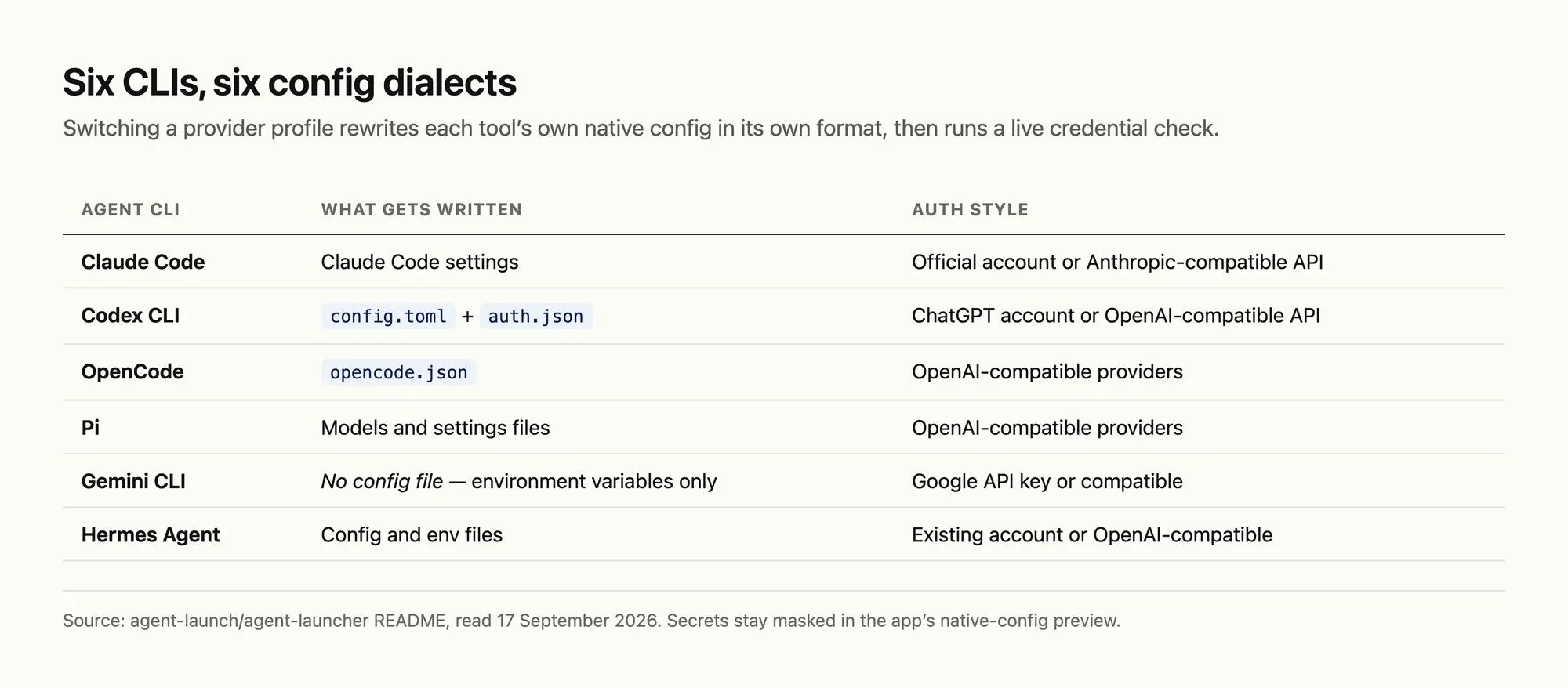
Each agent can hold several provider profiles, and switching one rewrites the environment variables and native config files that particular CLI expects. The supported targets are specific: Claude Code settings, Codex's config.toml and auth.json, OpenCode's opencode.json, Pi's models and settings files, and Hermes Agent's config and env files. Gemini CLI is the exception, configured purely through environment variables, so it shows up in the environment preview instead of getting a config file rewrite.
Anyone who has hand-edited auth.json at midnight to point Codex at a different endpoint will recognize why this matters. Six CLIs means six config dialects, and keeping them coherent by hand is the kind of task that fails quietly. You don't find out the endpoint was wrong when you save the file; you find out twenty minutes into a session when something returns an error that reads like a model problem and isn't.
This is also where Agent Launcher makes a defensible bet about scope. It could have abstracted the six CLIs behind one unified interface and become a leaky wrapper around six moving targets. Instead it writes each tool's native config in that tool's own format and then gets out of the way, so when Codex changes its schema next month the blast radius is one file in this repo rather than a broken abstraction.
Better still, switching a profile triggers a real minimal model request to check the endpoint, credentials, model, network and account status before you use it. That's a proper preflight rather than a green dot that only means "we saved your settings." Secrets are masked in the native config previews, which suggests someone thought about screen-sharing.
The other piece is project-aware sessions. You pick or drag in a project folder before starting, the app remembers the most recent one, and it launches the selected CLI with that directory as its working directory. Saved sessions resume in whatever directory the CLI itself recorded. Modest, and exactly the friction you hit switching between two repos and three agents.
What Agent Launcher doesn't do is orchestrate. There's no running two agents against the same repo and diffing the results, no handoff from one to another, no shared context. Each session is that CLI, in that folder, in its own pane. Calling it a workspace rather than a platform is the honest description, and the repo doesn't oversell it.
Installing it
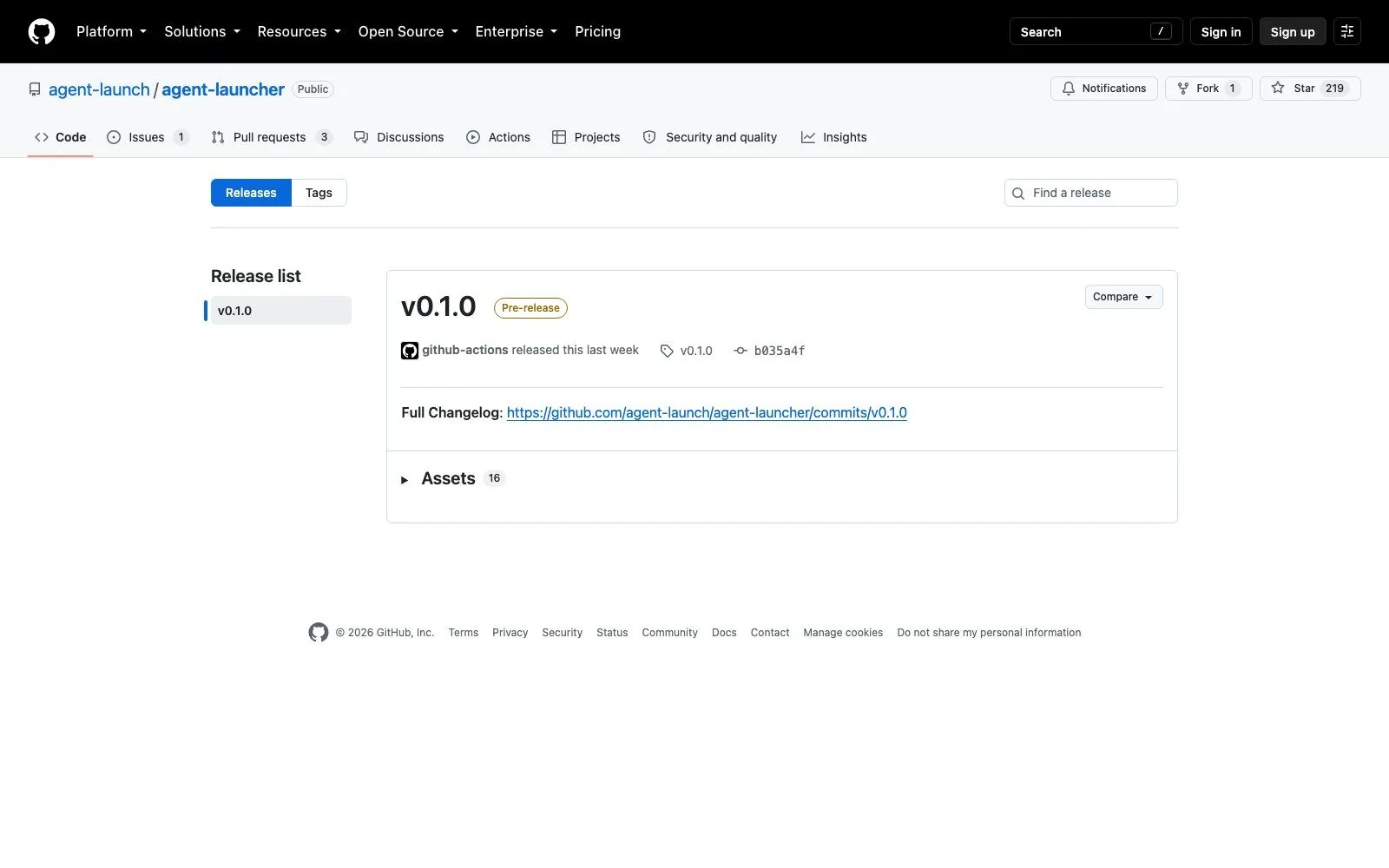
Downloads come from GitHub Releases: DMG and ZIP for macOS on both Intel and Apple silicon, an NSIS installer for Windows, and a Linux AppImage. There's currently one release, v0.1.0, published ten minutes after the repository first went public, and GitHub still flags it as a pre-release.
On first launch a wizard checks your environment, links the agent binaries it finds, and walks through account or API setup. A CLI it can't find installs in one click: Claude Code goes through its official installer and falls back to npm if that host is unreachable, the npm-published CLIs install with your own npm so your registry or mirror is respected, and Hermes Agent uses its own official installer.
One detail I checked in the source rather than the docs, since it isn't documented: the interface ships in English and Chinese, picking up your OS locale by default. The translation lookup falls back to Chinese when an English string is missing (src/renderer/src/i18n/index.ts), so expect the occasional untranslated label.
The maturity question, answered honestly
A seven-day-old project with 219 stars invites the obvious question, and the repository answers it plainly enough that I'd rather quote the numbers than characterize them.
One commit, labelled "Initial commit," dated 10 September 2026. One release the same day. One fork. Zero watchers. Three open pull requests and one open issue, none merged. Nothing has been pushed in the week since.
That pattern is a finished codebase published in a single drop rather than a project built in the open, and the stars accumulated afterwards without any corresponding development. It could mean the author shipped something complete and hasn't needed to touch it; it could mean it was published and set down. A week isn't enough to distinguish those, and anyone telling you which it is right now is guessing.
What that means practically: the code is MIT, the app appears functional, and the design decisions are sound. Treat it as something to evaluate, not something to build a team workflow on. Check the commit history before you depend on it, because that's the number that will have changed by the time you read this.
What a local launcher can't fix
The problem Agent Launcher solves is real but bounded to one computer. Your profiles, linked binaries and session history live in that machine's application data, so the second laptop starts over, and so does the desktop you use on Thursdays. Config fragmentation across tools becomes config fragmentation across machines.
That's the seam Zentor sits in. Rather than organizing the CLIs on your laptop, the job runs against your repository and the finished work comes back through the integration you already use, so picking up a task on a different machine means opening the same tool rather than rebuilding a local environment. We've gone through the wider set of deployment models for agents if you want the comparison in full.
There's a second limit, which is what happens to the output. A launcher gets the agent running; the result still lands in an embedded terminal, and turning it into a pull request, a ticket update or a note somebody else will read is your job afterwards. Zentor treats that last hop as the actual deliverable, putting the finished thing back where the work already lives instead of leaving you to move it.
And because each session here begins in whichever directory you picked, nothing carries between them. The agent that spent Tuesday learning your repo's conventions starts Wednesday with none of it. Local session history is a transcript, not memory; the distinction is one we've written about in how agent memory differs from chat history, and Zentor keeps what accumulates across tasks, exportable and yours if you later move to a different AI.
Who should try it
Install it if you're running three or more of the six supported CLIs and you've felt the config tax. The profile-switching with a live connectivity check is the payoff, and it's genuinely better than managing those files yourself.
Skip it if you've settled on one agent. A launcher for a single CLI is a window around a terminal you already have open, and you'd be adding an Electron app to solve a problem you don't have.
Wait if you want this in a team workflow, or if you're the person who'd have to support it. Not because of anything visible in the code, but because "will this still be maintained in November" has no evidence behind it either way yet, and that's a reasonable thing to want before standardizing.
FAQ
Is Agent Launcher free and open source?
Yes, MIT licensed, with no paid tier or account. You supply your own agent subscriptions or API credentials, exactly as you would running the CLIs directly.
Which agents does it support today?
Claude Code, Codex CLI, OpenCode, Pi, Gemini CLI and Hermes Agent. Six, as of September 2026, and adding another means code changes rather than a config file, since each integration carries that CLI's specific config format.
Does it work on Windows, macOS and Linux?
All three. It's built on Electron, and v0.1.0 shipped a Windows NSIS installer, macOS DMG and ZIP builds for Intel and Apple silicon, and a Linux AppImage.
Will it reinstall or update CLIs I already have?
No, and the README commits to this: a CLI already on your system is linked, never reinstalled or updated. If several copies exist you choose which one to link. Only a CLI it can't find gets offered as a one-click install.
Is it actively maintained?
Unclear, and I'd rather say that than guess. As of 17 September 2026 the repo has a single commit from 10 September, three unmerged pull requests, and no pushes since launch. Check the commit history yourself before relying on it.
Where it lands
Agent Launcher is a tidy answer to a real annoyance, and the profile system with live credential checks is the piece other tools should copy. The open question isn't design, it's whether a repository with one commit and three unanswered pull requests becomes a project.
For individual use none of that is disqualifying, because the cost of trying Agent Launcher is a download and the cost of abandoning it is dragging an app to the trash; your CLIs keep working either way, untouched, which is a direct consequence of the never-reinstall rule. That asymmetry is the strongest argument for looking at it now rather than waiting.
Download it, point it at the CLIs you already run, and see whether the config tax it removes is worth an app on your dock. That's a low-cost experiment. Standardizing a team on it a week after launch would not be.

Zentor Editorial Zentor editorial team
The Zentor editorial team writes about workflow automation, AI agents, and the tools we build. Default byline for industry overviews, listicles, and collaborative pieces.
Ready to put this into practice?
Zentor runs browser tasks, research, and schedules automatically. Try it free.
References https://github.com/agent-launch/agent-launcher · https://github.com/agent-launch/agent-launcher/releases · https://opencode.ai/