Claude Sheets vs Excel: What Changes in 2026

Claude Sheets vs Excel in 2026: compare spreadsheet creation, missing analysis features, export options, Google Sheets workflows and paid-plan access.
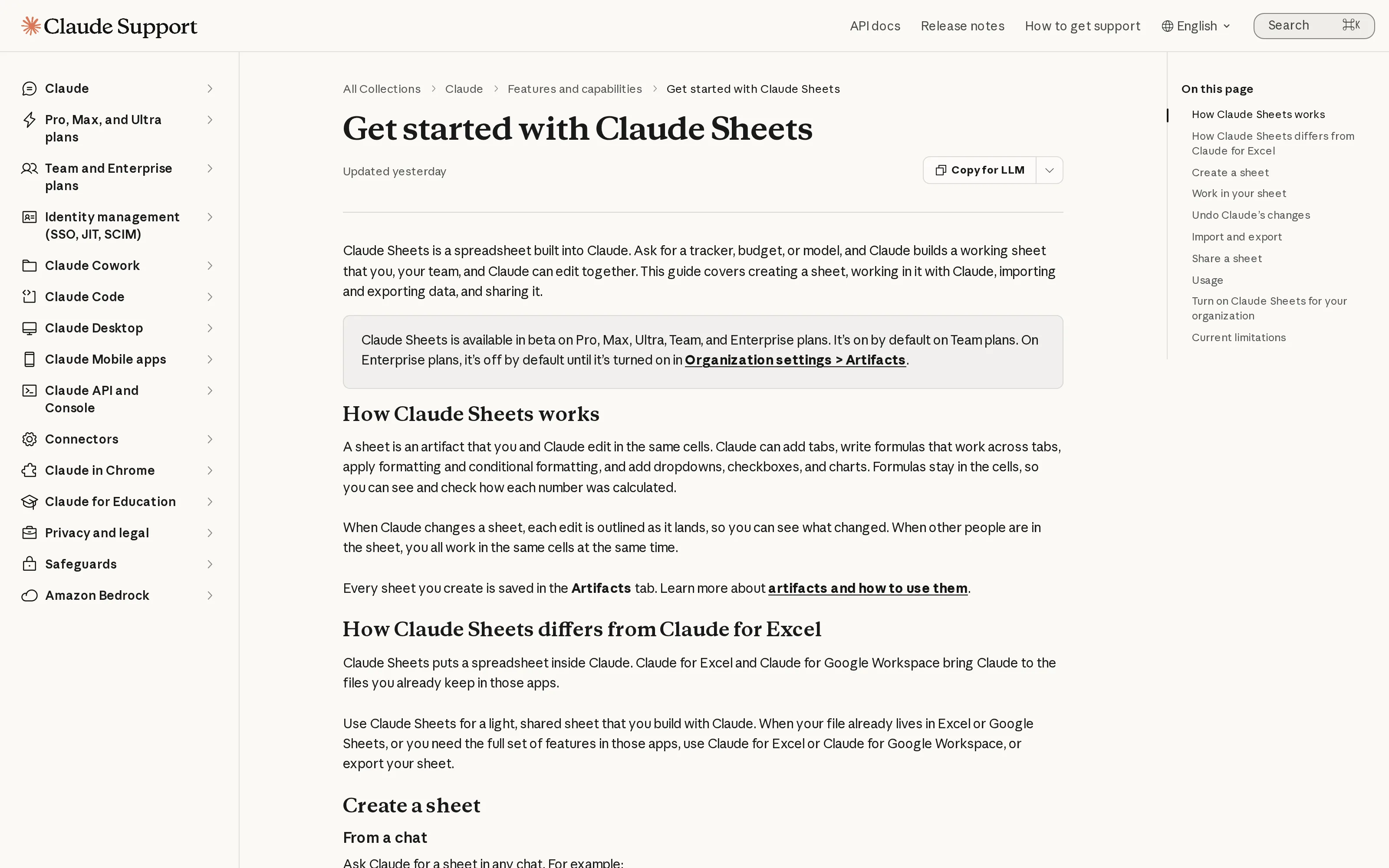
Claude Sheets vs Excel isn't a wholesale switch: Claude can draft a tracker or budget, but Excel remains necessary for pivots, macros, or Power Query. In its November 2026 launch announcement, Anthropic called Sheets a beta with simple spreadsheet functionality and offered .xlsx and CSV export for work that needs Excel's full feature set. For a student or a freelancer, the better question is where the finished spreadsheet needs to live.
Key Takeaways:
- Claude Sheets creates editable tabs, formulas, formatting, and dropdowns from a request in conversation.
- Its outlined edits and visible formulas make a new budget or status tracker easier to review, but they don't certify the numbers as correct.
- Keep Excel or Google Sheets as the working home if you need their established analysis features or an existing shared file.
- Claude Sheets, Whiteboards, and Data require a paid Claude plan as of November 12, 2026; Enterprise administrators control some defaults.
What Anthropic launched in November 2026
Anthropic launched Claude Sheets and Claude Whiteboards in beta on November 10, 2026, while its earlier Claude Dashboards became generally available under the name Claude Data. The three are different kinds of work inside Claude: a spreadsheet you can edit, a board for arranging ideas with other people, and a data tool for asking questions of connected sources. The launch post says all three are on paid plans. It does not say that Sheets is a new version of Excel or a replacement for Google Sheets.
If a client expects updates to the same workbook every week, moving it into another app creates extra work. Claude's Artifacts overview describes Sheets as a spreadsheet whose formulas you can check, not a promise of feature parity.
Keep the follow-up with the finished sheet
Use Zentor to keep context for recurring work and put the result in the tools you use. Review anything before it goes out.
Start free trial →
How to use Claude Sheets for a real tracker
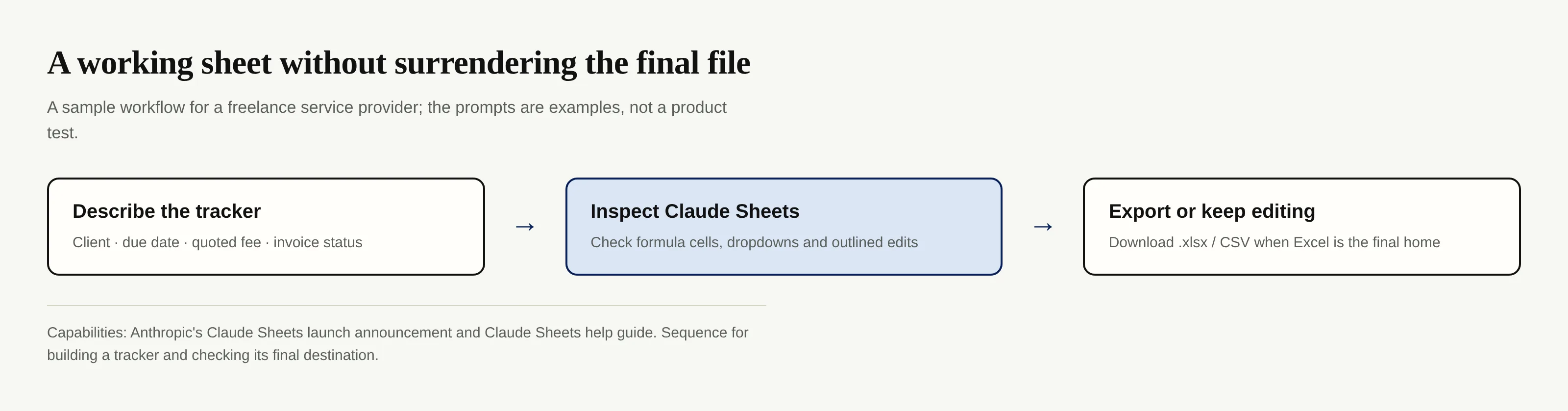
The Claude Sheets help guide says you can ask for a sheet in any conversation or select Sheets in the Artifacts tab. Suppose you sell design services and need a weekly client tracker. Ask for columns for project, due date, quoted fee, invoice status, and next action; specify which values are typed by you and which calculations must come from formulas. That is a suggested prompt, not a claim that every requested sheet will arrive correct on the first attempt.
Anthropic says Claude can create tabs, formulas across tabs, conditional formatting, dropdowns, checkboxes, and charts. You can type into cells yourself, select a range to ask why a total changed, or request another column in chat. Edits made by Claude receive outlines as they arrive. An outlined edit shows where to look; it doesn't validate the logic. Compare a few formula results with the underlying invoices before sharing a budget or sending a quote.
For a study planner, supply actual syllabus dates and check any formula for remaining time against your calendar.
Claude Sheets vs Excel: where the limit shows up
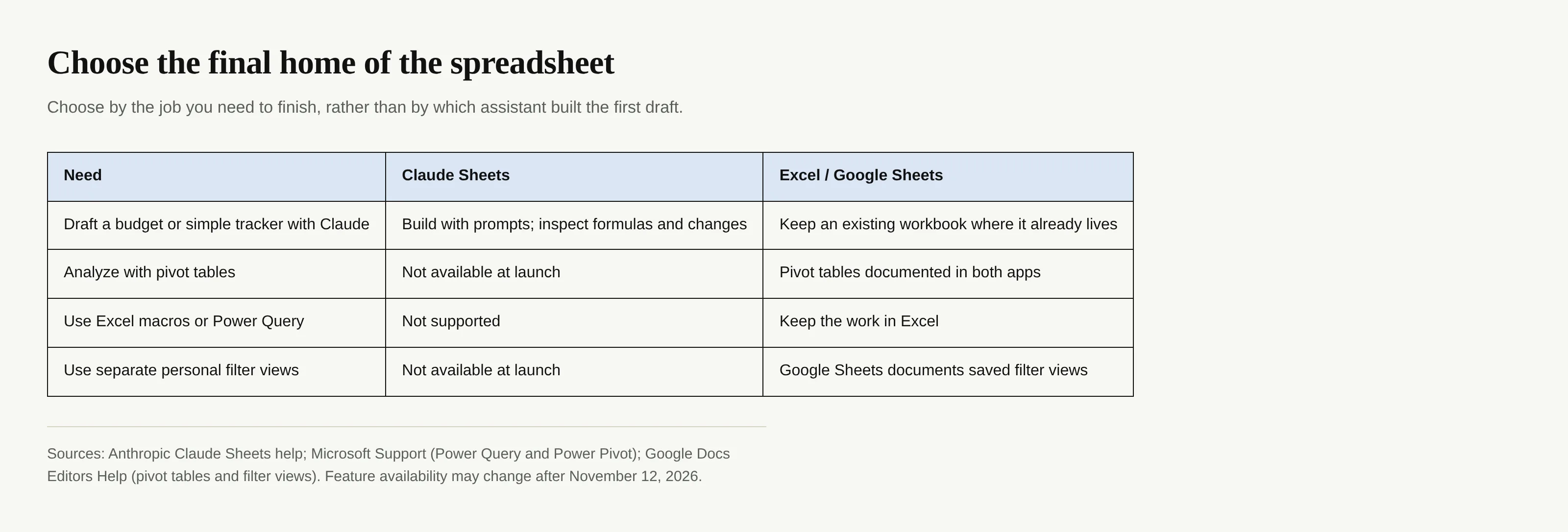
The easiest way to decide on Claude Sheets vs Excel is to inspect the task after the first draft. A straightforward budget with linked cells may fit; a workbook that depends on a pivot table or a macro does not fit Claude Sheets' documented launch capabilities. Anthropic's limitations list excludes pivot tables, protected ranges, multi-column sorting, filter views, macros, VBA, Power Query, DAX, and print layout. Its documented ceiling is 100,000 cells, as of November 12, 2026.
Microsoft's Excel guidance documents Power Query and PivotTables for larger data sets. Check your real workbook before promising anyone a migration.
Export is an exit, not a claim of identical behavior. The Claude Sheets guide confirms .xlsx and CSV download, plus import from Excel and Google Sheets. If you export, open the file in its destination application, spot-check dates, formulas and dropdowns, and retain the original until the recipient accepts the result. CSV is for tabular values and doesn't carry a multi-tab workbook's entire working experience; choose .xlsx when the recipient expects a workbook.
Claude Sheets vs Google Sheets for shared work
Google Sheets remains the practical home if people already maintain a live shared sheet and use filter views. Google's filter-view instructions explain how different collaborators can filter their own views; its pivot-table guide documents summarizing and filtering a data set. Anthropic currently lists both pivot tables and filter views among Claude Sheets' missing features. This is a feature comparison, not a benchmark of calculation accuracy or collaboration speed.
Sketch a new project in Claude Sheets, then export if the ongoing file must stay with a client. Anthropic distinguishes this from Claude for Excel and Claude for Google Workspace, which bring Claude to existing files. Export does not imply automatic sync.
Is Claude Sheets free, and who can turn it on?
No: Claude Sheets is a paid-plan beta, not a Free-plan feature. As of November 12, 2026, Anthropic's Artifacts plan listing and Sheets help guide name Pro, Max, Ultra, Team and Enterprise. This answers whether access requires payment; it does not quote a subscription price or promise a separate trial for Sheets. Check Claude's own current billing page before making a purchase decision.
Team enables all three by default. Enterprise starts Sheets and Whiteboards off; administrators can enable them in Organization settings > Artifacts. Claude Data is scheduled to turn on by default on November 19, 2026, unless an owner has saved a setting. As of November 12, that date is still ahead. The Artifacts admin guide notes configuration exceptions. If Sheets is missing at work, check with your admin.
Where Whiteboards and Claude Data fit
Use Whiteboards before the tasks have stable columns. Anthropic's Whiteboards guide describes turning a shared board into a document or deck. For a service launch, move only dated commitments into the tracker. Whiteboards is also a beta, not a spreadsheet.
Claude Data addresses another job entirely. Its official guide describes queries against connected business data and dashboards that expose the query behind each chart. It needs a connected data source. A solo service provider tracking a few invoices does not need to wire up a warehouse merely to see the next payment due. If your business already relies on connected reporting, Data may be relevant, but a sheet you just made in Claude cannot currently act as a live source for a dashboard, according to the Sheets limitations guide.
Put the finished work where you'll return to it
A newly created sheet solves the blank-page problem. Recurring client work presents a different problem: remembering the status, the last decision and what you promised to do next. Zentor is an all-in-one workspace memory hub; its memory can reach different AI tools through Zentor MCP and remains yours rather than locked to one working surface. That doesn't make Zentor an Excel replacement, nor does it imply a direct Claude Sheets integration.
If your deliverable has to live in Airtable or Notion, choose that destination and keep the working context around it. Zentor can pull context from Gmail, Notion, Slack and Airtable for recurring work, with a human OK before something goes out. For a service provider, that means checking the final client-facing follow-up rather than trusting a generated table to dispatch it. See Zentor's current plans if that workflow fits your week.
For Claude Sheets vs Excel, the decision is smaller than a platform switch: draft a light spreadsheet in Claude, check its formulas and changes, and keep Excel or Google Sheets when the existing workbook's functions and sharing habits are the job.
FAQ
Can Claude Sheets replace Excel for my budget?
It may cover a simple budget with formulas and editable cells. If the workbook relies on Excel macros, Power Query, pivot tables, or print layout, keep that work in Excel; those features are not supported in Claude Sheets at launch.
Can I open an Excel or Google spreadsheet in Claude Sheets?
Anthropic documents imports from Excel and Google Sheets, as well as CSV and pasted cells. You can export the result as .xlsx or CSV. Check the exported file in the destination app before relying on its calculations.
Does Claude Sheets update a Google Sheet automatically?
The documentation covers import, export and working in Claude, not an automatic two-way sync with an existing Google Sheet. Treat the exported copy as a separate file unless you verify a specific workflow yourself.
Can I use Claude Sheets on a free Claude plan?
No. Anthropic lists Claude Sheets as a beta on paid plans as of November 12, 2026. Team enables it by default; Enterprise requires an admin to turn it on.

Zentor Editorial Zentor editorial team
The Zentor editorial team writes about workflow automation, AI agents, and the tools we build. Default byline for industry overviews, listicles, and collaborative pieces.
Choosing between tools? Let Zentor run the work.
An always-on AI assistant that does the work. No switching required, no setup.