Atlassian Loom Record for Agents: Turn Screen Recordings Into Agent Prompts

Loom Record for agents converts narrated screen recordings into prompts. See what it captures, how Jira and Atlassian MCP fit, and who can use the beta.
Loom Record for agents turns a short narrated screen recording into an agent prompt that you can review, send directly, or turn into a Jira work item. Atlassian announced the feature on October 22, 2026; its product name in the documentation is singular, Record for agent. The useful shift is practical: you show the screen instead of reconstructing every click in prose. The prompt still needs your judgment, and an agent still needs the right access and a checkable finish line.
Key Takeaways:
- Loom combines spoken instructions, selected screen details, clicks and visited links into a structured prompt.
- You can copy or send that prompt without Jira; creating a Jira work item has extra account requirements.
- Loom tools in Atlassian Rovo MCP let authorized agents retrieve recording context; this is separate from sending a prompt.
- Treat the recording as a brief, not as proof that an agent finished the job.
What Loom Record for agents actually produces
Suppose you sell goods online and need a product-page update. You show the old description, point to the new specification and say what must remain unchanged. A written request such as “update the page” leaves the agent guessing which field, which source and what counts as done. A recording can carry those details together.
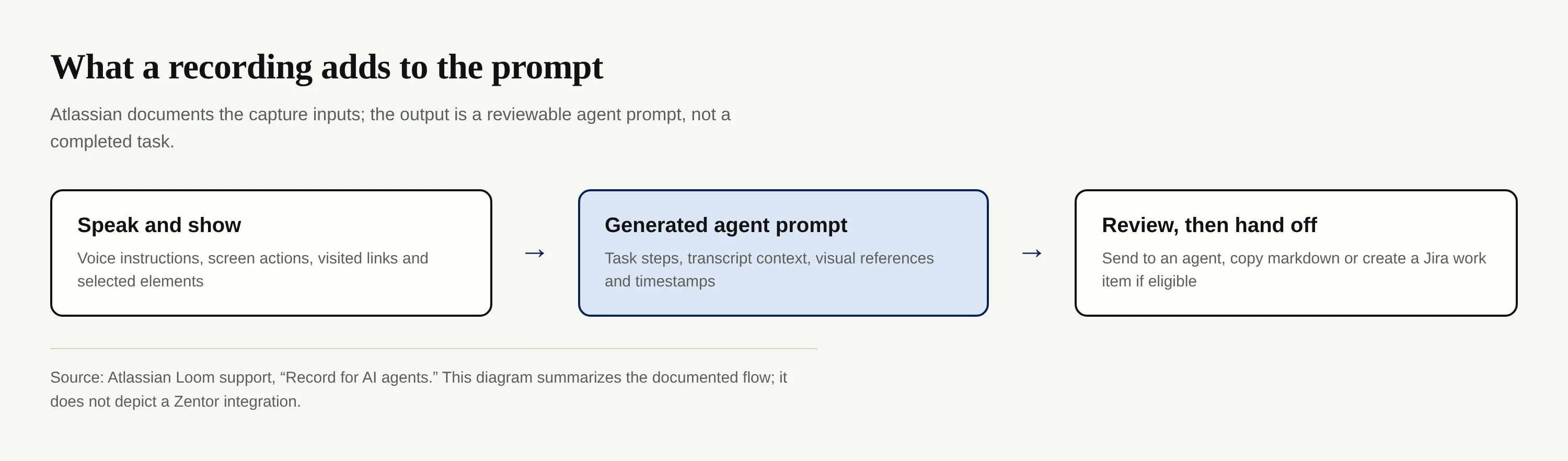
According to Atlassian's Record for AI agents documentation, Loom captures your transcript, keyframes, interaction events and visited links. The Chrome extension can also collect console and network metadata; that does not mean every recording contains it. The resulting prompt breaks the request into tasks with visual references, transcript context and timestamps. Review those instructions before handing them off: the recording makes intent easier to communicate, but doesn't verify your source material.
Zentor addresses a different part of the job: its workspace memory can carry your working context through Zentor MCP to the AI you use. Loom's recorded brief and that longer-lived memory are complementary ideas, not a Loom–Zentor integration.
Keep the work moving after the brief
Loom helps you show an agent what you mean. Explore a separate, always-on workspace for the tasks and context you need to keep using.
Get early access →
Send an agent prompt or create a Jira work item
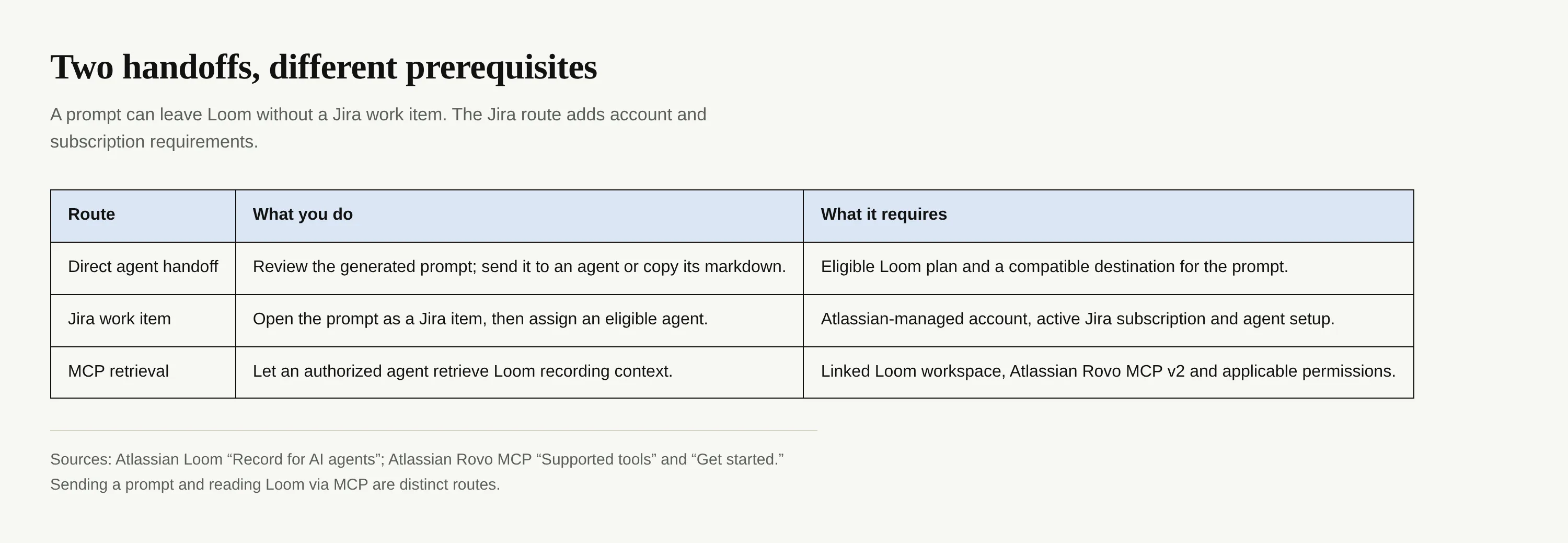
On the Loom share page, Send to agent opens a destination with the prompt prefilled, or copies it for tools that need pasted text. Copy as prompt gives you raw markdown. If your team tracks execution in Jira, Open in Jira creates a work item that an agent can pick up. These are alternate handoffs, not one mandatory pipeline.
The distinction matters if you work alone and don't have Jira. Atlassian's feature support page says the Jira creation path requires an Atlassian-managed account and an active Jira subscription. You can still use the prompt outside Jira if you have access to Record for agent and an agent that accepts it. Where Jira is available, its agent collaboration guidance describes reviewing an agent's output before sharing it with the team.
Loom tools in Atlassian MCP: who can use them?
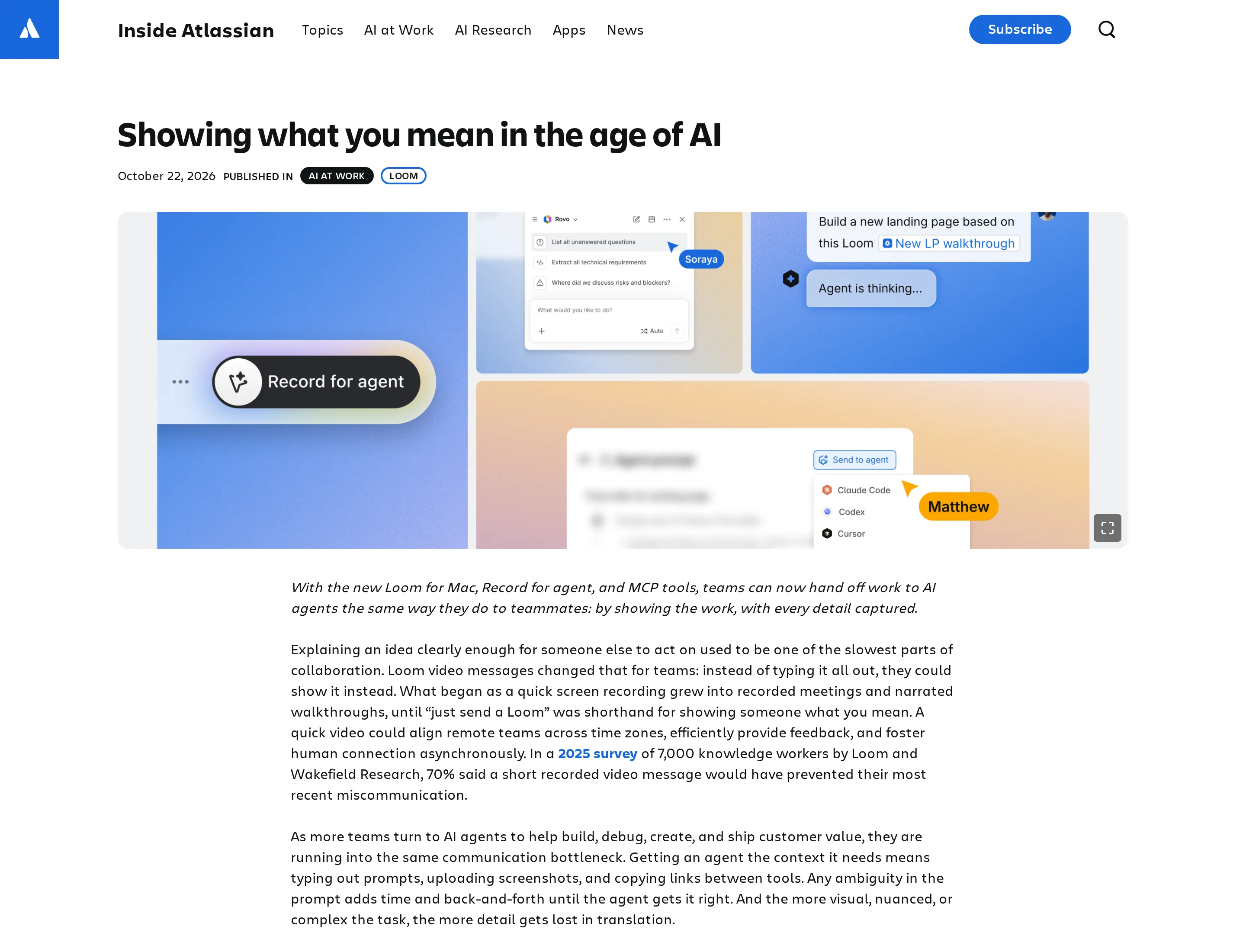
Atlassian names Claude, Cursor, VS Code, Codex and Rovo as examples of agents or tools that can work with Loom through Atlassian MCP. The official launch post says they can retrieve transcripts, metadata and action items, comment at timestamps, and organize or share videos within existing Loom permissions. This list describes examples, not a promise that every installation works without setup.
Atlassian's supported-tools inventory adds two checks: the Loom workspace must be linked to an Atlassian site, and Loom tools are on Atlassian Rovo MCP v2. Read and write capabilities have separate permission groups. Teams already on v1 should check the v2 connection instructions rather than assuming the tools appeared in their current client.
Where a recorded brief fits in a real workflow
A screen recording is most useful when the task depends on which item you mean. If you're revising a client presentation, open the actual slide, point to the figure that changed and name the source document while recording. Then inspect the generated prompt: does it identify the slide, cite the right source and tell the agent what to leave alone? Only then send it.
For work that recurs, keep the next layer separate from the recording: where the approved source lives, who reviews the draft and what happens when information is missing. The Zentor guide to autonomous agent boundaries offers a useful test for where human review belongs. Zentor's always-on workspace and self-learning skills speak to continuity across tasks, while Loom's recording helps communicate an individual request. They do not exchange data automatically.
That distinction also helps when choosing an agent platform: test the real destination and review step, not just how quickly an agent accepts a prompt. If the task touches customer data or a public page, confirm the authorized access and check the draft before it goes live.
Availability and limits as of October 23, 2026
Atlassian says Record for agent is in open beta for Loom Business + AI and Enterprise, on the new Loom for Mac and Chrome extension. The support documentation specifies desktop app version 2.0 or later and a maximum recording length of five minutes. The launch post describes the new Mac app as recording in 4K by default; Loom's Mac guide notes that 4K availability depends on plan and device. Check your own settings rather than treating 4K as a universal entitlement.
Atlassian dates the announcement October 22 but gives no precise release time on the page. We have not independently tested the beta with a paid workspace or measured whether its prompts reduce editing time. Those are reasons to run a small pilot, not reasons to declare every screen recording an automation.
FAQ
Do I need Jira to use Loom Record for agents?
No. Eligible Loom users can review, copy or send the prompt directly. Creating a Jira work item requires an Atlassian-managed account and an active Jira subscription, according to Loom support.
Which agents are supported?
Atlassian cites Claude, Cursor, VS Code, Codex and Rovo for Loom tools in its MCP announcement. You can also copy a generated prompt for another agent that accepts markdown; compatibility and permissions still depend on that destination.
Does it work within my existing permissions?
Atlassian says Loom tools in its MCP respect the team's existing Loom permissions. Linking a workspace and granting appropriate read or write access still matter. A copied prompt is a different route: check what you share and what the receiving agent can reach.

Zentor Editorial Zentor editorial team
The Zentor editorial team writes about workflow automation, AI agents, and the tools we build. Default byline for industry overviews, listicles, and collaborative pieces.
Ready to put this into practice?
Zentor runs browser tasks, research, and schedules automatically. Try it free.