oh-my-hermes: One Install for Hermes Agent
oh-my-hermes adds 116 skills, workflow packages and a project record to Hermes Agent in one install. What it does, how to install it, and the v2 churn.
oh-my-hermes is a plugin pack that installs once and gives Hermes Agent a thicker operating layer on top: workflow packages, a stack of installable skills, routing across models, and a project record that survives past the end of a session. The name is a deliberate nod to oh-my-zsh, and the analogy is accurate. Nobody rewrites the shell; they bolt a framework onto it and stop thinking about configuration.
At 2,105 stars on 15 September 2026, roughly three and a half months after the repository opened on 3 June, it is not the biggest thing in the Hermes orbit. It is the one that most changes what a Hermes install feels like day to day.
Which Hermes are we talking about?
Worth settling before anything else, because there are at least three ways to get this wrong.
The Hermes here is Hermes Agent from Nous Research, the open-source agent that opened in July 2025 and now sits above 245,000 stars. It is the same Hermes covered in our desktop review and the same one behind Bot Mode. It has nothing to do with the French luxury house, and it is not the Hermes family of fine-tuned language models that Nous is also known for, though the naming overlap is theirs.
The size gap between the two projects is the whole reason a plugin layer like this exists. Hermes describes itself as the agent that grows with you and has the adoption to match; oh-my-hermes has about one percent of its stars. That is the normal shape of a healthy plugin ecosystem, where the base is enormous and the opinionated layers on top stay small enough to change their minds.
The second trap is inside GitHub. Search oh-my-hermes and you get more than one project. The one with 2,105 stars is rlaope/oh-my-hermes. There is also witt3rd/oh-my-hermes, a separate effort describing itself as multi-agent orchestration skills rebuilt from oh-my-claudecode, plus at least one straight fork. Check the owner before you pipe an install script into your shell.
Plugins make the agent stronger. They don't make it reachable.
A plugin pack still runs wherever your terminal runs. Zentor does the work inside the tools you already use and puts the finished thing back into Notion, Airtable, Canva, Slack or your inbox instead of leaving it in a shell.
Try Zentor free for 3 days →
What oh-my-hermes actually adds
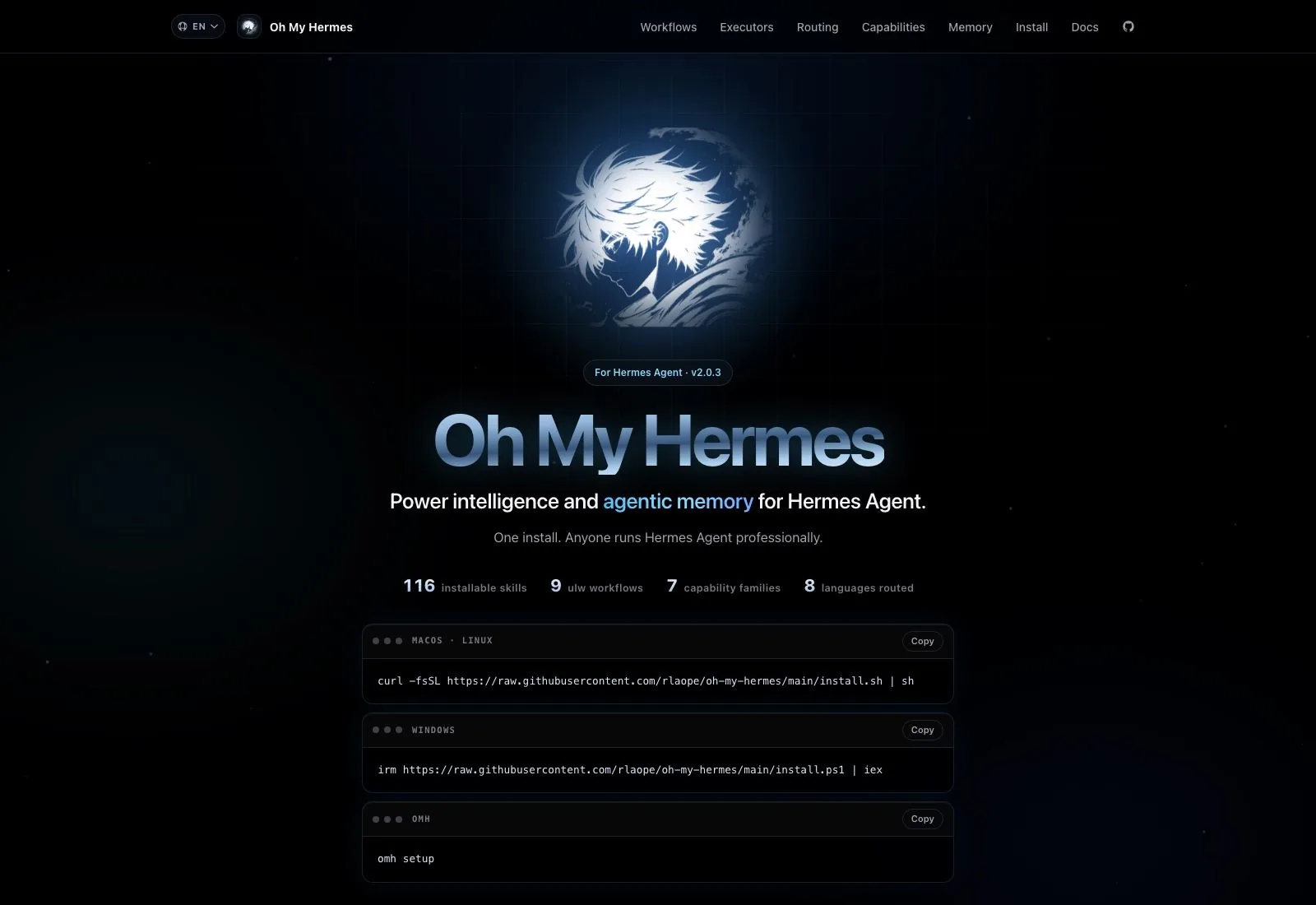
The project site puts four numbers above the fold: 116 installable skills, 9 workflow packages, 7 capability families, and 8 languages routed. Those are the author's counts as of v2.0.3, and they describe the shape of the thing better than any paragraph of positioning does.
The framing the README keeps returning to is that oh-my-hermes never replaces Hermes and never hides a coding executor behind it. Hermes stays the surface you talk to in plain language. What the plugin inserts underneath is a decision layer: it reads the request, decides which capability it belongs to, picks a workflow and its evidence gates, then runs Hermes-native skills as steps inside that governed path.
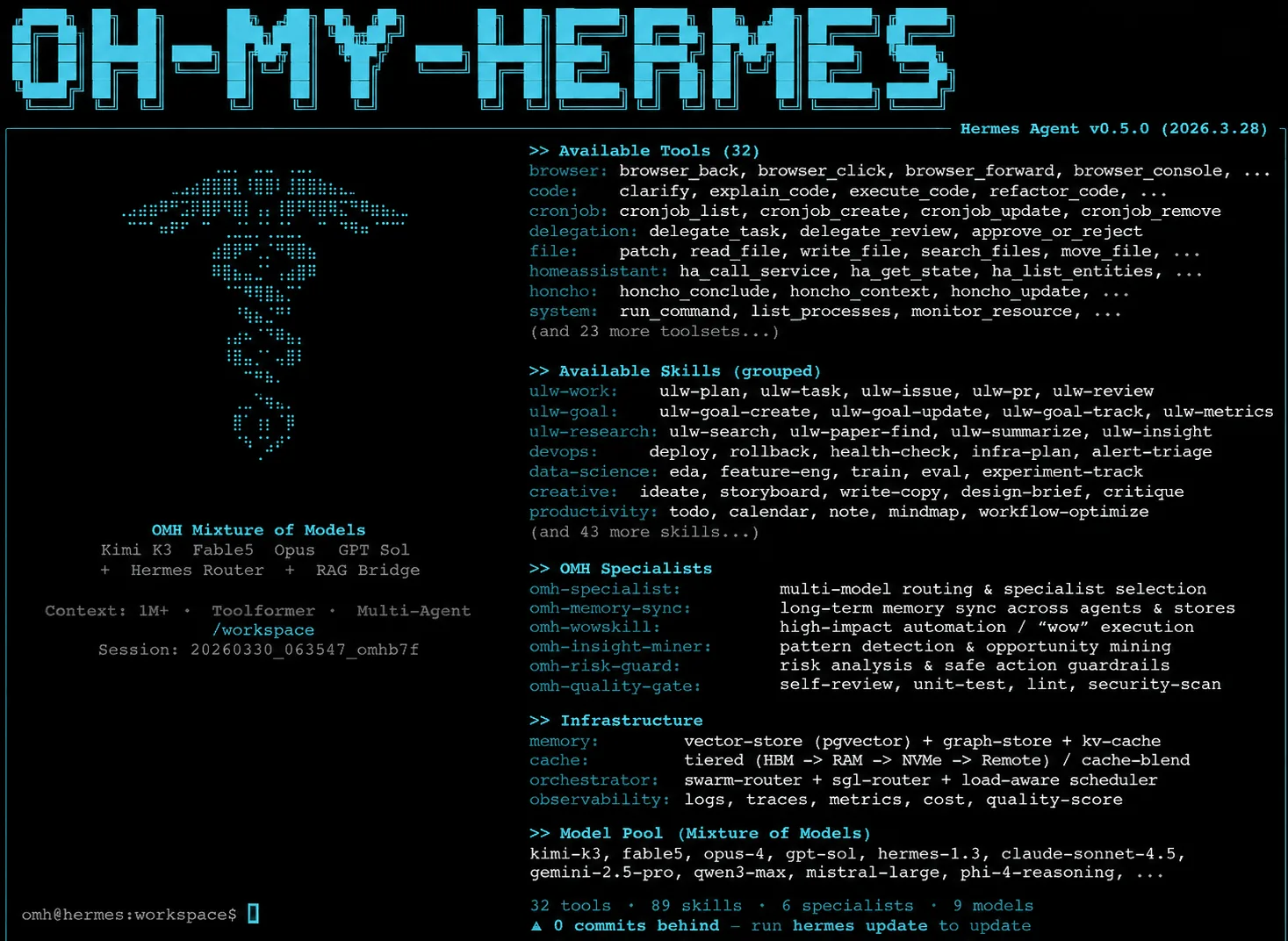
On the coding side the author describes three specific moves, which is refreshingly concrete for this category: tune the prompt per model, split the work into lanes that can run in parallel, and load only the specialist skills the request actually calls for. Model routing across eight languages is part of the same idea, sending a Rust question and a Korean drafting task to different places.
The relationship to Hermes' own skills is worth being precise about, since this is where similar projects usually get muddy. oh-my-hermes does not compete with Hermes-native skills or wrap them in a second abstraction you then have to learn. It sits above them and calls them: the plugin frames the problem, chooses the workflow and the evidence gates that workflow demands, and then invokes native skills as capabilities inside that path. Your existing skills keep working. What changes is that something is now deciding which of them to reach for, and recording why.
The project record, and what "evidence boundaries" means
The feature the README leans on hardest is the one hardest to describe without marketing language. oh-my-hermes keeps a record of what a project actually did, and it attaches boundaries to that record so a later step cannot quietly treat a guess as a finding.
Stated plainly: the plugin distinguishes between what was observed and what was inferred, and it carries that distinction forward. The install protocol for agents makes the same move, defining not only what to run and what to report but what remains unobserved after installation. That is an unusually honest primitive to build into a tool, and it is the reason this project is more interesting than a skill bundle.
Storage is per Hermes profile. Each profile selects its own store through plugins.entries.omh.settings.omh_home, and two profiles can be pointed at the same directory on purpose if you want them to share records. The docs are blunt that separate directories are not a security sandbox, which is the right disclaimer to make loudly.
Where this runs out is at the edge of the machine. The record belongs to that Hermes install on that box. Zentor treats the accumulated context as yours rather than the tool's: it carries across tasks, and you can export it and point it at a different AI when you change your mind about which assistant you like.
Installing oh-my-hermes
Three paths, and the site shows all of them. On macOS and Linux it is curl -fsSL https://raw.githubusercontent.com/rlaope/oh-my-hermes/main/install.sh | sh. On Windows the equivalent is irm https://raw.githubusercontent.com/rlaope/oh-my-hermes/main/install.ps1 | iex. If the package is already present, omh setup does the wiring.
Day to day your surface is deliberately small. The docs say the ordinary user's command set is omh setup, omh update and omh doctor, and that everything else in the CLI exists as backend infrastructure for Hermes, wrappers and automation. Talk to Hermes; let the plugin sit underneath.
There is a pasteable install protocol aimed at agents doing the install themselves, which tells you something about who the author expects to be running this. The protocol specifies what to run, what to report back, and, unusually, what is still unobserved once the install finishes; the same refusal to overclaim runs through the rest of the project.
Every one of those paths still assumes a terminal, a Hermes install and a machine you administer. That assumption is fine until the person who needs the output is a colleague who has never opened a shell. Zentor starts from the opposite end, where the setup step is connecting an account you already have rather than installing a runtime.
The v2 rewrite happened three weeks ago
Look at the release history before you treat any of this as settled. Version 1.0.9 shipped on 24 August 2026, v1.0.10 and v2.0.0 both landed on 29 August, and then v2.0.1, v2.0.2 and v2.0.3 arrived on 5, 7 and 12 September. A major version and three patches inside a fortnight.
Read that two ways at once. The project is alive and the author responds fast, which matters more than polish at this stage. It also means the interface you learn this week may not be the interface in October, and a plugin that sits between you and your agent is a bad place for surprise breaking changes. Pin what you can, and read the notes on omh update rather than running it reflexively.
Where the documentation will lose you
Somebody should say this plainly, because the marketing page does not prepare you for it. The installation guide is written for operators, and it reads like it. A representative stretch discusses an uncached root resolver, profile-home-keyed snapshots, anonymous scope mappings with no owner identity, and a bounded RuntimeBindingError raised before configuration or store reads. That is four concepts deep before you have installed anything.
The practical consequence is a split audience. If you just want the plugin, run the one-line installer and omh setup, then close the docs tab; that path genuinely is one command. If you are running multiple Hermes profiles, or sharing a store deliberately, budget real time, because the precedence rules between profile settings, legacy environment variables and administrator-managed configuration are detailed and unforgiving, and they fail closed by design.
Relative settings anchor to that profile's Hermes home, unresolved variables get rejected outright, and an already-expanded value that disagrees with the active profile is refused with a path diagnostic rather than silently accepted. Strict, and correct, and a lot to hold in your head at install time.
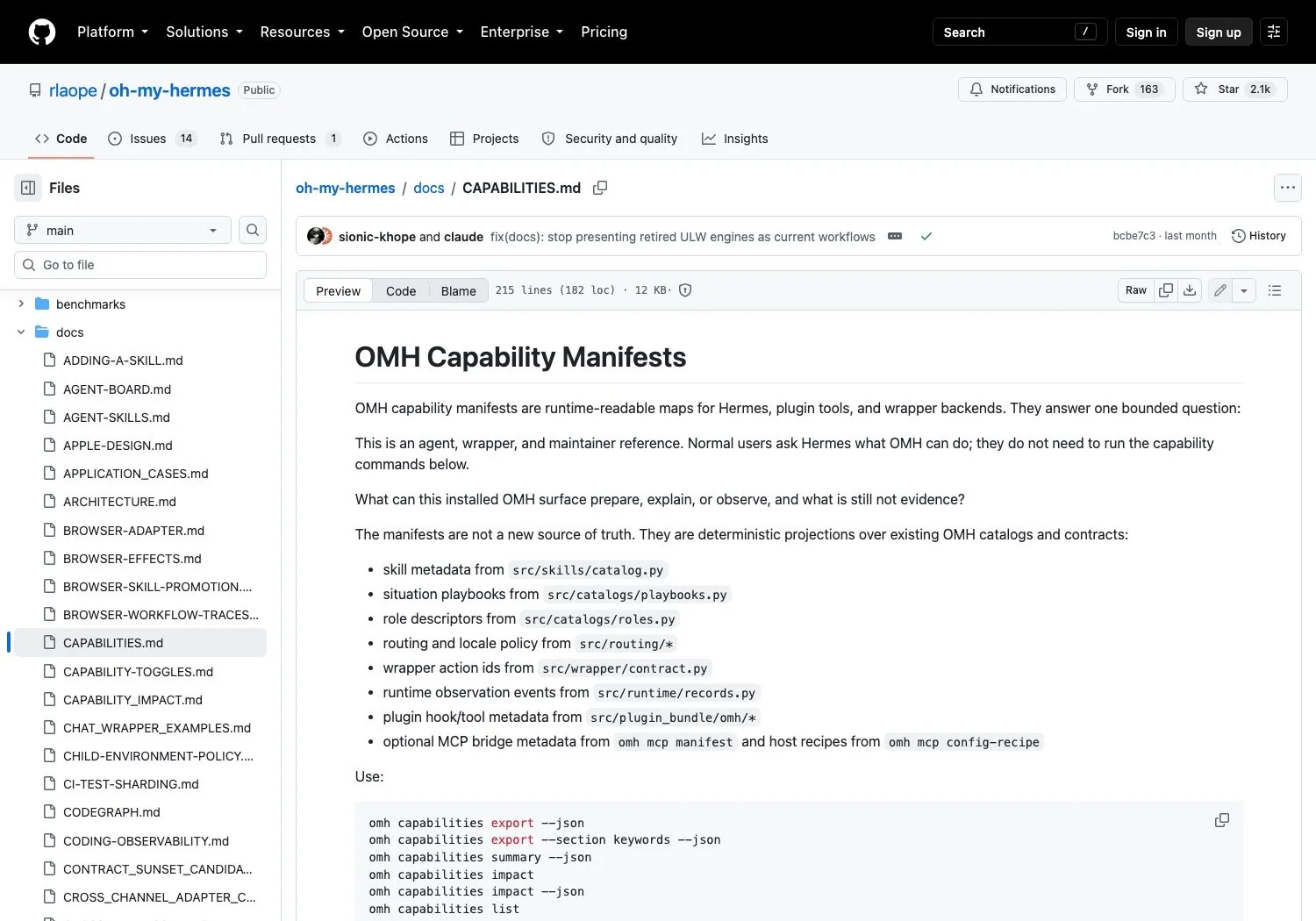
The README is the better introduction. The installation guide is a reference for people who already know why they are there.
Should you install oh-my-hermes?
If Hermes Agent is already in your daily loop, yes, with the version churn in mind. The install cost is one command, the uninstall story is a plugin directory, and 116 skills plus workflow packaging is a genuine upgrade over driving bare Hermes and remembering the good prompts yourself.
If you are not on Hermes, this is not a reason to switch. And if what you want is an assistant that produces finished work for people who will never open a terminal, a plugin for a command-line agent is the wrong shape entirely; that is the job Zentor is built for, and it is why our coverage of agent harnesses keeps circling back to where the output lands rather than how clever the middle layer is.
oh-my-hermes FAQ
Is oh-my-hermes free?
Yes. The repository is MIT licensed, with the copyright held by the oh-my-hermes contributors. Whatever you pay is for the models Hermes routes to, not for the plugin.
Does oh-my-hermes work with Claude Code or Codex?
The repository carries claude-code and codex topics, and the plugin describes coding handoffs as one of its workflow families, but oh-my-hermes installs into Hermes Agent and Hermes remains the surface you interact with. Treat it as a Hermes plugin that can hand coding work onward, not as a Claude Code or Codex extension.
What does oh-my-hermes add to Hermes Agent?
A layer above Hermes-native skills: 116 installable skills, 9 workflow packages, 7 capability families, routing across 8 languages, and a project record that separates what was observed from what was inferred.
How do I install oh-my-hermes on Windows?
Run irm https://raw.githubusercontent.com/rlaope/oh-my-hermes/main/install.ps1 | iex in PowerShell, then omh setup. The macOS and Linux path uses the equivalent shell script.
Is oh-my-hermes stable enough to rely on?
It moves quickly. Version 2.0.0 shipped on 29 August 2026 and three patch releases followed within two weeks. For personal use that pace is a feature; for anything load-bearing, pin a version and read the release notes before updating.
Counts and dates here were checked on 15 September 2026 against v2.0.3, using the repository, the project site and the GitHub release list rather than any secondary summary. A project releasing this often will have moved by the time you read it, so treat every number above as a reading taken on one specific day.

Zentor Editorial Zentor editorial team
The Zentor editorial team writes about workflow automation, AI agents, and the tools we build. Default byline for industry overviews, listicles, and collaborative pieces.
Ready to put this into practice?
Zentor runs browser tasks, research, and schedules automatically. Try it free.
References oh-my-hermes on GitHub · oh-my-hermes project site · oh-my-hermes releases · Hermes Agent (Nous Research)