What Is Harp? Run Many Claude Code & Codex Agents at Once

Harp terminal is an unofficial Warp fork for parallel Claude Code and Codex sessions. See its sidebar, local usage rings, privacy limits, and macOS setup.
Harp terminal is an unofficial fork of Warp that replaces its tab bar with a sidebar for tracking several Claude Code and Codex sessions. The GitHub repository was created on October 20, 2026, and showed 604 stars when checked on October 25; that early interest says nothing about security or reliability. Its practical question is smaller: which agent is working, and which one needs your answer?
Key Takeaways:
- Harp is a separate, unofficial Warp fork, not a Warp feature or a new agent model.
- Sidebar rows distinguish working, waiting for you, and done sessions; an unread mark persists until you look.
- Local logs and status-line data feed usage rings, but the inherited Warp cloud features can still contact Warp servers.
- The current release asset is a macOS DMG; login through Harp remains untested by its maintainer.
What is Harp and how does it differ from Warp?
The Harp terminal keeps Warp's underlying client while replacing horizontal tabs with a sidebar geared toward long-running coding agents. It is a Warp fork for coding agents, not a new model or hosted agent service. Warp's upstream repository already supports outside CLI agents; Harp changes how their sessions appear.
Suppose you have one agent editing a page and another waiting on a permission prompt. A tab title doesn't tell you which deserves attention. Harp's sidebar is meant to answer that without making you open every tab. Warp does not make or support Harp. Its separate bundle ID and settings folder let it sit beside Warp, but inherited cloud functions remain untested here.
Your work does not all live in a terminal
Zentor keeps workspace memory that connects to different AI tools through MCP, while its workspace adapts to the tasks you hand over. Get early access.
Get early access →
How do you run many Claude Code and Codex agents side by side?
Start CLI sessions in separate tabs. The Harp terminal presents each Claude Code or Codex session as a sidebar row with working, waiting for you, or done status. The project's own sidebar image shows a group with several rows and a “needs you” count. Treat those examples as the maintainer's product illustration, not evidence of a hands-on test here.

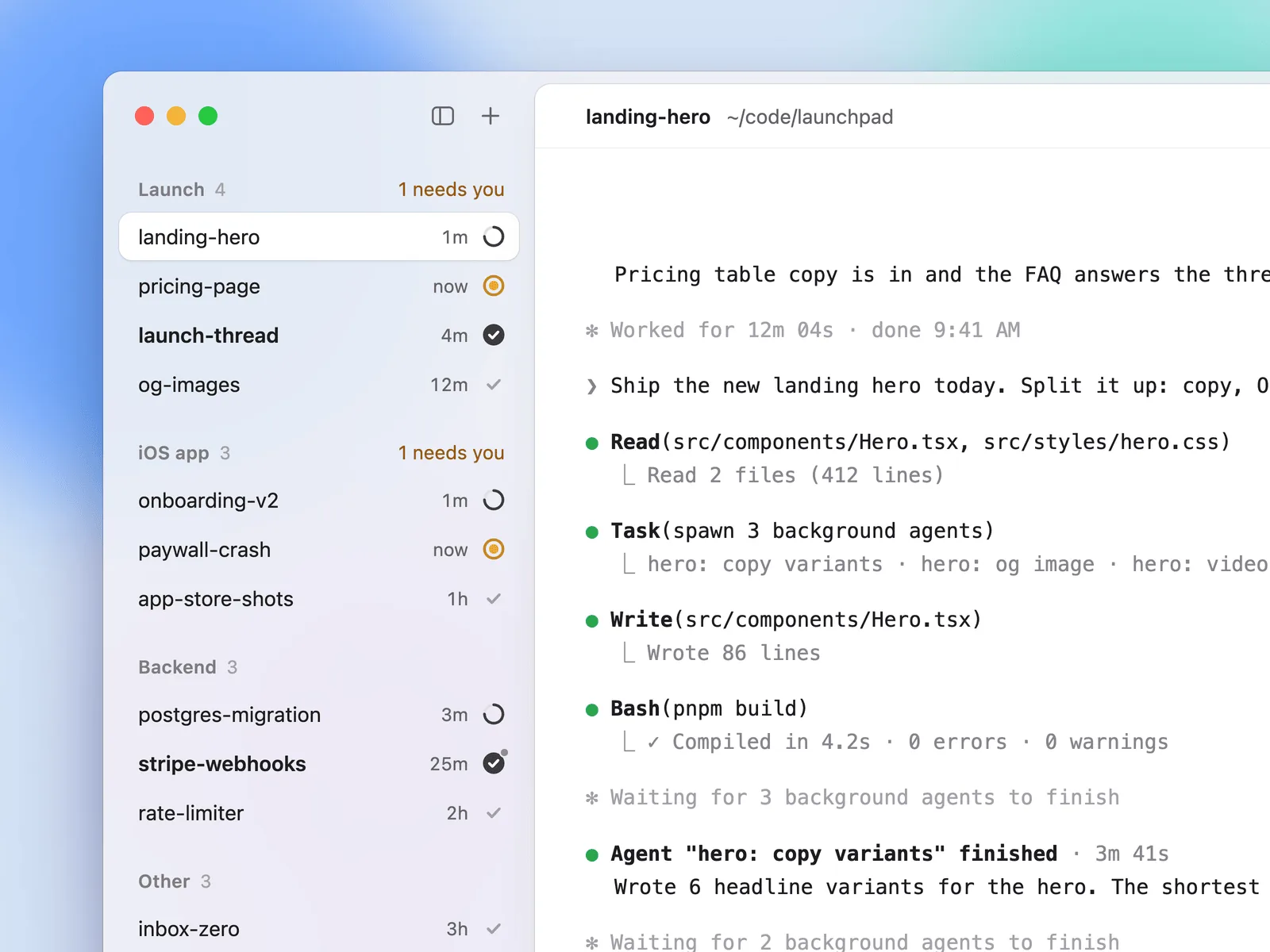
An unread marker stays until you inspect a row; a dot signals background work, and a moon marks a tab you set aside. You can rename a tab with Cmd+R. That means you can run multiple Claude Code agents without mistaking a completed session for one that is blocked on you. It won't prevent agents from editing the same file; keep their scopes separate.
What are the limit rings and tmux groups for?
The sidebar footer offers two rings for each provider: an inner five-hour window and an outer weekly limit. Hover for figures and reset times. Harp reads Codex rate-limit data from local session logs and Claude plan data from Claude Code's status line. The limit-ring format documentation specifies how another local file can supply or replace provider readings; it also explains dashed tracks for stale or missing data. They aren't a billing guarantee.
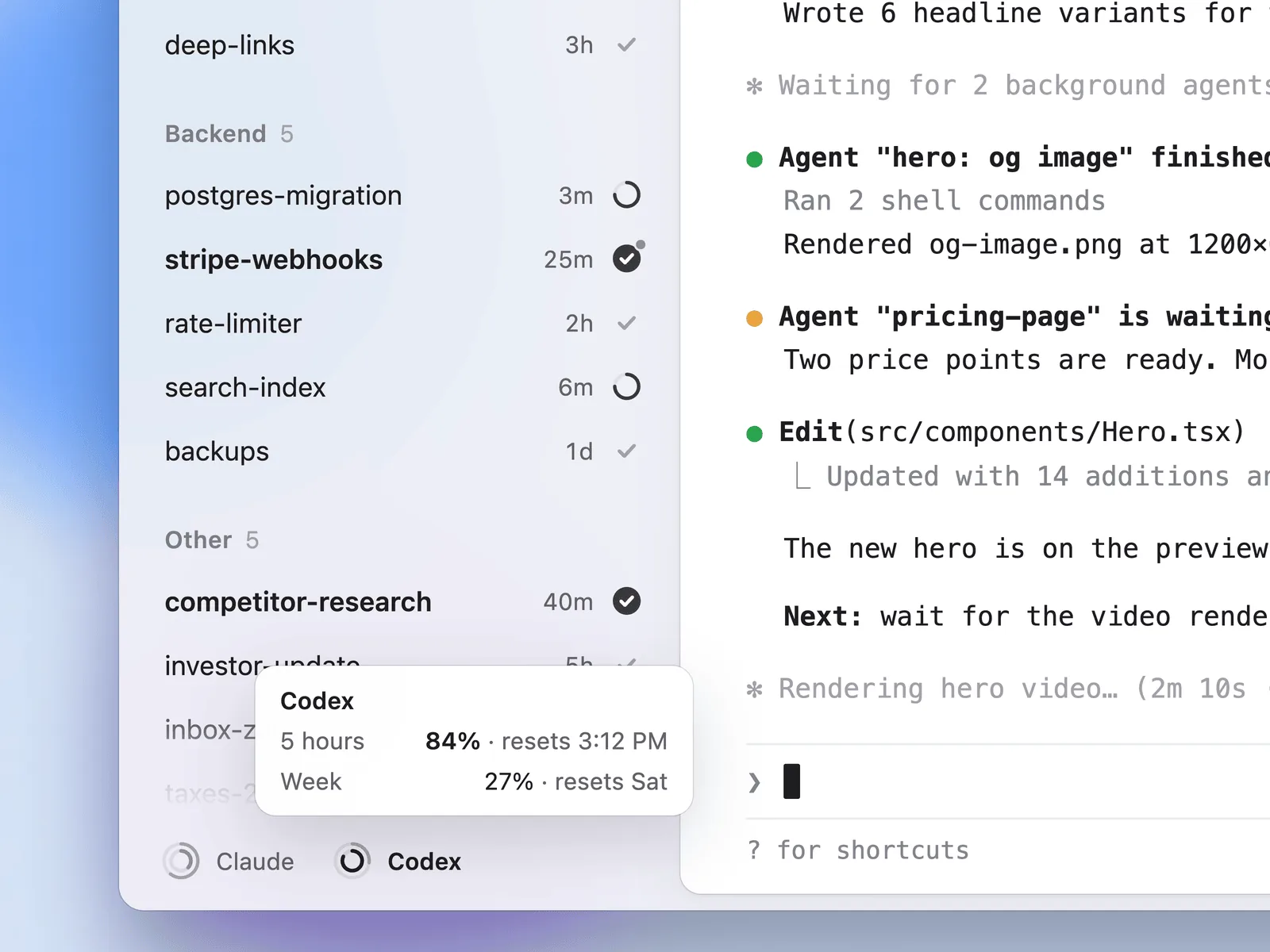
For persistent organization, put tabs in named groups. With the optional tmux integration enabled, Harp stores group and order on tmux sessions, so they can survive an app restart and appear to other tmux clients. The integration is off by default; the rings are on by default. If you manage parallel AI coding agents from more than one client, that distinction matters more than the cosmetic grouping.
Privacy and setup: what Harp reads and what it doesn't
The maintainer says Harp's added limit-ring feature “fetches nothing and reads no credentials.” That is a scoped claim, not a promise of zero network traffic from the entire application. Its README says inherited Warp AI, cloud, sharing, and login features still talk to Warp servers exactly as upstream does; it also says logging in through Harp has not been tested. Harp may add a local Claude Code status-line command to ~/.claude/settings.json when none exists, and reads Codex session logs for the rings. Review that file change if you already customize your terminal setup.
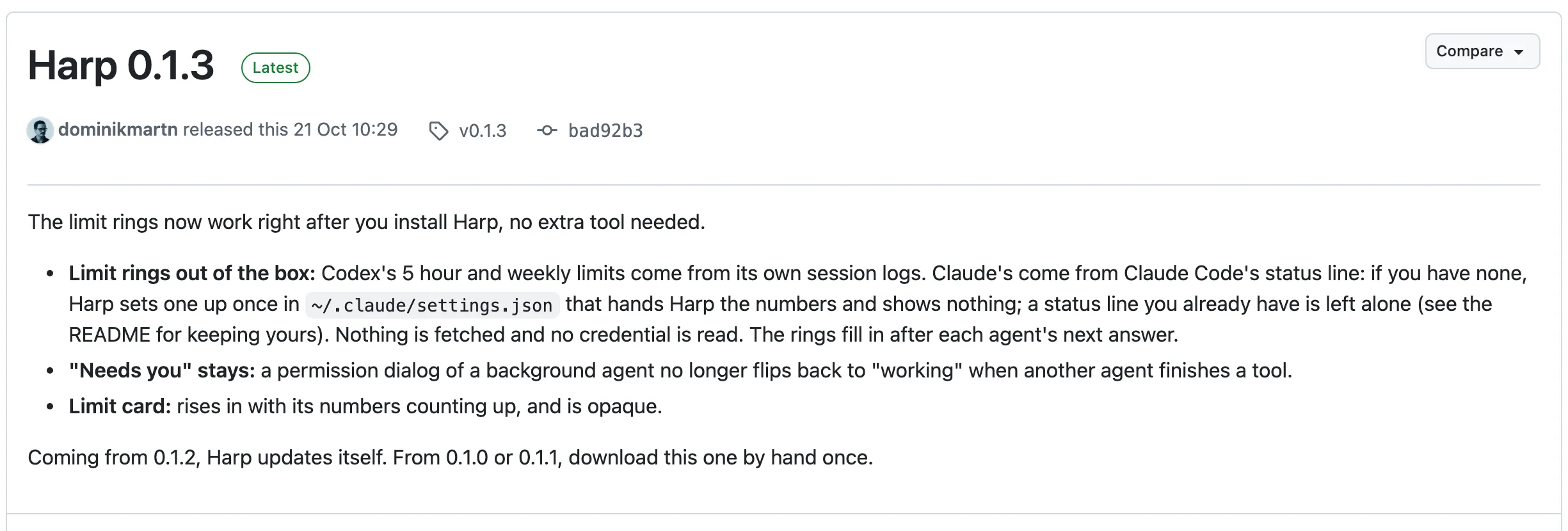
The October 21 release notes repeat the local-data claim and describe the built-in rings. As of October 25, the release API lists a Harp-0.1.3.dmg asset; the README's install and source-build steps specify macOS. That supports a current macOS download, not a claim that the fork can never run elsewhere. The repository's AGPL v3 license covers the main client, while its README identifies warpui and warpui_core as MIT-licensed exceptions. A public license is no substitute for checking network behavior.
The Harp terminal solves an attention problem for coding agents. Zentor handles work outside the terminal: its self-adaptive workspace organizes tasks; its user-owned memory reaches other AI tools through MCP. Neither makes it a Harp replacement. Zentor also stays on when your laptop closes. For sensitive code, examine the fork yourself.
FAQ
Is Harp free?
Its source is publicly available under AGPL v3 for most of the client, with MIT exceptions for two UI crates. A public downloadable DMG exists. This is not verification that inherited Warp cloud services are free, or that every feature works without an account.
Is Harp official Warp?
No. Its maintainer calls it an unofficial fork, unaffiliated with Warp. Report Harp issues to Harp, not to the upstream Warp team.
Does Harp read my API keys?
The maintainer says the added usage rings read no credentials; Codex figures come from local logs and Claude figures from a status line for Claude.ai plans, not API keys. That doesn't prove the entire inherited application never handles account data or makes network requests.
What platforms does Harp support?
The release checked on October 25, 2026, provides a macOS DMG, and the README documents a macOS build. No Linux or Windows Harp release asset appeared in the checked releases. Check Harp's releases before installing, since availability can change.

Zentor Editorial Zentor editorial team
The Zentor editorial team writes about workflow automation, AI agents, and the tools we build. Default byline for industry overviews, listicles, and collaborative pieces.
Ready to put this into practice?
Zentor runs browser tasks, research, and schedules automatically. Try it free.