OpenAI Scheduled Automations: Agents That Run on Cron

OpenAI scheduled automations let Agents API developers run agents on cron or once, target new or existing sessions, and track delivery separately from results.
OpenAI scheduled automations let an Agents API application start agent work on a cron schedule or at one future timestamp, either in a fresh session or an existing one. OpenAI announced the capability on October 23, 2026; this is a developer API mechanism, not a new switch in the ChatGPT app.
Key Takeaways:
periodicuses a five-field cron expression and named timezone;onceuses a future Unix timestamp in seconds.- Developers can target new or existing sessions. With the optional
automationstool, an agent can manage schedules it created in its current session. - An invocation marked completed confirms delivery to a session, not completion of the agent's task.
- Pausing or deleting a schedule does not cancel work the session has already accepted.
What are Scheduled Automations?
An automation saves when work should happen and which session should receive it. OpenAI's Scheduled automations guide specifies two timing types: periodic, with expression plus timezone, and once, with run_at. Either can target a new or existing session. Creation saves the automation as active; it does not execute immediately.
For example, 0 10 * * * means 10 AM daily in the named timezone, not ten hours after creation. The first periodic occurrence waits for the next matching clock time. A one-time run_at must be a future Unix timestamp in seconds; don't add cron fields to it. OpenAI says recurring runs receive a small randomized delay to spread load, so the schedule is an intended time rather than a guarantee of exact-to-the-second arrival.
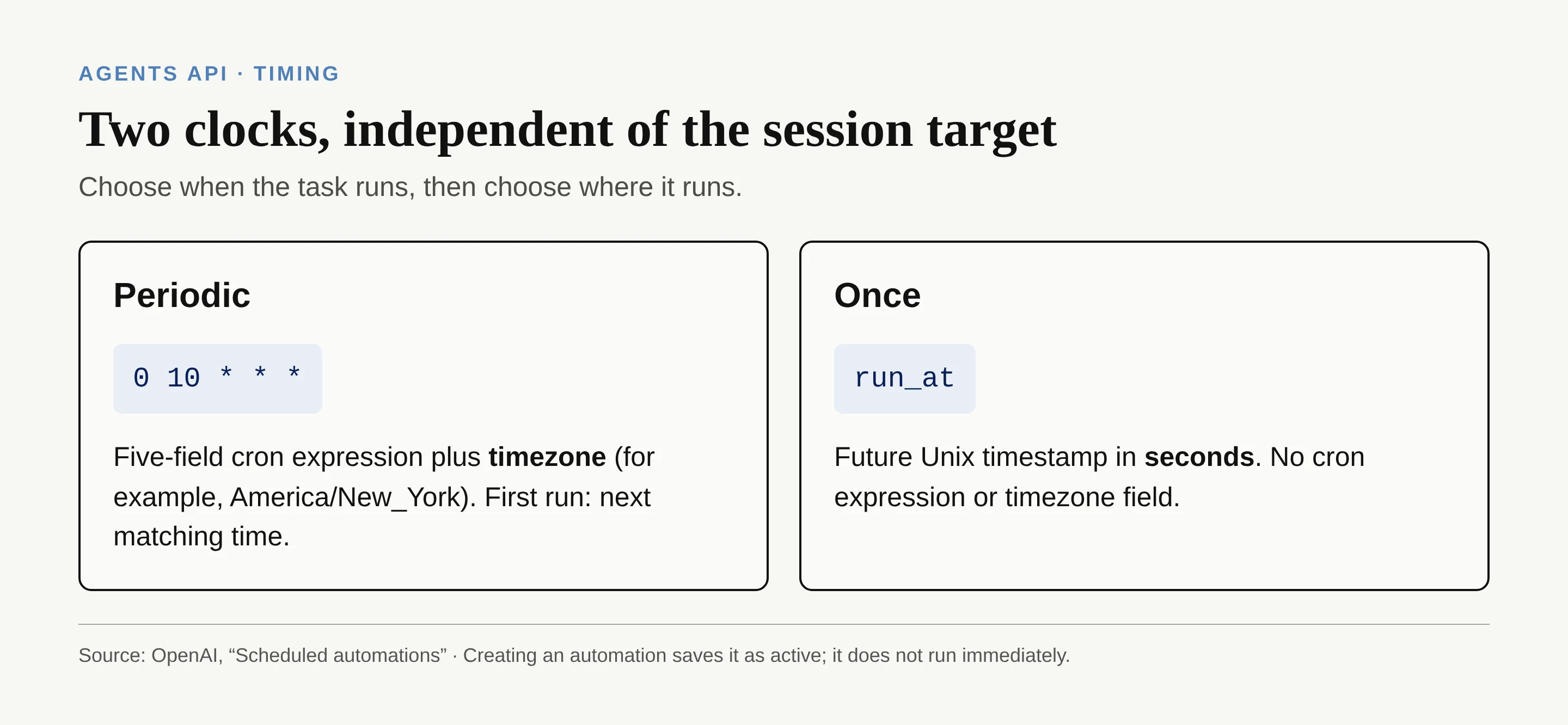
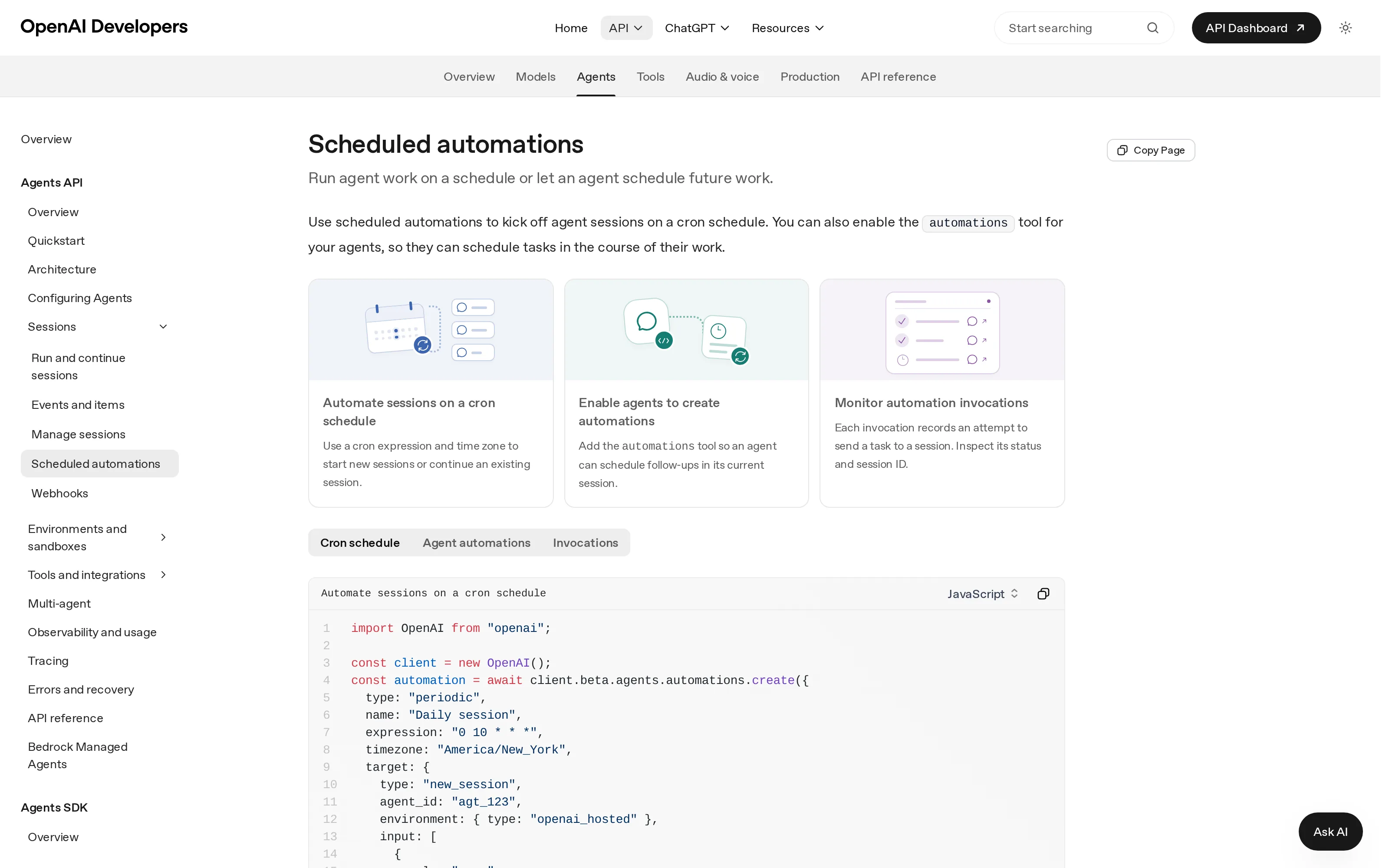
The official page makes the distinction visible without suggesting an app-level setting:
Your work should keep moving when you step away
Zentor's always-on workspace doesn't depend on your machine staying awake. Get early access to put everyday work in motion.
Get early access →
How does an agent schedule its own follow-ups?
An application can create and manage automations through the API without giving the agent any scheduling tool. If the application adds the optional automations tool to the agent configuration, the agent can create, list, inspect, update, pause, resume and delete schedules it created in the current session. The API assigns that session as the target. Tool access does not let the agent create a new target session or control automations belonging to another session.
Suppose you ask an agent to check a pending reply tomorrow. With the tool enabled, it can set a one-time follow-up in that conversation; without the tool, your application must make the scheduling API request. Removing the tool later does not erase saved schedules. Keep an application-side inventory rather than treating a configuration change as a stop button.
New session or existing session: which target?
Pick new_session when each run should start independent work. OpenAI requires an agent, an environment and initial messages in target.input. Pick existing_session when the follow-up needs prior conversation or findings: provide a session ID and reminder text in target.instructions. The sessions guide explains that a session retains configuration, conversation and saved work across turns.
A monthly review can start fresh with its own input; a reminder to revisit a decision made earlier belongs in the earlier session. This is a choice about context, not timing: both targets accept either schedule type. Agent-created schedules through the tool, however, stay tied to their creator session.
What happens when the target session is busy?
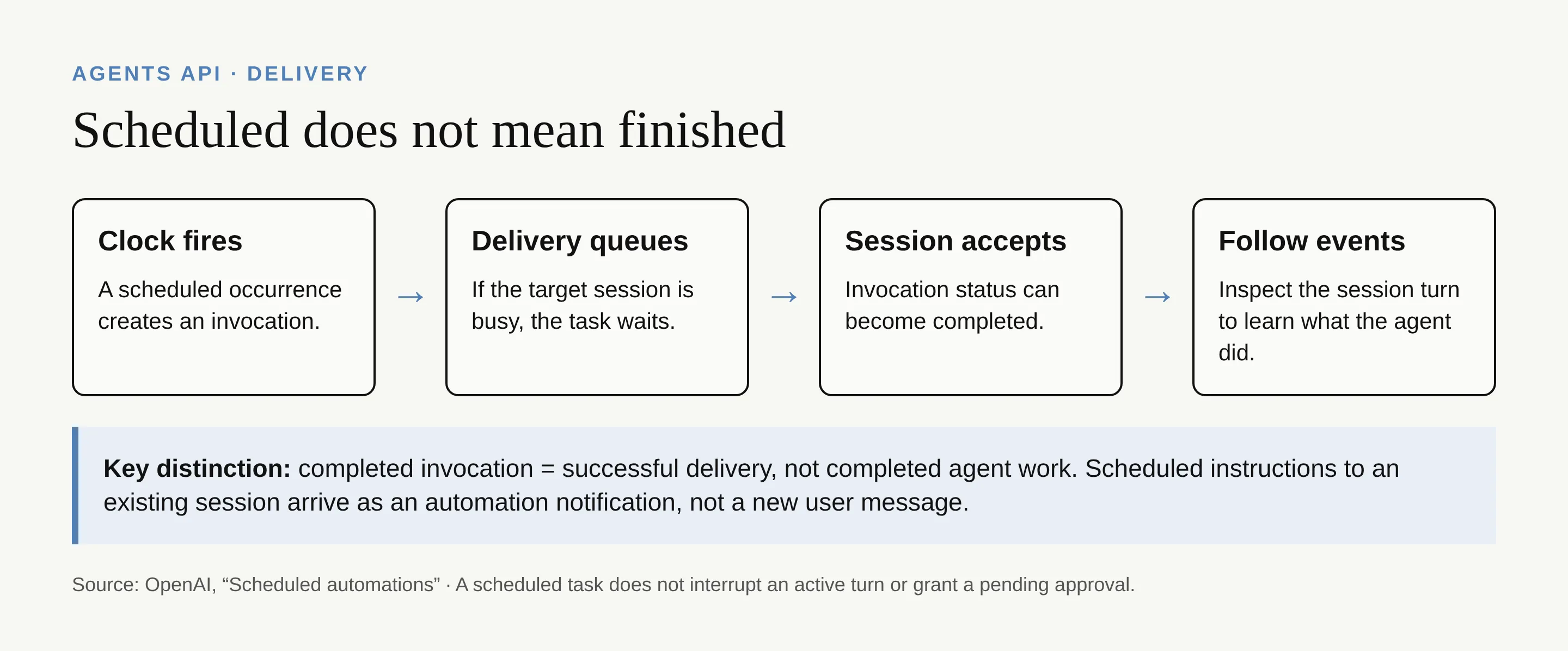
Each run creates an invocation, which records an attempt to deliver work. When the target session is busy, delivery waits until that session is available. For an existing session, the saved instructions arrive as an automation notification, not as a new user message; they don't interrupt the active turn, fill in a missing tool result or approve a pending action.
The important status distinction is easy to miss. An invocation starts queued and can become completed when delivery succeeds, but the agent may still be working. Inspect session_id, then follow session events and turn outcomes. OpenAI explicitly cautions that even a completed turn doesn't prove every tool succeeded; inspect the output.
What always-on agents still need
OpenAI scheduled automations solve the clock and routing part of recurring agent tasks. Your application still displays output and sends any user notification; it also handles actions the session requires. A cron trigger alone doesn't watch for new data continuously or guarantee that a business task succeeded.
That separation matters when comparing products. Our agent-versus-automation comparison discusses scheduling as a product capability; this article is about the Agents API delivery contract. Zentor's always-on claim concerns its own workspace continuing without your computer. Neither that claim nor this API schedule should be mistaken for a verified completed task.
Pause, resume and delete safely
Use the automation management operations to pause pending scheduled delivery, resume a saved schedule or delete it to prevent future invocations. An application can also trigger a manual invocation to test a schedule without changing its timing; this works while paused and does not consume a one-time scheduled run.
Before updating a target, copy every required target field: supplying target replaces the whole object. Updates affect future invocations, not an invocation already queued with earlier instructions. Pausing or deleting cannot undo work already accepted by a session; cancel the active turn separately if you must stop current work. If a paused one-time schedule's timestamp has passed, set a new future run_at before resuming.
FAQ: Agents API scheduled automations
Does the agent need the automations tool to be scheduled?
No. The application can schedule the agent through the API without exposing the tool. The tool only enables the agent to manage its own eligible schedules in the current session.
Can an agent manage another session's schedule?
No. The tool reaches only automations that the agent created in the current session. Your application has broader API management access to its automations.
What timezone format is required?
Use UTC or a named IANA timezone such as America/New_York with a five-field periodic cron expression. A one-time run_at instead takes a future Unix timestamp in seconds, without timezone.

Zentor Editorial Zentor editorial team
The Zentor editorial team writes about workflow automation, AI agents, and the tools we build. Default byline for industry overviews, listicles, and collaborative pieces.
Ready to put this into practice?
Zentor runs browser tasks, research, and schedules automatically. Try it free.