BrowserSkill: Let Agents Use Your Real Browser
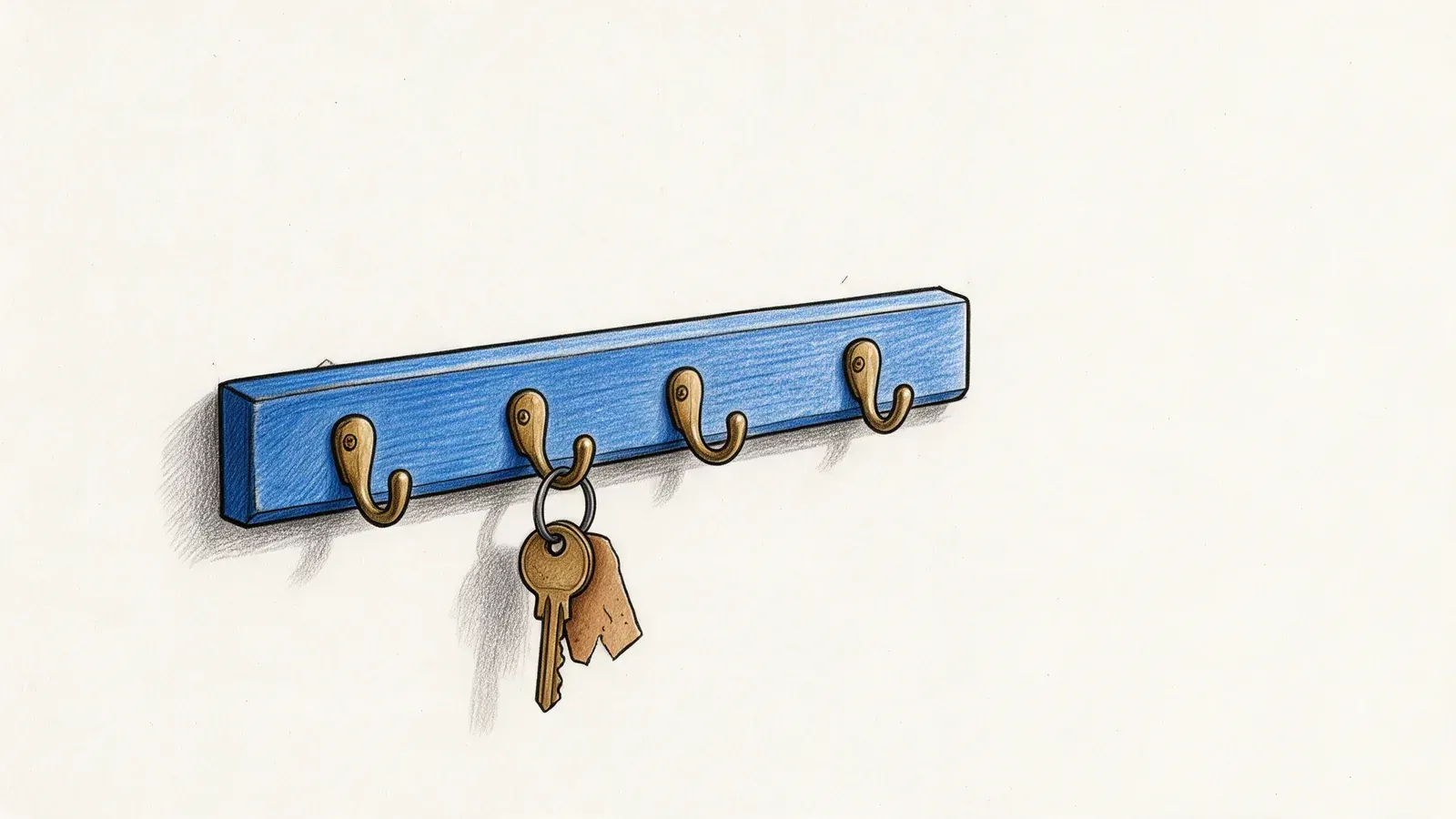
Tencent's BrowserSkill lets any shell-capable AI agent drive your already logged-in Chrome via a CLI plus extension. What it is and how it differs.
Most browser agents start by throwing away the thing that makes your browser useful. They open a clean headless Chromium, and then you spend twenty minutes wiring up a service account, or a cookie jar, or a login flow that breaks the next time the site adds a captcha. BrowserSkill, from Tencent, takes the opposite position: use the browser you're already signed into, and don't interrupt the person using it.
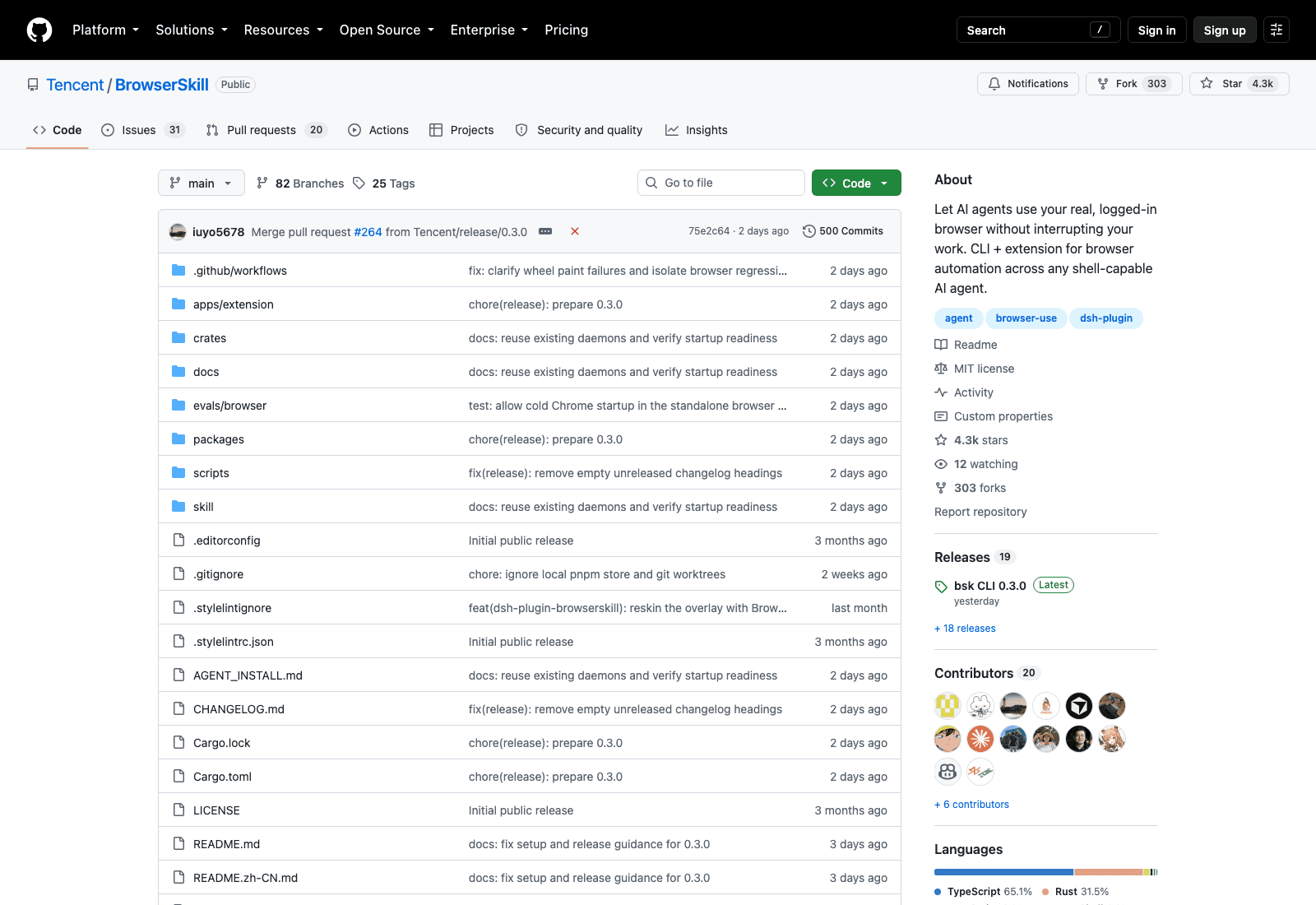
It's been on GitHub since 22 June 2026 and had 4,322 stars on 18 September. MIT licensed, and shipping fast enough that two separate components tagged new versions in the same week: ext-v0.3.0 on 16 September, cli-v0.3.0 on the 17th. That's 19 releases and 500 commits from 20 contributors in under three months. The tree is about two-thirds TypeScript and one-third Rust, which is a sensible split once you see that the daemon has to stay alive and fast while the extension does DOM work.
What BrowserSkill actually is
Two pieces run on your machine. There's bsk, a CLI and background daemon, and there's a browser extension you load unpacked. Neither is a cloud service; both run on your machine. The agent talks to the CLI; the CLI talks to the extension; the extension drives a real Chrome or Edge profile that already has your sessions in it.
The README names the agents it connects: Cursor, Claude Code, Codex, OpenClaw, CodeBuddy, WorkBuddy, Pi, Hermes Agent, and DeepSeek Harness, plus "other AI agents." That list is less important than the rule behind it, which is that any agent capable of calling a shell can drive BrowserSkill through bsk. No SDK, no model requirement, no framework buy-in. If your agent can run ls, it can run this.
Supported platforms as of 18 September 2026: macOS on both Apple Silicon and Intel, Linux on x64 and ARM64, and Windows x64. Browsers are Chrome and Edge, with other Chromium builds expected to work where they accept unpacked extensions. Firefox is listed as planned, not shipped.
BrowserSkill hands the browser back to you when the job's done. Zentor does the same thing one layer up: it finishes the task and puts the result into Notion, Airtable, Slack or your inbox, instead of leaving it in a terminal for you to move.
See Zentor's browser control →
A real logged-in browser instead of a fresh headless session
The difference sounds small until you've spent an afternoon on it. A headless session knows nothing: not your Gmail, not your Jira, not the internal dashboard behind SSO. So the usual workarounds are to create a second account nobody audits, or to copy cookies into a profile directory and hope the site doesn't fingerprint the mismatch, or to sit there and solve the login by hand every run.
BrowserSkill skips all of that by borrowing what's already authenticated. Per the README, agents "can work with sites you are already signed into, without separate test accounts."
The part I didn't expect is how carefully it stays out of your way. Browser tasks run in a separate, visible Agent Window rather than hijacking the tab you're reading. When an agent does need a tab you already have open, the README says it "must borrow that tab explicitly, return it when the task is done, and leave the rest of your browser alone." That's a protocol, not a courtesy, and it's the reason you can leave the thing running while you work.
There's also a human handoff built in. Captcha, a login wall, a confirmation dialog the agent shouldn't be clicking on your behalf: the agent can stop, ask you to take over, and pick up after you're done. Anyone who's watched an agent confidently click "Confirm" on something irreversible will recognise why that matters.
CLI plus extension: works with whatever agent you already use
The installation route is a small joke about where tooling has ended up. You don't read setup docs; you paste one line into your agent and let it do the work:
Set up browser-skill on this machine by following https://raw.githubusercontent.com/Tencent/BrowserSkill/main/AGENT_INSTALL.md
Then it installs the CLI and the skill, and walks you through loading the extension.
Once it's running, the commands are ordinary. A full-page screenshot, for instance:
bsk screenshot --session <id> --full-page --out page.png
One detail worth knowing before you debug it at midnight: if your agent runs inside a sandbox that reaps background processes between commands, the daemon dies with them. The repository documents the fix, which is keeping the daemon in a persistent host environment and connecting with a shared BSK_HOME plus BSK_AUTO_START=0. Ordinary local use keeps automatic startup and you won't hit this at all.
What two weeks of changelogs tell you about the hard part
Release notes are usually marketing. These aren't, and reading them is the fastest way to understand what's difficult about driving a real browser.
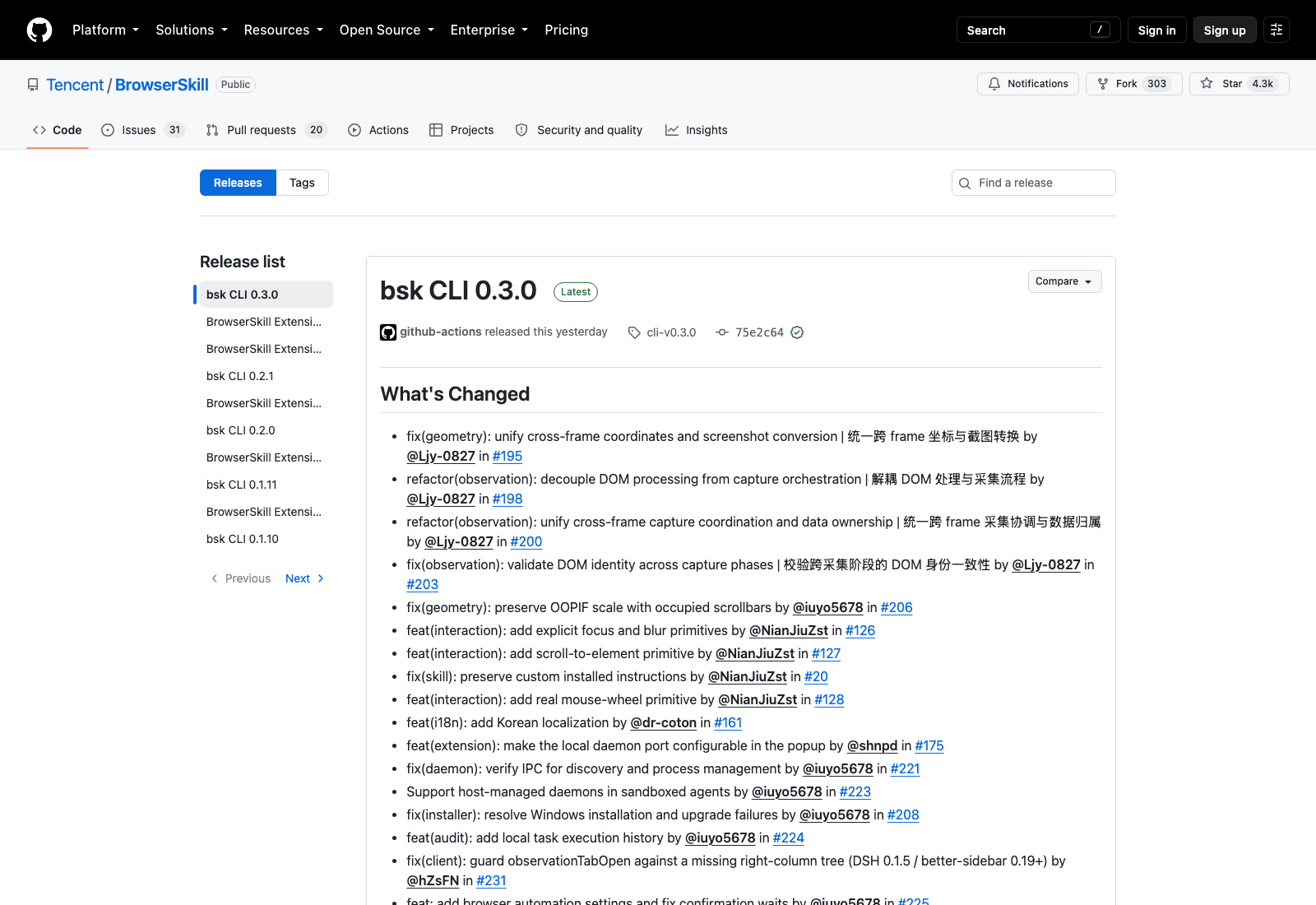
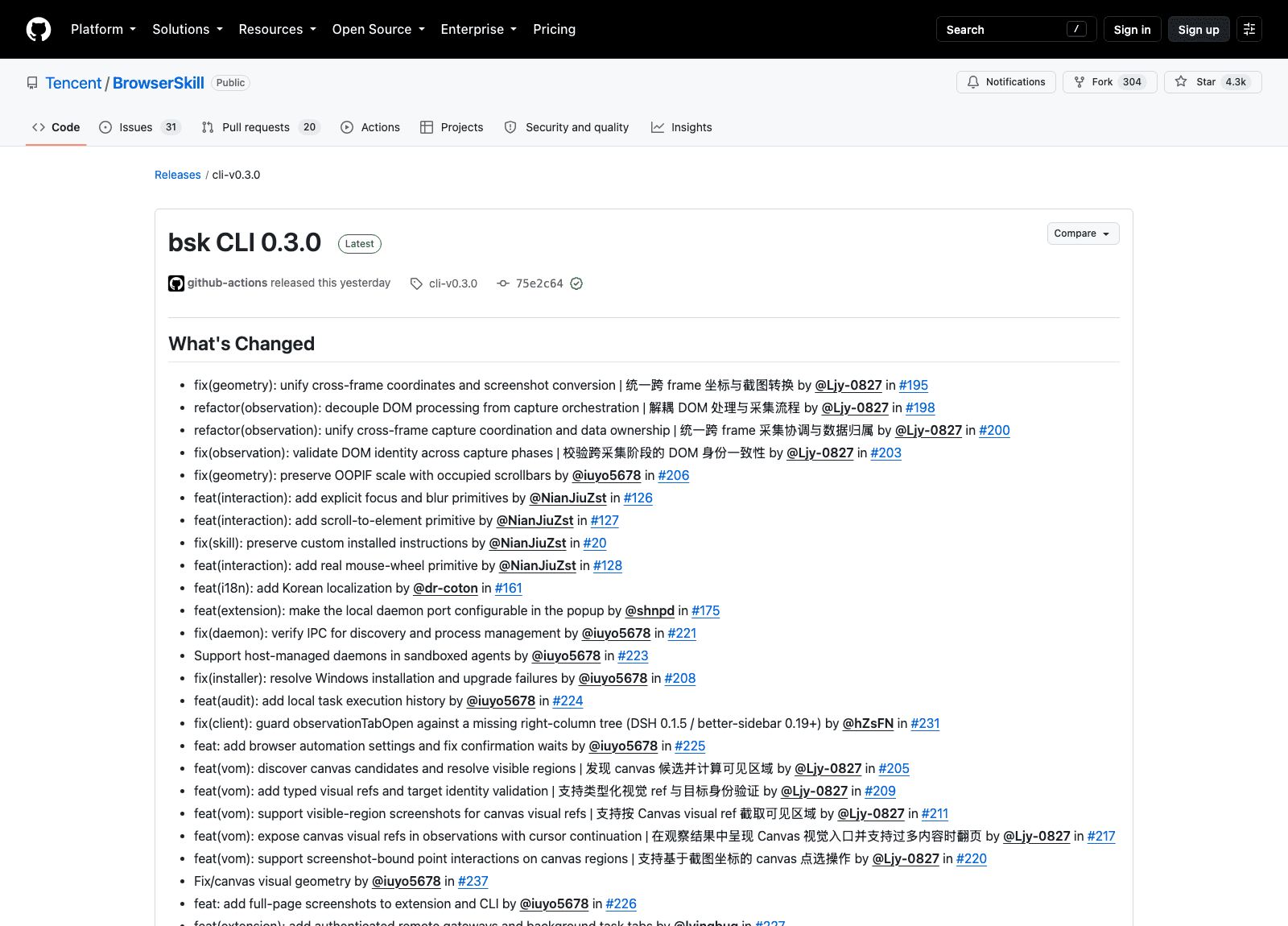
The 0.3.0 pair, tagged 16 and 17 September, is mostly geometry and observation work: unifying cross-frame coordinates and screenshot conversion, decoupling DOM processing from capture orchestration, validating DOM identity across capture phases, and preserving out-of-process iframe scale when scrollbars take up space. Translated: an agent clicking at coordinate (x, y) has to be sure that (x, y) still refers to the element it looked at a moment ago, across iframes, across scroll positions, on a page that may have re-rendered underneath it. Every one of those fixes is a bug someone hit.
The same release added explicit focus and blur primitives, a scroll-to-element primitive, and a real mouse-wheel event rather than a scripted scroll. Real mouse wheel matters because plenty of sites distinguish the two, and lazy-loading lists in particular often won't fetch the next page for a synthetic scroll.
Now look at 0.2.1 from 9 September, which is where the tab-ownership model got tested. Three of its fixes are about the borrow protocol failing: keeping user-opened tabs free and stopping an agent-tab leak on session stop, preventing a closed borrowed tab from blocking session stop, and releasing automation state when a tab is returned. The rule that the agent must give tabs back is clearly the right design, and it also clearly took a few rounds to make hold under a user closing things at the wrong moment.
My favourite line in that release is fix(extension): verify fill results before reporting success. An agent that types into a field and assumes it worked will produce a confident, wrong transcript of what it did, which is worse than failing. Checking afterwards is unglamorous and it's the difference between a demo and a tool.
Windows got attention too, with fixes for self-update failing to replace the binary and for pipe continuity plus process-liveness checks. If you're on Windows and tried this before September, try again.
Korean localisation landed in the same batch, for whatever that signals about who's using it.
How BrowserSkill compares to the other browser agents
The category has stratified into three rough approaches, and they're solving different problems.
Cloud browser agents run somewhere else entirely and hand you back a result. That's fine for public pages and useless for anything behind your login, which is most of the work people actually want automated. Local headless frameworks, the browser automation stack most of us already have installed, give you full control and full responsibility for auth state. Then there's the BrowserSkill approach: your browser, your session, an agent borrowing it with rules.
If you've looked at running browser agents on macOS or at bridge-style setups, this will feel familiar in shape and different in emphasis. The emphasis here is coexistence. Most tools assume the browser is theirs for the duration of the run.
Worth saying plainly: BrowserSkill isn't an agent. It has no model, no planner, no task loop. It's the hands. You bring the brain.
The permission surface, which you should think about first
Handing an agent a browser that's logged into your bank, your admin panels, and your company's HR system is a meaningful decision, and no amount of good engineering makes it not one.
What the design does help with: the separate Agent Window means you can see what's happening rather than discovering it in a log afterwards, the explicit borrow-and-return protocol limits blast radius to tabs the agent asked for, and the human-in-the-loop step means the agent stops at exactly the moments where a mistake is expensive.
What it doesn't change: an agent acting in an authenticated session has whatever permissions you have. Prompt injection from page content is a live problem across this whole category, and a logged-in session raises what an injected instruction can reach. The same reasoning we've written about for fake tool output in coding agents applies with more at stake, because here the tool output is a web page that a stranger controls.
Practical version: start with low-stakes sites, watch the Agent Window for the first few runs, and don't leave the daemon up in a browser profile that's signed into production infrastructure. None of that is in the README; it's just what I'd do.
Where Zentor fits, and where it doesn't
BrowserSkill solves the access problem well. The problem it doesn't touch is what happens to the output.
An agent finishes a browsing task and leaves you with a screenshot on disk and some text in a terminal. The work isn't done, because the work was never "look at this page", it was "get this into the doc where the team will read it." Zentor was built around that last step: the run ends by writing into Notion, Airtable, Canva, Slack or an inbox, so nobody has to carry the artifact across the gap.
The other gap is memory across runs. bsk sessions are sessions; when the task ends, so does what it knew. If Tuesday's research is supposed to inform Thursday's, something has to keep it, and in Zentor that history stays at the account level and can be exported, which means you're not renting your own accumulated context back from whichever tool you happened to use in September.
Which one you want depends on the job. If your agent must touch a site that only your logged-in browser can reach and the deliverable is a local file, BrowserSkill is the more direct answer.
FAQ
Does BrowserSkill work with Claude Code and Codex?
Yes. Both are named in the README, alongside Cursor, OpenClaw, CodeBuddy, WorkBuddy, Pi, Hermes Agent, and DeepSeek Harness. The stated requirement is only that the agent can call a shell, so the list isn't exhaustive.
Is it safe to give an agent my logged-in browser?
It's a real risk, and the honest answer is that it depends what you're signed into. BrowserSkill reduces the surface with a visible Agent Window, an explicit tab borrow-and-return protocol, and a handoff for captcha and confirmation steps. It doesn't eliminate the risk that a page's content influences the agent. Treat it like giving someone your unlocked laptop for an hour.
What operating systems does BrowserSkill support?
macOS on Apple Silicon and Intel, Linux on x64 and ARM64, and Windows x64, as documented on 18 September 2026.
Does it work in Firefox?
Not yet. Chrome and Edge are supported; other Chromium browsers should work if they load unpacked extensions. Firefox is listed as planned.
Is BrowserSkill free?
The repository is MIT licensed, so yes for the tooling. Whatever agent you point at it has its own costs.
Worth trying if the login wall is your blocker
Tencent releasing this under MIT rather than as a product hook is the part I keep coming back to. The bet seems to be that browser access becomes plumbing, and plumbing is better standardised than owned.
Whether BrowserSkill is the standard is not something two version bumps in one week can tell you. But if you've been blocked on the specific, boring problem of an agent that can't get past your SSO page, it's a short evening to find out.

Zentor Engineering Notes from the team building Zentor
The engineers behind Zentor on agent design, infrastructure, integrations, and the technical decisions that shape the product.
Ready to put this into practice?
Zentor runs browser tasks, research, and schedules automatically. Try it free.
References https://github.com/Tencent/BrowserSkill · https://github.com/Tencent/BrowserSkill/releases · https://raw.githubusercontent.com/Tencent/BrowserSkill/main/AGENT_INSTALL.md