GPT-6 Astra Usage Limits for Always-On AI Agents

GPT-6 Astra usage limits for always-on AI agents depend on plan allowances, API tiers, task size, reasoning, and tools. Learn how to budget usage.
GPT-6 Astra has no single “hours of runtime” cap. GPT-6 Astra usage limits for always-on AI agents depend first on whether the agent uses a ChatGPT plan allowance or an API key; OpenAI’s current estimate for Plus is 5–45 local Astra messages per five-hour window, not a fixed message guarantee.
All access, limit and price details below were checked against official OpenAI pages on September 22, 2026.
Key Takeaways:
- Work and Codex share the ChatGPT plan’s agentic allowance; Chat usage has separate limits.
- API calls incur usage-based charges and face RPM, TPM and batch queue ceilings.
- Larger contexts, longer outputs, higher reasoning, Fast mode and extra tool steps consume more.
- Route routine work elsewhere, cap retries, define stop rules and retain a fallback.
Quick Answer
Start by identifying the meter. Signing in to Codex with ChatGPT draws from your plan’s shared Work and Codex allowance, while using an API key follows API pricing and rate limits. Background execution, async tools and longer task duration change how work runs; they don’t create an exemption from either meter.
For a recurring agent, budget the complete run rather than its opening prompt. Count source material, generated output, tool results, retries and follow-up turns. Reserve Astra for steps where its stronger reasoning changes the outcome.
Get early access to Zentor if you want recurring cloud tasks that can run while your computer is off.
Which GPT-6 Astra Usage Limit Applies?
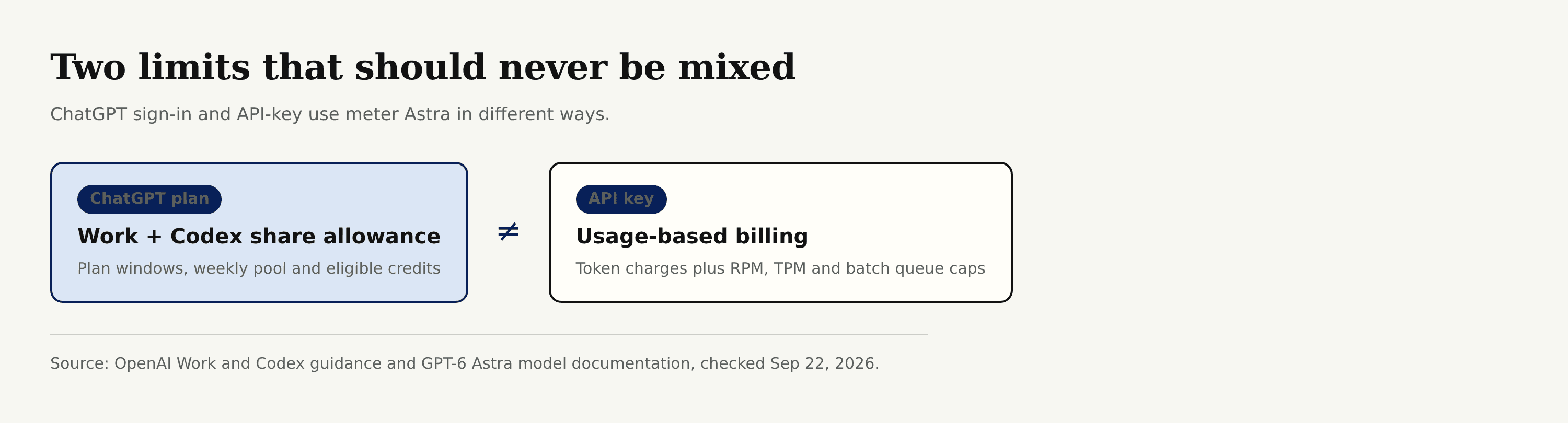
ChatGPT Plan Allowances in Work and Codex
OpenAI says Work and Codex share usage. A five-hour window and weekly window can both apply, and both need remaining allowance. The 5–45 Plus estimate covers local messages; cloud work may consume more.
Astra can use allowance faster than GPT-5.6 Sol. Eligible credits can extend some plans after included use. Switching models doesn’t replenish a shared pool. Check Settings → Usage for your current percentage and reset time.
API Billing, RPM, TPM and Batch Queues
The API meter is different. As of September 22, the Astra model page lists Standard rates of $10 per million input tokens, $1 cached input, $12.50 cache writes and $50 output. Inputs above 272K tokens cost more for the entire request. Batch and Flex cost 50% of Standard; Fast costs twice the applicable rate.
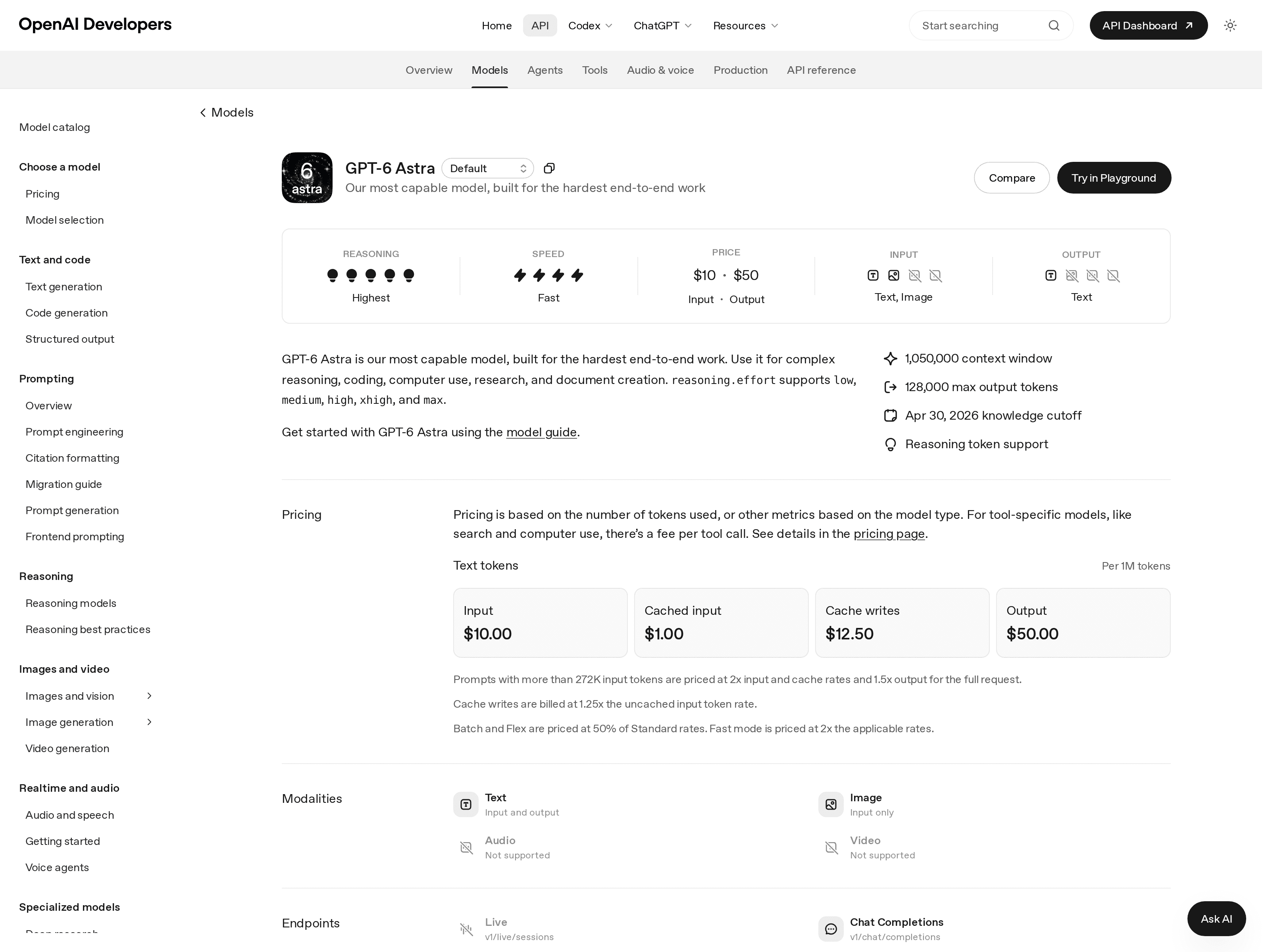
Throughput also constrains API agents. Astra isn’t available on the Free API tier. Published Tier 1 caps are 500 RPM, 500,000 TPM and 1.5 million queued batch input tokens, rising by usage tier. The rate-limit guide says limits apply at organization and project level. A batch queue supplies separate headroom, not infinite capacity; pending input tokens still count until jobs finish.
Why Always-On Agents Reach Limits Faster
Long Tasks, Context and Tool Calls
A repeated monitor can look cheap because its instruction is short, yet every run may reopen documents and ingest tool output. Suppose a morning research task encounters a broken source. If it retries the page, broadens the search and regenerates the report without a ceiling, one failed input becomes several billable steps.
OpenAI lists a 1,050,000-token context window and 128,000 maximum output. Those are technical maxima, not sensible targets. Supply only relevant files and narrow date ranges.
Reasoning Effort and Processing Mode
Astra supports low through max reasoning effort. Higher effort can consume more and doesn’t always improve the result. Start low or medium; escalate after checking the instructions, permissions and source files.
Fast mode purchases speed with higher consumption. Likewise, the background-mode documentation describes asynchronous execution and polling, not discounted or limit-free execution.
Build a Usage-Aware Agent Workflow
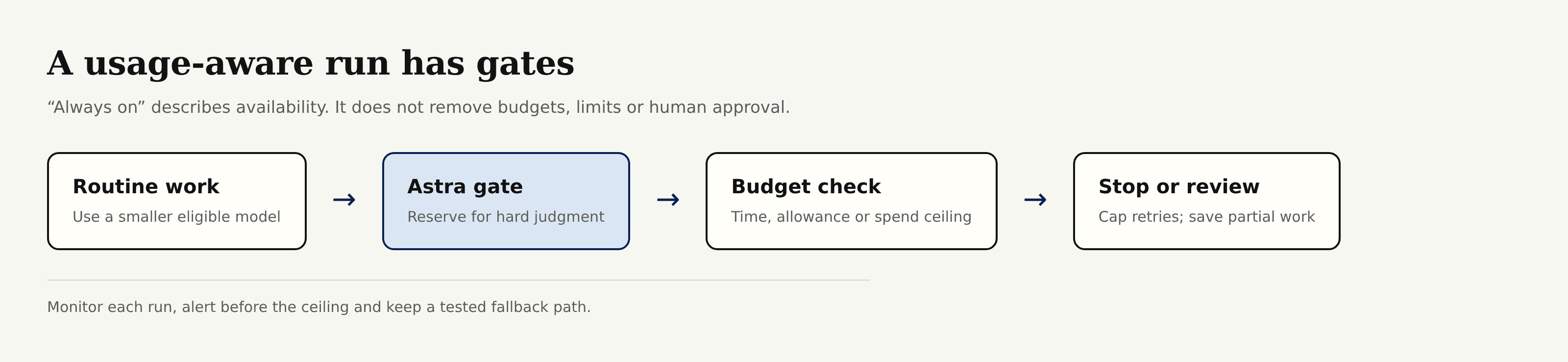
Route High-Value Steps to Astra
Split the job by judgment required. Let a smaller eligible model classify routine items or format known fields, then send ambiguous cases and final decisions to Astra. Measure completed runs rather than assuming this always costs less.
Set Budgets, Retry Caps and Stop Conditions
Give each run a ceiling in the unit you can observe: plan allowance for Work or Codex, and estimated plus actual token cost for API jobs. Add a wall-clock deadline, a maximum tool-step count and one bounded retry policy. Stop when required evidence is missing, approval is needed or the same error repeats. Save partial work so the next run doesn’t pay to rediscover it.
Always-on still needs approval boundaries. It means the agent can be available without your laptop remaining awake, not that consequential actions should proceed unseen.
Monitor Usage and Keep a Fallback
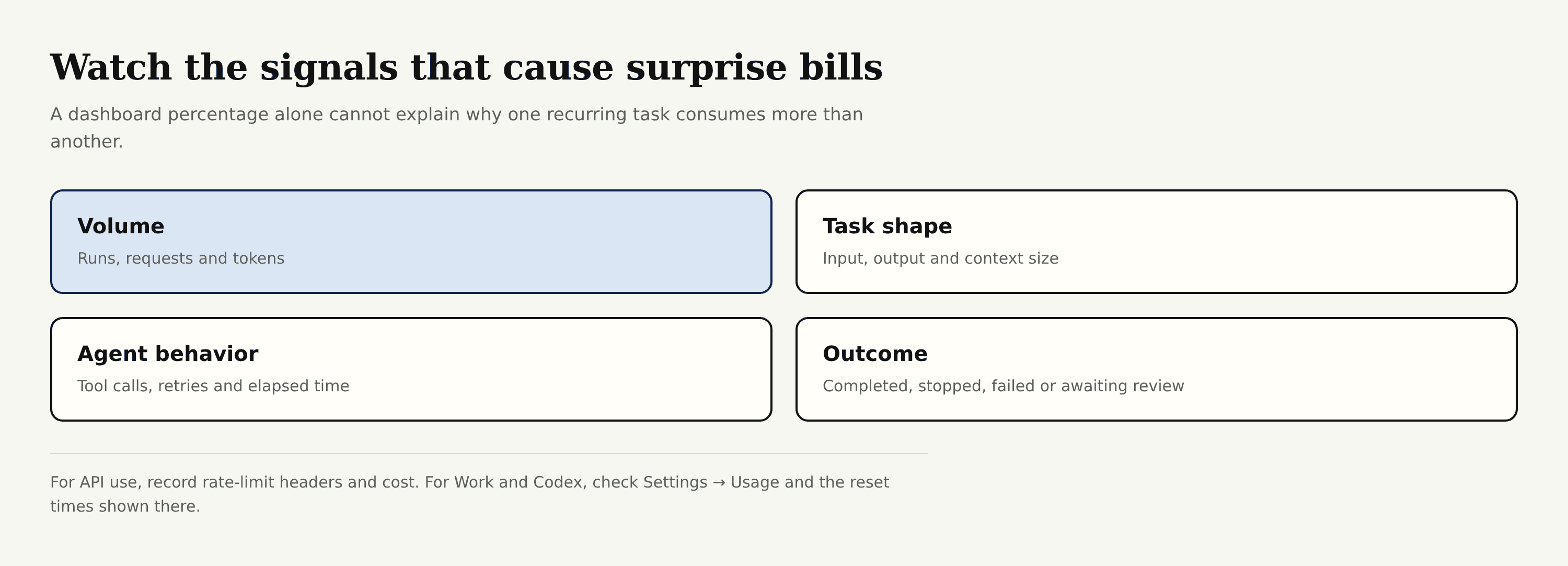
Record model, reasoning level, input/output size, tool calls, retries, duration, outcome and cost or allowance change. API operators should also capture remaining-token/request headers and honor Retry-After; blind retries deepen a limit event.
Set alerts before exhaustion, not at zero. Your fallback might defer the job, reduce scope, use a smaller model or request review. Test that path while Astra is available, because a fallback discovered during a weekly cap isn’t a fallback yet.
FAQ
What happens to an in-progress Astra task when its allowance runs out?
For included or credit-based plans, OpenAI says an active Codex turn can continue, subject to fair-use limits. Afterward, the usage page shows available options. Enterprise token-billed continuation depends on workspace limits.
Does buying credits unlock Astra before rollout reaches an account?
No. OpenAI states that credits pay for eligible use but don’t grant model access. Availability still depends on plan, product, rollout and workspace permissions.
Can OpenAI Support reset an Astra usage limit?
No. Support can investigate incorrect counting or access that fails to return after the displayed reset; it doesn’t manually reset ChatGPT or Codex limits.
Is Astra available in ChatGPT Work on web and mobile?
Work runs on web and mobile for eligible paid plans, and Plus includes Astra in Work and Codex. Codex itself isn’t selectable there. OpenAI still described Work as a gradual rollout on September 22.
Can enterprise admins restrict Astra access in Work or Codex?
Yes. Owners and admins can control Work Cloud, Work Local and Codex Local by role, plus model and speed defaults. Astra access also depends on model permissions; Enterprise access was off by default at launch.
Make Every Astra Run Earn Its Budget
The useful question isn’t how long Astra can stay on. Ask which meter applies, how much one completed run consumes and what the agent will do before that meter empties. Route selectively, enforce stopping rules and inspect real usage each week; published values can change after September 22, 2026, so recheck OpenAI’s pages before changing a production budget.

Zentor Editorial Zentor editorial team
The Zentor editorial team writes about workflow automation, AI agents, and the tools we build. Default byline for industry overviews, listicles, and collaborative pieces.
Ready to put this into practice?
Zentor runs browser tasks, research, and schedules automatically. Try it free.