The AI Agents That Live in Your Text Messages

Text based AI agents now take requests in familiar chats. Compare Instinct, Ollie, Miso and others by task, cost, memory controls and account access.
Text based AI agents let you assign a job in an ordinary message and receive the result in the same thread, while the actual work happens through connected tools. They are not all SMS products; texting one does not grant safe access to every account. A TechCrunch roundup published October 24, 2026 put the growing category in view; the more useful question is which job each service can actually finish.
Mateo· built by the Zentor team
What fell through your inbox this week?
Mateo checks your inbox and calendar, finds the trial, the refund and the form you forgot, and handles them. Works in any browser, anywhere.
Ask Mateo →
Free in early access
Key Takeaways:
- A familiar chat channel removes an app-opening step, not the need for setup, permissions or review.
- Instinct confirmed a $1 billion Series C at a $10 billion valuation in September 2026; that is a funding signal, not proof that agents complete every errand.
- Compare services by task: household coordination, travel changes, professional follow-through or general errands.
- Check memory controls, account access and approval screens before asking any assistant to send or buy.
What are text-native AI agents?
A text-native assistant uses the conversation you already have, such as SMS, iMessage, WhatsApp, Signal or Telegram, as an entry point. It may retrieve an email, inspect a calendar, use a browser and bring an answer or proposed action back to that thread. Instinct says users can text or call its assistant, which can use its own phone and computer. Caddy describes email-to-calendar updates and replies that you approve from iMessage. Those are descriptions of product workflows, not independently measured completion rates.
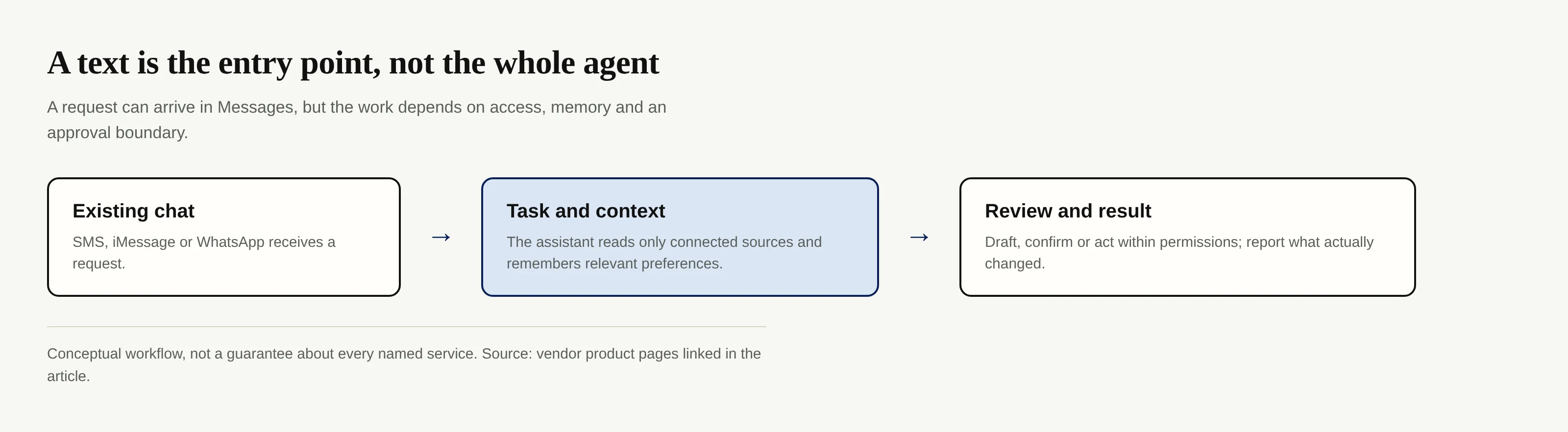
If a school changes pickup time by email, you want a corrected calendar event, not just a summary. Messaging makes that request quick; a connected mailbox and a clear permission boundary make it actionable. For a fuller distinction between chat and saved context, see Zentor’s guide to agent memory.
Which agents live in your messages as of October 2026?
The category is broader than one SMS number. These are product-described examples as of October 2026, not a tested ranking or a promise that every feature works in every region:
- General errands: Instinct takes text or calls for bookings and shopping; Tab describes Messages-based requests, a computer behind the thread and approval before payment. Folk lists iMessage, Telegram and WhatsApp, with memory and proactive check-ins. Martin’s documentation lists SMS, phone, WhatsApp, email and Slack, alongside an iOS app. Ask Proxy focuses on personalized suggestions by text; advice is not identical to completing a purchase.
- Home and family: Ollie says it organizes school, calendar and email information through text and family group chats. Caddy’s iMessage example covers calendar changes and approved replies, so it also fits household admin without being family-only.
- Travel: Miso describes an iMessage travel concierge with a human team for bookings and changes. Its own site also advertises an optional app, a reminder that “text-native” does not mean app-free across every feature.
- Professional follow-through: Town lists text messaging, WhatsApp and Telegram among ways to reach a Townie that works with email and calendars. Comma documents Signal and Telegram handoff, but its public setup steps were still marked “coming soon” when checked; don't read that as proof of instant onboarding.
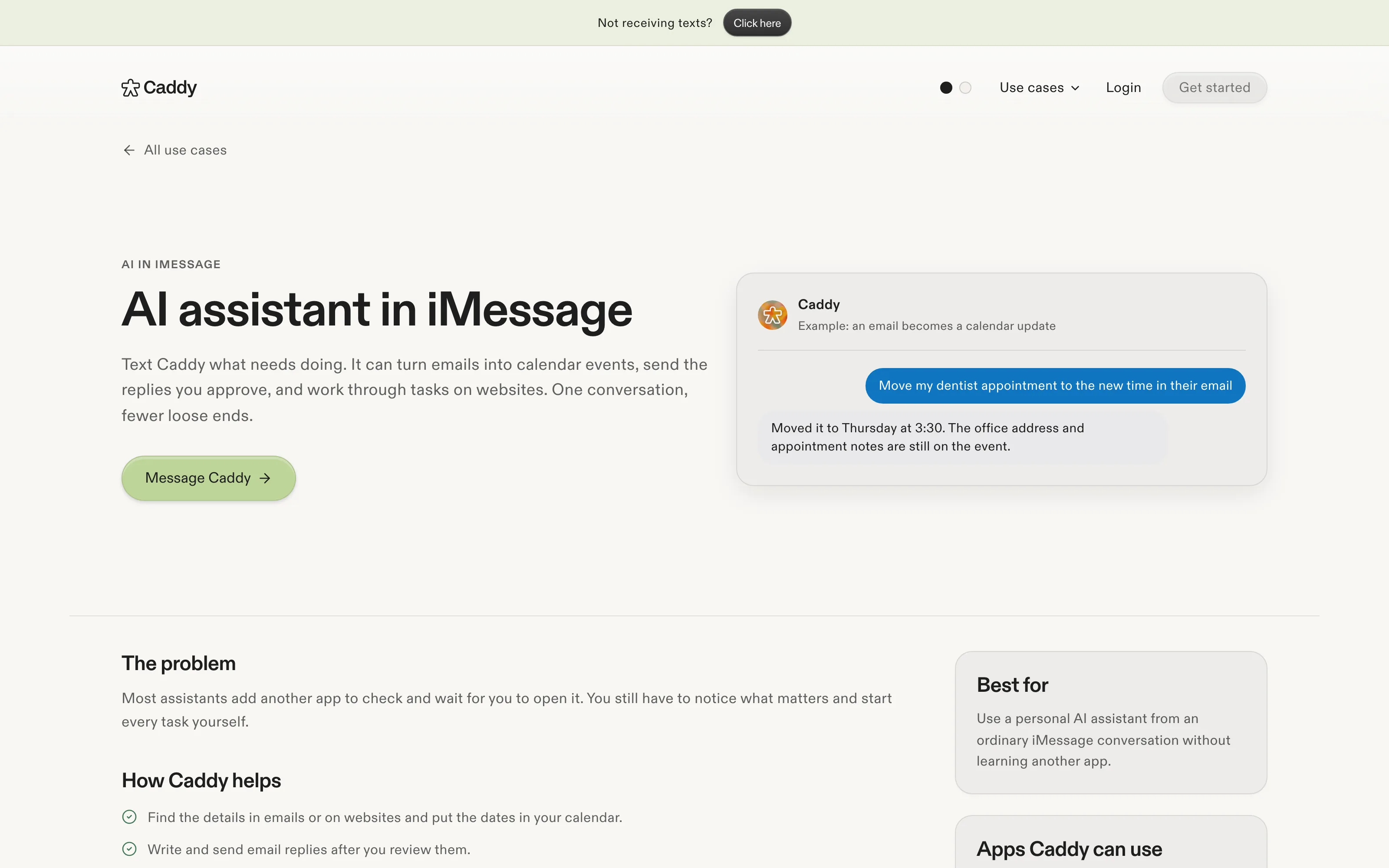
The Caddy image is an official page screenshot, not a hands-on test. Some services still require an invitation or setup.
Why Instinct's funding matters, and what it does not show
In its September 28 company announcement, Instinct said it raised $1 billion in a Series C at a $10 billion valuation with Sequoia Capital, Benchmark and Coatue. The announcement describes a phone-and-computer assistant that can handle errands by text or call; the service was still in early access. Funding prices investors' expectations. It does not measure reliability, customer retention or whether a user can cancel a subscription without stepping through a login.
A recommendation differs from an action, especially one that spends. Zentor’s AI workspace explainer separates memory, automation and human decisions; a smooth conversation cannot erase those boundaries.
Match the agent to the task, not the chat bubble
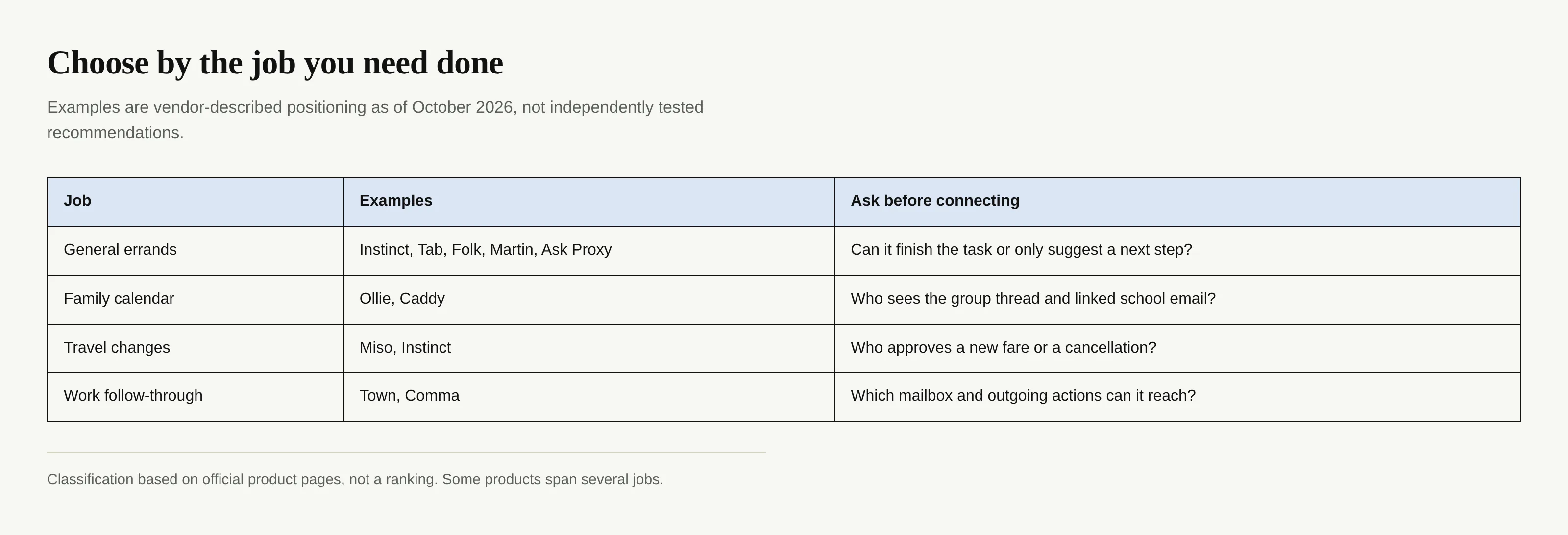
For family calendars, ask which account supplies school dates. For canceled flights, ask who chooses and pays for a replacement fare. If you run a one-person shop, a drafted customer reply helps; an unseen send creates risk. Town says important outgoing work waits for permission. Tab says users approve purchase totals. Verify those policies when onboarding.
Pricing for text based AI agents needs the same care. Ollie’s FAQ says you can start free and later move to a usage-based paid plan; its homepage says that usage is based on messages from Ollie. Folk’s main page listed a free option and $9.99/month Pro. These plans count different things and may change. Prices from roundups that lack a current official source were omitted; don't budget from a roundup. Ask what a “message,” task, background watcher and purchase actually costs before linking a card.
Memory, trust and the login problem
Text based AI agents feel intimate because a short thread can accumulate a great deal: your kid’s school, a canceled appointment, the account holding your receipts. Check whether you can inspect, correct, export or delete that memory; if you cannot, continuity may become a trap. Zentor approaches work context as user-owned workspace memory that can connect to different AI tools through MCP. That is a different design choice from keeping every preference inside a single chat service, though neither choice excuses careless permissions.
Distinguish scoped authorization from giving a bot your password. Ollie’s FAQ says email and calendar use OAuth; its homepage claims SOC 2 Type 1, which doesn't guarantee correct decisions. OWASP recommends limited tools and approvals for sensitive actions. Zentor’s security guide explains credential exposure.
A text can say “book it,” but the airline site may still need a personal sign-in or a payment check. Before connecting your primary inbox, give the assistant one reversible job and verify the returned change against the source. Keep sending, buying and deleting behind a precise approval step.
Where an always-on personal agent fits
Suppose a trial-ending notice sits unread beside a rescheduled appointment. You don't need another list of recommendations; you need someone to notice both and bring the unfinished jobs to you. Mateo, built by the Zentor team, focuses on inbox and calendar loose ends such as cancellations, refunds and forms. Its public site describes web chat, iMessage and an Android app, with free access for now subject to daily limits. That makes it relevant here, but it is not a claim that every task completes unattended or that every channel is available without setup.
Zentor addresses a different problem: keeping work memory portable across AI tools. Its workspace model stresses ownership and export. First decide whether you need help with missed errands, disconnected work context, or both.
Keep your work context when the chat changes
Zentor keeps workspace memory yours and brings it into the AI tools you use. See how early access works.
Get early access →
FAQ: choosing a text-based personal AI agent
Do text-based AI agents need an app?
Often not for the conversation itself. Caddy documents an iMessage thread and Ollie says no app is required, but Miso advertises an app alongside iMessage and Martin documents an iOS app alongside SMS. Linking accounts can still require a browser or consent screen.
How much do personal AI agents cost?
There is no common unit. Ollie says you can start free and upgrade to a paid plan based on messages from Ollie; Folk published free and Pro options. Check each vendor’s current limits and what happens when you exceed them before paying.
Which personal AI agent is best for family, travel or work?
There is no verified universal winner. Start with Ollie or Caddy’s documented family/calendar workflows, Miso’s travel-specific offer, or Town and Comma’s work handoff. Then test one low-risk task, review permissions and confirm whether the promised result actually appeared where it should.

Zentor Research Public data on the AI ecosystem
Zentor Research publishes quarterly data studies on the AI tools ecosystem, drawing on public registries (npm, GitHub, Hugging Face, arXiv, Google Trends). All charts and datasets ship under CC-BY 4.0.
Turn insights into action.
Zentor automates the recurring work your analysis points to. No engineering required.