Wabi Personal AI Assistant Opens to All

Wabi ai assistant is now open to all. See how its shared chats and generated mini-apps work, what access it asks for, and where its free label stops.
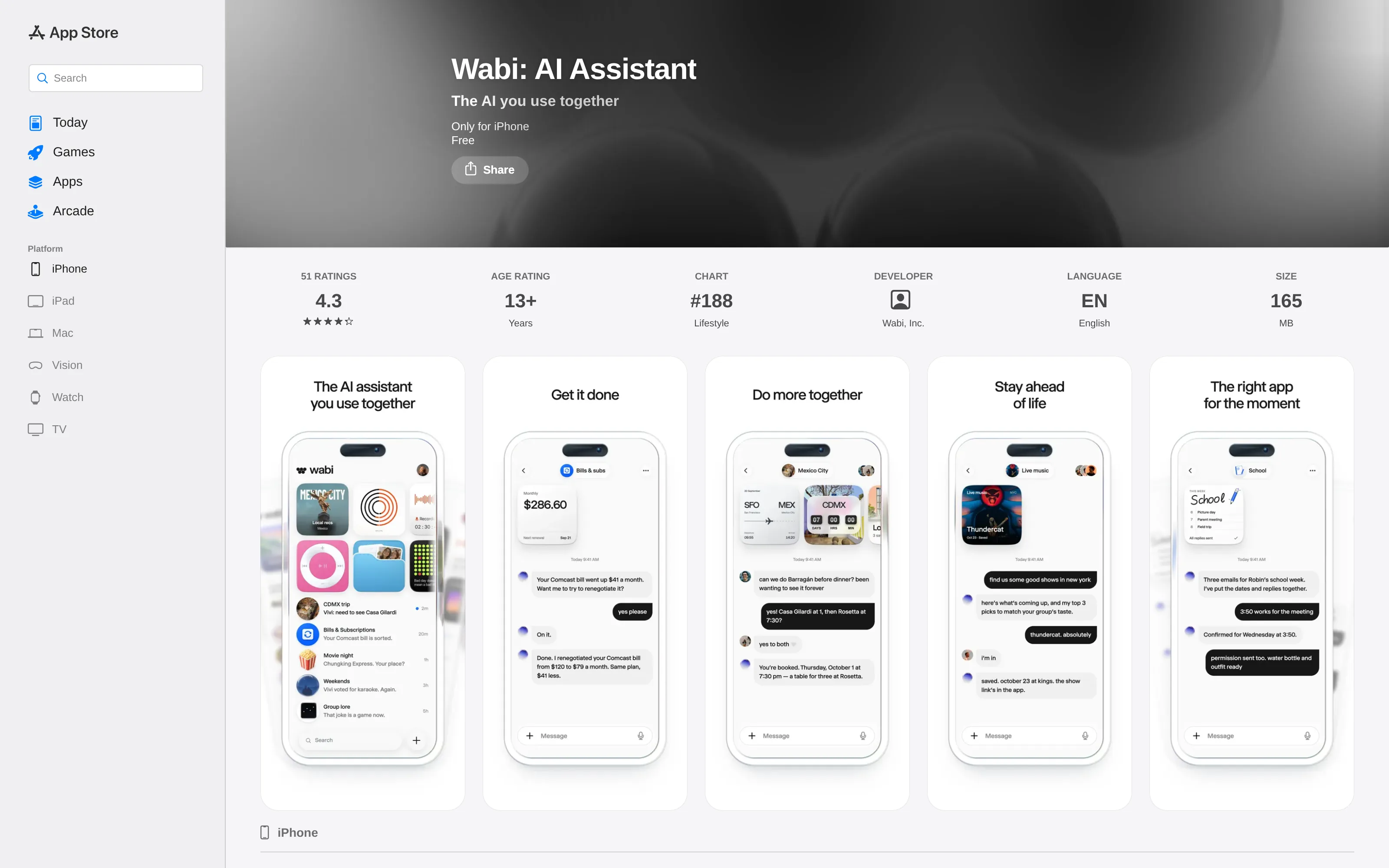
Wabi's personal agent opened to everyone on October 19, 2026, after an invite-only rollout. The wabi ai assistant is unusual because a group can share an agent conversation while Wabi creates small, task-specific interfaces inside it, instead of leaving every plan in a scroll of messages. The company's download page now lists iOS, Android and Mac; the US App Store listing labels the iPhone app Free. Free to download does not establish a permanent free plan.
Mateo· built by the Zentor team
Need follow-through on the things in your inbox?
Mateo checks your inbox and calendar, finds the trial, the refund and the form you forgot, and handles them. Works in any browser, anywhere.
Ask Mateo →
Free in early access
Key Takeaways:
- Wabi moved from invitation-only access to public download on October 19, according to contemporary reporting and its open download page.
- Its wager is the combination of group chat and interfaces created for a particular task, not simply a more talkative chatbot.
- Email, calendar and contacts are optional connections described in the stores; check the scope of each connection and each shared thread before using it.
- The App Store's Free label describes the download, not the eventual business model.
What changed when Wabi opened to everyone?
Replika founder Eugenia Kuyda's Wabi had a restricted rollout before the October 19 opening. Unite.AI's launch account reports the change of access; TechCrunch's interview describes the public launch and Kuyda's thinking. Wabi's own download page offers routes to all three platforms, while the App Store independently confirms an iPhone listing. That combination supports availability, not feature parity: the Apple listing says “Only for iPhone,” so do not mistake it for evidence of a native Mac App Store app.
How does Wabi make an app inside a chat?
The Wabi website promises an outcome in the appropriate interface. Its Google Play description gives a more useful set of examples: a family week could become a shared calendar, a trip a map and itinerary, a decision a vote, or a goal a tracker. That is the generative-UI pitch. You request an outcome in ordinary language; Wabi says it can produce the little piece of software that helps people work through it.
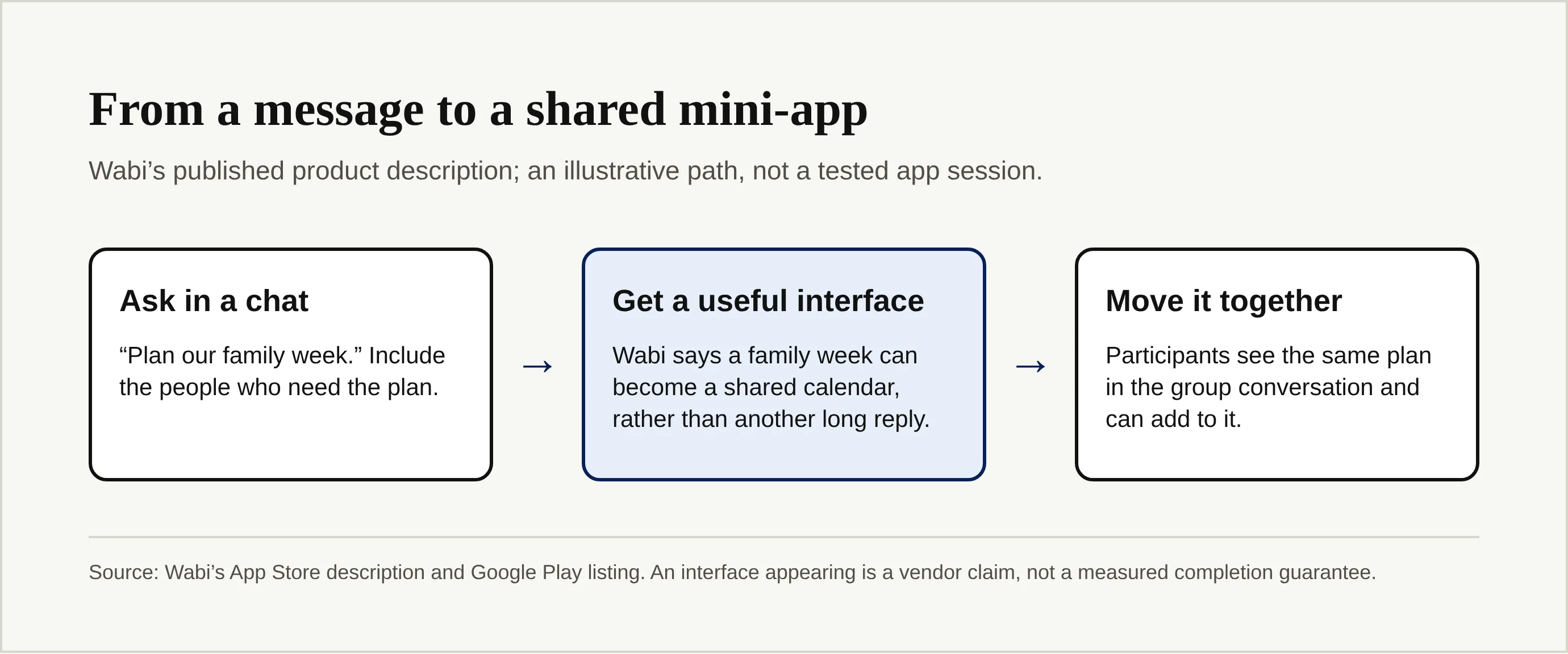
Suppose you and your partner need to organize pickup around school emails. A calendar people can update beats a summary that vanishes above a hundred newer messages. We did not run that request in the app; those interface examples come from Wabi's published descriptions, and the quality of any generated calendar still needs a real-use test. The wabi ai assistant has a specific proposition here: the interface is meant to fit the job, rather than force the job into plain chat.
What does “multiplayer” actually mean?
Wabi says you can add a partner, family member, friend or coworker to a chat with its agent. Participants then see the same plan and can move it forward, according to the store descriptions. Think of a trip thread where two travelers debate dates, view an itinerary and adjust the plan together. This is different from separately asking two assistants to produce separate travel plans and manually reconciling them.
The shared thread also changes the privacy question. Kuyda told TechCrunch that access to shared information is scoped to individual chats; we have not tested those controls. A contact who should see a dinner poll need not see a bill. Before inviting anyone, inspect what connected information the thread reveals, rather than assuming all members inherit only the text you typed.
Which permissions does Wabi ask for?
The App Store description names email, calendar and contacts among the information users may choose to connect. The Google Play listing also names location, photos and health data, with Android-specific explanations. Neither public description is a complete, platform-by-platform permission audit. Wabi says users can disconnect connections and that it checks before important actions requiring approval; we have not verified the exact triggers or tried revocation ourselves.
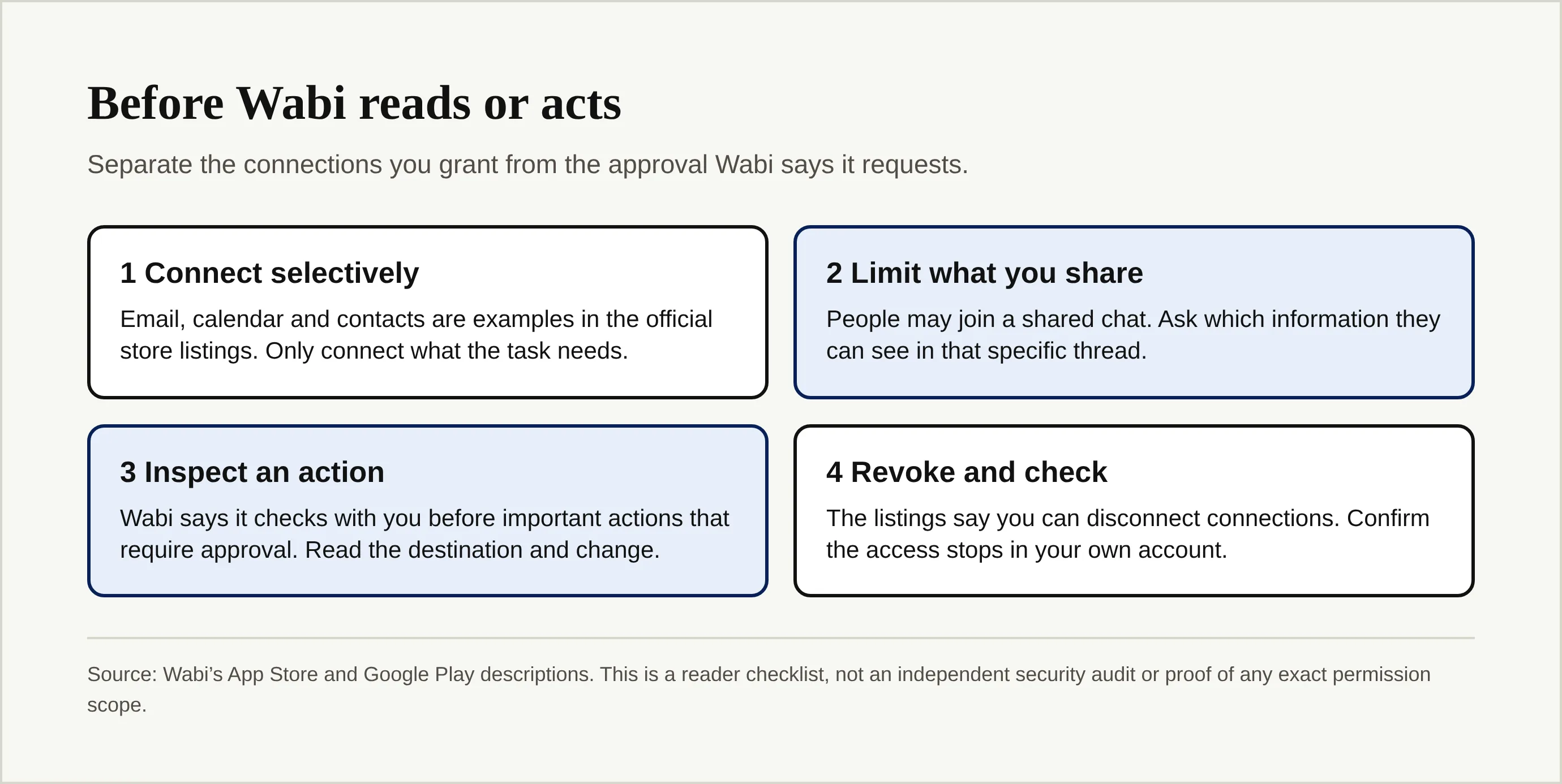
A sensible first test uses a low-stakes calendar and a draft-only request. If it proposes sending an invitation, read the recipient and date before approving. For broader risks when agents read untrusted inbox content, see Zentor's personal-agent safety explainer. Zentor's separate workspace-memory approach lets user-owned context travel to different AI tools through MCP; that portability does not replace a permission review in Wabi.
How does Wabi differ from the October agent wave?
Our October personal-agent launch comparison evaluates access points, memory and approval boundaries across several launches. It was framed around October 15–16 news and does not list Wabi in its product table. This article occupies a different search job: what Wabi itself offers now that its invitation gate has gone, with special attention to shared sessions and mini-apps. For a device-centered counterexample, the MacPaw Eney explainer examines a Mac-and-iPhone assistant, not a shared messenger that makes an interface for a group.
If your recurring burden is instead a trial you forgot to cancel or a refund email that needs a reply, the harder problem may be follow-through on private life admin rather than a group interface. Mateo, built by the Zentor team, focuses on inbox and calendar tasks; its public site says it is free for now with daily limits. Zentor's own workspace memory answers a third question, carrying your working context between AI tools; it should not be sold as if it were Wabi's group chat. Pick the problem first.
Keep your workspace context usable across AI tools
Zentor keeps workspace memory under your control and connects it to different AI tools through MCP. Request early access to see if it fits your work.
Get early access →
FAQ
Is Wabi available on iOS, Android and Mac?
Wabi's download page lists all three. Apple's public listing is specifically for iPhone; check the platform link and current requirements before installing.
Is the wabi ai assistant free?
The US App Store labels the download Free. TechCrunch reported Wabi was free for now on October 19, but its future charging model was unsettled. Neither statement promises a permanent free tier.
Can family members see my entire inbox?
Do not assume either full access or perfect isolation. Wabi describes optional connections and Kuyda says shared access is scoped by chat. Review an actual thread and its account permissions before bringing anyone into a conversation with private email.

Zentor Research Public data on the AI ecosystem
Zentor Research publishes quarterly data studies on the AI tools ecosystem, drawing on public registries (npm, GitHub, Hugging Face, arXiv, Google Trends). All charts and datasets ship under CC-BY 4.0.
Turn insights into action.
Zentor automates the recurring work your analysis points to. No engineering required.