Auto Label Gmail by What the Email Says
Auto label Gmail by content: Zentor reads new emails every hour and applies your labels, so your inbox sorts itself without writing filter rules.
Runs on managed cloud. No scripts, no Zapier.
Read existing labels, fetch unread mail from the last hour, classify each email by content into Client, Invoice, Newsletter, Personal or Needs reply, apply labels only (no archive or delete), then schedule hourly.
Used 3 tools
Bash gws gmail labels list
Found labels: Client, Invoice, Newsletter. Missing: Personal, Needs reply (will create).
Bash gws gmail messages list --q 'newer_than:1h -in:sent'
12 new emails.
Bash gws gmail messages batchModify --add-labels-file labels-plan.json
Applied labels to 12 emails. 0 archived, 0 deleted.
12 new emails labeled.
- Client (4): 2 from Northline, 1 from a new contact at Acme, 1 forwarded brief
- Needs reply (3): a scheduling question, a contract decision, a parent-teacher note
- Invoice (2): hosting bill, contractor invoice
- Newsletter (2)
- Personal (1)
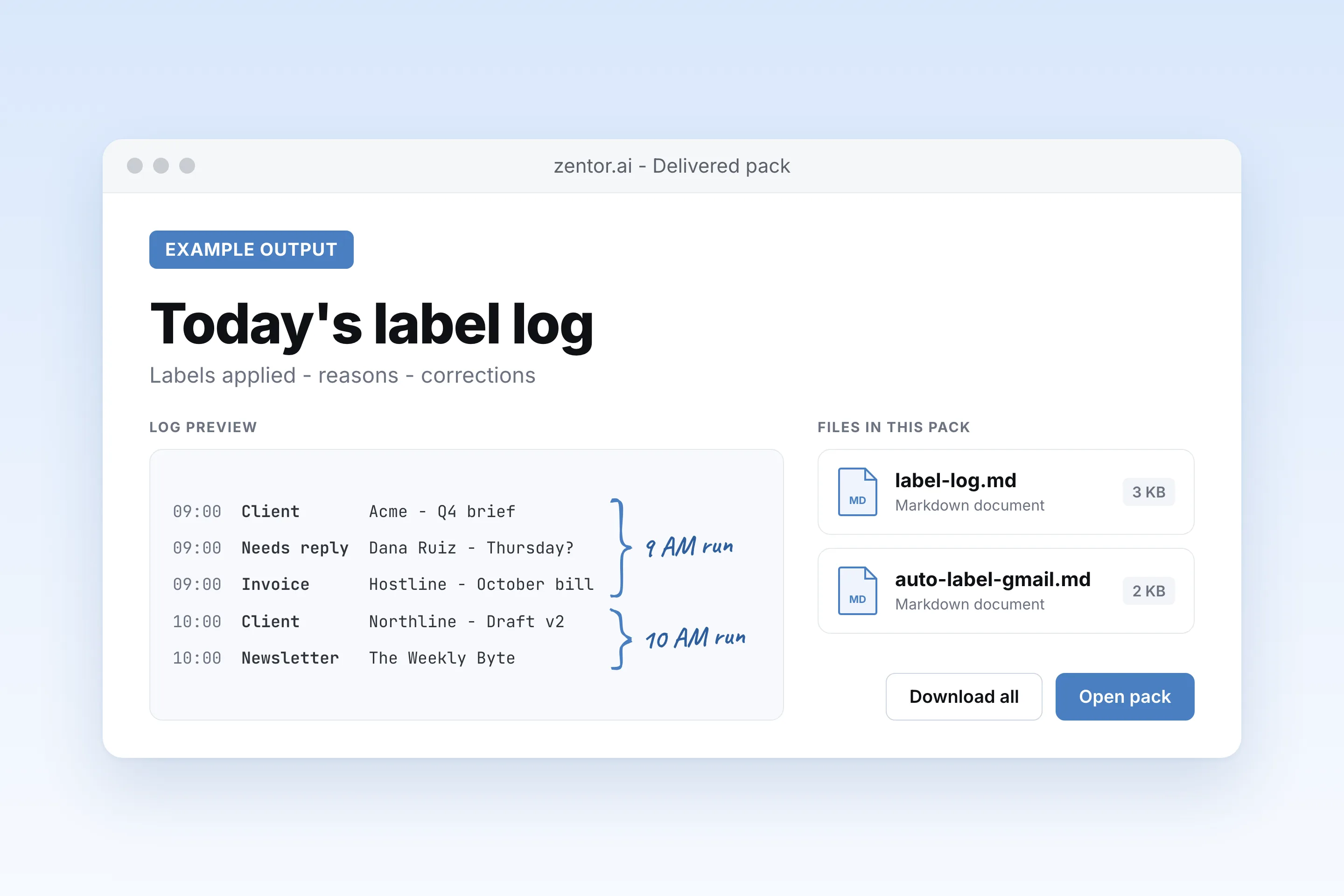
Nothing was archived or deleted. I'll do this every hour and keep a log in label-log.md.
Add the rule to the instructions and relabel the one affected email.
Used 1 tools
create_schedule Auto label Gmail · cron 0 * * * * · auto-label-gmail.md
Schedule saved. Next run: in 38 minutes.
Updated. Acme billing emails now go to Invoice, and I moved today's one over. Next run is in 38 minutes.
- Updated. Acme billing emails now go to Invoice, and I moved today's one over. Next run is in 38 minutes.
Try follow-up prompts
How the auto label gmail works
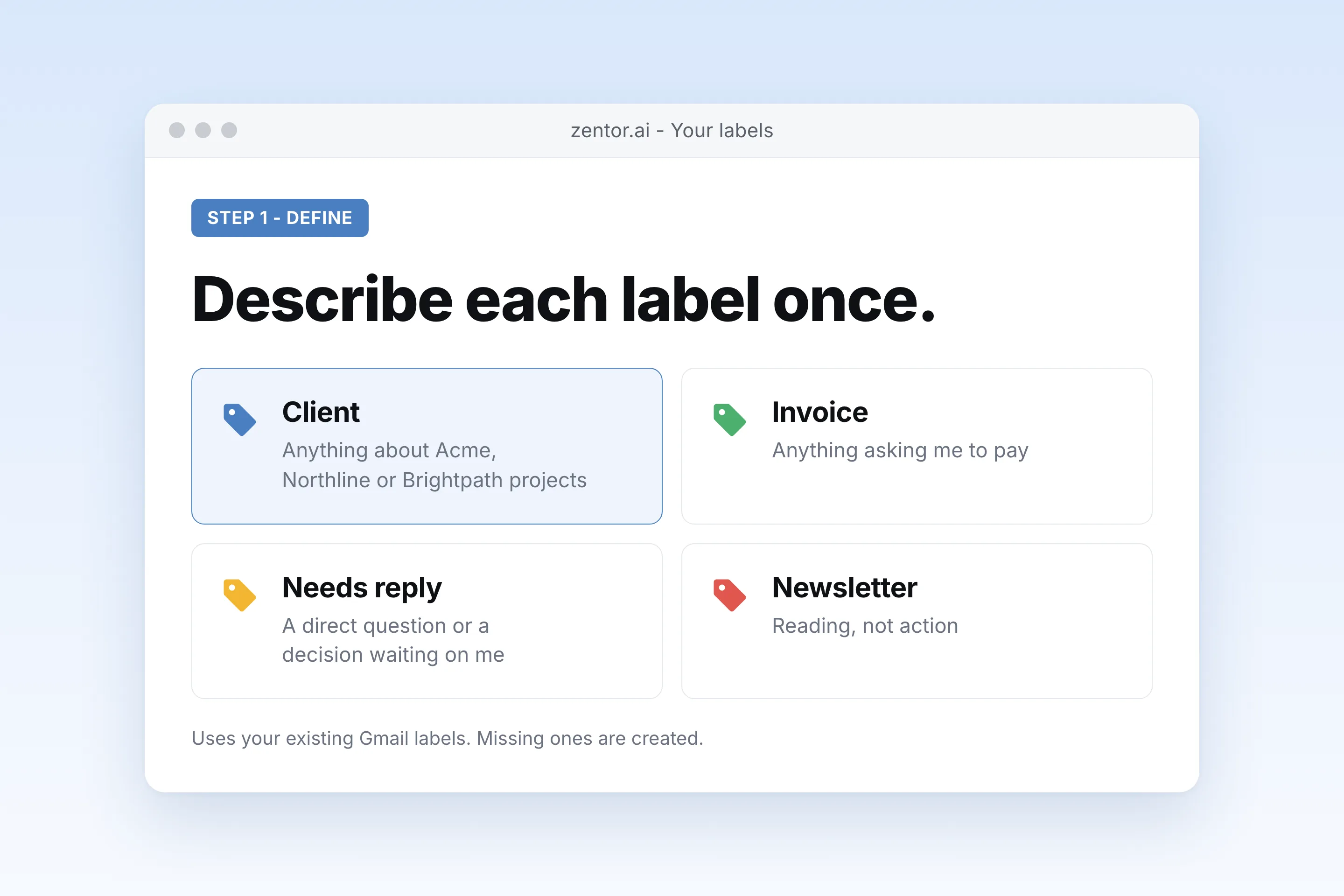
List your labels in plain English
Say what each label means, such as Invoice = anything asking me to pay. Zentor uses your existing Gmail labels or creates new ones.
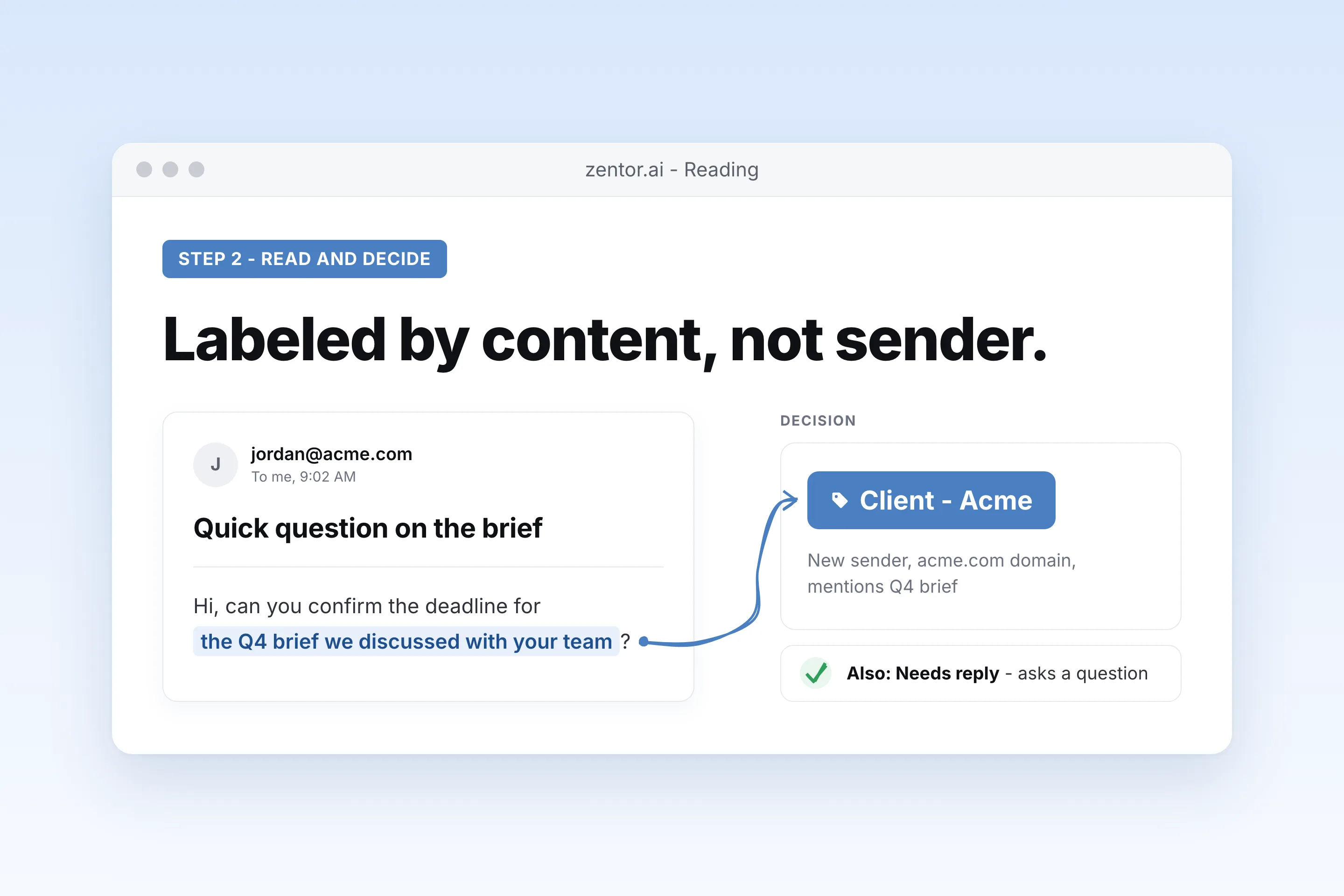
Zentor reads each email and picks a label
It looks at the subject, body and thread, so a new contact at a client still lands under that client.
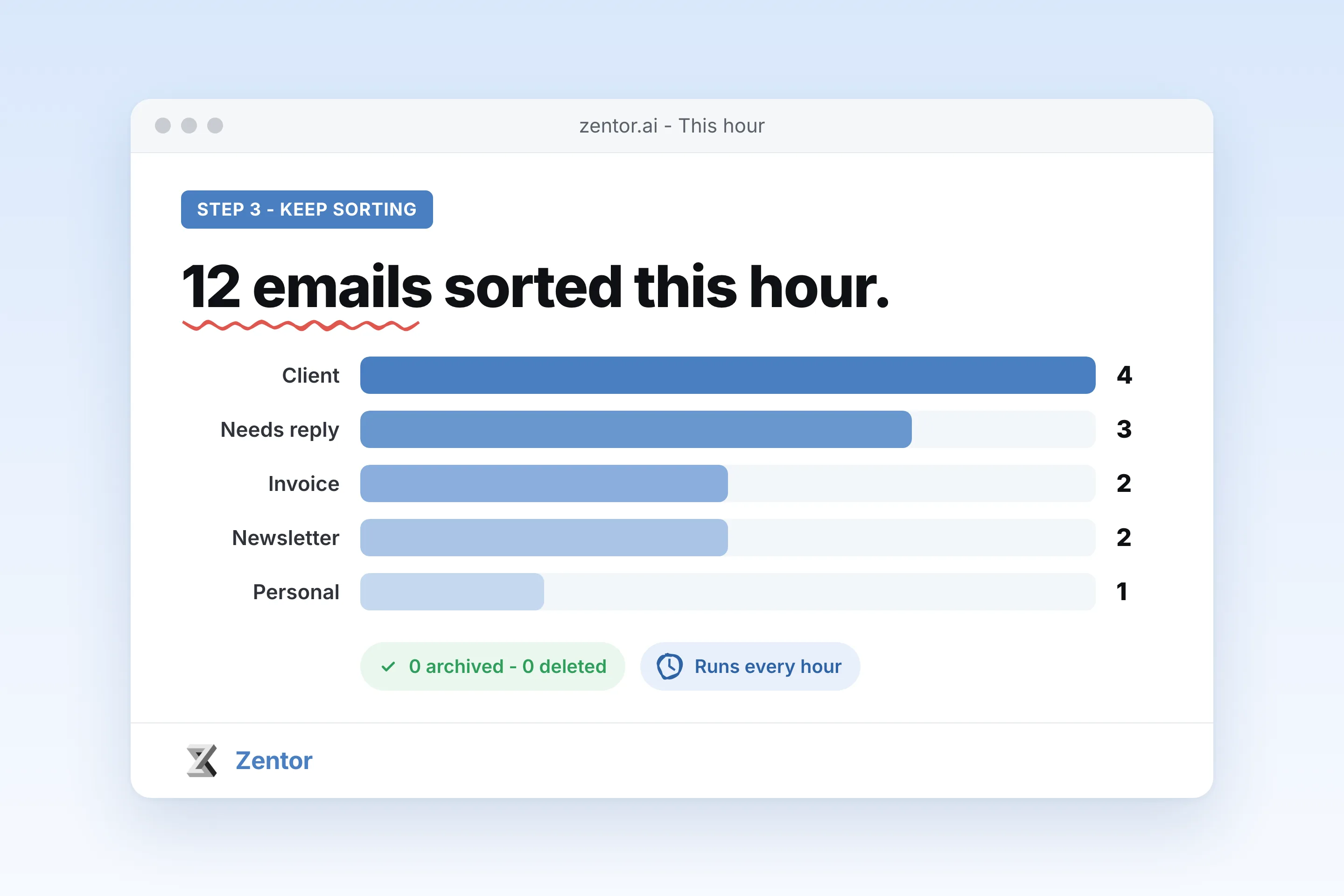
It keeps sorting every hour
New mail gets labeled on a schedule, and you get a short log of what went where so you can correct it.
What you can label automatically
What your auto label gmail sends you
A real example of what Zentor hands back, shown before you sign up.
auto label gmail: Zentor vs Gmail filters
See how Zentor's AI-powered approach differs from traditional tools.
| Feature | Gmail filters | Rule-based add-ons | Zentor |
|---|---|---|---|
| How it decides | Exact words in from, to, subject | Rules you configure | Reads the email and picks the label that fits |
| New senders | Missed until you add a rule | Missed until you add a rule | Labeled by content |
| Old mail | Apply filter to matching conversations | Varies | Backfill any date range on request |
| Changing a label | Edit filter syntax | Edit rules | Describe it again in plain English |
Weighing other tools for auto label gmail?
Side-by-side comparisons of the tools people weigh against Zentor for this kind of work.
Why auto label Gmail with an agent instead of filters?
Gmail filters match words in the sender or subject. They cannot tell an invoice from a newsletter that mentions invoices.
Labels by meaning
A new person at a client, a forwarded thread or a vague subject line still gets the right label.
No rule list to maintain
Change a label by describing it again. No chain of filters with and, or and minus operators.
Safe by default
It only adds labels unless you say otherwise. Nothing is archived, deleted or sent.
Ways to extend your auto label gmail
Click one to load it into the box above, ready to run.
auto label gmail FAQ
How do I auto label emails in Gmail?
Gmail can label automatically with filters, but only by matching words in the sender, recipient or subject. To label by what the email is about, connect Gmail to Zentor, describe your labels in plain English and ask it to run every hour.
Will it archive, delete or send anything?
No. By default it only adds labels. If you want it to archive newsletters or star urgent mail, you have to ask for that explicitly.
Can it use the labels I already have?
Yes. Zentor reads your existing Gmail labels and uses them. If you name a label that does not exist, it creates it.
Can it label my old emails too?
Yes. Ask for a backfill over a date range, for example the last 90 days. It can show you the counts per label before applying anything.
What if it picks the wrong label?
Tell it in the chat, for example: emails from Brightpath's billing team are Invoice, not Client. It updates the instruction for the next runs.
How is this different from Gmail filters?
Filters are exact rules on fixed fields. Zentor reads the content, so it handles new senders, forwarded threads and vague subjects that filters miss.
Integrations
Best integrations for auto label gmail
Who it's for
Who uses auto label gmail
Related email automation use cases
See also
From our blog
Try Auto Label Gmail by What the Email Says for free
No credit card required