Save Gmail Attachments to Google Drive Automatically
Save Gmail attachments to Google Drive automatically: Zentor picks the right files, files them into dated folders with clear names, on a daily schedule.
Runs on managed cloud. No scripts, no Zapier.
Search Gmail for last-day emails with PDF or image attachments, open each to confirm it is an invoice or receipt, read date, vendor and amount, save to Receipts/2026-10 in Drive with the new name, then schedule daily at 9:00.
Used 3 tools
Bash gws gmail messages list --q 'has:attachment newer_than:1d (filename:pdf OR filename:jpg OR filename:png)'
9 attachments in 6 emails.
Read Checking 9 attachments
5 invoices or receipts. Skipped 4: 2 signature logos, 1 calendar invite, 1 newsletter image.
Bash gws drive +upload --parent 'Receipts/2026-10' --files saved-files.json
Uploaded 5 files to Receipts/2026-10.
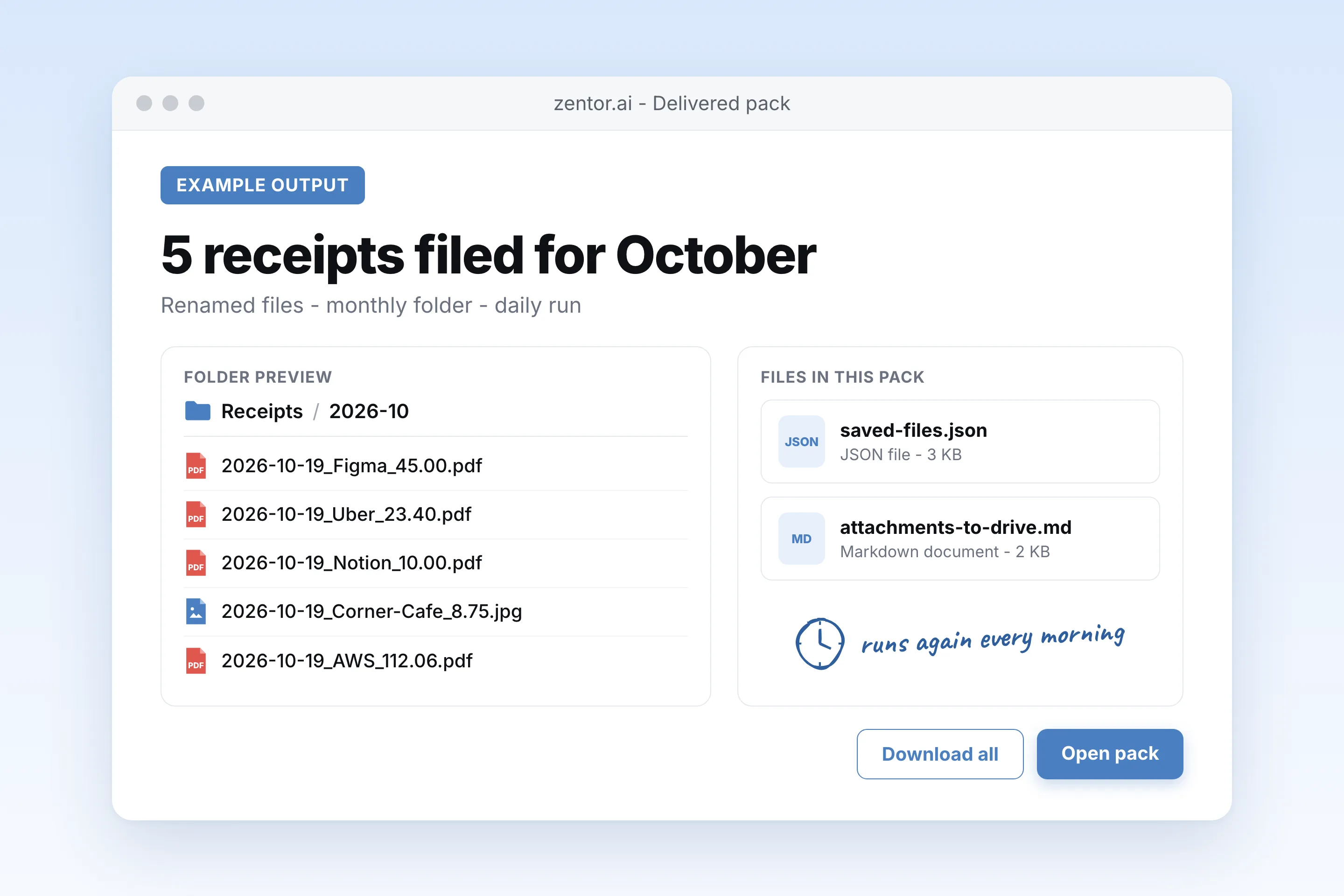
5 files saved to Receipts / 2026-10.
- 2026-10-19_Figma_45.00.pdf
- 2026-10-19_Uber_23.40.pdf
- 2026-10-19_Notion_10.00.pdf
- 2026-10-19_Corner-Cafe_8.75.jpg
- 2026-10-19_AWS_112.06.pdf
Skipped 4 attachments that were logos, an invite and a newsletter image. I'll check again every morning at 9:00.
Used 1 tools
create_schedule Gmail attachments to Drive · cron 0 9 * * * · attachments-to-drive.md
Schedule saved. Next run: tomorrow 09:00.
Done. From tomorrow, each saved receipt also gets a row in Expenses with the date, vendor, amount and Drive link.
- Done. From tomorrow, each saved receipt also gets a row in Expenses with the date, vendor, amount and Drive link.
Try follow-up prompts
How the save gmail attachments to google drive automatically works
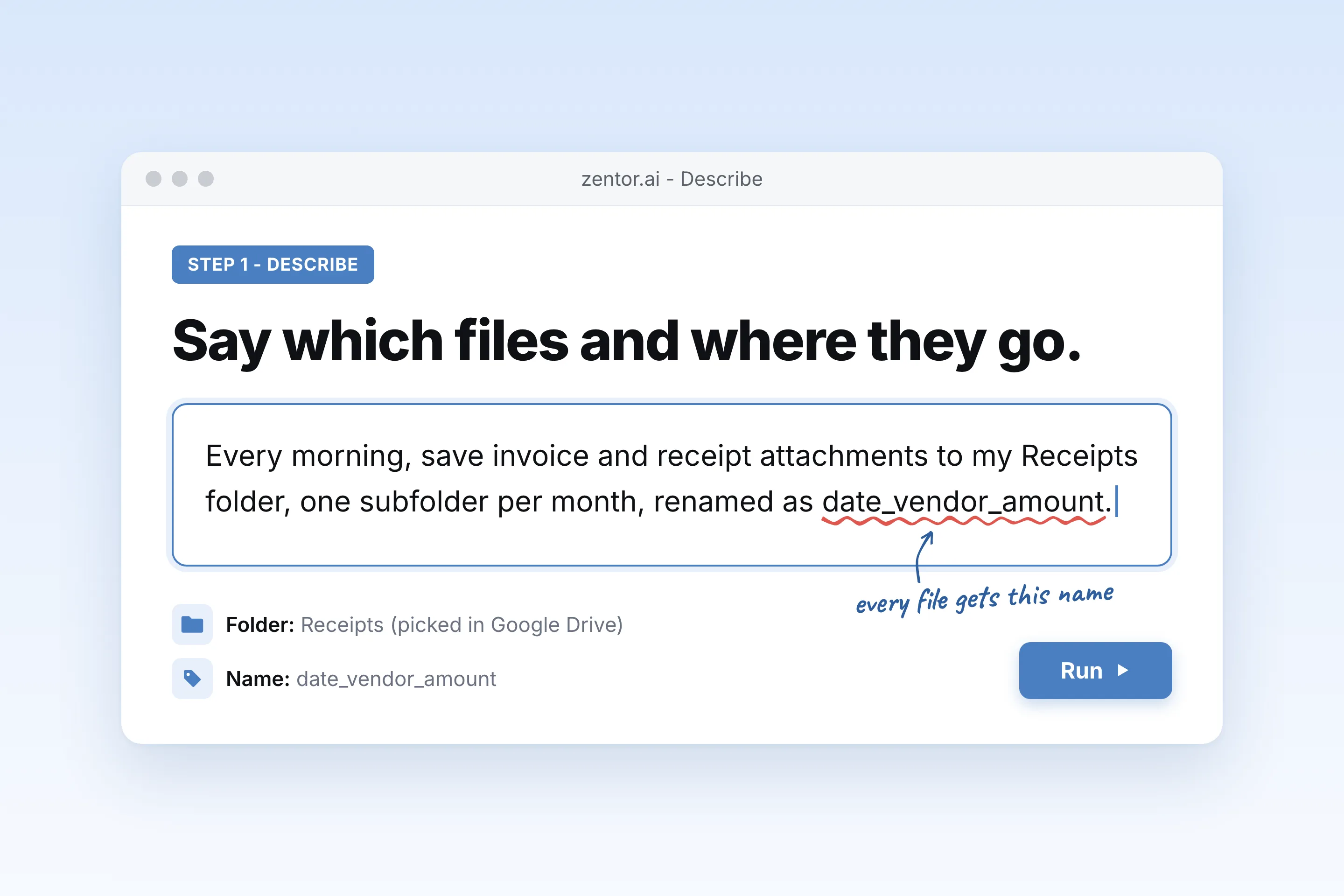
Say which attachments and where they go
Describe the emails and file types, then pick the target Drive folder in the Google picker or let Zentor create it.
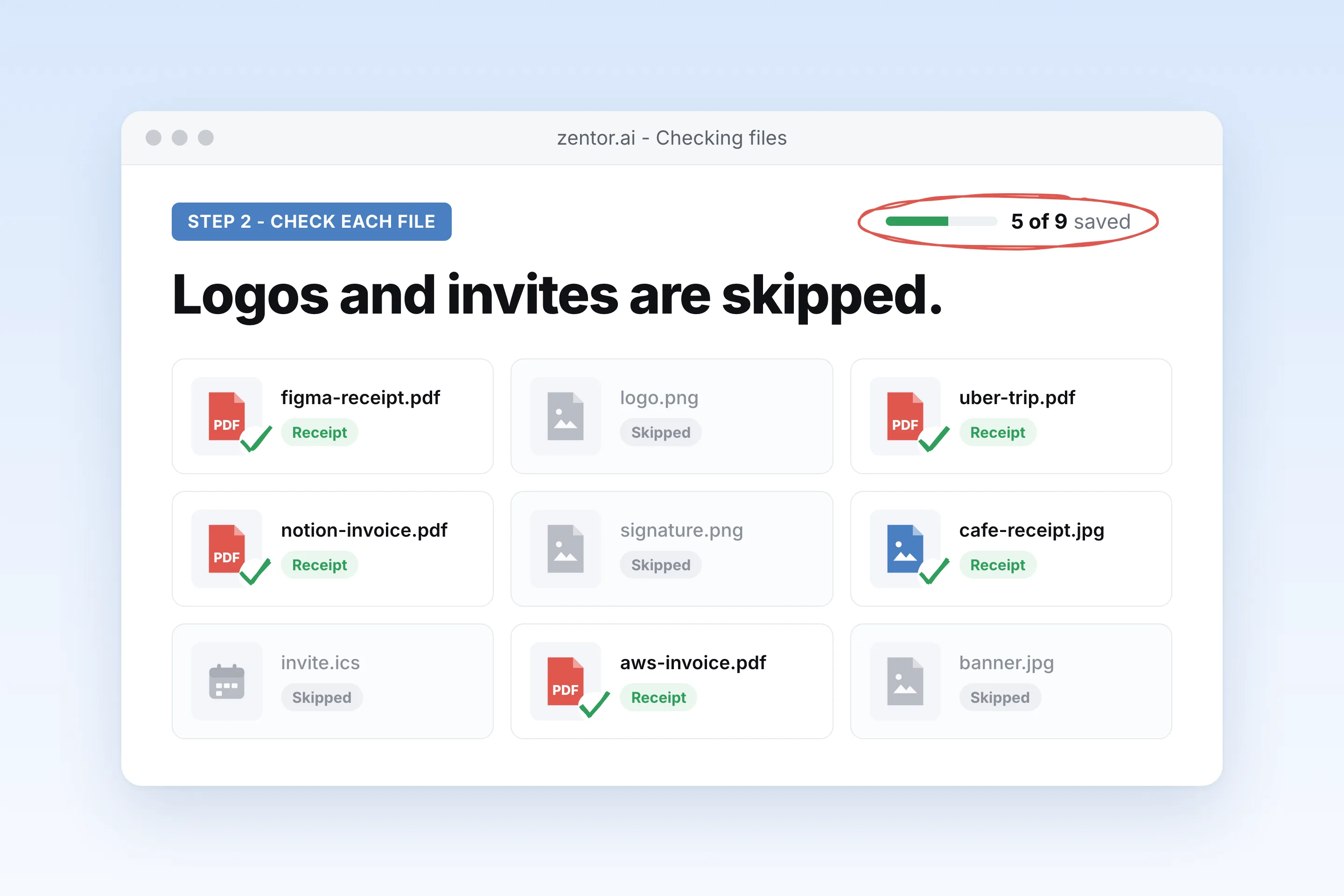
Zentor checks each file before saving
It opens the attachment to confirm it is really an invoice or contract, then renames it with the date, sender and amount.
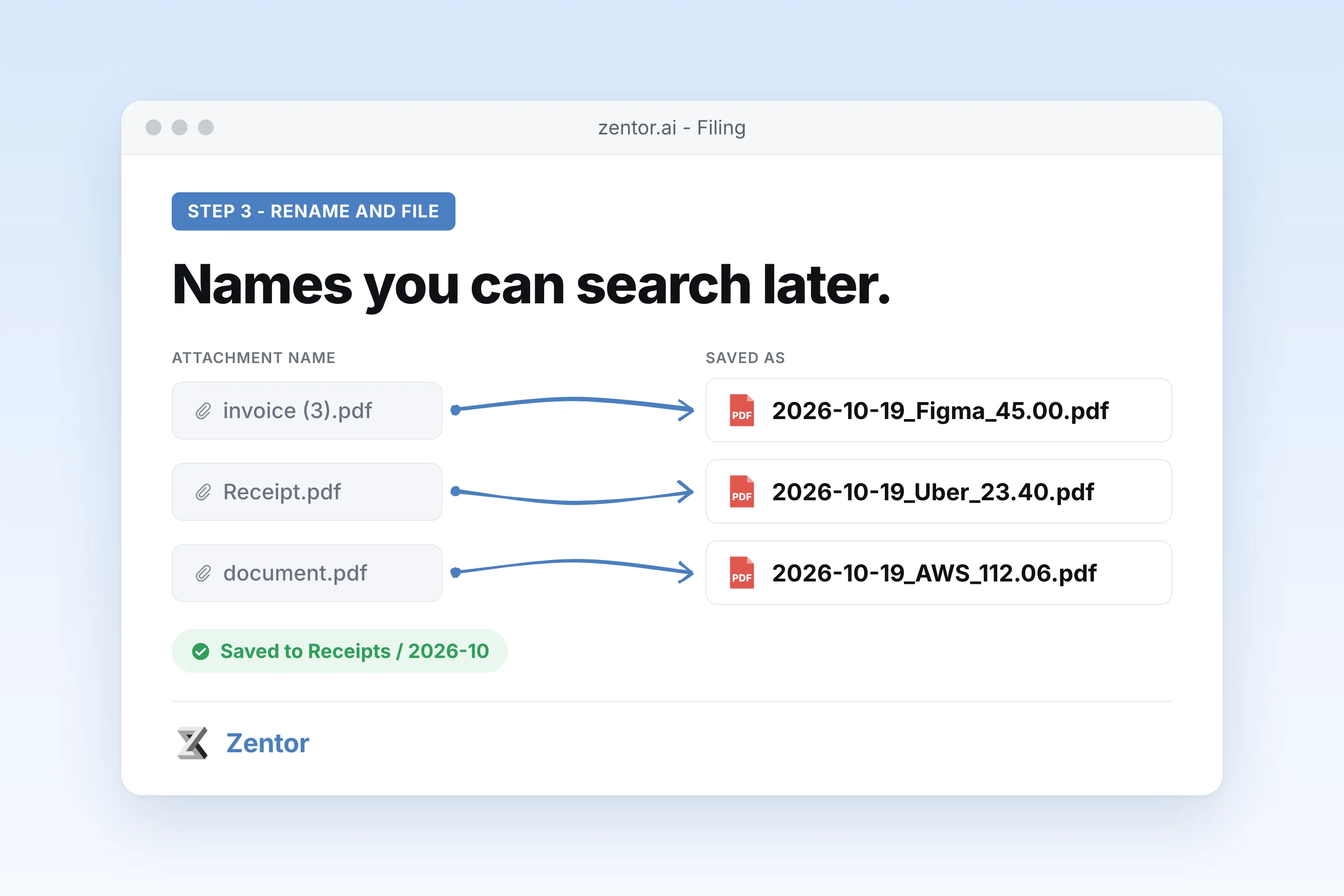
Files land in dated folders every day
A daily run saves new attachments, skips ones already in Drive and sends you a short list of what was filed.
What you can file automatically
What your save gmail attachments to google drive automatically sends you
A real example of what Zentor hands back, shown before you sign up.
save gmail attachments to google drive automatically: Zentor vs Zapier
See how Zentor's AI-powered approach differs from traditional tools.
| Feature | Manual download | Zapier zap | Zentor |
|---|---|---|---|
| Which files | Whatever you remember | Every attachment matching a trigger | Only files that match your description |
| File names | Rename by hand | Original name or a fixed pattern | Date, sender and amount read from the file |
| Folders | Drag into folders | One fixed folder per zap | Subfolder by month, client or child |
| Setup | None, but every time | Build and test a zap | One plain English request |
Weighing other tools for save gmail attachments to google drive automatically?
Side-by-side comparisons of the tools people weigh against Zentor for this kind of work.
Why save Gmail attachments to Drive with an agent?
Add-ons and zaps can copy every attachment. The hard part is saving only the right ones, with names you can search later.
Only the files you want
Logos, signatures and calendar invites are skipped. Zentor checks what the file is before saving it.
Names you can search
2026-10-19_Figma_45.00.pdf instead of invoice (3).pdf.
Folders by month or client
Files go to the right subfolder, created on the fly if it does not exist yet.
Ways to extend your save gmail attachments to google drive automatically
Click one to load it into the box above, ready to run.
save gmail attachments to google drive automatically FAQ
Can Gmail save attachments to Google Drive automatically?
Gmail lets you save one attachment at a time with the Add to Drive button. There is no built-in rule that does it on its own. Zentor runs that step for you on a schedule and only saves the files you describe.
Which Drive folders can Zentor access?
Only folders you pick in the Google file picker or folders Zentor creates for you. It does not get access to the rest of your Drive.
Will it save every logo and signature image?
No. It checks what each attachment is and skips inline logos, email signatures and calendar files unless you ask for them.
Does it create duplicates if the same invoice arrives twice?
It checks the target folder for a file with the same name and content before saving, so repeated runs do not pile up copies.
Can it rename files?
Yes. Give it a pattern such as date_vendor_amount and it reads those values from the email or the PDF itself.
Does it delete the email after saving?
No. It only reads emails and writes files to Drive. If you want it to add a label such as Saved to Drive, ask for that.
Integrations
Best integrations for save gmail attachments to google drive automatically
Who it's for
Who uses save gmail attachments to google drive automatically
Related email automation use cases
See also
Try Save Gmail Attachments to Google Drive Automatically for free
No credit card required