Gmail Follow Up Reminder for Emails Nobody Answered
Gmail follow up reminder: Zentor checks your sent mail every morning, lists threads with no reply and drafts a short follow-up for each one.
Runs on managed cloud. No scripts, no Zapier.
Read sent mail from the last 14 days, check each thread for any later reply, drop newsletters and no-reply-needed threads, write a short follow-up draft per waiting thread, then schedule weekdays at 9:00.
Used 3 tools
Bash gws gmail messages list --q 'in:sent newer_than:14d'
31 sent emails in 27 threads.
Bash gws gmail threads get --ids-file sent-threads.json
19 threads answered. 3 skipped (newsletter, team updates). 5 waiting on a reply.
Bash gws gmail drafts create --from-file followup-drafts.json
5 drafts saved to Drafts. 0 sent.
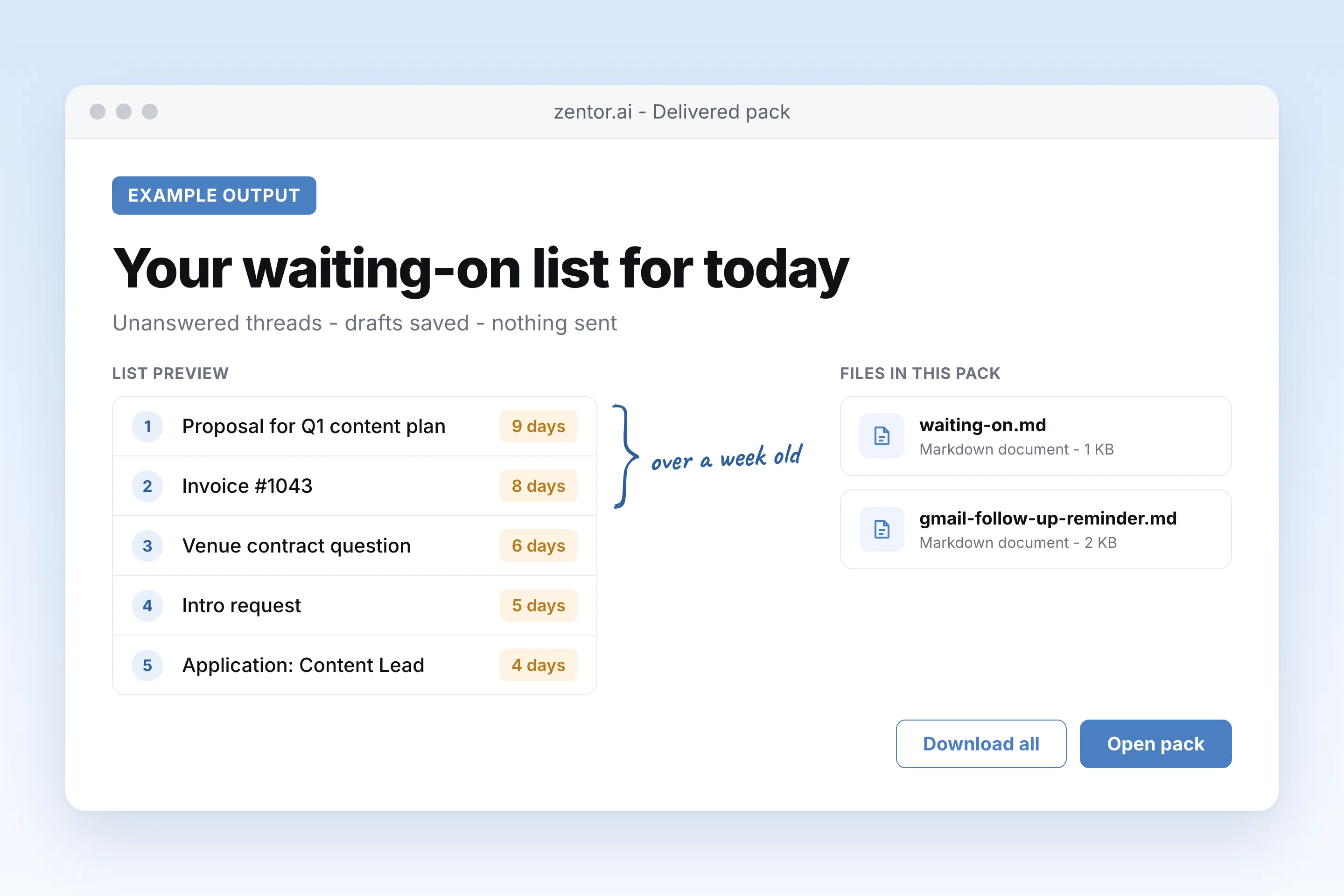
5 threads are still waiting on a reply. A follow-up draft for each is in your Drafts folder.
- Proposal for Q1 content plan to Northline, 9 days
- Invoice #1043 to Brightpath, 8 days
- Venue contract question to Dana, 6 days
- Intro request to Sam, 5 days
- Application: Content Lead to Acme recruiting, 4 days
Nothing was sent. I'll check again every weekday at 9:00.
Used 1 tools
create_schedule Gmail follow up reminder · cron 0 9 * * 1-5 · gmail-follow-up-reminder.md
Schedule saved. Next run: tomorrow 09:00.
Updated. Invoices now wait 10 days, so Brightpath drops off until Wednesday. Everything else stays at the default.
- Updated. Invoices now wait 10 days, so Brightpath drops off until Wednesday. Everything else stays at the default.
Try follow-up prompts
How the gmail follow up reminder works
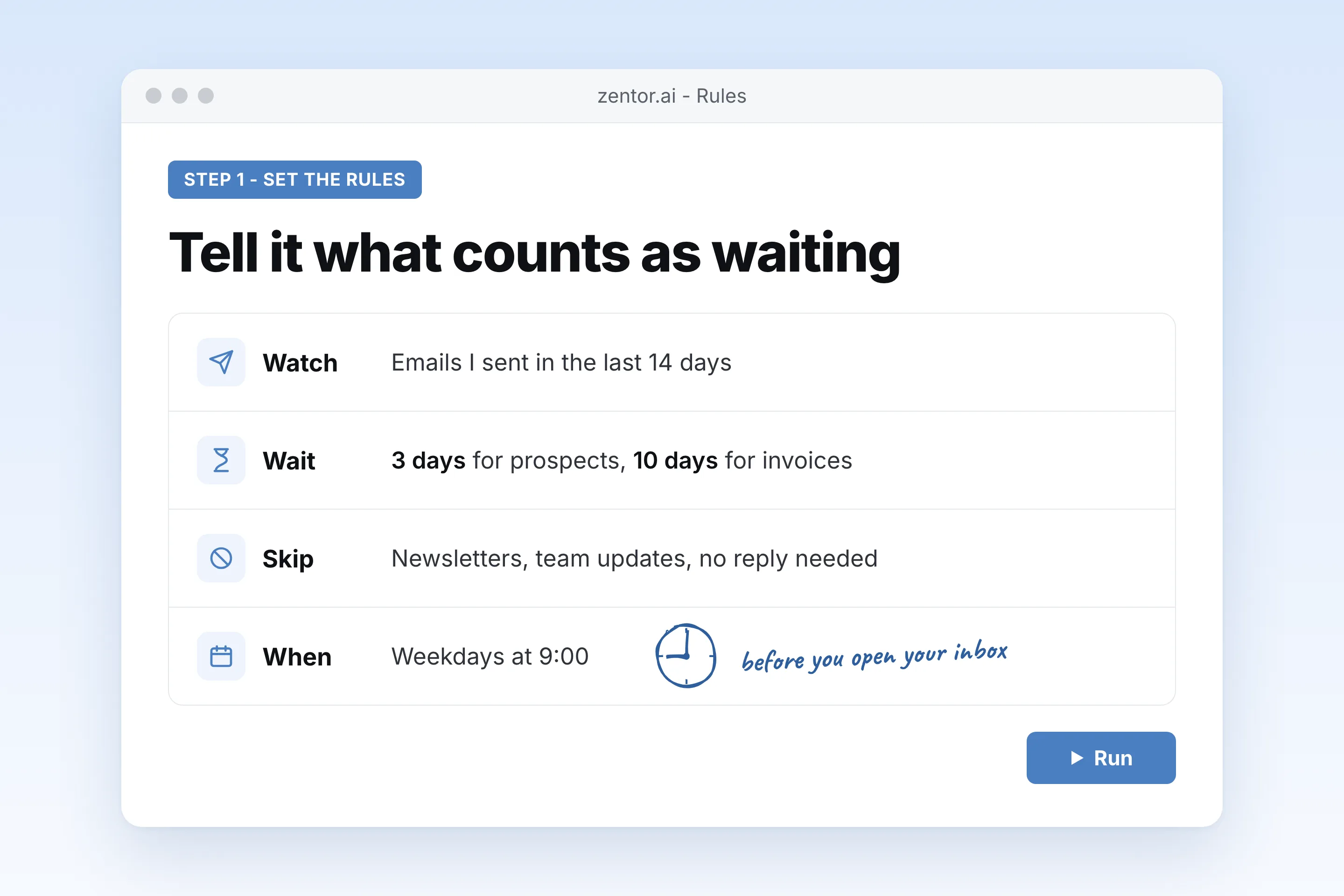
Say which sent emails to watch
All sent mail, only proposals, or one thread. Set how many days counts as no reply and what to skip.
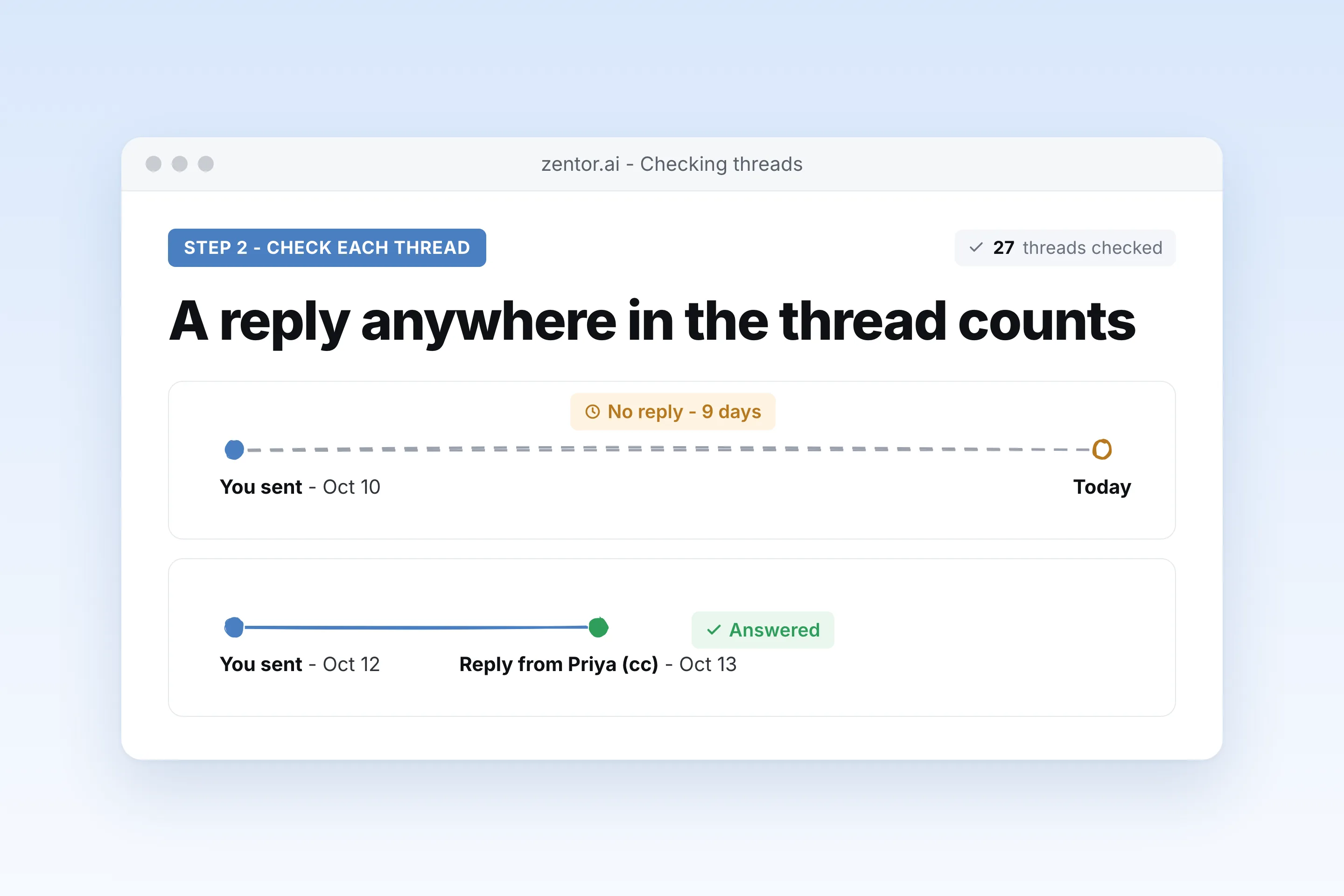
Zentor checks every thread for a reply
It reads your sent mail and the thread after it, so a reply from a colleague on the thread still counts.
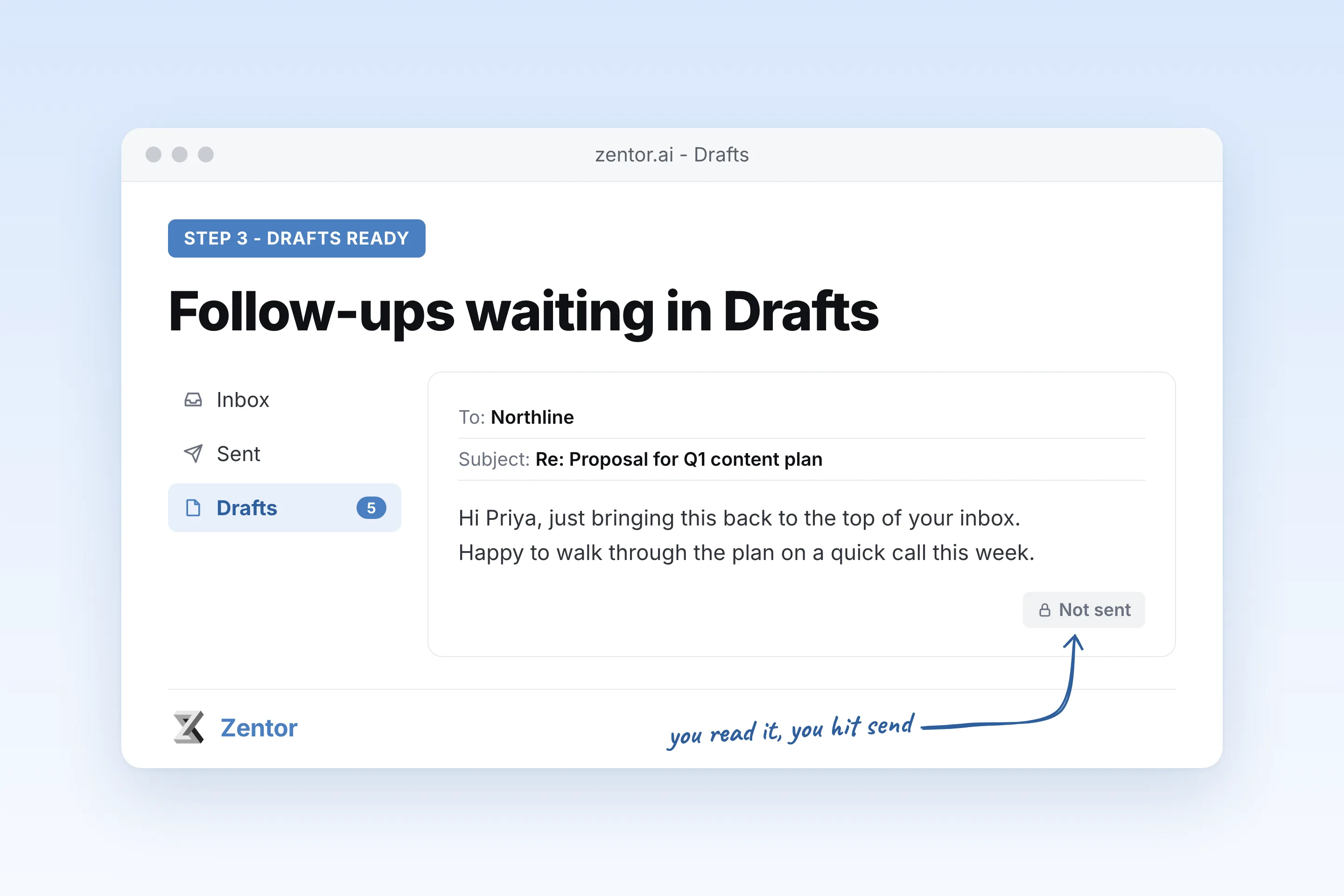
You get a list and ready drafts
Each morning: the threads still waiting, oldest first, with a short follow-up draft saved in Gmail. You choose what to send.
What you can be reminded about
What your gmail follow up reminder sends you
A real example of what Zentor hands back, shown before you sign up.
gmail follow up reminder: Zentor vs Gmail nudges
See how Zentor's AI-powered approach differs from traditional tools.
| Feature | Gmail nudges | Follow-up extensions | Zentor |
|---|---|---|---|
| Which emails | Gmail decides | You set a reminder per email | Rules you describe once |
| Checks for replies | Yes, inside Gmail | Usually per tracked email | Reads the thread after your message |
| Follow-up text | You write it | Templates | Short draft written from the original thread |
| Sends for you | No | Some auto-send sequences | No, drafts only unless you ask |
Weighing other tools for gmail follow up reminder?
Side-by-side comparisons of the tools people weigh against Zentor for this kind of work.
Why use an agent as your Gmail follow up reminder?
Gmail nudges guess which emails to bring back. Snooze and extensions remind you, then you still write the follow-up yourself.
Checks the whole thread
A reply from someone else on the thread, or a reply in a new email, counts. You only see threads that are really waiting.
Draft ready, not sent
Each reminder comes with a short follow-up in your Drafts folder. Nothing goes out without you.
Your rules in plain English
Skip newsletters, wait 3 days for prospects and 7 for recruiters. No per-email setup.
Ways to extend your gmail follow up reminder
Click one to load it into the box above, ready to run.
gmail follow up reminder FAQ
Does Gmail have a follow up reminder?
Gmail has nudges, which sometimes bring back sent emails that got no reply, and Snooze, which you set per email. Neither lets you say which emails to watch or writes the follow-up. Zentor checks your sent mail on a schedule with your rules and drafts the follow-up.
Will Zentor send follow-ups automatically?
No. By default it saves drafts in your Gmail Drafts folder and lists them for you. You can ask it to send in specific cases, but that is never the default.
How does it know an email got no reply?
It reads the thread after your message. Any reply from the recipient or someone else on the thread counts as answered. Auto-replies such as out-of-office notices do not.
Can I skip some emails?
Yes. Say what to ignore in plain English: newsletters you send, emails to your team, threads where you wrote no reply needed.
Can I set a reminder for just one email?
Yes. Ask for a one-time reminder such as: if Dana does not reply by Thursday noon, remind me and draft a follow-up.
How is this different from a follow up email generator?
A generator writes the email when you ask. This job decides when a follow-up is due by watching your sent mail, then drafts it. Use the follow up email generator when you already know what to send.
Integrations
Best integrations for gmail follow up reminder
Who it's for
Who uses gmail follow up reminder
Related email automation use cases
See also
Try Gmail Follow Up Reminder for Emails Nobody Answered for free
No credit card required