Client Onboarding Workflow: From Intake to Kickoff

Build a client onboarding workflow that carries approved scope, files, owners, deadlines, and follow-ups from intake to kickoff.
Client Onboarding Workflow: From Intake to Kickoff
A client onboarding workflow is the controlled path that moves an approved engagement from intake through scope confirmation, client setup, access collection, and kickoff readiness. The clean version is simple: approved scope enters once, required inputs are checked, owners and deadlines are assigned, the workspace is prepared, and kickoff happens only when the project can genuinely start.
Key takeaways:
- Define onboarding as ready-to-start work, not a welcome email sent.
- Carry approved scope forward instead of asking the client to explain the project again.
- Give missing inputs their own status, owner, deadline, and escalation path.
- Automate reminders and record updates, but keep scope and access approvals human-controlled.
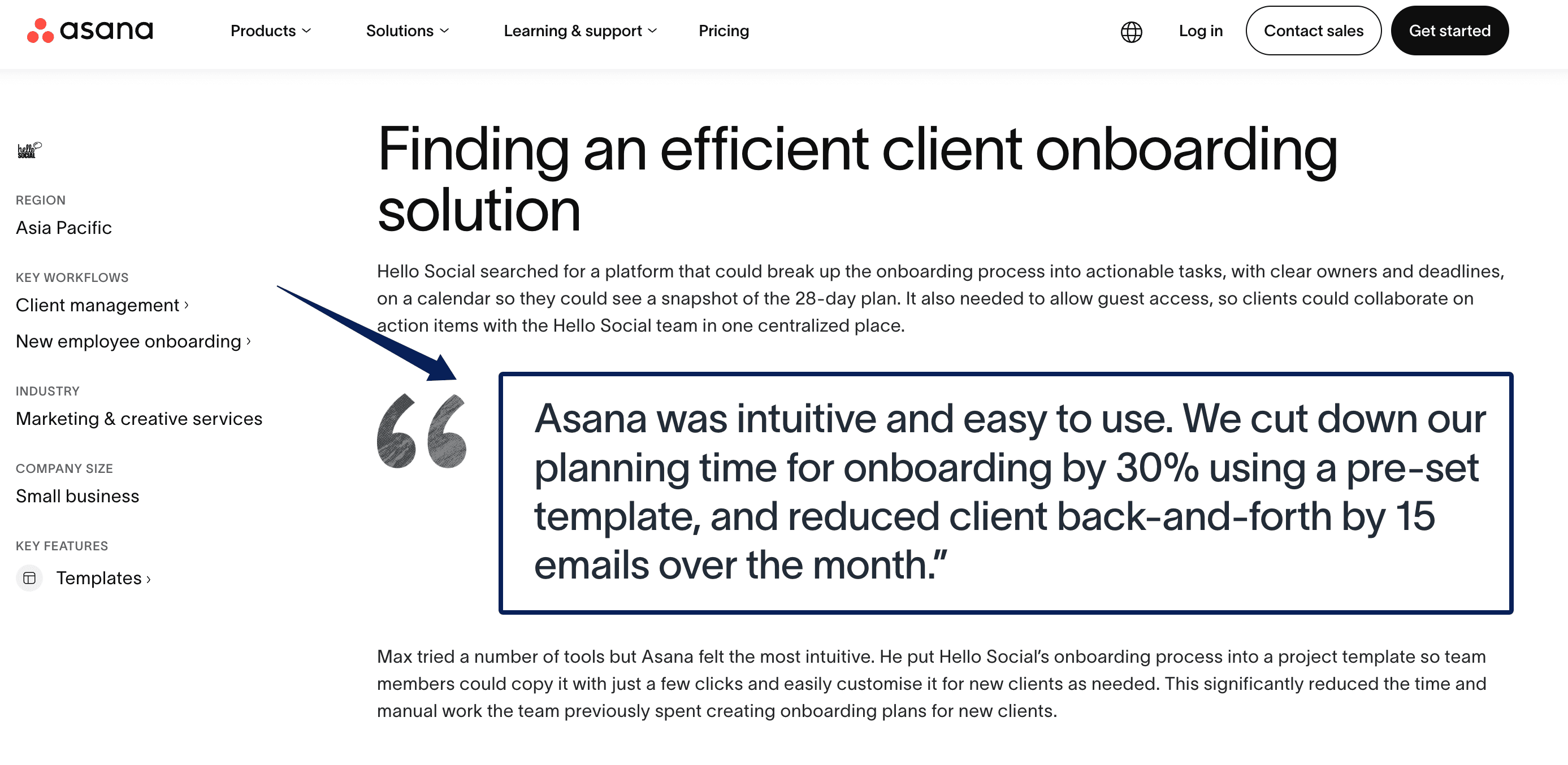
Max Doyle's experience at Australian agency Hello Social is a useful reality check. Its old client intake process relied on one document and dozens of follow-up emails. After the agency turned a 28-day onboarding process into a visible, reusable project, its vendor-published results included 30% less preparation time and 15 fewer back-and-forth emails per client. Those figures are not an independent benchmark. The transferable part is the mechanism: clients could see the plan, while tasks had owners and dates.
Vera here. I'm biased toward delaying kickoff rather than spending half the meeting asking for files that should already be in the workspace. A polished welcome message cannot rescue an unclear starting condition.
I used controlled test records to examine individual onboarding steps, but I did not inspect a real client's private workspace or verify any platform as a fully integrated, end-to-end onboarding system. This workflow therefore separates what I could test directly from documented product behavior, published customer case studies, and the operating choices a small team still needs to make.
Define the Onboarding Finish Line
The finish line is not "client added" or "kickoff booked." Onboarding is complete when the delivery team can begin without reopening the proposal, searching an email thread, or guessing who approves the first deliverable.
Write one readiness rule. For a small consultancy, it could be: scope accepted, primary contacts confirmed, required files received, access tested, communication channel chosen, first milestone assigned, and kickoff agenda shared. If one condition is false, the project remains in onboarding.
This protects the proposal handoff. The proposal may cover outcomes and price, but the project record needs operational detail: what is included, what is excluded, who accepts work, and what happens first. A defined scope should include deliverables, acceptance criteria, and exclusions because explicit exclusions reduce the room for scope creep.
Capture Client and Project Inputs Once
A good client intake process asks once, stores the answer in the project record, and reuses it through delivery. Do not make the client type an address into a form, repeat it during kickoff, and then correct it again on an invoice.
Use the smallest workable field set:
| Field group | Minimum information |
|---|---|
| Client | Client name, primary contact, billing contact |
| Project | Approved service, objective, deliverables, exclusions |
| Decisions | Client approver, internal owner, communication channel |
| Timing | Target kickoff, first milestone, response deadline |
| Inputs | Required files, source links, reference materials |
| Access | System, requested role, owner, removal date |
| Readiness | Missing items, blocker, next action, last follow-up |
Every field needs a reason. FTC guidance advises businesses to limit collected information to what is needed for legitimate business purposes. Do not use a general form to collect payment credentials, identity documents, or account secrets merely because they might be useful later.
Confirm Scope, Ownership, and Approvals
Before client setup begins, convert the commercial agreement into an operational brief. Record deliverables, boundaries, timeline assumptions, revisions, dependencies, and the acceptance owner. If a deposit or signature is required, record its confirmed status from the system that owns it.
Assign three roles. The onboarding owner moves the process forward. The delivery owner confirms work can start. The client approver decides on scope and acceptance. One person may hold both internal roles, but the responsibilities should remain visible.
My practical rule is that onboarding automation may prepare a workspace, draft reminders, or flag missing fields. It should not expand scope, grant privileged access, or mark an uncertain commercial condition as approved. Those choices need a named person and timestamp.
Create the Workspace and Access Checklist
Client setup should produce one project home showing scope, contacts, timeline, files, decisions, open questions, and first tasks. Keep source documents attached or linked instead of rewriting important terms from memory.
Use a compact onboarding checklist for access:
| Access item | Record before kickoff |
|---|---|
| Resource | Exact tool, account, folder, or property |
| Identity | Named person or approved service account |
| Role | Viewer, commenter, editor, or administrator |
| Test | Date access was opened and verified |
| Removal | Project end date or earlier review date |
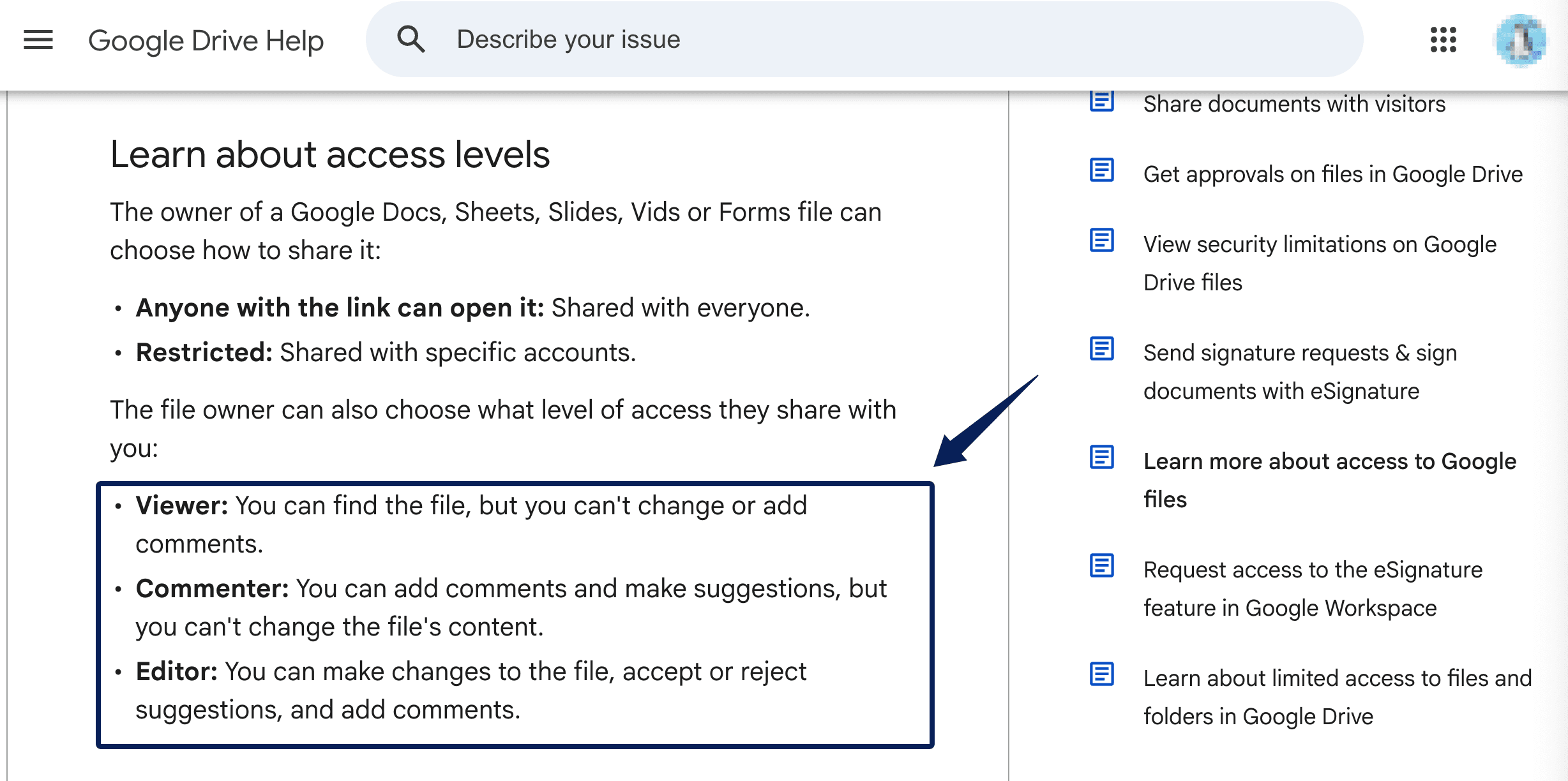
Google Drive separates Viewer, Commenter, and Editor permissions, allowing the role to match the work a collaborator must perform. Do not request administrator access when read-only access is enough.
Plan the exit at the same time. NIST's small-business guidance recommends removing access when a third-party relationship ends. Add that task now, while everyone still knows which accounts were created.
Schedule Kickoff and First Deliverables
Schedule kickoff after the readiness rule passes, not immediately after proposal approval. The invitation should name the objective, attendees, agenda, preparation, and decision owner. The meeting can then focus on decisions instead of document hunting.
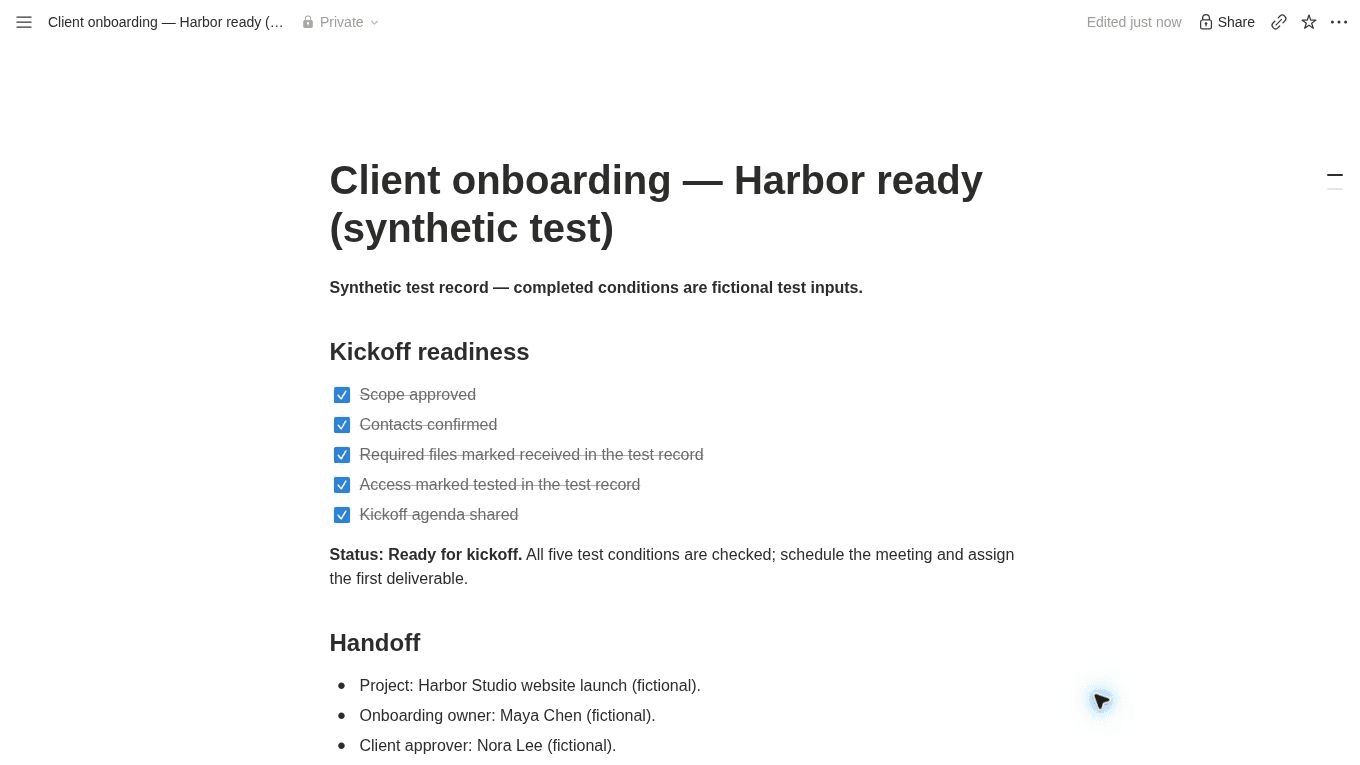
A practical agenda confirms the objective, reviews boundaries, resolves open questions, agrees on communication, and assigns next actions. Kickoff meetings align goals, scope, roles, and next steps before work begins. They do not replace incomplete intake.
Before kickoff ends, put the first real piece of work on the calendar. If the first deliverable is a homepage draft, the record should already show who writes it, what source material is still missing, when the client sees it, and who can approve it.
Handle Missing Inputs and Delays
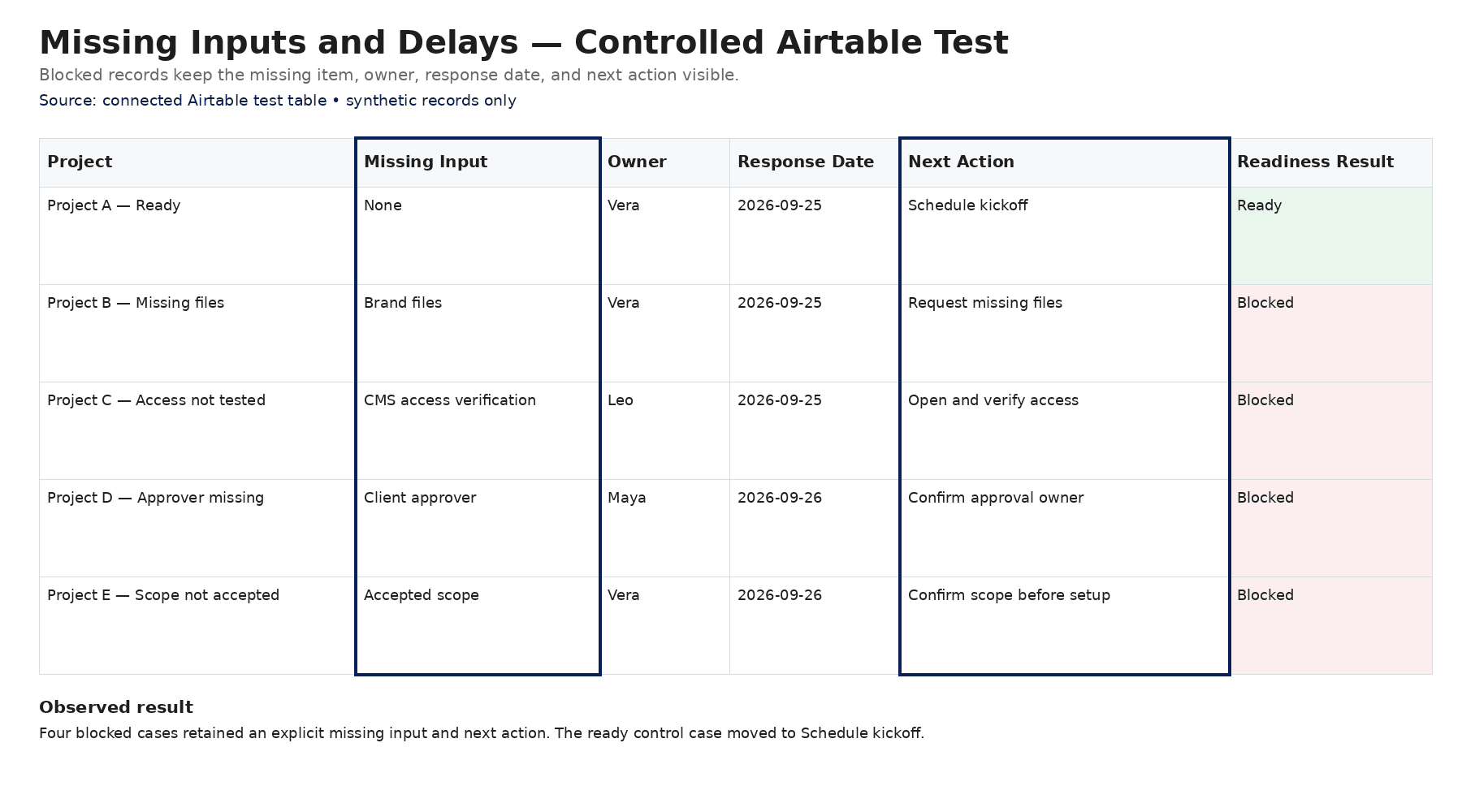
Missing information needs a defined exception path. When a required field or file is absent, change the project to "Blocked: client input," list all missing items in one message, assign one follow-up owner, and set a response date. Do not send five reminders from three tools.
If the deadline passes, send one follow-up with the consequence: kickoff stays provisional, the first milestone moves, or the team begins only unaffected work. After the agreed escalation point, ask the client to accept a revised date. Automation can detect the overdue state and prepare the message. A person should approve changes that affect commitments.
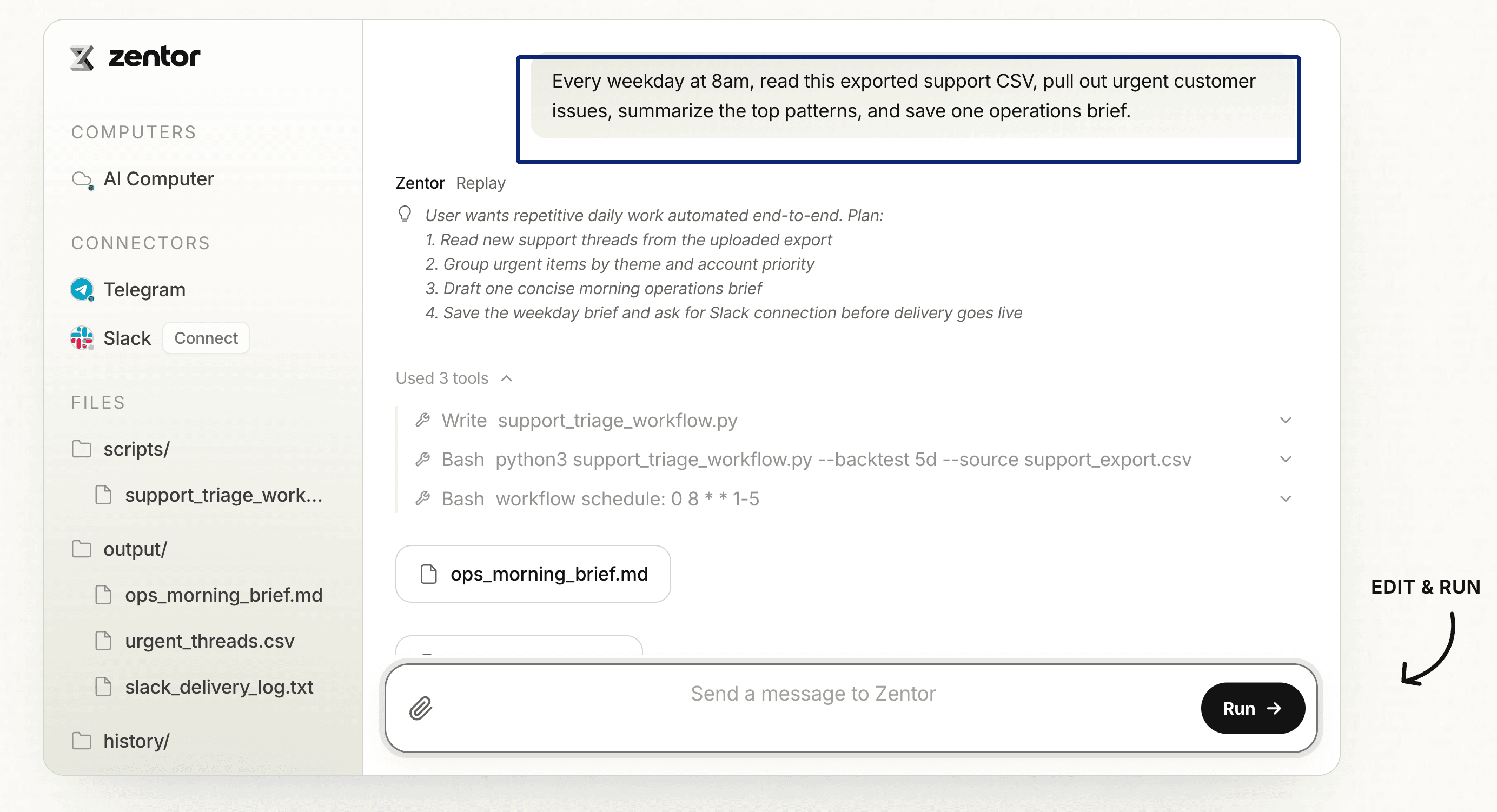
This is also where a recurring automation can help. Zentor's recurring task workflow can be used for the narrower job of checking inputs and surfacing exceptions, for example, "which onboarding projects are still missing a required file?" I would not treat that as an end-to-end onboarding system; the permissions and write-back steps still need to be configured and verified.
FAQ
How should onboarding handle a client who cannot use your preferred portal?
Offer one controlled fallback, such as email plus a shared document or folder, and assign an internal owner to update the main project record. Do not make the client maintain two systems. The fallback should preserve the same required fields, deadlines, approvals, and file-naming rules as the portal workflow.
How should onboarding differ for repeat clients?
Reuse stable context, but reconfirm the project-specific scope, contacts, access, deadlines, and approval path. Previous credentials may have expired, and the client's decision-maker may have changed. A repeat-client shortcut should remove duplicate questions without carrying old assumptions into a new engagement.
What should happen if a client is not ready by the planned kickoff date?
Keep the project in onboarding and make the blocker explicit. List what is still missing, who needs to provide it, and how the delay affects the first milestone. If the missing input prevents meaningful work, move the kickoff date rather than using the meeting to collect files or resolve basic access.
If some work can begin safely, separate it from the blocked tasks and confirm the revised plan with the client. Any change to delivery dates or commitments should be recorded and approved instead of being silently absorbed by the team.
Can clients complete onboarding from a phone?
Yes, if the intake is short, responsive, and avoids awkward multi-file uploads or desktop-only controls. Test the full path on a real phone, including validation errors and confirmation messages. Offer save-and-return or a desktop fallback for long questionnaires and large files.
How should access be removed when a project ends?
Run an offboarding checklist that transfers file ownership, removes guests, revokes temporary accounts, rotates shared secrets, and records completion. Preserve required project evidence without leaving live access open. Verify removal in each source system instead of assuming that archiving the project removed permissions everywhere.
A Client Onboarding Workflow Should Make Kickoff Uneventful
The best client onboarding workflow makes kickoff feel almost boring. The files open. The right people are in the room. Nobody is searching Slack for the final scope or asking the client to resend a logo. If kickoff still depends on somebody remembering what is missing, the workflow is not finished yet.

Zentor Editorial Zentor editorial team
The Zentor editorial team writes about workflow automation, AI agents, and the tools we build. Default byline for industry overviews, listicles, and collaborative pieces.
Ready to put this into practice?
Zentor runs browser tasks, research, and schedules automatically. Try it free.