Content Approval Workflow: From Draft to Sign-Off

Content approval workflow for small teams: name the reviewer, track draft versions, collect a decision, and tie the approved asset to delivery.
A content approval workflow moves a finished draft through review, revision, a named decision, and release of the exact asset that received sign-off. For a small agency, the useful question is simple: could someone else tell which file the client approved without searching a message thread?
Key Takeaways:
- Give reviewers one identified version and a deadline for comments.
- Keep feedback, revision decisions, and final approval as separate records.
- Bind sign-off to the copy, visual, format, and channel the client actually saw.
- Check the release file against that record before anything is scheduled or sent.
Consider a hypothetical client job: a 15-second product teaser, its caption, and a square cover frame for one Instagram post. The agency has finished version 3 (v3), but the client has not signed off. The example below describes a process to use, not a test of a tool or a real client engagement.
Start With the Draft That Needs a Decision
The handoff begins with the finished v3 package, not the original creative brief. A content approval workflow needs that one identified package. Put the video, caption, cover, and a fixed preview in one review location. Record the campaign, planned channel, intended delivery date, and any claims or rights the client must check. If the caption in a chat differs from the caption beside the video, pause before inviting reviewers. They need one object to decide on.
A return for revision sends the v3 package back to its creator; approval moves the identified export to an approved-assets location. This is narrower than Zentor's content creation workflow from brief to publishing, which covers production before a draft is ready.
Keep the decision beside the work
Ask Zentor to find the latest campaign record and draft a review handoff from it. Confirm the client decision yourself before anything is sent.
Start free trial →
Name the Reviewer and Final Approver
Who comments, and who can decide? In this hypothetical job, the agency editor checks spelling and format, the client brand contact comments on the visual, and one named client marketing owner gives final sign-off. The approval owner can consult legal or product colleagues, but the agency should know whose decision closes client content review. A comment from a stakeholder is not a substitute for that decision.
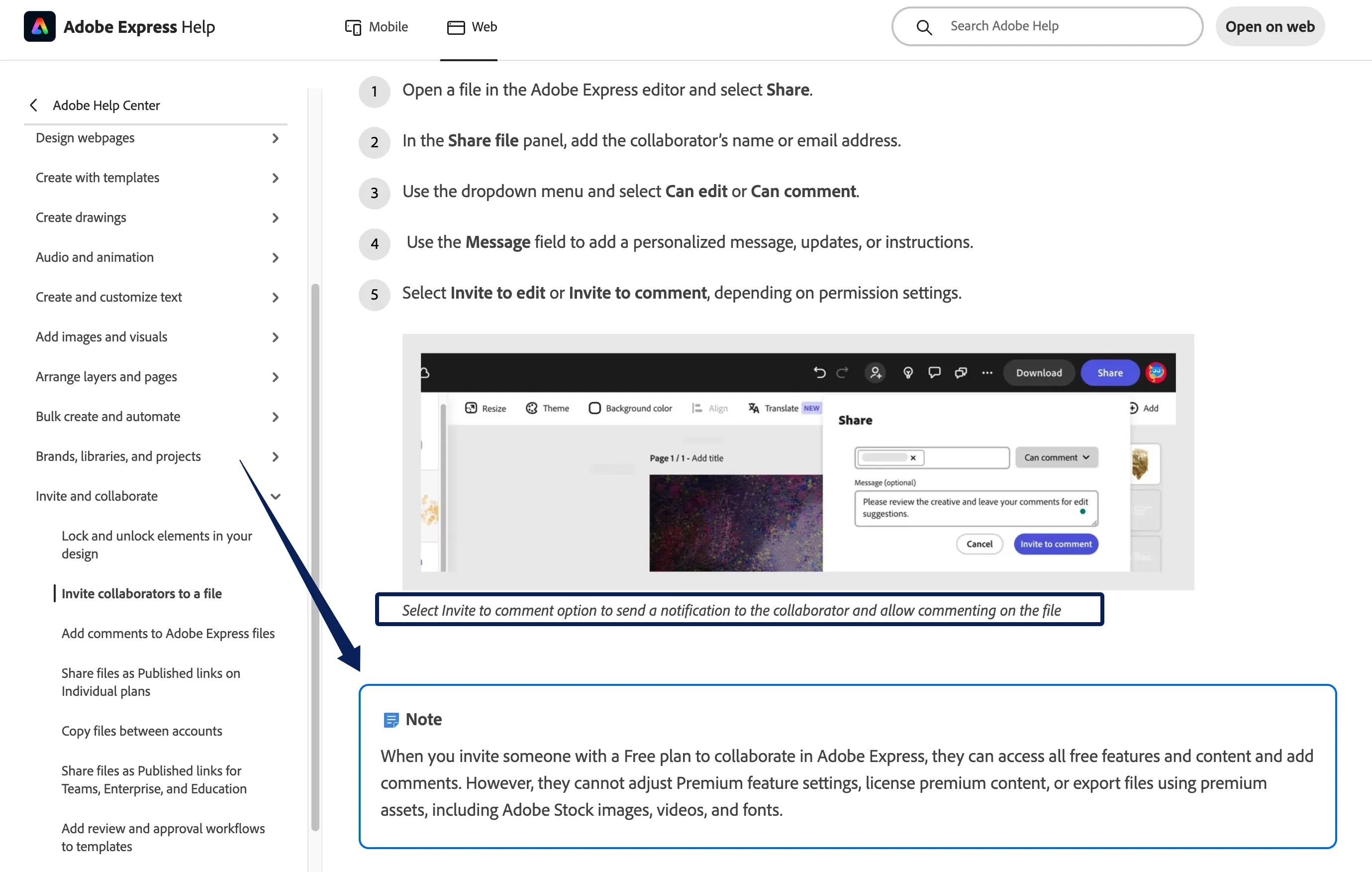
Agree on what each person may do before sending access. Adobe Express supports comment access without edit access for invited file collaborators. Google Drive offers viewer, commenter, and editor roles, subject to organizational sharing limits. Those are tool options, not a guarantee that an external client can open your workspace. Check with the actual reviewer early, and provide a fixed export through an agreed channel if access is blocked.
Keep Feedback Attached to One Version
Send a review link or export labeled v3, with a due time and a place for comments. Ask reviewers to identify the component and location: caption sentence, video timestamp, or cover frame. "Make it warmer" has little value if nobody knows whether it refers to the voiceover or the caption. Record the reviewer's name, comment, target, and version together. The W3C Web Annotation Data Model likewise distinguishes an annotation's body from its target; use the same discipline even if your team keeps feedback in a simple sheet.
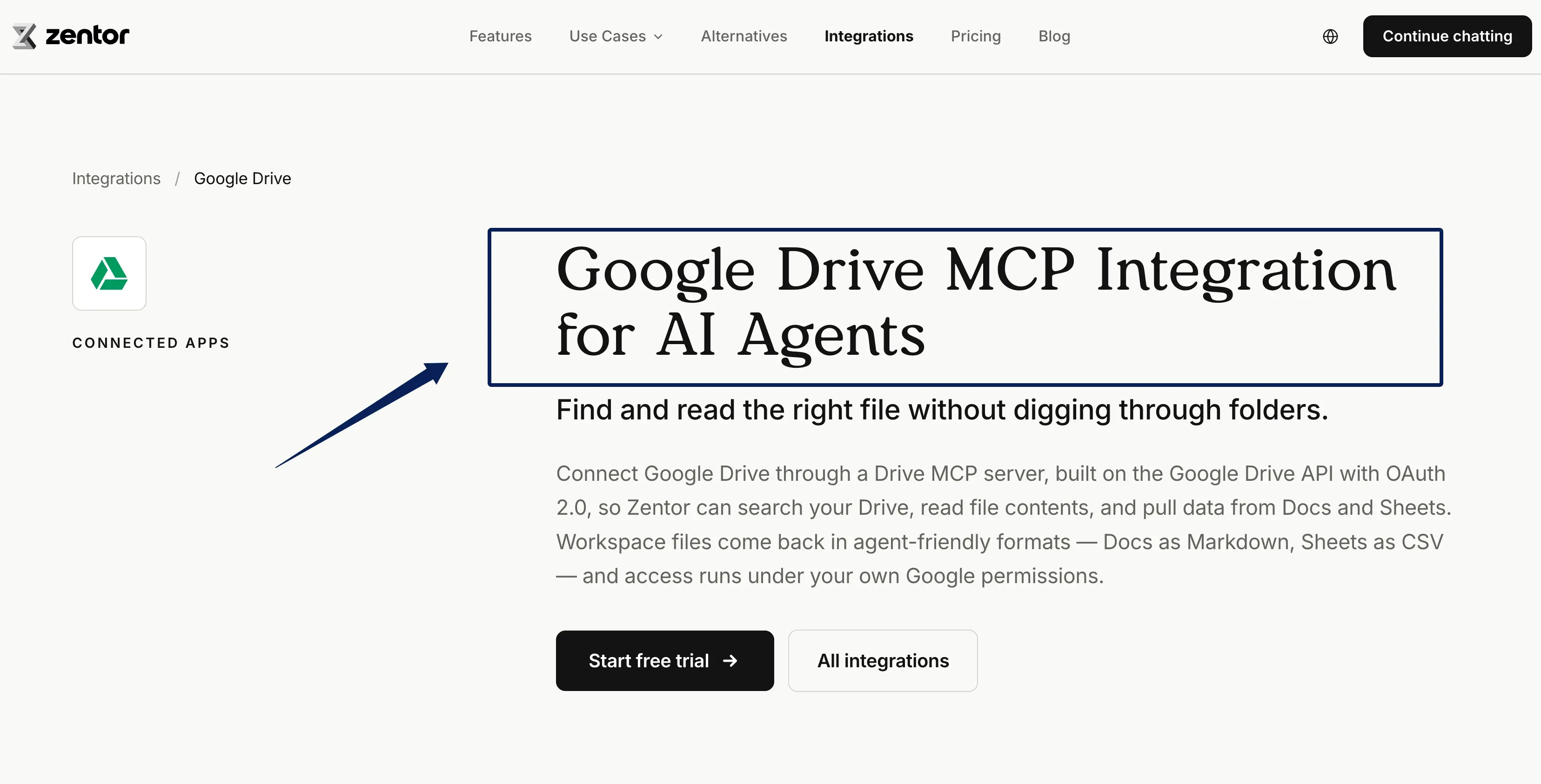
An editable working file can change while someone is reviewing it. Save the precise preview the client saw, even if the team continues editing its source files. For teams working in Drive, Zentor's Google Drive integration provides a way to find and compare source documents when a Drive MCP server is connected and authorized. Keep the exact approved preview and sign-off record separately. If comments arrive by email, move each decision into the review record with its original sender and date. Do not silently paste a note into v4 and leave it appearing as though the client commented on v4.
Route Revisions Back to the Right Owner
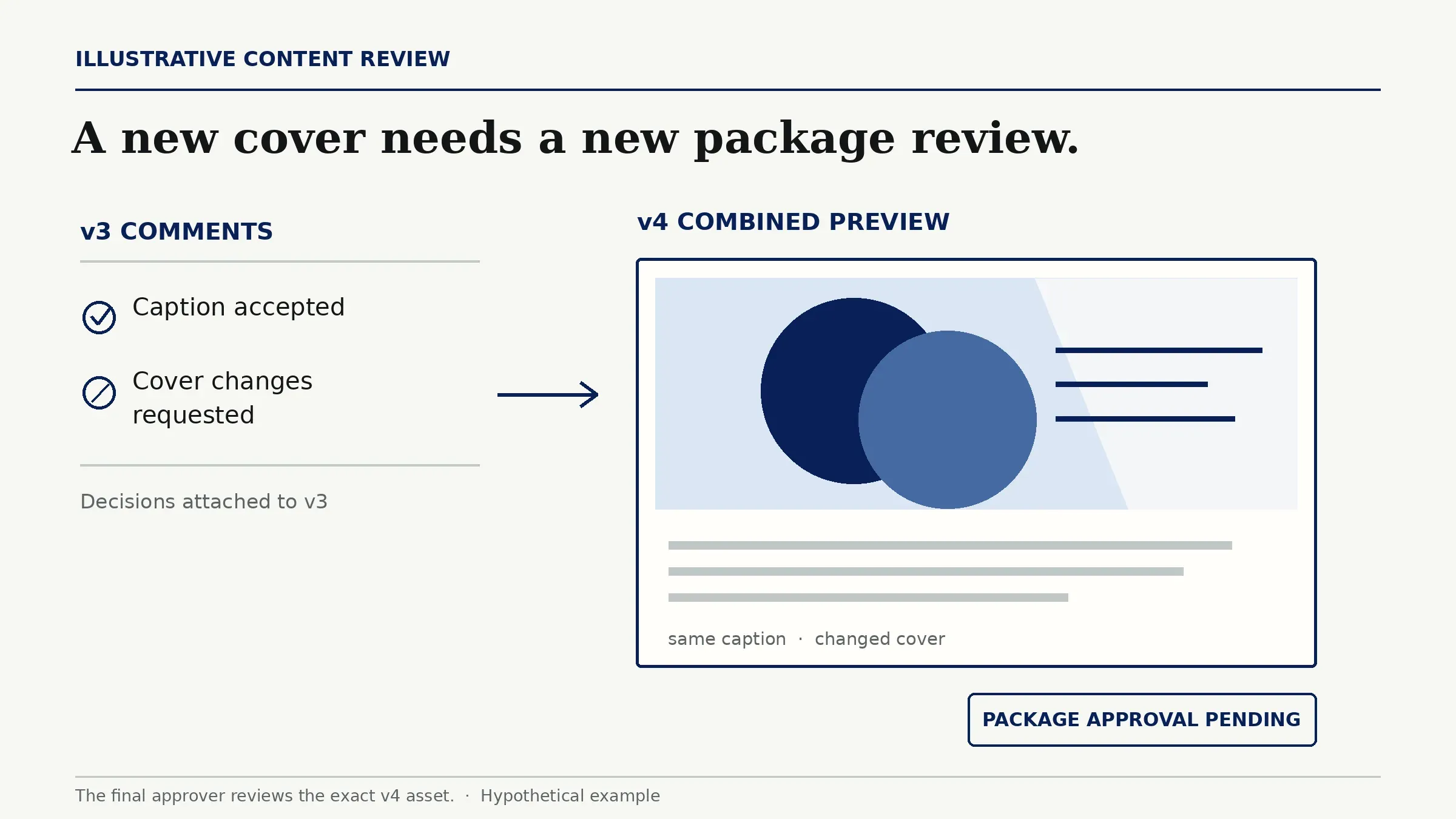
Sort each comment into a decision the creator can act on: accept, decline with a reason, or ask the reviewer to clarify. The designer owns a cover change; the copywriter owns a caption change. The agency editor checks the assembled v4 package before asking for revision approval. A changed cover may alter what the caption seems to promise, so the combined preview matters even when only one file was edited.
For the hypothetical teaser, suppose the client accepts the caption but asks for a different cover. Mark the cover as changes requested, keep the caption decision attached to v3, and send a v4 preview showing both together. Do not treat the earlier caption comment as approval of the new package. The final approver sees what will actually be delivered.
Record the Final Sign-Off and Approved Asset
A content sign-off process needs an explicit "approved" decision, not just an empty comment queue. Record who decided, when, and on which video, caption, and cover versions. Include the Instagram placement and any conditions, such as an offer end date. Save the approved export and its source-file references in a location the release owner can inspect. If the client approves only the caption, the package remains open.
This proposed table tracks creative approval status, not publishing. It is a team record, not a Zentor product feature:
| Status | Evidence and next owner |
|---|---|
| In client review | v3 preview sent to named reviewers; agency waits for comments. |
| Changes requested | Comment names the component and version; creator receives the revision. |
| Ready for sign-off | Revised package and resolved comments reach the final approver. |
| Approved | Named approver accepts the exact package, channel, and conditions. |
| Withdrawn | Approval is revoked; release owner checks any queued destination. |
If the team keeps its approval records in Airtable, Zentor's Airtable integration can help retrieve and update records in connected bases, within the permissions you grant. The named client decision must still be verified separately. Keep a separate release log for the publisher's acknowledgement of the approved package, any scheduled-post ID, and the confirmed live URL if published. A scheduled item and a verified live post are different events; neither is another approval status.
Release Only the Approved Version
Here, release means handing the approved package to the named publishing owner, not claiming it is live. Before that handoff, compare the approval record with the fixed export or version identifier: caption, video cut, cover, format, channel, and any time-sensitive claim. A file called "final-final" proves nothing. Keep the matched asset in the approved location and the working folder separate.
Approval to use the teaser for one Instagram post does not automatically cover a paid ad, a second client's campaign, or a translated caption. Those uses or assets need their own decision. Obtain the publishing owner's acknowledgement of the package; if the destination later accepts a scheduled post, record its ID separately. A failed upload cannot count as delivery.
Handle Late Changes and Missed Deadlines
A missed review deadline is an escalation to the approval owner, not silent consent. The agency can move the planned release, request a narrower decision, or agree on a new deadline. Keep the asset in review until someone with authority signs off.
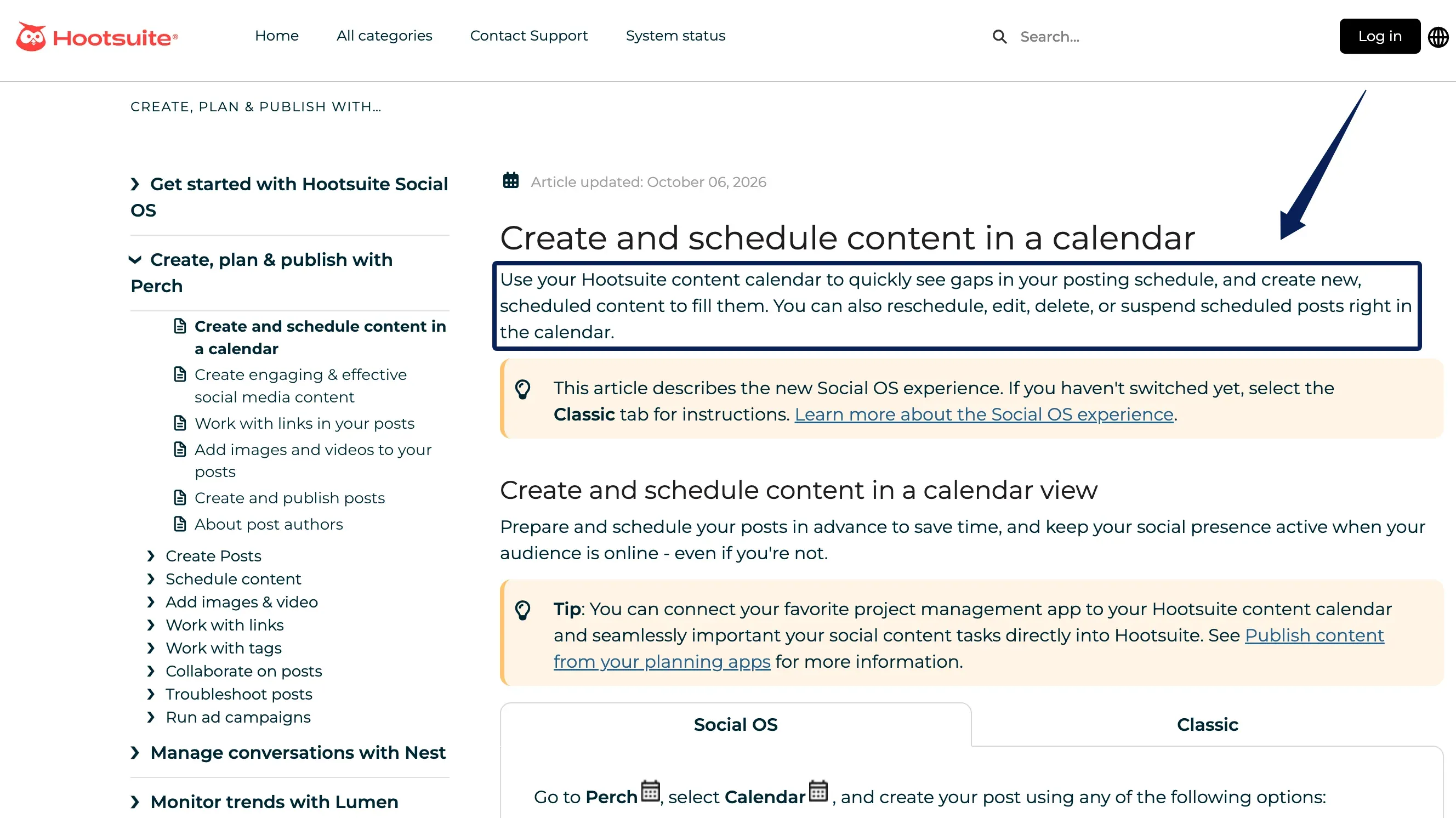
If approval is withdrawn after scheduling, mark it withdrawn, identify every queued destination, and have the release owner stop each unpublished item there. Hootsuite also documents suspending scheduled posts at an organization level; that is a distinct control from editing an individual post. Hootsuite describes editing and deleting scheduled items from its Planner calendar; available actions depend on account roles and platform. Changing a separate approval record does not cancel a post automatically. Verify the queue status and save the result. Once content is live, corrections or removals depend on the publishing destination.
FAQ
Can a client approve the caption while rejecting the image?
Yes. Keep component decisions separate. If the replacement image changes an offer or claim that the caption refers to, reopen that line for review. The assembled post still needs final sign-off.
What if an external reviewer cannot access the workspace?
Send a fixed export through the agreed review channel without opening an entire folder. Ask the reviewer to name the asset version, channel, and decision in the reply. A send log or delivery receipt records dispatch or delivery, not proof that the reviewer opened the file; record any access confirmation and explicit approval separately.
Who approves a translated version of approved copy?
The client-designated approver for the target language should approve the translated asset. The original-language sign-off does not establish that the new wording, claim, or layout is acceptable. Record its own version and channel.
Can an approved draft be reused in a different client campaign?
Potentially. Obtain the new client's campaign approval and separately verify any licenses or consents required from rights holders for that use. Check channel, dates, and asset terms; the earlier sign-off alone establishes neither permission.
How can approval be withdrawn after a post is scheduled?
Record the withdrawal and verify that each queued destination is stopped. Keep the original sign-off and the later withdrawal as separate events; rewriting the old approval hides what changed. A live post requires a separate correction or removal decision.
A Content Approval Workflow Ends at a Traceable Handoff
A content approval workflow reaches its handoff when the agency can show the client-approved package, its decision record, and the publishing owner's acknowledgement of that package. Scheduling and verified publication remain separate events. If the version, approver, or destination is uncertain, return to review before uploading.

Zentor Editorial Zentor editorial team
The Zentor editorial team writes about workflow automation, AI agents, and the tools we build. Default byline for industry overviews, listicles, and collaborative pieces.
Ready to put this into practice?
Zentor runs browser tasks, research, and schedules automatically. Try it free.