Grok Bot Can Now Run Your Phone: What It Accesses
Grok Bot phone access reaches six phone app categories through separate Allow controls. See what it can do, Pages, alternatives and permission checks.
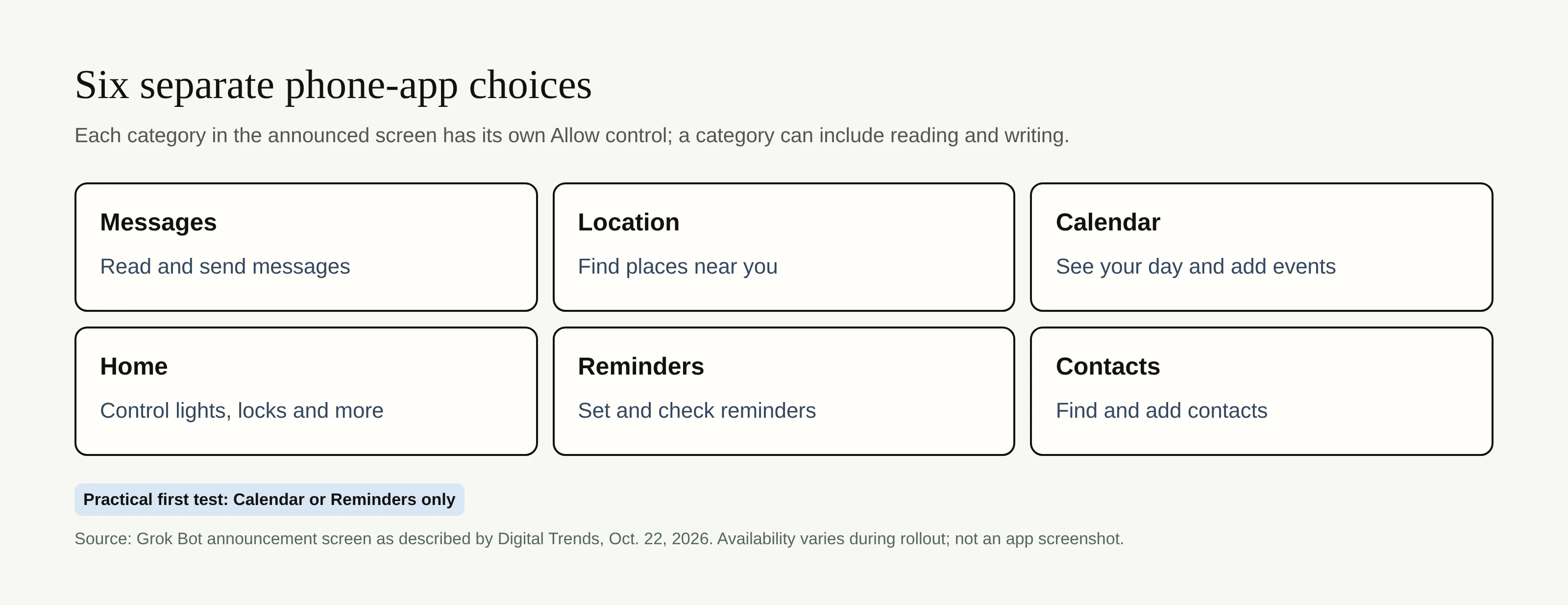
Grok Bot phone access now lets the assistant use selected phone apps to check your calendar, set reminders, look up contacts and, if permitted, handle messages or smart-home controls. The October 22 announcement reported by Digital Trends says the feature is rolling out on iOS and Android, not that every account already has it. Six app or service categories appear in the announcement image, each with a separate Allow button.
Key Takeaways:
- Calendar, Reminders, Contacts, Messages, Location and Home are the six advertised categories.
- An Allow button for each category is a choice of access, not proof that every individual read or write action asks again.
- Pages are a separate feature: editable reports and dashboards that a Bot can keep current.
- As of October 23, the phone feature's exact minimum app version, regional reach and category-by-category platform support are not established by the announcement.
Which phone apps can Grok Bot touch now?
The announcement image described by Digital Trends lists Messages (read and send), Location (find places nearby), Calendar (see your day and add events), Home (control lights and locks), Reminders (set and check), and Contacts (find and add). Those are advertised capabilities, not a report of our own phone test. Home access does not mean Grok Bot can operate any device without its supporting Home setup.
For a class deadline, grant Reminders rather than Messages. Phone access differs from a Bot's web-service login.
How the per-app Allow permission model works
The pictured controls put an Allow button beside each category, rather than one blanket switch for the entire phone. That gives you a practical starting boundary: turn on Reminders while leaving Messages and Home off. But Calendar's label covers both viewing and adding events. Don't infer from the six buttons that read and write can always be split within a category, or that a door-lock command necessarily gets a second confirmation.
Grok Bot's action-approval guidance distinguishes individual approval from ongoing access. The phone announcement doesn't document revocation steps, category-specific retention or feature parity across iOS and Android.
Grok Bot Pages: editable reports with scheduled refresh
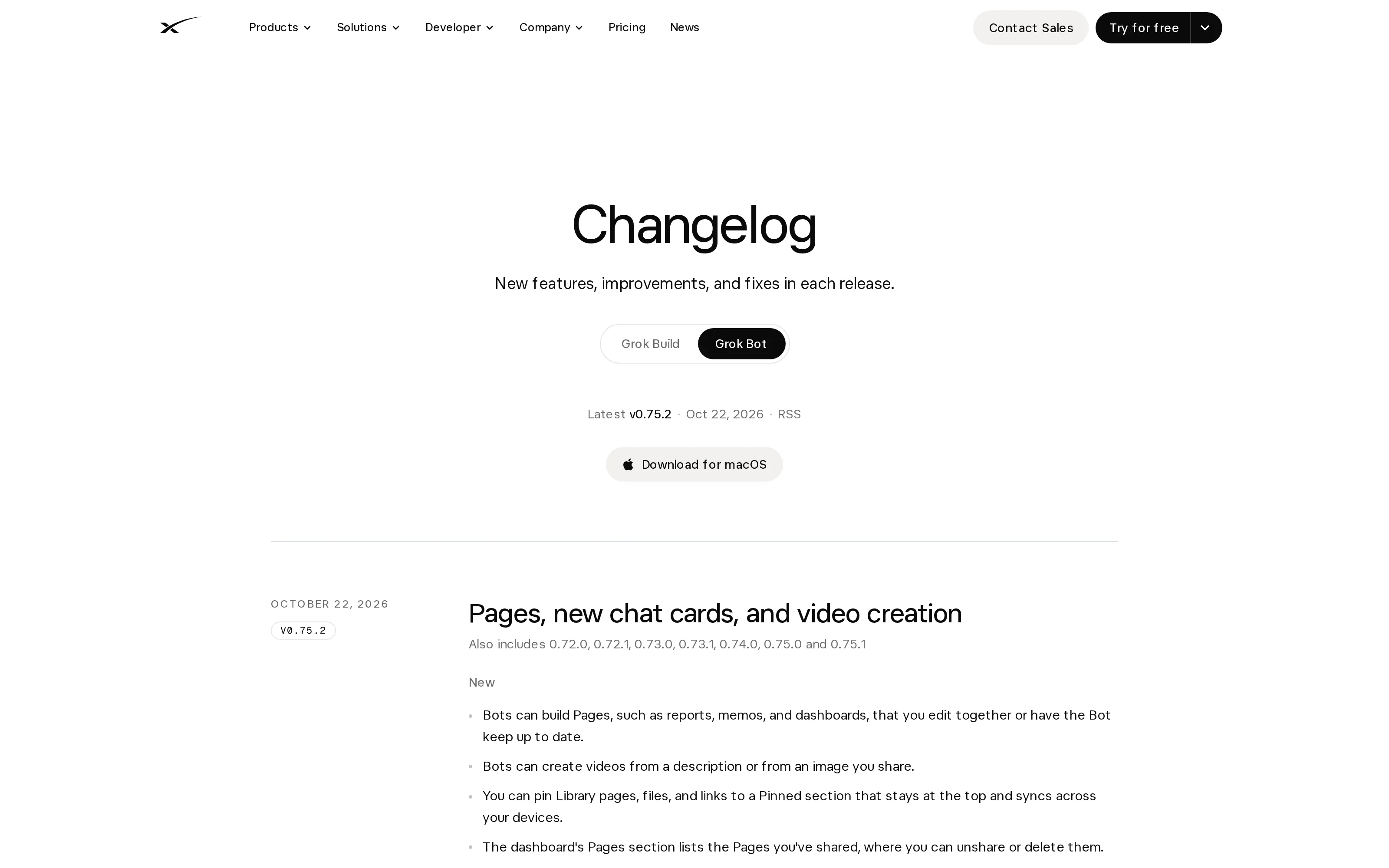
A Page keeps a result from getting buried in chat. The official October 22 changelog for v0.75.2 says Bots can build editable reports, memos and dashboards and keep them current. That version documents Pages, not the minimum for phone access.
A tao.media account of the Pages demonstration describes a sales forecast Page refreshed by a routine at 8 a.m. on Mondays. Treat that as a demonstrated example, not a default schedule or a guarantee for your own account. The earlier 0.70.2 change unified canvas and document labels under Page; it also should not be mistaken for a phone-permission requirement. We found an October 22 official changelog date, but no exact official Pages publication time to cite.
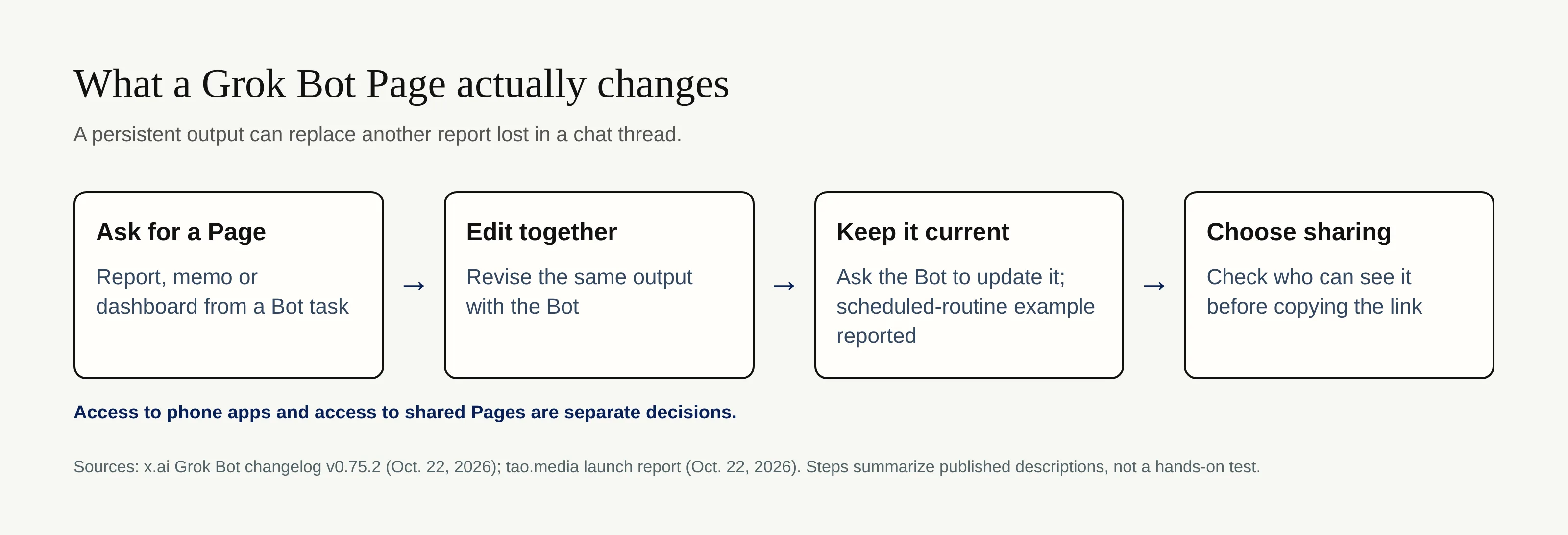
Review a Page's sharing audience independently of the permissions that supplied its data.
Grok Bot vs Muse, Instinct and Dots
The distinction is where authority comes from. Meta's Muse safety write-up describes connector approvals and, where supported, read/write separation. The Verge's Instinct review describes texting an agent connected to email and calendar; texting it doesn't grant access to every handset message. OpenAI's Dots guide separates phone setup and plugins from contact methods and computer access.
| Agent | Interface or access emphasized | Permission question to ask |
|---|---|---|
| Grok Bot | Announced device app categories alongside cloud work | Which of the six phone categories have I allowed? |
| Muse | Connected services and action approvals | Is this grant read-only, or can it write? |
| Instinct | Text conversation plus linked services | Which account did I connect behind that thread? |
| Dots | Phone setup with separately connected plugins | Which plugin and action did I permit? |
For the broader launch context, see Personal AI Agents: October 2026 Launch Wave. That comparison covers a wider set of releases; this guide isolates the new phone-access claim.
What to check before granting access
Start with one reversible reminder and inspect the result. For Messages, verify recipients; for Home, test a light before a lock. Review and pause routines you no longer need. Our autonomous-agent guide distinguishes drafting from sending.
If your real need is to follow up on inbox and calendar chores rather than command device apps, Mateo, built by the Zentor team, focuses on that narrower job. Zentor tackles another layer: its user-owned workspace memory can reach different AI tools through Zentor MCP rather than tying context to one phone assistant. Zentor does not integrate Grok Bot. Zentor's self-adaptive workspace also helps route tasks across your work, not bypass another product's phone permissions. Its always-on work can continue without your computer awake, but you still decide which external tools get access.
Keep your work context portable
Explore Zentor for work that spans your tools, with memory you own. It does not connect to Grok Bot.
Get early access →
FAQ: Grok Bot phone access and permissions
Is Grok Bot free?
Don't assume the new phone feature comes with a free plan. Grok Bot's mobile documentation lists eligible paid Cursor individual or Teams plans and linked individual SuperGrok tiers for the app; it does not give a separate free-phone-access offer. Check your account's current eligibility before connecting anything.
Can it control my smart home?
The announcement image advertises Home control for lights and locks. Whether a particular device and command work on your phone and home setup needs a live check; this article does not verify execution on either platform.
How do I revoke an app permission?
First check the Grok Bot app's connected-app or permission screen and your phone's settings for Grok Bot, then turn off the relevant access and test that it has stopped. If the access is through a separate connector, revoke that connector or its source-service authorization too. The public phone launch material does not specify one universal menu path; don't confuse an action approval with removing an ongoing grant.

Zentor Editorial Zentor editorial team
The Zentor editorial team writes about workflow automation, AI agents, and the tools we build. Default byline for industry overviews, listicles, and collaborative pieces.
Ready to put this into practice?
Zentor runs browser tasks, research, and schedules automatically. Try it free.