Personal AI Agents Go Mainstream: What Meta Muse, OpenAI dots, and Instinct Can Actually Do for You

A personal AI agent can handle real admin, but where should it stop? Compare Muse, Dot and Instinct, test five jobs, and approve sensitive actions.
A personal AI agent can research, monitor and carry out a multi-step task across connected tools; the useful question isn't whether it can act, but which actions you should let it finish. The Arkose Labs Q3 2026 report found that 97.7% of legitimate AI-agent sessions in its observed traffic carried no verified disclosure. That makes the handoff between preparation and a consequential click much more interesting than the talking avatar.
Mateo· built by the Zentor team
The small life-admin job you keep postponing
Mateo checks your inbox and calendar, finds the trial, the refund and the form you forgot, and handles them. Works in any browser, anywhere.
Ask Mateo →
Free in early access
Key Takeaways:
- Give an agent a narrow job with an observable result, such as a shortlist or a drafted reply, before granting send or purchase rights.
- Muse, OpenAI Dot and Instinct share the agent label, but their channels, permissions and available controls differ; verify the plan in your region.
- Five good starting jobs are planning, shortlisting, inbox triage, deadline tracking and document preparation.
- Put a person at the last step when money, identity, legal status or somebody else's data is involved.
Why personal AI agents feel different now
Reporting from Vox on October 25 puts the new pitch in familiar terms: people connect an assistant to email and calendars, and ask it to manage daily obligations. Its interview describes using Meta's Muse and OpenAI's Dot to find a replacement couch against budget and color constraints. One agent surfaced nearby Marketplace listings; the other assembled options after a phone conversation. That is more concrete than asking a chatbot what kind of couch to buy.
GovTech's discussion of government-site transactions names Muse and Instinct, but asks a harder question than which product has the cutest interface: should a government website accept a transaction completed by someone's agent? The answer can't be inferred from a demo of restaurant booking. A wrong dinner reservation costs an evening; an incorrect benefits or identity submission can persist in a public record.
What makes an agent more than a chatbot?
A chatbot usually gives you an answer that you must carry to another app yourself. A personal AI agent may have connected accounts, tools or a browser; it can keep track of a goal, take intermediate steps and return a completed draft, shortlist or action. The distinction is whether you authorize work outside the conversation and can inspect it.
Suppose your class deadline moves while a client meeting sits in your calendar. Asking a chatbot for scheduling advice still leaves you opening two accounts and writing the emails. An agent with the right connections could flag the clash, draft a reschedule and show the relevant times. It should not silently tell the client you've agreed to a slot that you never checked.
This is also why memory matters. Zentor's workspace memory follows your work across AI tools via its MCP, but memory does not grant permission to send an email or edit a government form.
Five jobs worth testing with a personal AI agent
1. Compare options against a fixed constraint. Ask for three restaurant openings near your destination, the cancellation rules and links to the booking pages. Review the date, party size and deposit before booking. The Vox couch example shows why a shortlist can be valuable even if you never let an agent buy anything.
2. Triage an inbox, not hand over your voice. If you run a one-person service business, ask the agent to find client threads awaiting an answer and draft replies next to the original messages. Check the recipient and quoted commitment; don't let a draft promise a refund or a delivery date on your behalf. Give access only to the mailbox needed for that task.
3. Reconcile a calendar with incoming changes. Travel updates, appointment notices and invitations can disagree with the event already on your calendar. Ask the agent for a proposed change list with source emails and the old and new times. Then approve edits individually, especially when other people receive notifications.
4. Catch the small obligation before it turns expensive. A trial renewal, return window or missing form is less glamorous than booking a trip and often more useful. Mateo, built by the Zentor team, focuses on reading the inbox and calendar accounts you connect to find forgotten trials, refunds and forms and help handle them. Its site says you can disconnect an account; start by checking what it asks to access. Choose it for that quiet admin, not for an imagined ability to handle every browser workflow.
5. Prepare an application or document packet. Collect requirements from a page, list missing attachments and draft answers from material you supply. Have the agent cite where each requirement came from. An application is not a safe place to invent an employment history or click submit on a guess.
These are candidate workflows, not product guarantees.
Why the identity and transaction risks matter
The Arkose finding needs precise language. Its original Q3 report says 97.7% of legitimate agent sessions lacked verified disclosure in traffic it measured. It also says 77.4% of AI-agent sessions were classified as legitimate; 77.4% is not an agent-identification failure rate. The numbers describe the report's observed customer traffic, not a universal rate for every agent or site. The press account reports the same fewer-than-3% disclosure finding.
A website may see what looks like a browser without knowing whether a human or an authorized agent is operating it. But blocking every automated session would also shut out legitimate customers. GovTech raises this problem for public services and financial or legal transactions. For you, the practical response is simpler: don't grant payment, identity verification or final-submission authority during a trial run. Insist on a visible record of what the agent read and what it plans to change.
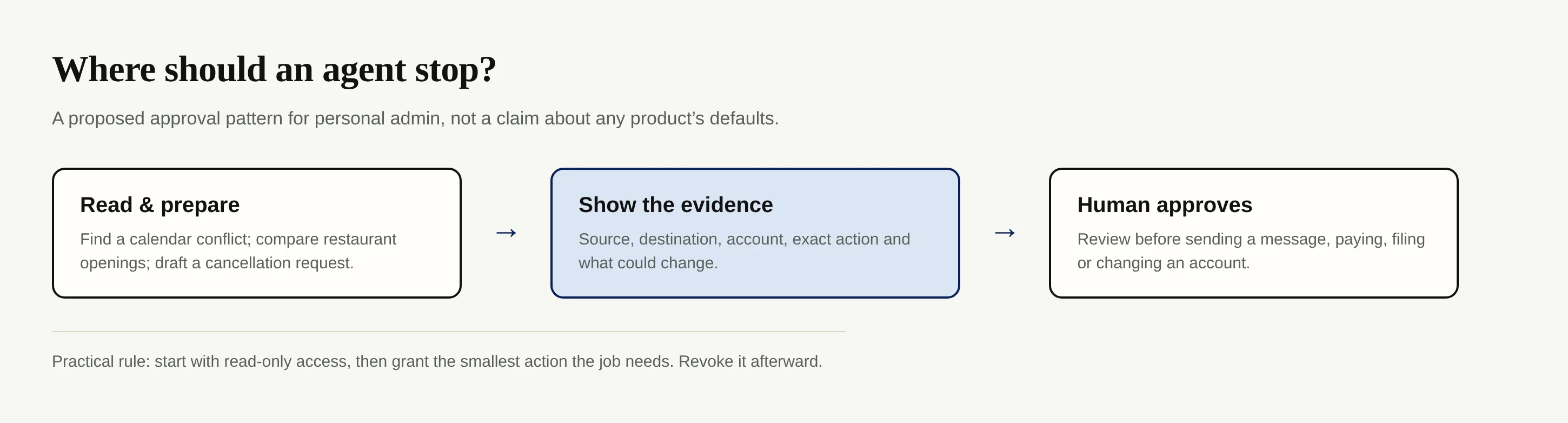
Carry task context between tools and require human approval before the irreversible step. This diagram proposes that pattern; it does not claim a native approval gate.
How to compare Muse, Dot, Instinct and alternatives
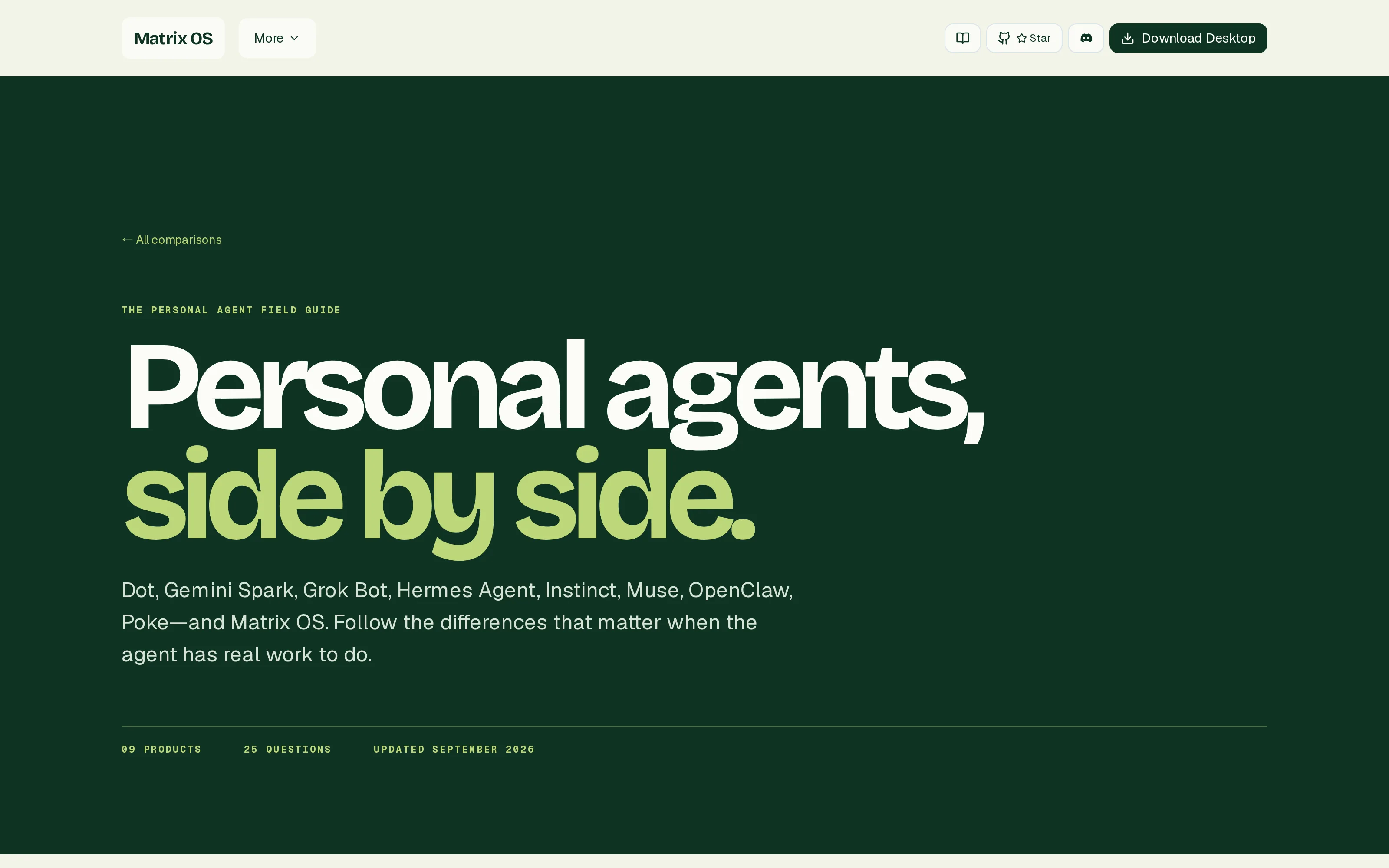
The Matrix OS personal-agent field guide lists nine products and organizes public claims around models, channels, browser access, memory and control. Its own page says an undocumented feature is not proof of absence; it also labels its guide updated September 2026, despite the October date in the upstream topic brief. Treat it as a checklist, not a fresh benchmark or a score that makes one agent the winner.
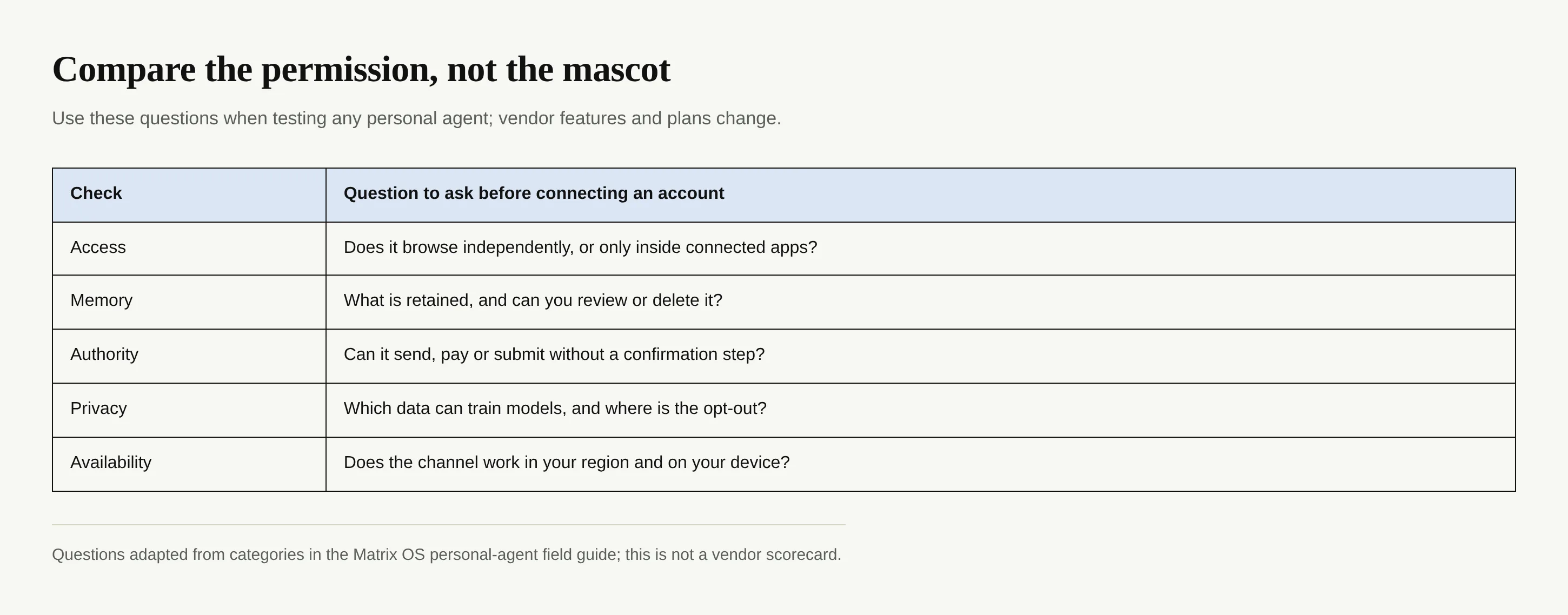
Ask for a demonstration of your own job. Which model and plan are involved? Is the channel a message thread, a phone conversation or a web app? Does it browse sites independently or act only through selected integrations? Can you inspect and delete memory, revoke a connector, and stop a run? Who sees account contents and are they used for training? Is the function available on your device and in your country? Don't choose on a copied price table.
Compare the portability of your work history separately from action rights. An agent that drafts well but can't show permissions may be the wrong place for your main mailbox.
Set an approval boundary before you delegate
Begin with a disposable, low-stakes task and a short instruction: “Find restaurant availability for Friday; give me three options and the booking links. Do not reserve or pay.” If the output omits a date or invents a cancellation rule, you learn that before the agent has access to your card. Move from read to write permissions only after you have inspected the relevant account controls.
For repeat work, retain the source and decision with the task. Zentor's self-learning skills and self-adaptive workspace are designed to reflect how you work, while its Smart Routing chooses models per task; neither is a reason to skip review of a payment or an application. See the product overview and current access terms; early access isn't open signup.
Keep your context; approve the action
Zentor carries your workspace memory across AI. Start with a task you can inspect before anything gets sent.
Get early access →
FAQ
Can a personal AI agent use my browser and accounts?
Some agents can browse or connect to accounts, but no single access model covers every product. Check the exact permissions and channel for the service you're testing. Give it the narrowest access that completes the job.
Should I let an agent pay bills or submit government forms?
Keep final approval yourself. Financial and identity actions can create obligations or records that are hard to reverse, and GovTech identifies those transactions as an open policy and security question.
How is a personal AI agent different from an AI chatbot?
The useful distinction is authorized multi-step work: a chatbot responds in a conversation, while an agent may use tools, connected apps or a browser to prepare or perform the next action. Verify the log and the permissions rather than relying on the product label.
The best agent is the one you can interrupt
A good first result is a draft, comparison or reminder that saves you a round of tab switching. When you can identify the source, inspect the intended change and say no before the consequential click, the assistant is helping rather than quietly taking control. That's the standard to test against, regardless of which mascot shows up next month.

Zentor Editorial Zentor editorial team
The Zentor editorial team writes about workflow automation, AI agents, and the tools we build. Default byline for industry overviews, listicles, and collaborative pieces.
Ready to put this into practice?
Zentor runs browser tasks, research, and schedules automatically. Try it free.