Meta Muse for Mac: What Computer Use Can Do

Meta Muse for Mac can work across desktop apps with permission. Learn how to test computer use safely, review changes, and keep control.
Meta Muse for Mac: What Computer Use Can Do
Meta Muse for Mac is a desktop AI agent that can use approved Mac apps, files, and browser tabs to carry a task beyond conversation.
Key Takeaways:
- Start with copied files and an output you can inspect.
- Grant access only to the apps and folders the task needs.
- Review Muse's plan before execution and check changed items afterward.
- Keep sending, deleting, purchasing, and account changes behind human approval.
Method note: I checked Meta's current Muse product, download, and productivity materials alongside Apple's Mac permission controls on September 30, 2026. I did not run Muse on a private computer, so this guide separates confirmed features from the safeguards I would use before trusting them.
Quick Answer: Muse for Mac Can Work Across Desktop Apps
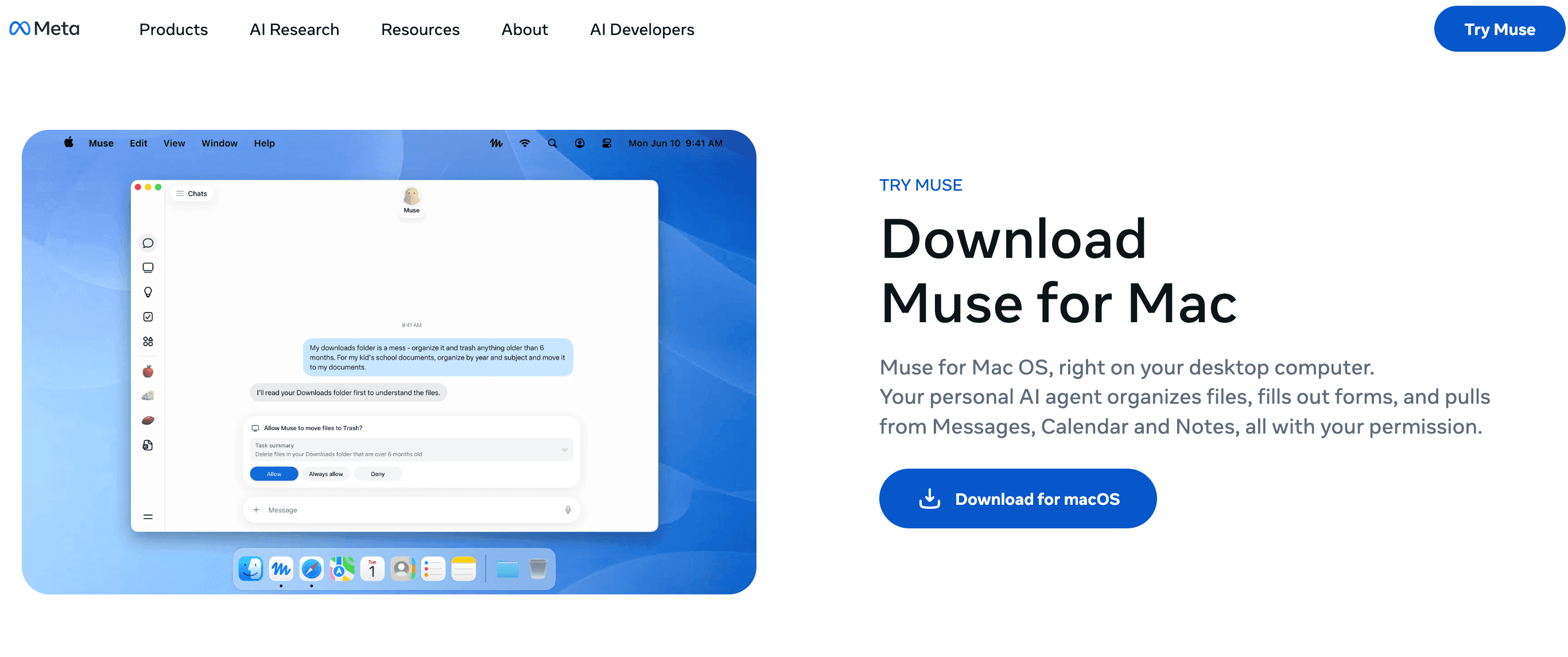
Yes. With permission, Muse for Mac can work with files, apps, and browser tabs, including Messages, Calendar, and Notes. Meta offers a Mac download. As of September 30, 2026, Muse is available in the US and Canada, although access can vary by account.
Before You Grant Computer Access
Treat access as part of the task. Decide what Muse may read, what it may change, and what remains off-limits before the first run.
Choose the Apps and Files the Task Needs
Create a folder called "Muse Test" and place copies of 10 non-sensitive project files inside it. Do not use originals. If the task needs Calendar or Messages, allow only that app when macOS requests it.
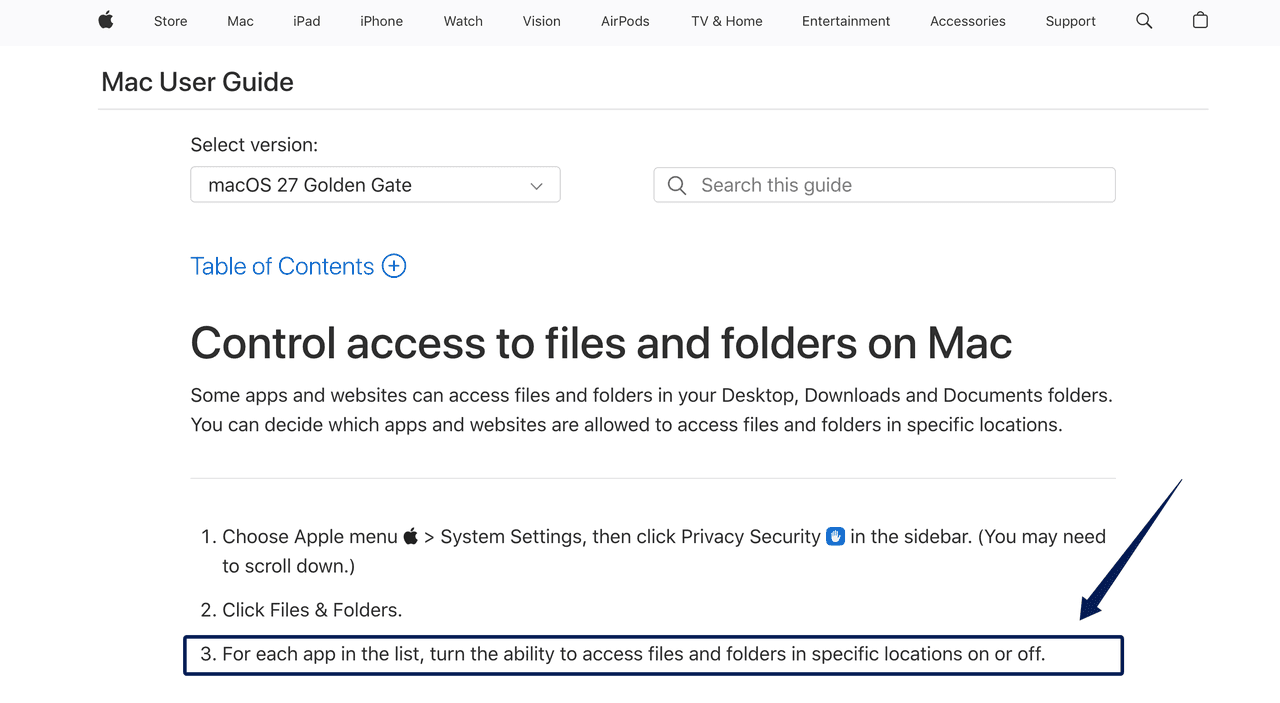
Mac users can review per-app Files & Folders access and whether one app may control another through Automation settings. Do not approve extra prompts simply to avoid interruption.
Meta has not published a complete permission matrix or universal rollback procedure. Record each grant so you can remove it later.
Define a Low-Risk Test With a Visible Result
Use a task with an obvious before-and-after state:
From Muse Test, copy this week's PDF and DOCX files into a new Client Review folder. Rename the copies as YYYY-MM-DD_Client_Project. Do not move, delete, overwrite, send, or upload anything. Create a manifest listing the original and new names. Stop if two files would receive the same name.
The source, allowed actions, output, rule, and stop condition are now explicit. The manifest lets you check the result instead of trusting a "done" message.
Run One Everyday Computer Task
Consider a freelancer preparing a Friday client handoff. In this example, Muse would find the relevant files, organize copies, then prepare a draft for review. Nothing should be sent.
Find and Organize Existing Files
Read the proposed plan line by line. Check the folder, date range, file types, destination, and collision rule. If the plan says "clean up" or "organize everything," stop and narrow it.
After the run, compare the manifest with Finder. Count the source files, copies, and manifest rows. Open the first, middle, and last files. This catches wrong dates and naming drift that a glance at the first item may miss.
Prepare a Message or Calendar Update
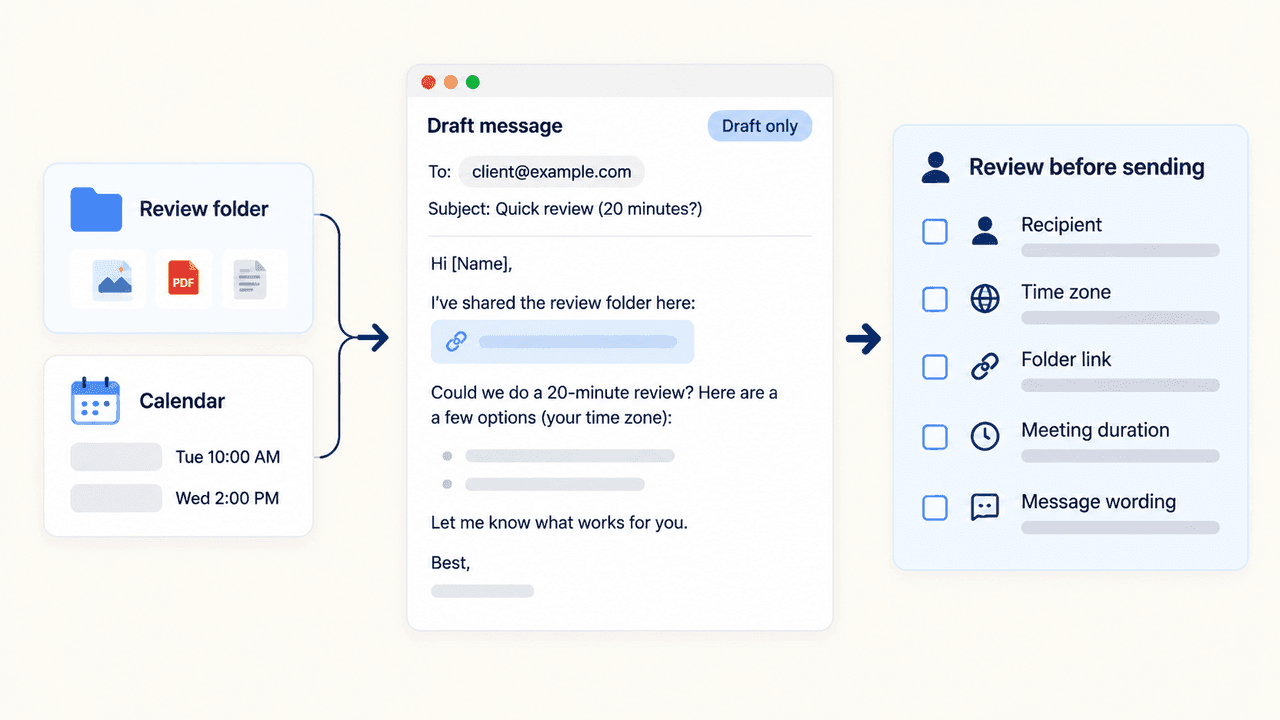
Ask Muse to draft an unsent client message that links the review folder and proposes a tentative 20-minute review slot. Current Muse productivity workflows include Messages, Calendar, Notes, files, and browser work, but behavior can vary by account and release.
Require "draft only." Confirm the recipient, time zone, link, meeting duration, and wording before any send or calendar edit.
Review the Plan, Changes, and Output
Review twice: before you act and after you act. First, verify the plan matches your nouns and verbs. Then inspect the changed files, the manifest, the draft recipient, the date, and the calendar details.
If that handoff becomes a weekly task, I would keep the approved naming rule and reviewer with the project record so I can find them next time. Zentor's AI workspace model explains how that context can carry across work. Zentor does not control Mac apps or connect to Muse.
Where Human Approval Still Matters
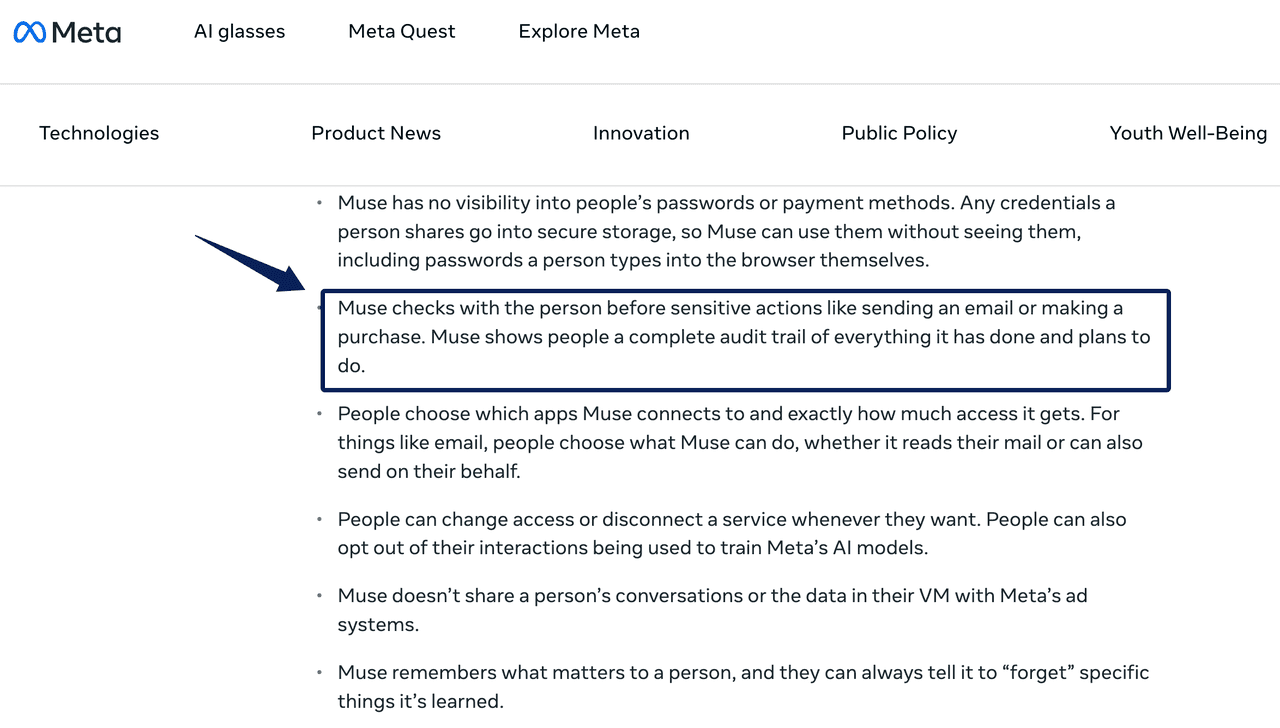
Keep a person between Muse and deletion, sending, purchases, account changes, publishing, or irreversible calendar edits. Meta places approval before sensitive actions, but a prompt is a backstop, not proof that the reasoning was correct.
After approval, verify the result in the destination app. A message or event can be wrong even when confirmation worked as designed.
FAQ
What apps can Meta Muse use on Mac?
Meta names files, Messages, Calendar, Notes, and browser tabs. For another app, first check whether Muse can identify the intended window and complete a copy-only task. A general promise of app control does not confirm every version or workflow.
What permissions does Muse need on a Mac?
The task determines the request: macOS may ask for file or app-control access. Read the named app and scope in each prompt. If a simple file-copy test requests broader access than expected, stop and review the request before allowing it.
Can Muse send messages or edit calendar events on Mac?
Meta describes both, subject to permission and approval. Check the destination app after a draft or proposed event: confirm that the message stayed unsent and that no calendar invitation reached anyone. A confirmation screen alone cannot show what the recipient received.
Can you stop Muse while it is completing a task?
Meta describes intervention, but has not detailed how every local operation stops. Use the available task control, then inspect the destination folder before retrying. A second run could duplicate files that the first run already copied; stopping does not undo completed changes.
What should you do if Muse changes the wrong file or app?
Stop and note the file name, path, and modification time. If an original was changed, restore the correct version from a copy, app history, or backup. Confirm the folder is back in order before running the task again.
Let Muse Earn More Mac Access One Task at a Time
Start with copies, one destination, one draft, and one stop condition. Expand Mac access only when the manifest matches the files and the draft remains unsent. A messy test is useful evidence before client work is exposed.

Zentor Editorial Zentor editorial team
The Zentor editorial team writes about workflow automation, AI agents, and the tools we build. Default byline for industry overviews, listicles, and collaborative pieces.
Ready to put this into practice?
Zentor runs browser tasks, research, and schedules automatically. Try it free.