What Is nanobot? The Self-Hosted Personal AI Agent

What is nanobot? Learn what its self-hosted agent framework includes, what running it takes, and when a managed personal assistant makes more sense.
nanobot is an open-source, self-hosted personal AI agent framework, not a ready-made assistant account. Its GitHub repository had 49,515 stars as of October 27, 2026; that interest doesn't remove the work of running an agent or deciding which files and accounts it may touch.
Mateo· built by the Zentor team
Need help with life admin, not a server?
Mateo checks your inbox and calendar, finds the trial, the refund and the form you forgot, and handles them. Works in any browser, anywhere.
Ask Mateo →
Free in early access
Key Takeaways:
- It runs under your control and needs a model provider or local model server.
- Its WebUI, tools, memory and MCP are building blocks, not automatic setup.
- For life admin, compare a managed assistant first.
- Check access controls and recovery before giving it sensitive work.
What this agent is, and what it isn't
HKUDS describes the Python framework as usable from a browser, terminal or chat app. The current README points to its WebUI and tools for working with files, web pages and scheduled jobs. The LICENSE uses the MIT terms; GitHub identifies Python as the primary repository language. Those repository facts were checked on October 27, 2026. A GitHub star is an expression of interest, not evidence that a setup is secure or easy for your situation.
A framework gives you control of the instance, not someone to maintain it. If an overdue refund needs chasing while you handle orders, ask which service can access your inbox and finish that job.
WebUI, tools, memory and MCP inside the framework
The WebUI guide describes persistent topics, temporary chats, visible tool activity and settings. Apps can connect tools through MCP, a standard for exposing tools to AI agents. The README lists multi-agent delegation too; configure and test it before trusting a handoff.
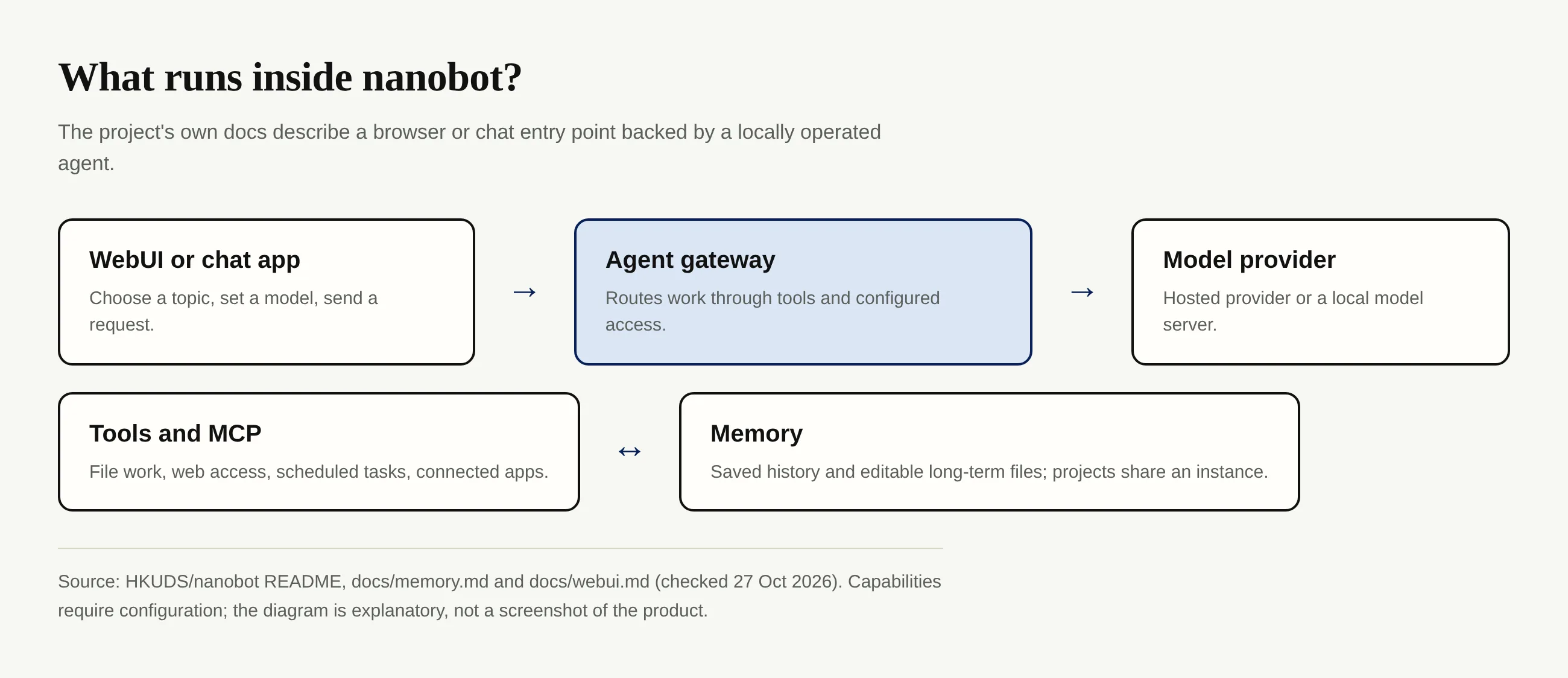
Memory needs an especially careful reading. The memory guide separates conversation history from editable long-term files and says a reply acknowledging a preference does not prove it was saved. Projects share instance memory; a different WebUI project doesn't isolate client identities. Inspect a saved preference and test it in a fresh conversation.
Zentor addresses a different part of this problem: it keeps workspace memory available to different AI tools through Zentor MCP, with the memory belonging to the user. That doesn't mean Zentor hosts this framework.
Self-hosting versus a managed personal agent
You choose where the instance runs, how it reaches a model and which tools get access. A managed personal agent may spare you deployment, but you still need to review its actual permissions and supported actions. Read our self-hosted versus managed agents guide for the broader decision; don't assume a browser UI means the software itself is hosted for you.
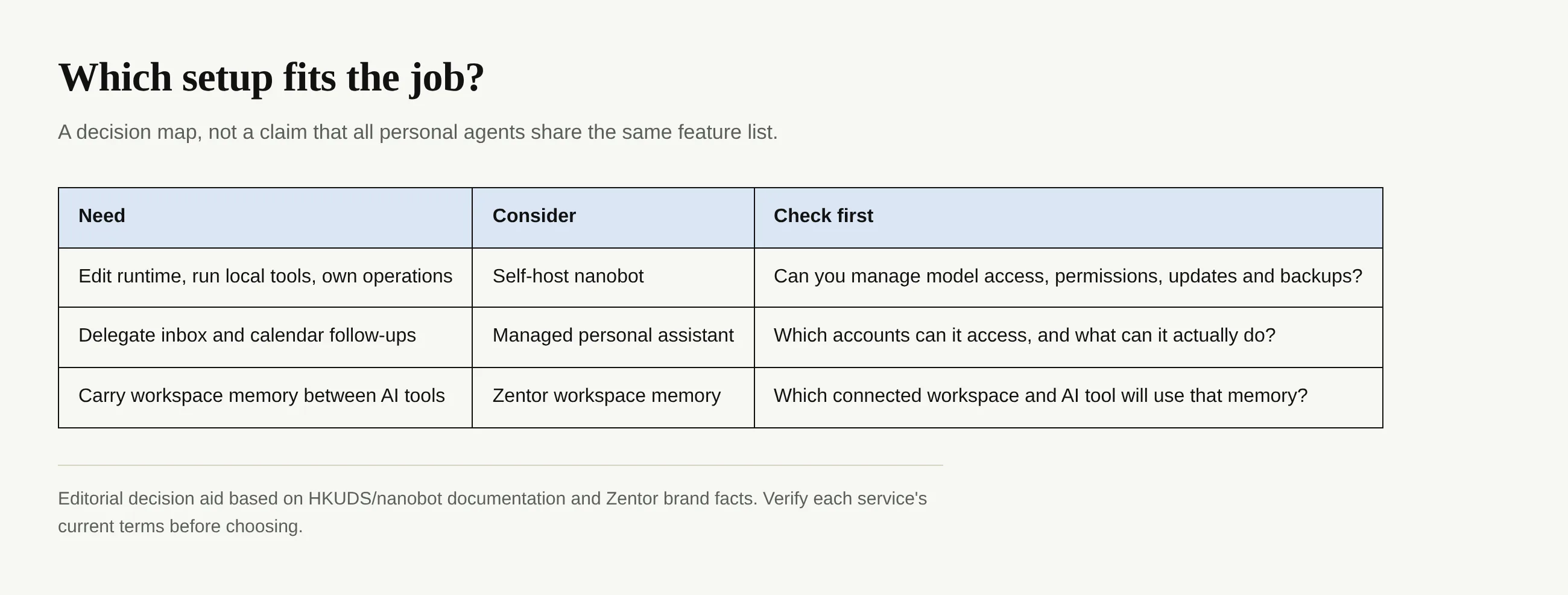
There is a second fork. Suppose the weekly problem is trial reminders buried in email and a rescheduled meeting left unchanged. Building an agent isn't the same job as getting those follow-ups done. Mateo, built by the Zentor team, checks inbox and calendar for missed tasks such as trials, refunds and forms, and handles them; its early access is free. Compare the real permissions and outcomes of a service like that with the maintenance you'd accept for nanobot. For another self-managed approach, see our oh-my-hermes article; it isn't a claim that the two codebases are interchangeable.
Getting started without assuming you code
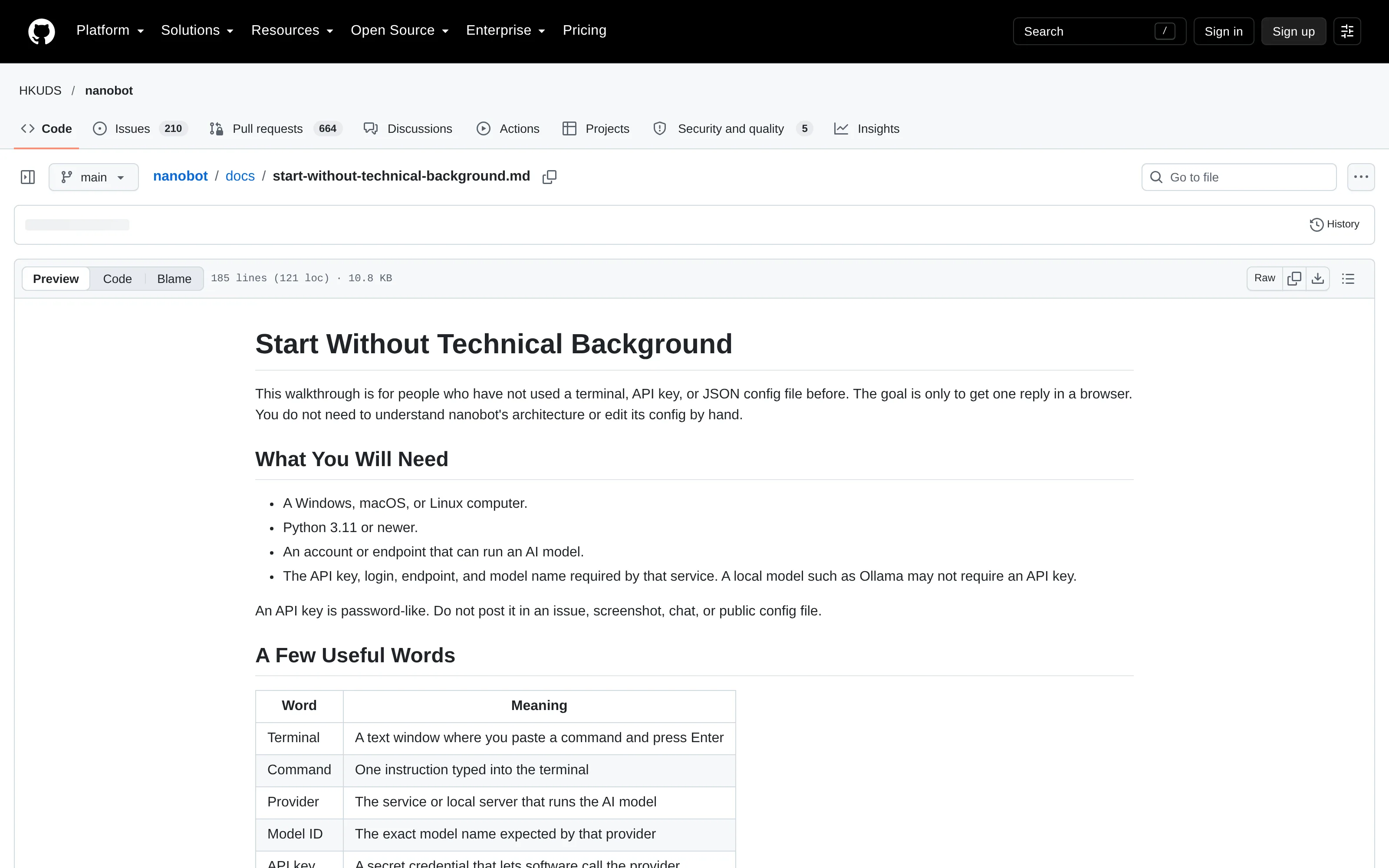
The official docs and repository offer a start-without-technical-background walkthrough. It asks for a Windows, macOS or Linux computer, Python 3.11 or newer, and access to a model. Read the install script before running it, keep model credentials private, and begin with a small test request in the WebUI. The published package includes the browser UI; the README distinguishes stable releases from current source.
A useful first experiment is deliberately boring: ask nanobot to summarize a disposable note in a folder you chose, then inspect what it read and wrote. If you cannot tell which tool ran or where output landed, pause before connecting a business inbox. Repeat after restarting the gateway; this checks persistence rather than merely a live browser tab.
A successful first reply proves that your model connection works. It doesn't establish that scheduled work will survive a restart, that your files are backed up, or that another person's chat is isolated. You can use the same walkthrough to get started, then decide whether you want to own its continuing upkeep.
Limits to check before relying on the agent
Check where nanobot listens and who can use its tools. The deployment guide calls out persistent storage for sessions and memory, private credentials and intentional channel access controls. It also warns that exposing a WebUI beyond localhost requires an authentication setup. If you plan to put work files or customer messages in reach, ask what happens after a bad instruction, a power loss or a mistaken permission grant. Don't treat an open-source license as a security certification.
An always-on workspace avoids leaving your own machine awake, but it is no security guarantee. Ask what data moves, who can inspect it and who recovers a failed service.
Keep your work context available across AI tools
Zentor connects workspace memory to different AI tools through Zentor MCP. Ask for early access to see whether it fits your work.
Get early access →
FAQ: the project and personal AI agents
Is nanobot free and open source?
Its repository carries an MIT license. The code can be used under that license, but a hosted model may charge for usage and local models require your own hardware. Check current provider terms separately.
Do I need to self-host?
It calls itself self-hosted. Run it on your machine or server; its deployment documentation also describes a hosted infrastructure option that still leaves you responsible for configuring and protecting the instance. It isn't a managed consumer account.
How does it differ from Dots or Hermes?
Don't collapse unlike products into one ranking. nanobot is a framework and runtime you operate. For the self-hosting decision, compare the specific release, integrations and maintenance steps of each option; our oh-my-hermes explainer covers that adjacent route. For managed help, check actual coverage rather than assuming matching tools or memory.

Zentor Editorial Zentor editorial team
The Zentor editorial team writes about workflow automation, AI agents, and the tools we build. Default byline for industry overviews, listicles, and collaborative pieces.
Ready to put this into practice?
Zentor runs browser tasks, research, and schedules automatically. Try it free.