Airtable Project Management: A Maintainable Setup
Build an Airtable project management setup with clear relationships, ownership, status views, and fewer fragile automations.
Airtable Project Management: A Maintainable Setup
Airtable project management organizes projects, tasks, and people as related records instead of forcing every kind of work into one crowded table. Relationships are the system. A project management template can provide a starting shape, but it cannot decide how your team defines ownership, risk, or completion.
Key takeaways:
- Separate projects, tasks, and people before building dashboards.
- Give task owners a focused work view and reviewers an exception view.
- Record only task dependencies that genuinely control timing.
- Automate narrow status changes, with a visible failure and recovery route.
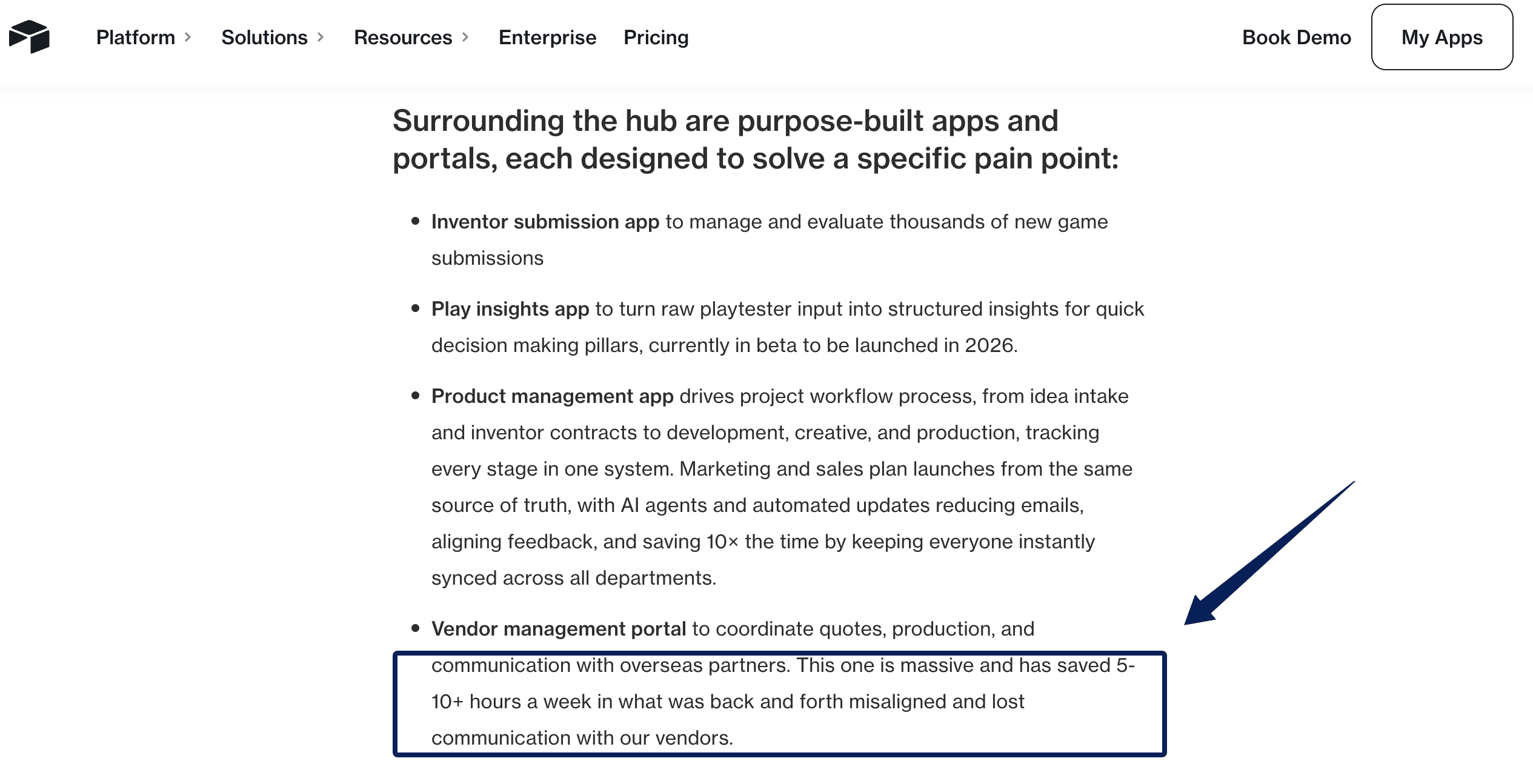
The Op Games learned the value of connected work after coordinating through documents, shared drives, email, and separate project tools. Tony Serebriany, its Vice President of Inventor Relations, described clearer visibility across colleagues and outside partners. Its vendor portal reportedly saved 5 to 10-plus hours of weekly back-and-forth. That is an Airtable-published result, not an independent benchmark, but the mechanism is useful: fewer people had to reconstruct project context.
Vera here. I would not judge a project base on launch day. I would judge it three Fridays later, when one task is late, an owner is away, and somebody asks why the dashboard still shows green. That moment reveals whether the base carries the work or merely displays it.
I checked Airtable's current relationship, Interface, dependency, automation, permission, and template guidance on September 28, 2026. This is an evidence-led setup guide, not a test of a private team's live base.
Choose the Work Airtable Should Track
Write the boundary in ordinary language: "This base tracks approved client projects from kickoff through archive." That sentence excludes sales leads, loose ideas, and support requests unless they enter the approved project lifecycle.
Consider an illustrative seven-person design studio with 12 active projects, about 140 open tasks, and one weekly delivery review. Airtable fits because the team needs flexible records and different views of the same data. It should not absorb the whole sales pipeline simply because client names appear in both systems.
Decide the record grain before choosing colors. A project is an outcome with a finish line. A task is one action that moves it forward. When both live in one table, assignee, health, budget, and completion mean different things from row to row.
Model Projects, Tasks, and People
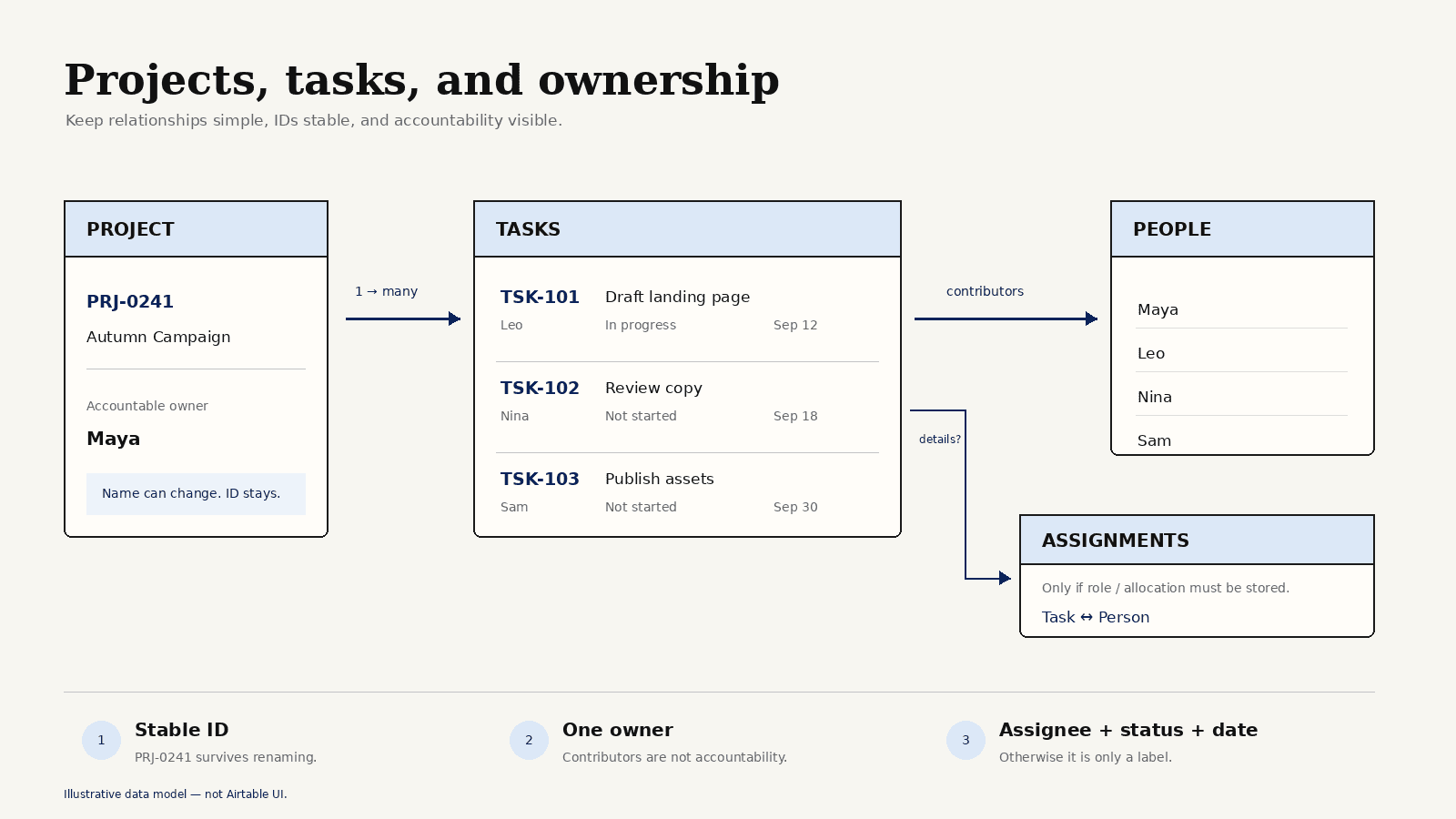
A lean Airtable project tracker can begin with three tables:
One project has many tasks. One person may own many tasks, while a task may have several contributors. Airtable supports one-to-many, many-to-many, and junction-table relationships. The studio only needs a junction table if it must store details about each assignment, such as role or allocation.
Use stable IDs with readable names. A client may rename a campaign; PRJ-0241 should not change with it. IDs also make imports and automation repairs safer.
Keep one accountable project owner. Contributors can be linked through tasks, but "everyone owns it" leaves nobody responsible for review. In Airtable task management, an assignee without a status and date is only a label.
Create Views for Owners and Reviewers
The studio's designer should not begin each morning inside a 140-row master grid. Their view should answer one question: what needs my attention now?
Create an owner view filtered to the current user and unfinished tasks. Put overdue work first, followed by upcoming due dates. Show project, blocked reason, and predecessor. Hide fields that do not help the assignee choose the next action.
The operations lead needs a project status dashboard showing active projects, target dates, health, overdue and blocked task counts, the next milestone, and decisions waiting for review. A project marked On Track with three overdue tasks should be obvious.
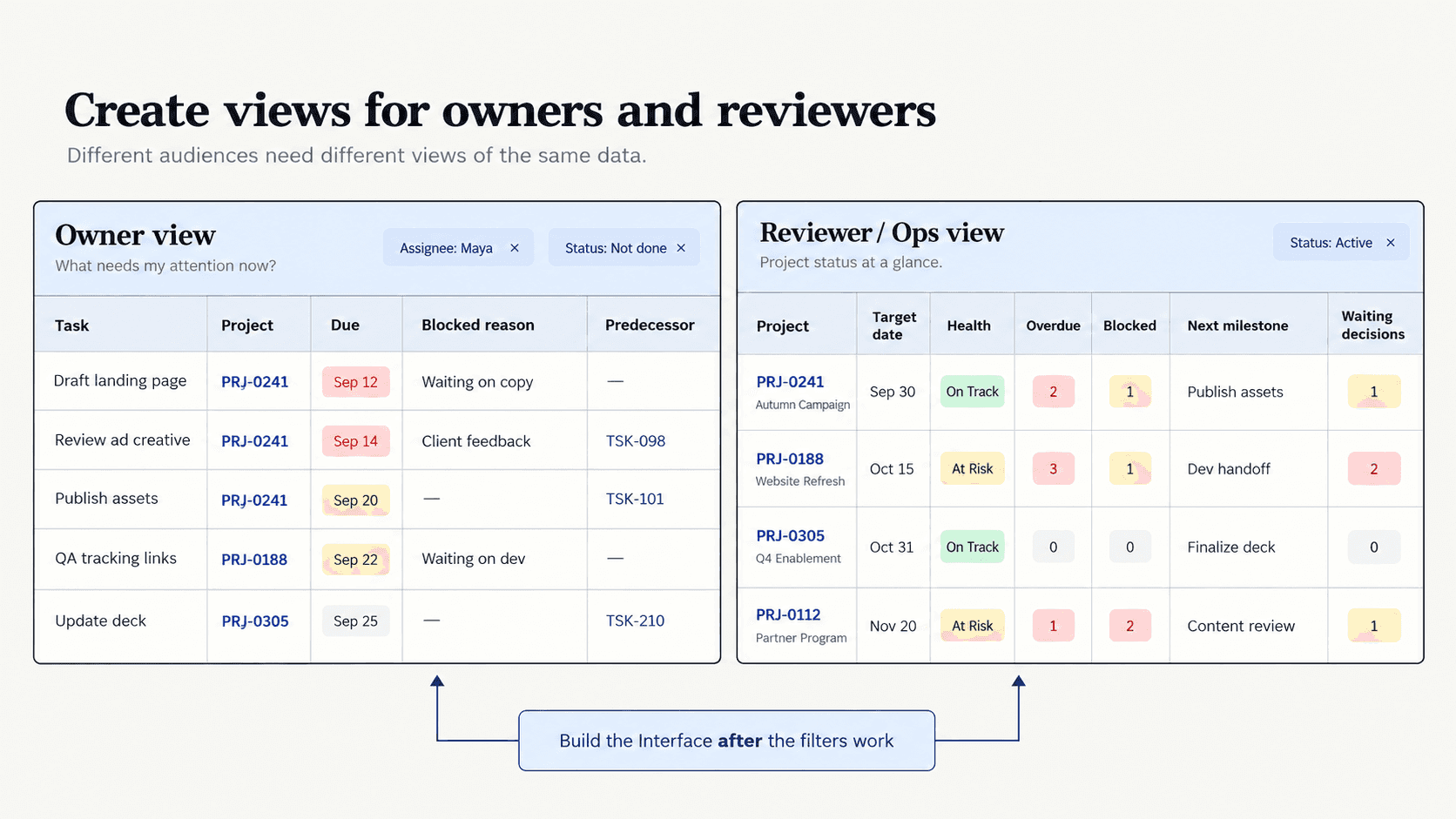
Airtable Interfaces can place several tables on one screen with audience-specific filtering. Current uses include review queues, dashboards, and user-specific record views. Build the Interface after the underlying filters work. A polished front end can still hide broken logic.
Track Dependencies Without Creating Clutter
For the studio's website launch, approved product photography must exist before the designer finishes the product page. That is a dependency. "Write launch copy" and "check invoice address" may share a project, but neither necessarily blocks the other.
Store predecessors in a self-linked field on Tasks. Airtable's date dependencies can recalculate starts, ends, and durations. The fragile edge matters: automation and other multi-record date updates may interrupt dependency recalculation. Looping dependencies still require manual resolution.
Keep the graph small. If a predecessor finishes late, someone should know which successor moved and why. Otherwise, the link is probably clutter.
Automate Status Changes With Guardrails
A useful automation handles one narrow transition. It might move a project from Active to Ready for Review after every linked task is complete and the owner checks Deliverable attached. It should not decide that the client accepted the work.
Now imagine it fails at 2:13 p.m. because one completed task has lost its project link. The project stays Active. The owner opens the failed run, restores the relationship, adds a trigger condition requiring a project link, and starts a fresh run under the corrected configuration.
Airtable's automation history separates successful, failed, and canceled runs. Give each automation a plain name, dedicated trigger view, and a second failure-notification subscriber. Add a short Automation Notes field so the weekly reviewer can see what broke and how it was repaired.
Automatic retrying would not help here. The input, not the timing, was wrong.
Review and Archive Completed Work
On Friday, check four exceptions: active projects without owners, tasks without projects, overdue tasks without blocked reasons, and completed projects with unfinished tasks. The views should isolate these records in minutes.
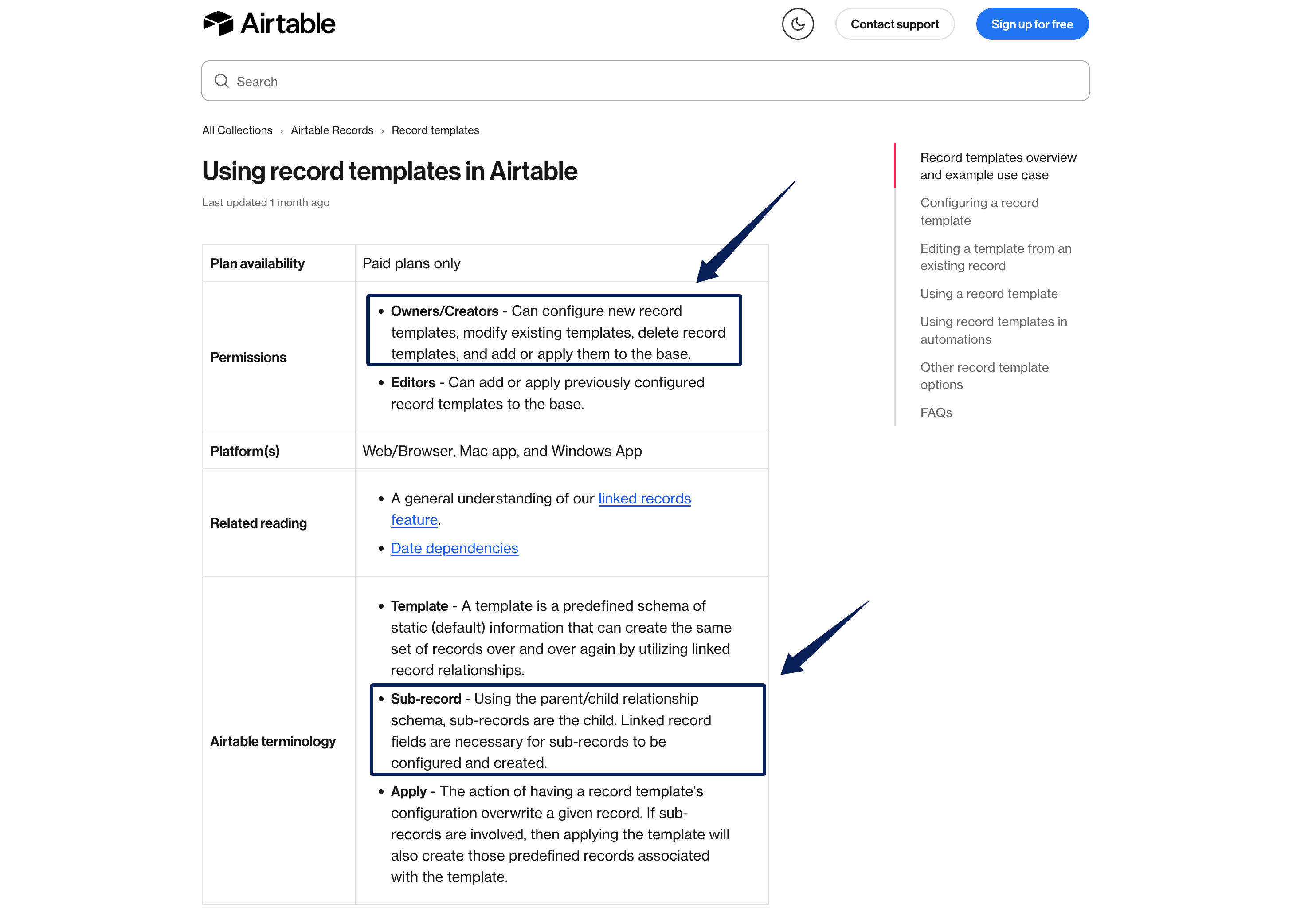
Paid plans currently support record templates that create parent records and linked child tasks. The studio could create a Website Launch template for discovery, design, copy, review, and handoff. Version the template and test changes on a sample project because revisions can affect automations that use it.
Archive with a field and filtered views instead of deleting records. Keep the final status, finish date, owner, decisions, and deliverable link. Those details matter when a client returns six months later.
When reviews also depend on inbox threads and source files outside the base, Zentor's AI workspace model offers an adjacent pattern: persistent context, approval, write-back, and activity records around the structured system. It is not an Airtable replacement.
FAQ
Can Airtable manage recurring projects?
Yes. Record templates on paid plans can create a project with linked child tasks, while scheduled or condition-based automations can create recurring records within plan allowances. Give every occurrence a new ID and date range. Reopening the old record damages historical reporting.
How should time estimates be stored?
Use a number with a declared unit, or a duration field when date dependencies require days. Store actual time separately. Do not mix "2 hours" and "2 days" in one number field without a unit.
What are Airtable's current limits for linked records and automations?
As of September 28, 2026, a linked-record cell has a 100,000-link ceiling, subject to lower base limits on Free and Team. Base limits are 1,000 records on Free, 50,000 on Team, 125,000 on Business, and 500,000-plus on Enterprise Scale. Monthly automation runs per workspace are 100, 25,000, 100,000, and 500,000 respectively. Failed runs count.
Can external collaborators receive limited access?
Yes, depending on plan and sharing method. Paid plans support interface-only collaborators without access to the underlying base. Portals is a separate add-on for external guests. Preview the shared experience and grant the lowest permission needed.
When is Airtable too flexible for project management?
It is too flexible when the team spends more time maintaining fields, permissions, and views than reviewing delivery. Strict workflow enforcement, advanced capacity planning, portfolio forecasting, or regulated change control may justify a dedicated project management system.
A Maintainable Airtable Project Management Setup
A healthy base does not need to feel clever. The designer can find today's work, the operations lead can see exceptions, and a failed automation leaves enough evidence for someone else to repair it. Add another field, dependency, or automation only when a repeated problem proves the simpler model is no longer enough.

Zentor Editorial Zentor editorial team
The Zentor editorial team writes about workflow automation, AI agents, and the tools we build. Default byline for industry overviews, listicles, and collaborative pieces.
Ready to put this into practice?
Zentor runs browser tasks, research, and schedules automatically. Try it free.