ChatGPT Space Not Showing Up on Plus? (2026)

ChatGPT Space not showing up on Plus? Check OpenAI’s 2026 rollout, eligibility, desktop update, sharing limits, and what to do while your account waits.
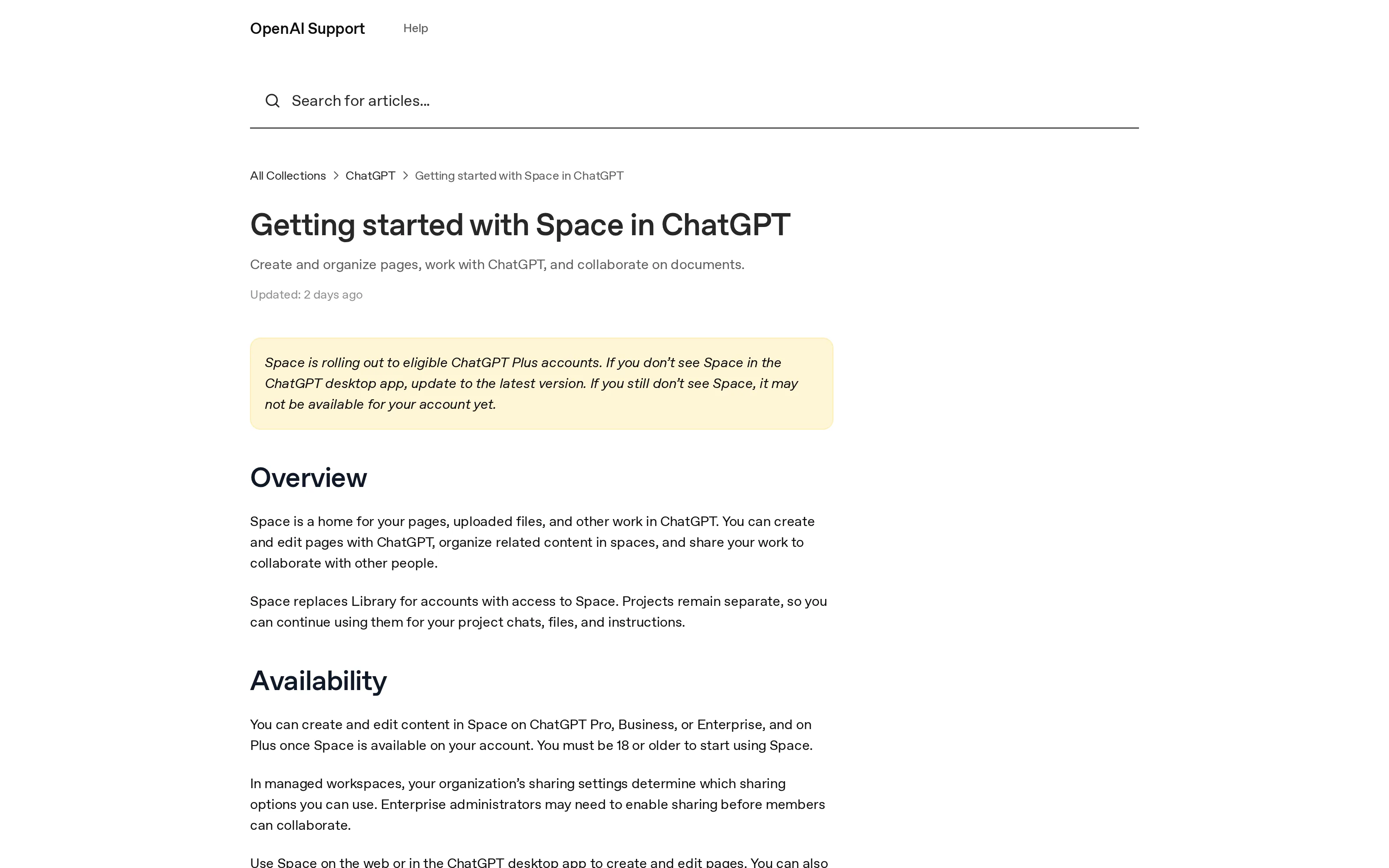
ChatGPT Space not showing up on your Plus account? The feature may not have reached you yet. OpenAI began rolling Space out globally to Plus users aged 18 or older on November 20, 2026; its setup instructions say to update the desktop app and, if Space remains absent, allow for account-level availability. Paying for Plus does not establish that the switch has flipped for you.
Key Takeaways:
- Space replaces Library only after your account gets access; Projects stay separate.
- Plus eligibility requires you to be at least 18, but an eligible account may still be waiting for rollout.
- Update the desktop app before treating an absent sidebar entry as a rollout delay.
- Shared pages need an authorized viewer with an eligible paid account and Space access. Free users cannot open them; there are no public links.
What Space replaces, and what it doesn't
Space is a home for pages, files, and related work inside ChatGPT. You can organize pages within spaces, edit a page with ChatGPT, and invite collaborators. It is not a new name for every surface in your account. OpenAI's Library instructions explicitly say that Space takes Library's place for accounts with Space access. If your sidebar still says Library, don't assume the content is gone; the interface varies by account.
Projects are a different thing. OpenAI says existing Projects continue to hold chats, files, and instructions separately from Space; its Projects guide describes the project workflow.
Keep your work moving while an app rolls out
Zentor learns how you work and drafts recurring reports and follow-ups in your voice. Review anything that goes out.
Start free trial →
Why a Plus account can still be missing Space
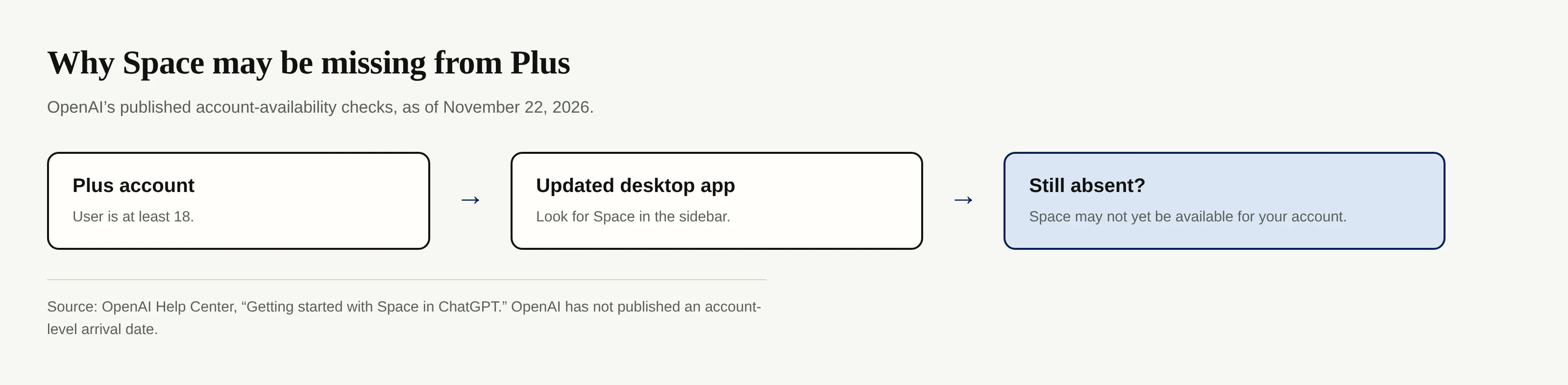
OpenAI's release note announces a global rollout, not simultaneous activation for every account. The Help Center is more specific about your next action: update the ChatGPT desktop app to its latest version; if Space still isn't there, it may not yet be available to your account. OpenAI also requires users to be 18 or older to start using Space. Plus status alone isn't sufficient if that condition does not apply. The published help pages do not give an exact date for an individual account.
Which plans and Space features are available?
As of November 22, 2026, OpenAI's Space availability guidance says Pro, Business, and Enterprise users can create and edit content in Space, while Plus users can do so once the feature reaches their accounts. The age requirement still applies. Space pages can be created and edited on the web or desktop app; the guide also describes mobile page editing and browsing on iOS and Android.
Pages and slides should not be conflated. OpenAI says Slides is still rolling out to eligible accounts with Space access, and Sheets are coming later. A Space entry does not guarantee that every format has arrived at once. Business and Enterprise workspaces with data residency in Canada or the United Arab Emirates also have a later Space rollout. Those exceptions matter if a collaborator's workspace looks unlike yours.
What sharing a page does not grant
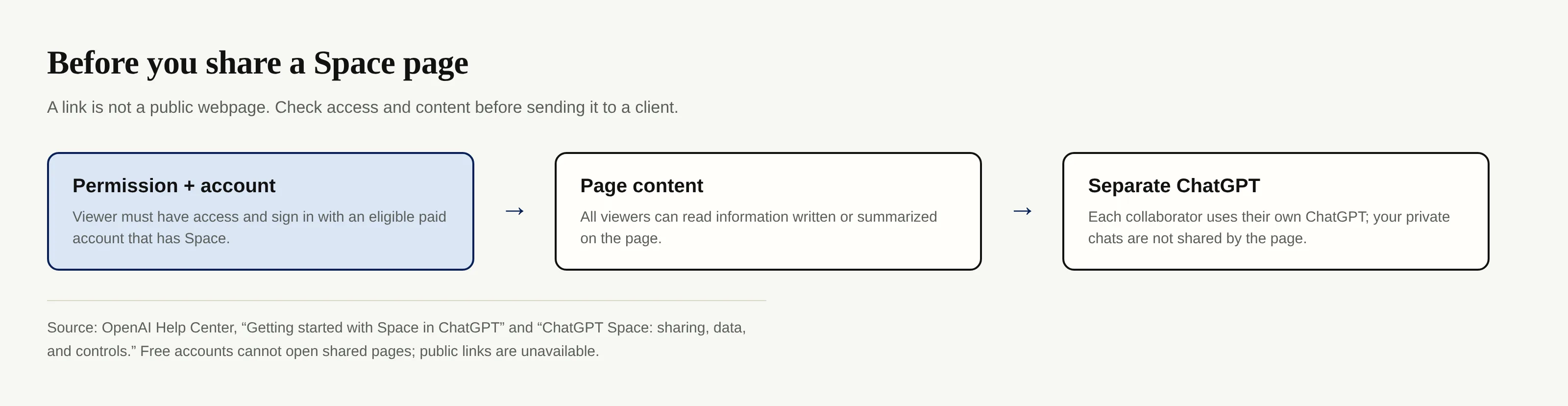
A shared Space page is not a public portfolio link. OpenAI says a viewer needs permission and must sign in to a Plus, Pro, Business, or Enterprise account that already has Space access. A person on Free cannot open the shared page, and OpenAI does not offer public links. Before you promise a client a review URL, ask whether that client can satisfy both conditions. Page permissions can also come from a parent page or space, not just a direct invitation. In a managed workspace, organization sharing settings can limit which options appear. OpenAI's sharing and data guide adds a separate distinction: a link to a file stored elsewhere does not grant the page viewer access to that original file. Copy information from that file onto the page, though, and viewers can read the copied information.
ChatGPT Space not showing up: what to check
First, update the desktop app. OpenAI makes this its explicit instruction for a missing Space entry. Then check the sidebar again, where its release note says Space should appear. If you use the web too, remember that OpenAI describes Space as available there for enabled accounts; a desktop check is not proof of when a particular account will be enabled.
Next, confirm your eligibility. Make sure you're signed in to the Plus account you intended to use and that you meet the published 18-or-older rule. If you're checking on behalf of a Business or Enterprise collaborator, consider the Canada and UAE data-residency exception rather than applying Plus advice to their workspace.
Finally, wait if the updated app still lacks Space. OpenAI says that outcome may mean the feature has not reached your account. It has not published a per-account activation date in the cited guidance, so nobody can responsibly promise that reinstalling, paying for a different plan, or toggling a setting will make it appear on a specific day.
For creators and solo services: don't build client delivery around a shared page yet
Suppose you're preparing a draft campaign plan for a client. Your client might be on Free, or may pay for Plus but still lack Space. That makes the page a poor default client-delivery mechanism during rollout.
There's a second check before any invitation. OpenAI says each collaborator uses their own ChatGPT, and sharing a page does not expose your private chats or ChatGPT Memory. But whatever gets written or summarized onto the page is visible to anyone who can view it. If you have client contact details or private notes in the source material, review the page itself and its inherited access before inviting a collaborator.
Zentor is a different option for recurring work such as drafting follow-ups and reports. Its workspace memory belongs to you and can connect through Zentor MCP to different AI tools; that is a reason to keep repeatable working context apart from a particular app's rollout. On Zentor's site, the stated workflow waits for your approval before anything goes out. If you want to check the current trial and plan details, use the pricing page, rather than assuming a shared ChatGPT page doubles as a client handoff.
FAQ: Space access during the 2026 rollout
Why do I still see Library instead of Space?
Space takes Library's place only for accounts with access. Update your desktop app; if Space remains missing, OpenAI says your account may still be waiting.
Can a Free-account client open a Space page I share?
No. OpenAI requires the recipient to have permission and sign in with an eligible Plus, Pro, Business, or Enterprise account that has Space access; public links are unavailable.
Does Space remove my Projects?
No. OpenAI says Projects remain separate for project chats, files, and instructions.
Will Slides and Sheets appear as soon as Space does?
Not necessarily. Slides is still rolling out to accounts with Space access; OpenAI says Sheets will arrive later, without giving an account-specific date.

Zentor Editorial Zentor editorial team
The Zentor editorial team writes about workflow automation, AI agents, and the tools we build. Default byline for industry overviews, listicles, and collaborative pieces.
Ready to put this into practice?
Zentor runs browser tasks, research, and schedules automatically. Try it free.