Notion AI Meeting Notes Now Costs Credits
Notion AI Meeting Notes starts using Standard credits on December 1, 2026, about 10 per meeting hour. How far 1,500 credits go and what to do when they run out.
Notion AI Meeting Notes starts drawing on your monthly Standard credits on December 1, 2026, at roughly 10 credits for a one-hour meeting, on Business and Enterprise plans. Until then transcription does not touch your credit balance; after that, every recorded meeting comes out of the same 1,500 Standard credits that pay for your everyday Notion AI work.
Notion confirms both the date and the estimate in its credit help page, and the October 19, 2026 launch post lists AI Meeting Notes as a Standard-credit feature "starting December 1, 2026" (both checked October 21, 2026).
Key Takeaways:
- From December 1, 2026, AI Meeting Notes uses Auto and draws on the Standard allowance: about 10 credits per one-hour meeting.
- Each Business or Enterprise member gets 1,500 Standard credits a month, shared with drafting, Q&A and every other Auto feature.
- Ten hours of meetings a week works out to roughly 430 credits a month, a little under 30% of the allowance.
- When Standard credits run out, Standard features pause until the monthly reset unless an admin has turned on Notion credits, which is off by default.
- Notion does not say what happens to a meeting that is being transcribed at the moment the balance hits zero.
Disclosure: This guide is written by the Zentor team. Every Notion figure comes from Notion's own help pages and launch post, linked inline and checked on October 21, 2026. Zentor does not record meetings; it is mentioned once below for what happens after the transcript exists.
How Notion AI Meeting Notes Works Today
AI Meeting Notes is a block that transcribes a meeting and writes a summary into the page. According to Notion's AI Meeting Notes help page, "You must be on Notion's Business or Enterprise Plan to use AI Meeting Notes."
You start it by typing /meet on a page in the desktop app, from the Upcoming events tile on Home, or from a connected calendar, where a "Join and transcribe" prompt can appear before the meeting. Selecting Start transcribing confirms that the people in the room have consented. When you select Stop, the summary generates on its own. At least one minute of audio is needed.
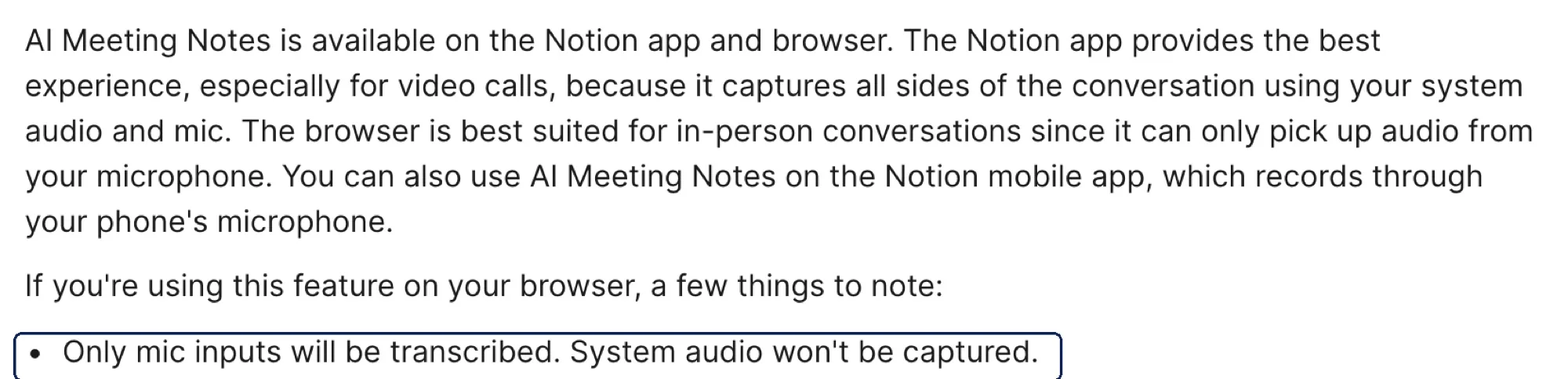
Where you record changes what gets captured:
| Where you start it | What it hears |
|---|---|
| Desktop app | System audio and your mic, so every side of a video call |
| Browser | Your microphone only. System audio is not captured |
| Mobile | The phone's microphone only |
A few limits are worth knowing before you plan around it. There is a daily cap of 10 hours of transcription per user. Speaker labels work in English only and need the desktop app. Transcription supports English, Chinese, Spanish, French, German, Japanese, Korean and nine other languages.
Turn this week’s meeting notes into one action list
Zentor reads the transcripts already sitting in your Notion pages and writes the follow-ups back where your team will see them.
Get early access →
What Changes for Notion AI Meeting Notes on December 1
The change is narrow but it lands on the busiest feature. Notion's credit page lists what draws on Standard credits, and the Meeting Notes line reads: "AI meeting notes uses Auto and will begin consuming monthly Standard credit allowance on December 1, 2026. A one hour meeting is estimated to use ~10 Standard credits." The same page's FAQ repeats it, saying only "starting December."
The wider credit system arrived first. Existing Business and Enterprise workspaces moved to it on November 2, 2026: each member gets 1,500 Standard credits for Auto work and 500 Select credits for work where you pick the model. The two balances are separate, per member, and do not roll over. Our guide to Notion AI credits covers that system in full. The part that matters here is short: Meeting Notes runs on Auto, so it spends Standard credits, and Select credits cannot pay for it.
That matters because Standard is also what pays for most everyday Notion AI. Notion's own estimates put a simple Auto task at about 5 credits, a medium one at about 10 and a complex one at about 25. A one-hour meeting costs about the same as one medium task.

How Many Meeting Hours 1,500 Standard Credits Cover
If you did nothing but record meetings, 1,500 credits at about 10 per hour would cover roughly 150 meeting hours a month. Nobody uses Notion AI only for meetings, so the useful question is how much Auto budget is left after your calendar takes its share.
Using Notion's 10-credits-per-hour estimate and 4.33 weeks per month:
| Recorded meetings per week | Meeting hours per month | Credits used by Meeting Notes | Share of 1,500 | Left for other Auto work |
|---|---|---|---|---|
| 5 hours | ~22 | ~220 | ~15% | ~1,280 (about 128 medium tasks) |
| 10 hours | ~43 | ~430 | ~29% | ~1,070 (about 107 medium tasks) |
| 15 hours | ~65 | ~650 | ~43% | ~850 (about 85 medium tasks) |
| 25 hours | ~108 | ~1,080 | ~72% | ~420 (about 42 medium tasks) |
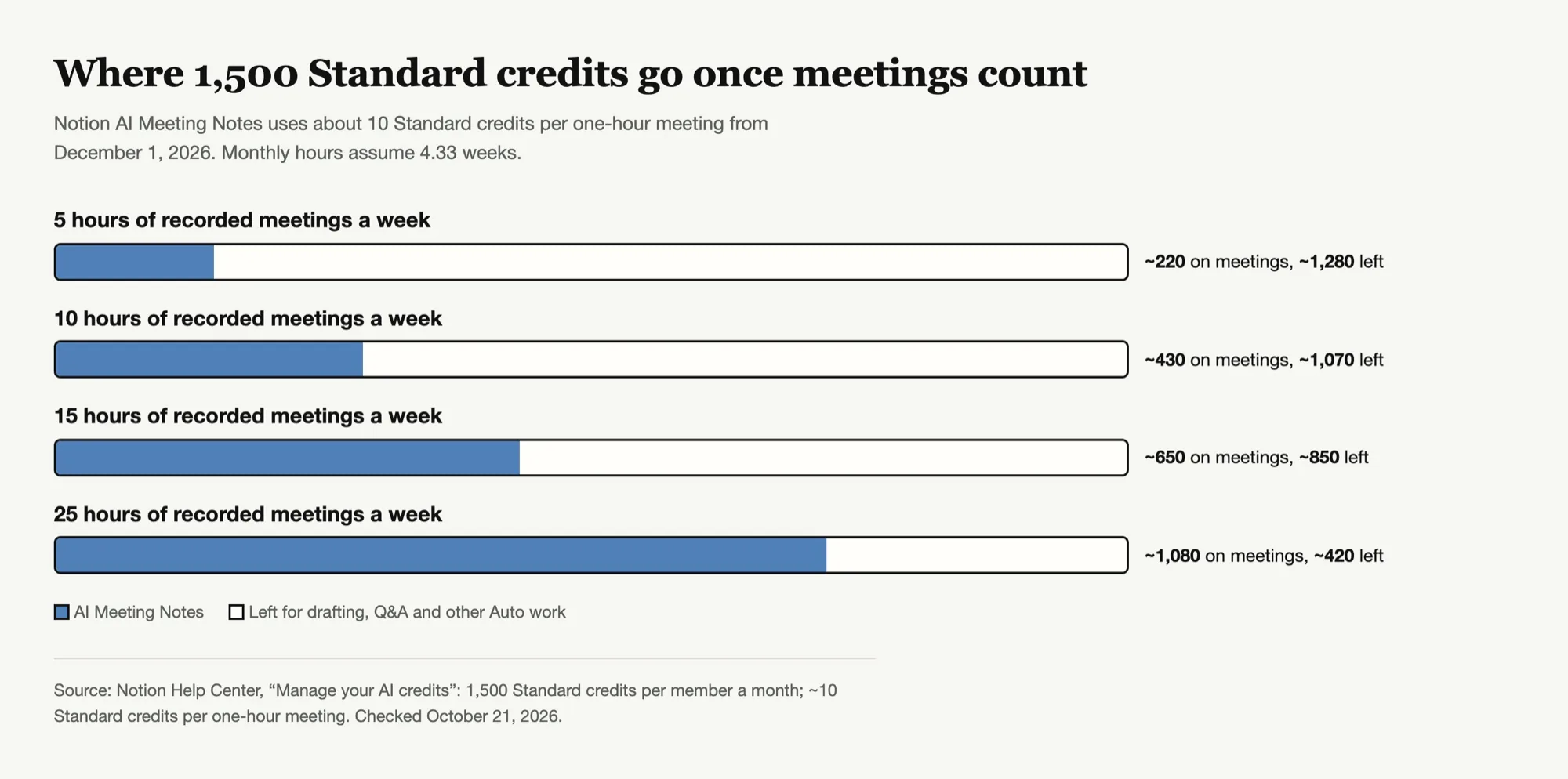
For most people the first two rows describe a normal week, and Notion's launch post says "the vast majority of users are unlikely to run out of monthly credits." The last row is the one to watch. If your job is mostly calls (sales, recruiting, customer success), you can spend most of the month's Standard allowance on transcription before you ask Notion AI to draft a single follow-up.
Picture the last week of a heavy month. You have recorded every call, the summaries look great, and on Thursday afternoon you ask Notion AI to turn three of them into a client recap. That request comes out of whatever the transcripts left behind.
What Happens When Standard Credits Run Out Mid-Month
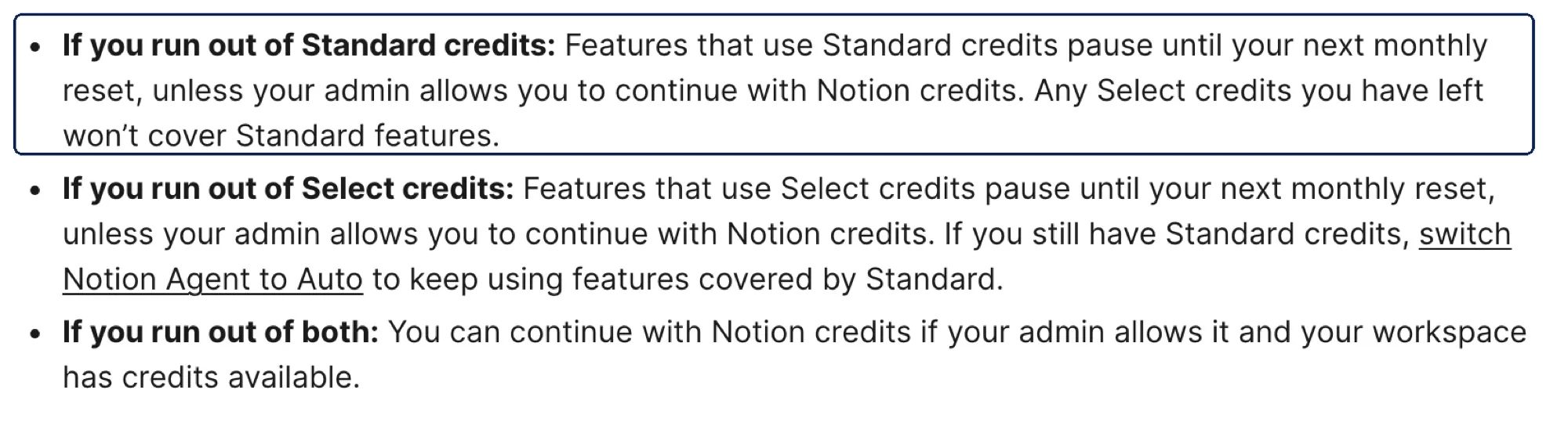
Notion spells out the general rule on the credit help page: "Features that use Standard credits pause until your next monthly reset, unless your admin allows you to continue with Notion credits. Any Select credits you have left won't cover Standard features."
Three details follow from that sentence:
- Overflow is an admin decision. The setting that lets members keep going on workspace-paid Notion credits is off by default, and only admins can turn it on or buy more.
- You get a warning first. Notion says it notifies you as you get close and when a balance is used up, and the numbers are in Settings → Notion AI → Usage.
- Select credits do not help. A member with Select credits left but Standard at zero cannot spend Select on Meeting Notes.
What Notion does not say is what happens to a meeting that is being transcribed at the moment the balance reaches zero, or whether a recording already finished can still be summarized. Neither the credit page nor the AI Meeting Notes page addresses it as of October 21, 2026. If you are close to the limit before an important call, check your Usage view first rather than finding out mid-meeting.
Which Meetings Are Worth Recording in Notion
Once transcription has a price, recording everything by default stops being free. A few habits keep the meetings that matter covered:
Record decisions, not updates. Status meetings where nothing is decided produce summaries nobody reopens. Planning calls, client calls and anything with commitments are worth the 10 credits.
Skip recurring meetings with written agendas. If the notes already live in the agenda doc, a transcript mostly duplicates them.
Turn off auto-join where it fires too often. Calendar prompts can appear before every event. Individual users can switch off desktop meeting detection notifications under Settings → Notifications.
Use the right device. A browser recording captures only your microphone, so the other side of a video call is missing. Recording the wrong way costs the same credits and produces half a transcript.
Check usage around mid-month. Credits do not roll over, so day 15 is when you can still change what you record.
Notion AI Meeting Notes Alternatives Outside Notion
If your calendar would eat most of the Standard allowance, transcription is the easiest piece to move elsewhere, because the output is just text that can be pasted or synced into Notion later.
- Your meeting platform's own notes. Google Meet has "Take notes for me", and Zoom sells an AI assistant for meetings. Availability depends on which plan your company already pays for, so check that before buying anything new.
- Dedicated notetakers. Granola records from your own computer's audio, and its site says plainly "Granola doesn't join your meeting." Otter is another long-running option built around meeting transcription.
The trade-off is location. Notion's block puts the transcript and summary inside the page where the project lives. An outside tool puts them somewhere else, and someone has to move the useful parts into Notion. That last step is the one most teams skip.
Turning Meeting Transcripts Into Notion Action Items With Zentor
This is where Zentor's Notion integration fits, and it is worth being exact about what it does. Zentor does not record or transcribe meetings. It works on the text afterwards: it reads the meeting notes or transcripts already in your Notion pages through Notion's hosted MCP server, pulls out decisions and owners, and writes tasks or a recap back into Notion.
Notion's help center says "Everyday connected apps and the Notion API don't use your credits," so that follow-up work is not drawn from your Notion AI allowance. It does not name MCP specifically, so confirm in your Usage view. Two honest limits:
- It is not free. Zentor bills its own credits: $20 a month for 1,000 credits, with a 3-day trial.
- Your admin can block it. On Enterprise, admins can restrict which external AI apps members connect.
The useful split, if your Standard budget is tight, is to let Notion transcribe the meetings that matter and do the cross-meeting work, like a weekly roll-up of every client call, outside the Notion AI meter.
FAQ
When does Notion AI Meeting Notes start using credits?
On December 1, 2026, for Business and Enterprise workspaces. From then on it draws on the monthly Standard credit allowance.
How many credits does a Notion AI meeting note use?
Notion estimates about 10 Standard credits for a one-hour meeting. Actual use can vary.
Can I use Select credits for AI Meeting Notes?
No. Meeting Notes runs on Auto, which uses Standard credits, and Notion says leftover Select credits won't cover Standard features.
What happens to Notion AI Meeting Notes when my credits run out?
Features that use Standard credits pause until your next monthly reset, unless an admin lets you continue with Notion credits. Notion does not say what happens to a meeting already being transcribed at that moment.
Which plans include Notion AI Meeting Notes?
Notion's help page says you must be on the Business or Enterprise plan.
Is there a limit on how long I can record?
Notion lists a daily limit of 10 hours of transcription per user.
Budget Notion AI Meeting Notes Before December 1
For a typical calendar, Meeting Notes will take a modest slice of the 1,500 Standard credits and nobody will notice. For people who live on calls, it becomes the biggest line on their Notion AI bill, and it competes with the drafting and Q&A they rely on after those calls.
The move to make in November is small: look at how many hours you actually record, pick the meetings worth transcribing, and if you are an admin, decide whether overflow stays off. Then on December 1 the meter starts on a calendar you have already trimmed, not one you discover in the Usage view halfway through the month.

Zentor Editorial Zentor editorial team
The Zentor editorial team writes about workflow automation, AI agents, and the tools we build. Default byline for industry overviews, listicles, and collaborative pieces.
Ready to put this into practice?
Zentor runs browser tasks, research, and schedules automatically. Try it free.
References https://www.notion.com/help/manage-your-ai-credits · https://www.notion.com/help/ai-meeting-notes · https://www.notion.com/blog/notion-ai-more-for-less · https://support.google.com/meet/answer/14754931 · https://www.zoom.com/en/products/ai-assistant/ · https://www.granola.ai/ · https://otter.ai/