7 Serif Personal AI Email Assistant Picks 2026

Compare seven Serif alternatives for a personal AI email assistant in 2026. Find the right Gmail draft, follow-up and client-work setup for your solo practice.
If you need a personal AI email assistant after Serif’s November 2026 change, the choice is clearer: if you run a one-person service business, you may want an assistant built around your own Gmail work rather than a customer-operations worker for a team. These seven Serif alternatives cover different jobs, from reviewable drafts to follow-up tracking. Serif's official update dated November 24, 2026 says its drafts, reply, forward, archive and inline editor remain available while the company builds AI workers for customer operations. The distinction matters more than a feature count.
Key Takeaways:
- Keep Serif if its existing inbox assistant already fits. The announced shift is not a shutdown.
- Choose a personal AI email assistant by where the finished work lands, who presses Send, and whether it can recall your client context.
- A workspace-first choice can search Gmail, draft a reply for approval, then put the resulting work in Notion or Airtable.
- Fyxer, Superhuman Mail and Lindy focus more directly on drafts inside an inbox; Shortwave and Spark also give you a different email interface.
What changed with Serif in November 2026
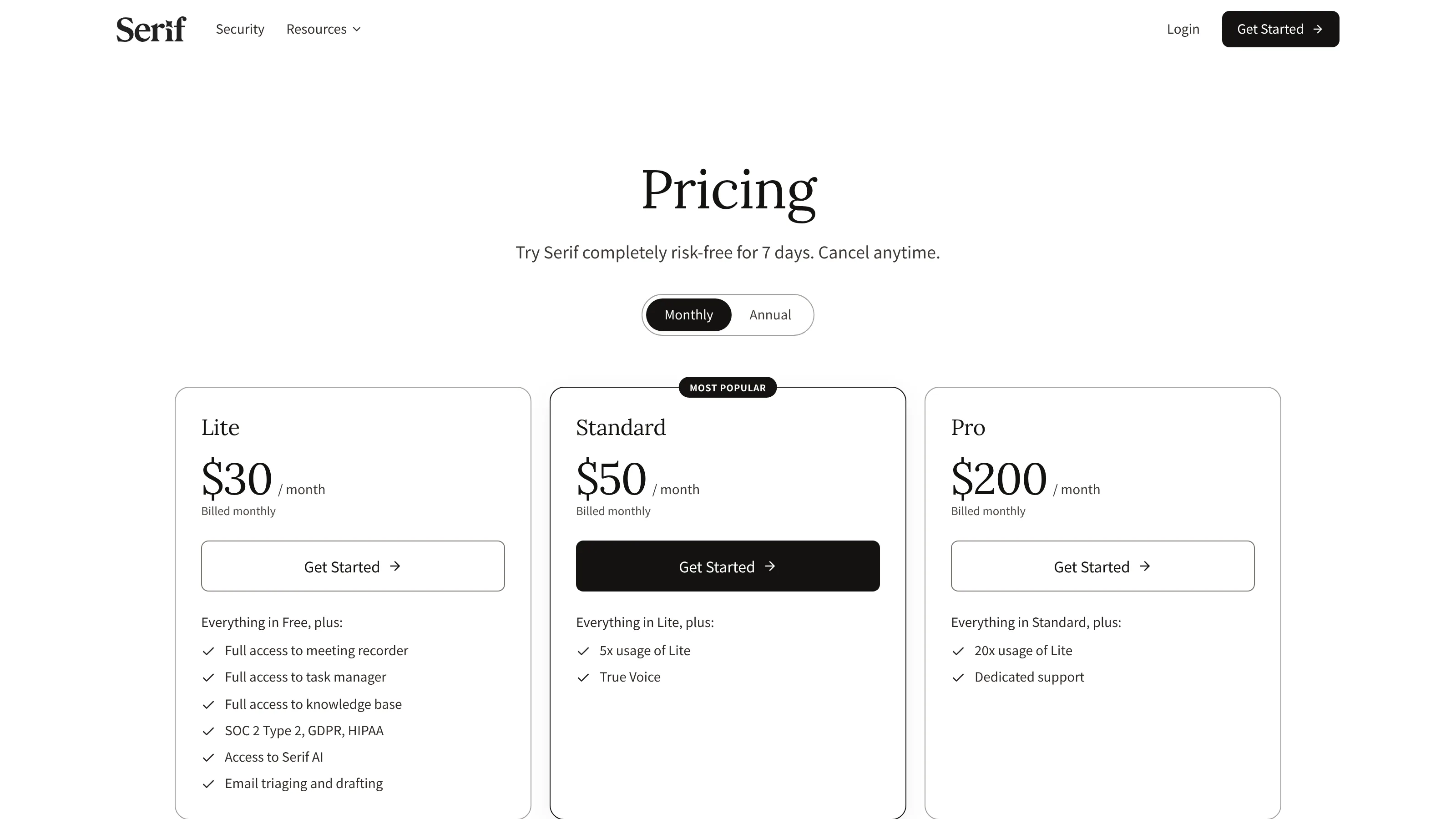
Serif now describes itself as a builder for customer operations. Its announcement says a worker can keep one customer job across multiple threads and hold outgoing mail for a person's approval unless the team permits a particular kind of email to go out on its own. It lists intake, document collection, support and payment-chase use cases. That's a much wider job than polishing your next reply.
For an independent consultant, this difference shows up on a Tuesday afternoon. A prospective client asks for a proposal, an existing client wants a revised date, and your bookkeeper needs a receipt. You don't need to configure a support operation to answer those messages. You need the correct thread, an accurate response in your voice and a place for the commitment after you send it. Conversely, if your business has a shared support mailbox, Serif's newer worker concept may be precisely what you need. Nothing in its announcement says existing personal assistant features have disappeared.
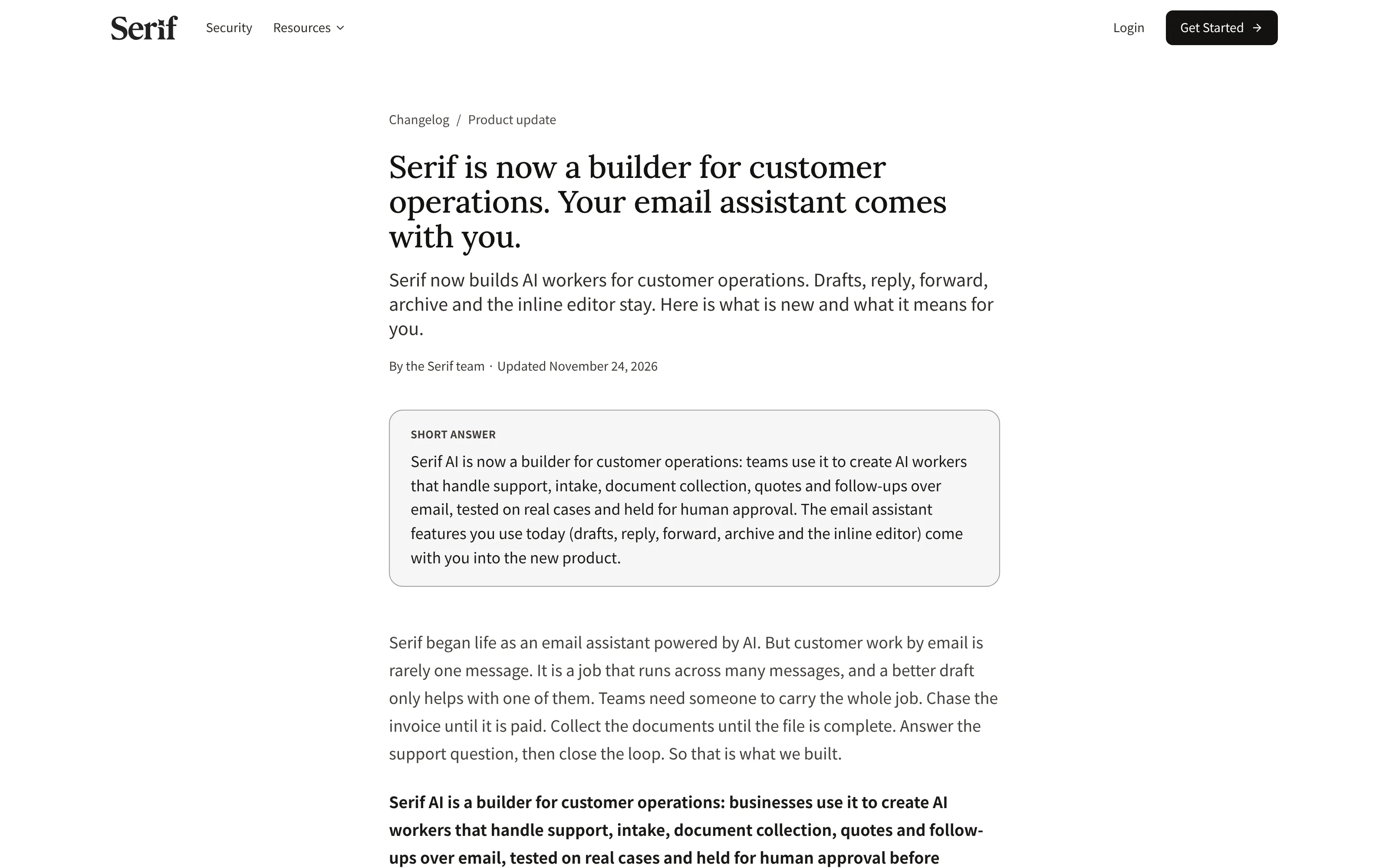
The publicly shown monthly pricing on November 24, 2026 lists Lite at $30, Standard at $50, Pro at $200 and Team at $50 per user. That's a snapshot of the monthly selector, not a claim about every billing arrangement. Price alone isn't a verdict: a $30 tool that saves a few drafts but leaves project commitments scattered may cost you more attention than a tool that gives the work a destination.
Keep the reply and the client work together
Search your Gmail thread, draft a reply for your approval, and keep the work in Notion or Airtable.
Start free trial →
What to test in a personal AI email assistant
Start with delivery control. Some products create drafts and leave every send to you. Others can take actions or run workflows, sometimes subject to approval settings. Those are not interchangeable. A quote containing the wrong delivery date is already bad; a tool that sends it without your review is worse. Ask the vendor exactly which action is automatic by default, which permissions it requests, and where you can inspect the outgoing draft. Test with ordinary messages, never a sensitive client file on day one.
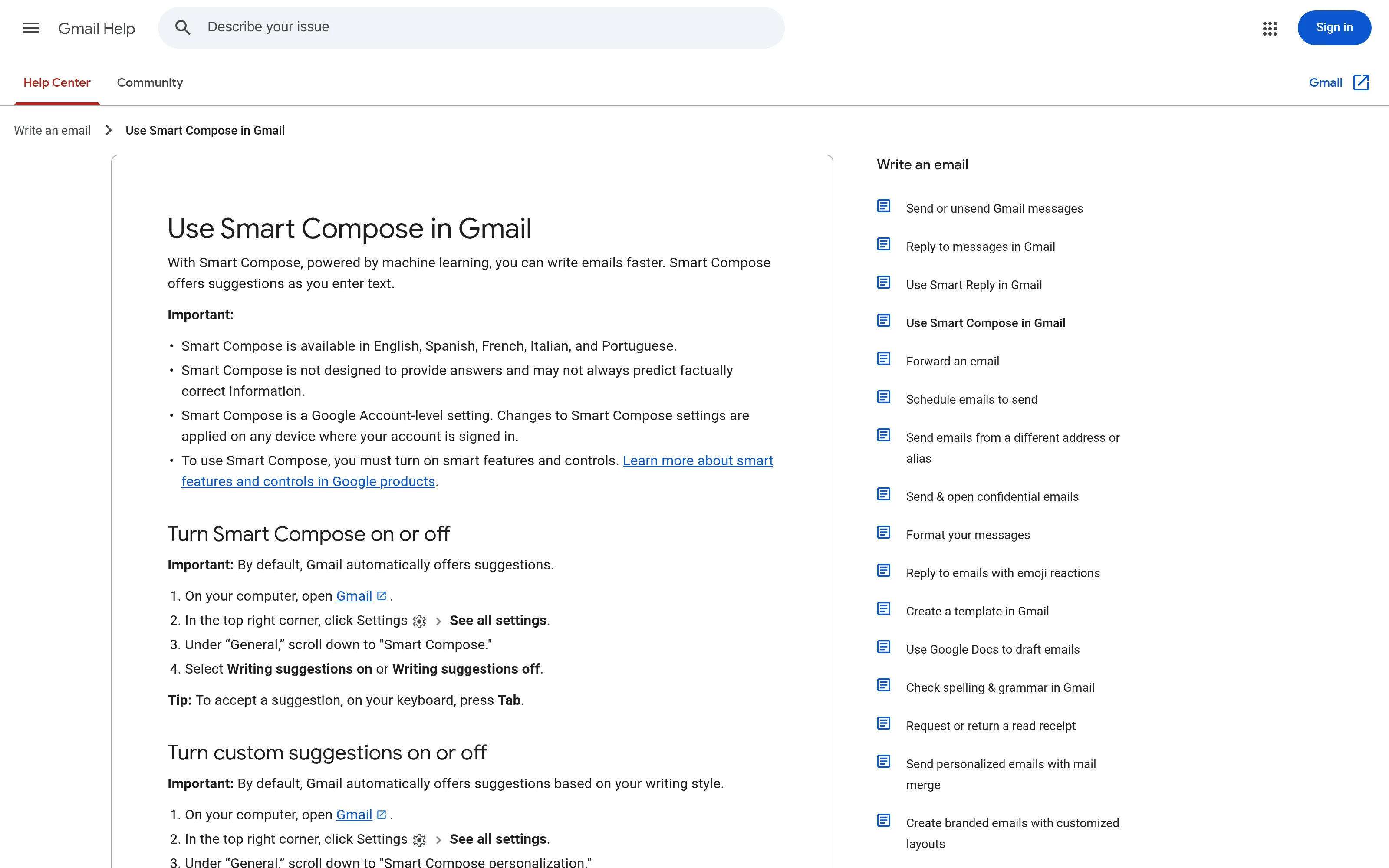
Next, test context. Does the assistant merely continue the sentence you're writing, or can it find the earlier thread where you agreed to a deadline? Google says its Smart Compose suggestions are not designed to provide answers and may be factually wrong. That's a useful control case: predictive typing is helpful, but it isn't a record of what you promised. Gmail search and filters can organize the inbox without a separate AI subscription; compare a new tool against what you already have.
Finally, decide whether you need a new inbox interface or a destination for the work after you reply. An agreed next step has little value if it lives only in Sent. The workspace-first route connects Gmail threads and approved drafts with Notion or Airtable, while portable workspace memory keeps context beyond one mail screen.
Seven Serif alternatives for a solo-services inbox
1. Zentor: for the work behind the reply
Choose the Zentor workspace when client email begins a job rather than ends it. Find a Gmail thread, read the client's request, prepare a reply for confirmation, then place the next step in Notion or Airtable. Workspace memory can carry your way of working across tasks and connect to other AI through MCP. Sending remains subject to your confirmation.
Say you're a freelance designer responding to a revised delivery date. A draft that says “Friday” without checking the original agreement can create a new problem. Read the source thread, check the commitment, approve the reply, and record the new next step. The pricing page lists Pro at $14.99 per month with 1,500 credits, Power at $49.99 with 6,000, and Max at $149.99 with 20,000; new accounts get a one-time 500-credit, 72-hour trial without a credit card. These are November 2026 terms, not unlimited use.
2. Fyxer: for replies and follow-ups in your existing inbox
Fyxer's public pricing and help pages describe replies drafted in your tone, inbox labeling and a follow-up list; they say a person decides what gets sent. Gmail and Outlook are listed as supported email integrations. It suits a cluttered inbox without requiring a second reading surface.
The published monthly Pro price is $49 per seat as of November 24, 2026; its page also shows a $37 per-seat monthly equivalent when billed annually. Those billing periods aren't the same. Check current terms and trial conditions at purchase. For someone who wants reusable workspace memory and a deliverable in Notion, Fyxer's mail-centered workflow is a different choice, not an inferior copy.
3. Superhuman Mail: for automatic drafts in Gmail
Superhuman Mail's Gmail help page describes Auto Labels, Auto Archive, Auto Drafts and Auto Reminders. It says draft replies appear in your Gmail drafts folder for review, editing and sending; reminders resurface unanswered mail. Its own Email Assistant page also describes Gmail and Outlook support. For a solo consultant who opens Gmail dozens of times a day, that is an immediately recognizable workflow: find the prepared answer, fix what it missed, then send it yourself.
Check the first drafts against your client tone. The official help page says early drafts may need editing. Test Auto Archive narrowly: a message that looks routine might contain a changed deadline.
4. Lindy: for personal drafting with explicit review
Lindy's public email-drafting documentation describes a personal routine that prepares replies in your drafts folder and leaves sending to you. It says drafting can run with Gmail or Outlook connected. Its Chrome extension documentation describes a Gmail-only inbox view, including triage, a morning digest and draft refinement inside Gmail; those are different surfaces, so don't assume the Chrome extension works in Outlook. This distinction is useful if you want to keep your usual Gmail tab open.
Lindy's docs let users set drafting instructions and tune tone and length; check what that looks like with your own threads. Its workflow features may be attractive if you want more than mail, but assess each permission before expanding access.
5. Shortwave: for AI search in a different Gmail client
Shortwave's assistant documentation says it can search and analyze mail, write and improve drafts, and suggest replies inside the Shortwave interface. It documents personalized suggestions based on earlier sent messages. This is a different bargain from an assistant that lives entirely in the Gmail page: you get a purpose-built reading and composing surface, but you need to like that surface enough to use it every day. Its public pricing describes AI usage limits, which matter if you expect to ask long questions about old client conversations.
Shortwave is best tested by someone willing to change their daily mail interface; for a business owner who has no appetite for another inbox, that migration cost is real even if the writing tools are good.
6. Spark Mail: for multiple mail providers in one app
Spark's public AI Assistant help page says its assistant searches email and attachments, summarizes threads, drafts or revises messages, and supports Gmail along with Outlook, iCloud, Yahoo and standard IMAP. That's relevant if your personal work is split between a Gmail address and a different client-facing account. It works inside Spark rather than the Gmail screen.
There's an important control distinction. Spark's public feature page says its assistant can also take actions including drafting and sending mail. A solo provider should verify the permission and confirmation settings in the version they use, rather than importing a “drafts only” rule from another product. Test how a change to a recipient, attachment or date appears before any outbound action. If you only run Gmail, a broader provider list may not offset the cost of learning a new interface.
7. MailMaestro: for Gmail drafts and follow-up reminders
MailMaestro's September 4, 2026 announcement says its Auto labels and Auto drafts now work inside Gmail. It describes a review-before-send draft, context-aware labeling and follow-up messages prepared when a conversation goes quiet. It also describes saved guidance for writing style. That places it close to the everyday job many Serif users originally wanted: know what needs a reply and find a sensible first draft in the same inbox.
For a consultant with separate calendar and project-tracking habits, a mail-first assistant can be enough; if the next step must move into a persistent workspace, add that requirement to your selection test.
Quick comparison: control, Gmail and the best fit
| Choice | Outbound behavior to test | Gmail route | Best fit |
|---|---|---|---|
| Workspace-first option | Drafts confirmed by you before sending | Gmail integration | Client work in Notion or Airtable |
| Fyxer | Drafts for your review | Gmail connection | Sorting, drafts and follow-up list |
| Superhuman Mail | Auto Drafts; you review and send | Works in Gmail | Prepared replies in the existing inbox |
| Lindy | Personal drafts for review | Gmail connection; Chrome extension in Gmail | Personal routines and draft tuning |
| Shortwave | Drafting inside its own interface | Gmail-based client | Search-heavy mail work |
| Spark Mail | Can draft and take sending actions; check controls | Gmail account in Spark | Several mail providers in one app |
| MailMaestro | Auto drafts for review | Inside Gmail | Labels and follow-up drafts |
The comparison avoids a uniform starting price because billing periods and allowances differ. Check each vendor’s current checkout terms rather than treating a free feature as an unlimited free account.
Pick by the thing that breaks in your week
If you mostly want a better first draft while staying in Gmail, begin with Fyxer, Superhuman Mail, Lindy or MailMaestro. Use the same ordinary client thread for each trial, and compare how much you have to fix before sending. That is more informative than asking each tool to write a cheerful greeting from an empty prompt. NIST's grounding guidance asks whether an AI claim is supported by its source; review the original thread before trusting a draft.
If older discussions are the bottleneck and you can change mail apps, try Shortwave. If you maintain several providers, include Spark. If a reply creates a deliverable or client record, test a workspace-centered assistant with a real Gmail thread. Check the draft and whether the next step reaches the workspace you use.
CISA recommends MFA for email accounts, and the FTC advises calling a known number before trusting an alarming message. Review mailbox permissions before connecting client mail.
FAQ: Serif alternatives and personal AI email assistants
Can Serif still be used as a personal email assistant in 2026?
Yes. Its November 24 announcement says drafting, replying, forwarding, archiving and the inline editor remain, and that existing email-assistant users do not need to change anything immediately. Its new customer-operations worker direction is an addition, not evidence that personal features have gone away.
Which alternatives automatically send messages?
Fyxer, Superhuman Mail, Lindy's personal routine and MailMaestro describe drafts for review. Spark describes sending actions, so inspect its approval settings. The workspace-first choice drafts Gmail replies you confirm before sending.
Which options support Gmail?
All seven choices in this list have a documented Gmail route, although the experience differs: some work within the Gmail inbox, while Shortwave and Spark provide another mail interface. Connect a non-sensitive test mailbox first and confirm the account and permission scope before moving client correspondence.
Is Gmail Smart Compose enough instead?
It may be if your problem is writing. Google says Smart Compose may be factually wrong; its January 2026 Gmail announcement says Help Me Write and Suggested Replies are rolling out to everyone at no cost. Test those first. Then ask whether the next action also needs a home outside the inbox.
The right personal AI email assistant keeps client promises under your approval and the finished work findable next week. Serif may still fit. If the handoff from Gmail is your friction, test the workspace-first option with a low-risk thread.

Zentor Editorial Zentor editorial team
The Zentor editorial team writes about workflow automation, AI agents, and the tools we build. Default byline for industry overviews, listicles, and collaborative pieces.
Choosing between tools? Let Zentor run the work.
An always-on AI assistant that does the work. No switching required, no setup.