What Is Zyphra MAIA? Free Team AI Agent
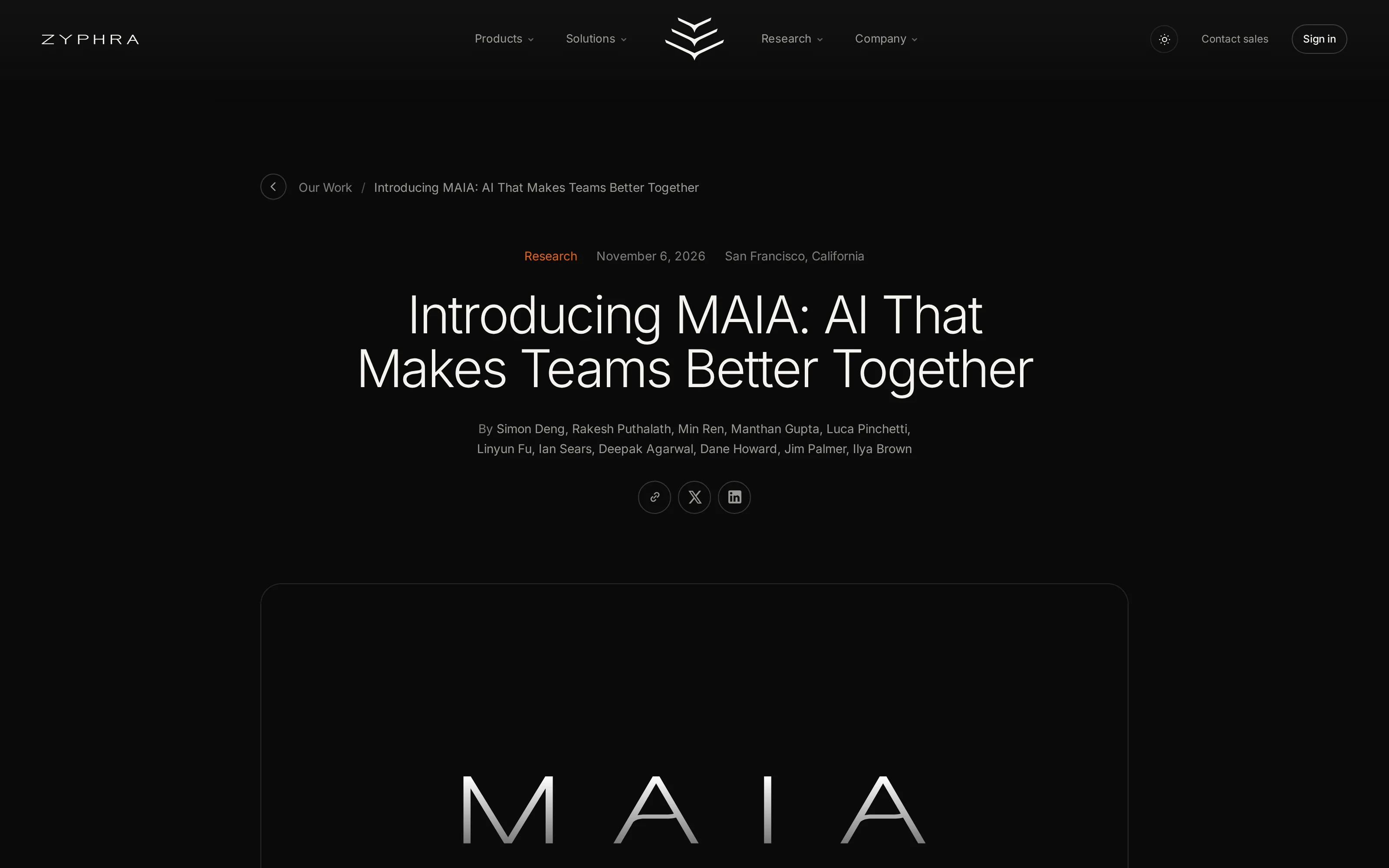
What is Zyphra MAIA? See the free beta access request, Mac and Slack setup, paid Slack AI-panel limit, and team memory and privacy claims to check.
Zyphra MAIA is a team AI agent that remembers shared decisions and acts across connected work tools. Zyphra introduced it on November 6, 2026; as of November 8, its free beta still requires an access request, supports a Mac desktop setup with Slack and Google Workspace, and has daily usage caps. “Free” tells you the beta price, not whether your particular workflow is ready to run.
Key Takeaways:
- MAIA keeps team context and can prepare work across connected tools, rather than answering one isolated question.
- The beta is free with daily caps, but you request access instead of downloading and immediately using it.
- Slack’s AI panel requires a paid Slack plan; don’t confuse that requirement with MAIA’s beta price.
- A solo creator should test the access route and permissions before moving client material into any shared agent.
What Is Zyphra MAIA?
Zyphra calls MAIA a “proactive, multiplayer AI agent.” Its launch explanation describes a memory for people, decisions, preferences, and working habits. A teammate can ask why a decision was made and receive the reasoning and sources. MAIA can also take a plain-language request, select connected tools, run steps, and report back.
The word multiplayer matters. A solo service seller might remember the last client call perfectly, while a freelance collaborator sees only the latest Slack message. MAIA’s proposed value is that both can return to shared decisions without copying a private prompt history back and forth.
Keep your own work context moving
Zentor remembers how you work and prepares recurring work across your connected tools. It is a separate product, not a MAIA integration.
Start free trial →
Is Zyphra MAIA Free? What the Beta Actually Costs
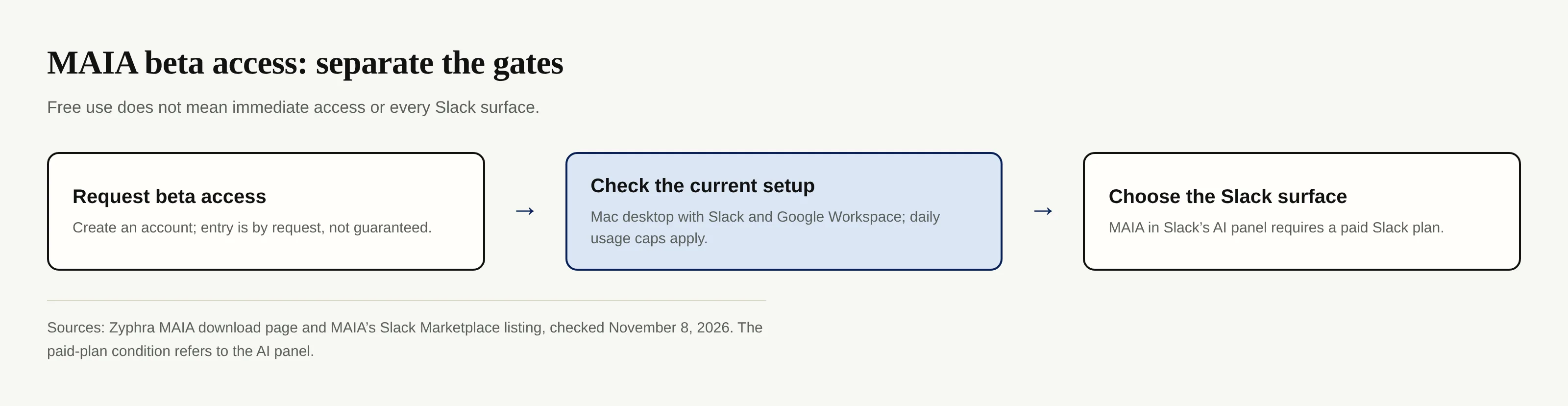
Yes, MAIA is free during beta, with daily usage caps, according to Zyphra’s download page. That page does not state a numeric daily allowance or promise permanent free use. As of November 8, 2026, create an account to request beta access or join the general-release waitlist. A request is not an approval, and Zyphra gives no public guaranteed approval time on this page.
There is a second cost boundary. The Slack Marketplace listing says MAIA itself is free with usage limits, but opening MAIA from Slack’s AI panel requires a paid Slack plan. The listing separately describes mentioning @MAIA in a channel or thread and sending a DM; it does not say that every one of those routes requires the same paid plan. Check which surface you actually want before deciding that the entire Slack app is paid.
How to Get MAIA: The Mac App and Slack App
Start at the official MAIA download page, create an account, and request beta access. The current setup it names is Mac desktop, Slack, and Google Workspace. After approval, Zyphra says you can use its standalone Mac desktop app or interact with MAIA in Slack. Its product page also calls the product a beta; neither page supplies a general release date.
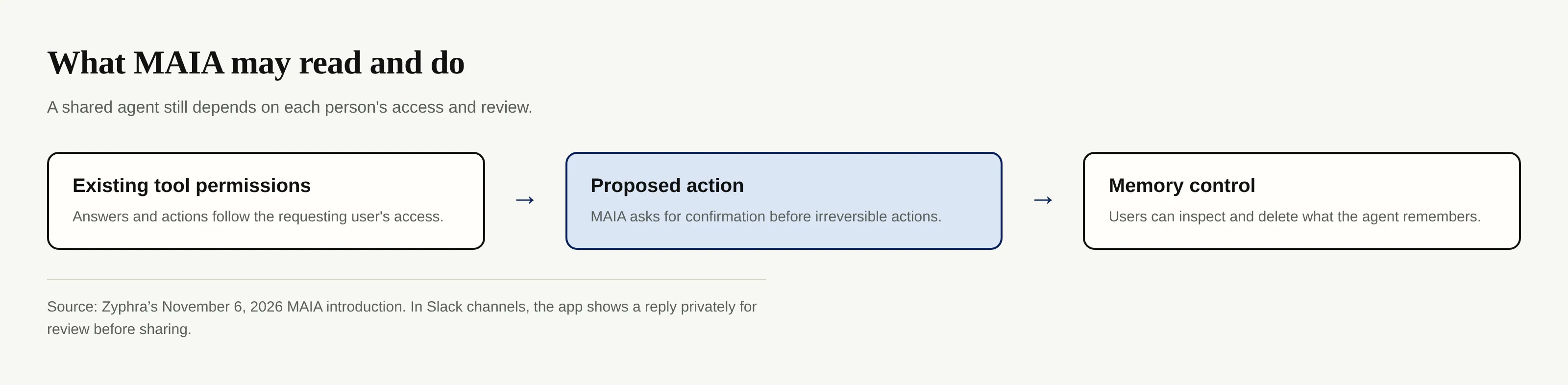
In Slack, the listing distinguishes a channel mention, a thread mention, a direct message, and the AI panel. In a channel MAIA first shows its reply privately so you can review it before sharing; it marks messages it sends as “Sent from MAIA.” If you manage a shared workspace, review the Marketplace permission screen before installing anything. The app requests access to workspace and conversation information and can act as you in conversations.
What MAIA Can Do for a One-Person Business or Small Team
Suppose you sell a design service and a client’s change request lands in a Slack thread. A collaborator joins the project next week. You could ask MAIA to retrieve the earlier decision and its source, then draft a meeting plan from connected context.
Zyphra’s startup examples describe meeting coordination, launch boards, and recurring team updates. The launch post says users can ask for a board of tasks, owners, and deadlines and revise it together.
Zentor addresses a different starting point: the individual’s workspace memory and recurring work, with context drawn from Gmail, Notion, Slack, and Airtable according to its current homepage. If your main problem is preparing your own replies and follow-ups, you needn’t pretend that a multiplayer beta is the only route. It is not a connector for MAIA; these are independent choices.
What MAIA Can See and the Permissions It Follows
A team memory should not silently turn private discussions into shared facts. Zyphra says MAIA follows your existing tool permissions, confirms before irreversible actions, and lets users view and delete remembered content. Private conversations stay private unless you choose what to share, according to its launch post. That is the design Zyphra states; admins should still inspect actual scopes and test behavior with non-sensitive material.
The Slack listing’s data-governance section adds an important distinction: uninstalling the Slack app does not remove a user’s MAIA chats and memories; users can delete those separately. It also says MAIA’s Slack search respects the requesting user’s channel and DM membership. If a client asks you to remove their information, check both the Slack connection and stored MAIA memories, rather than assuming one uninstall button covers both.
Zyphra MAIA vs. Other Slack AI Teammates
Our Skydive in Slack guide examines named AI teammates summoned in channels and threads; MAIA instead centers one agent with shared team memory across its desktop and Slack surfaces. That distinction comes from the products’ stated workflows, not a hands-on benchmark.
For solo sellers, choose by the location of the finished work. Zentor’s memory belongs to the user and can connect through Zentor MCP to different AIs, while its homepage describes replies and follow-ups prepared in your voice and held for your OK. That’s a more relevant test than counting how many agents appear in a Slack channel. Compare the current Zentor trial and plans before you make a cost decision.
FAQ: Zyphra MAIA Access and Tools
Is Zyphra MAIA free?
As of November 8, 2026, Zyphra says its beta is free with daily usage caps. Access is by request, and it has not published a numeric cap on its download page. Free beta access is not a promise about future pricing.
Do you need a paid Slack plan for MAIA?
You need one to open MAIA from Slack’s AI panel, according to the Marketplace listing. The listing also describes mentions and DMs; it does not make the same paid-plan assertion for those routes.
What tools does MAIA connect to?
Zyphra’s download page names Slack and Google Workspace for the current beta environment. Its launch post describes actions across connected tools without providing a verified, item-by-item connector inventory there. Check the available connections in your approved account rather than assuming that a named Google app or another service is enabled.
Can MAIA remember a private conversation after I uninstall it from Slack?
The Marketplace data-governance text says MAIA chats and memories tied to a user account are not removed by uninstalling the Slack app. Delete those in MAIA separately if you need them gone. Do not treat an uninstall as a complete data-deletion request.

Zentor Editorial Zentor editorial team
The Zentor editorial team writes about workflow automation, AI agents, and the tools we build. Default byline for industry overviews, listicles, and collaborative pieces.
Ready to put this into practice?
Zentor runs browser tasks, research, and schedules automatically. Try it free.