Airtable vs ClickUp: Client Tasks or Structured Records?

Airtable vs ClickUp for client delivery: compare task dependencies, reusable records, PDF reviews, guest access, and the approval trail before choosing a home.
For agencies, Airtable vs ClickUp is a choice between reusable records linked to projects and decisions and tasks carrying owners, deadlines, dependencies, and discussion. Both can track a deliverable, but the better home depends on what the team must recover after its first review.
Key Takeaways
- ClickUp is the more direct starting point when owners need to act on dependent tasks and clear assigned comments every day.
- Airtable earns its setup effort when a deliverable must remain a distinct record linked to several projects, versions, or decisions.
- Both offer attachment proofing under different conditions. Resolved comments do not prove final approval.
- Test client access and migration before choosing a source of truth.
In this hypothetical example, a studio prepares a two-page PDF launch kit. The client accepts page one but asks to change a claim on page two. The revised kit may later serve another campaign for the same client.
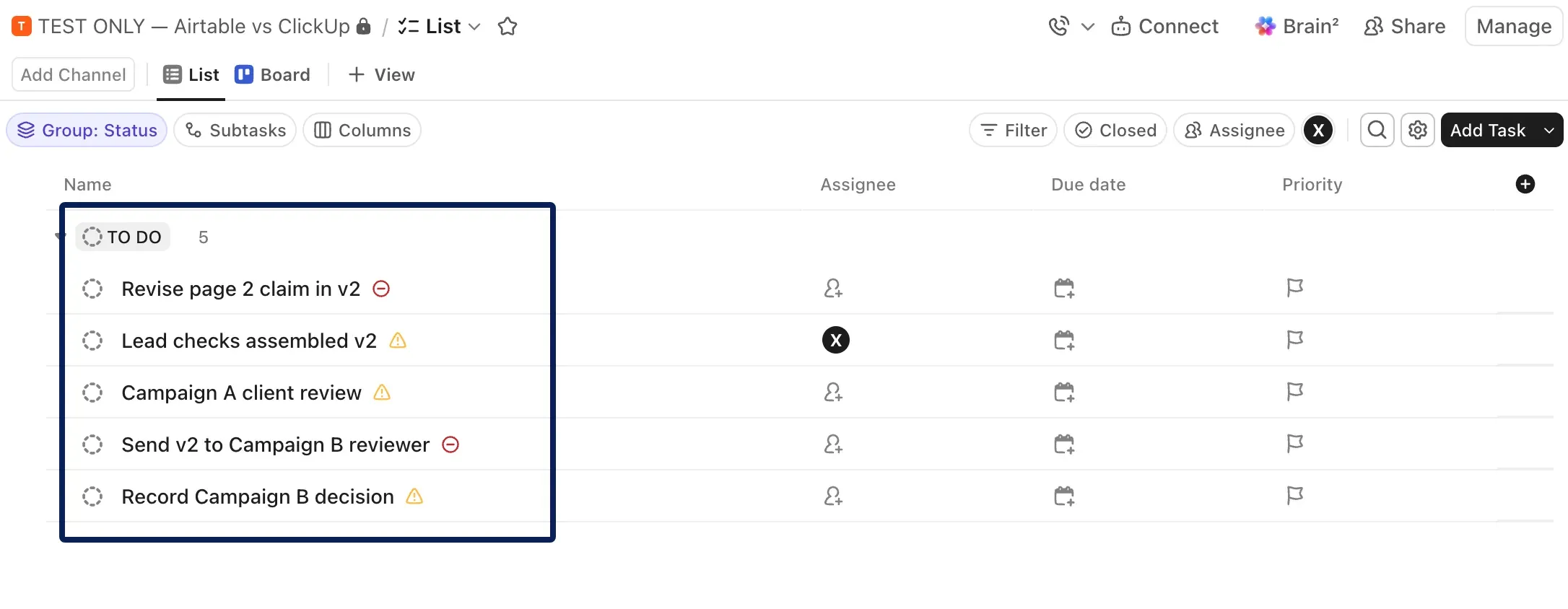
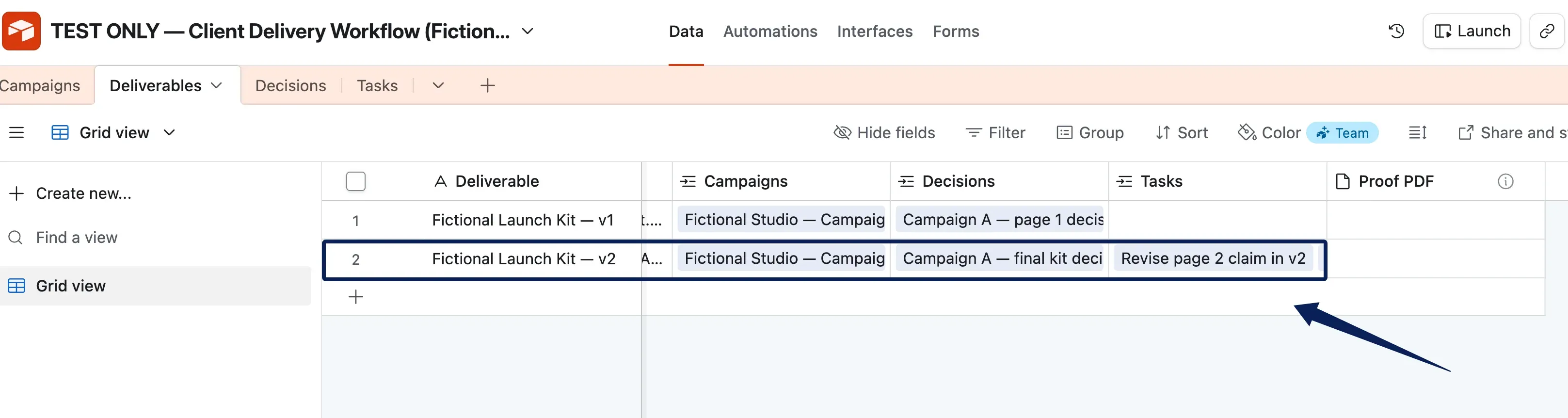
Synthetic setup check (November 9, 2026): In the vendor’s supplied private-workspace screenshots, a fictional agency workflow appears in an Airtable base and ClickUp space. The supplied Airtable screenshot shows a v2 kit record with linked Campaigns, Decisions, and Tasks fields; some linked values are clipped. The supplied ClickUp screenshot shows five tasks and dependency icons, but not the reported warning or what happened after Cancel. A Proof PDF field appears empty. These screenshots do not demonstrate live PDF proofing, client or guest access, reporting, migration, plan limits, or multi-user collaboration.
Is the Core Work a Task or a Reusable Record?
For client task management, ask "Who changes page two by Thursday?" That needs an assignee and deadline. "Which kit version did Campaign B approve?" needs a stable deliverable identity and related decisions. Name one home for the authoritative version and approval.
In ClickUp, the kit could be one task with a PDF, status, assignee, deadline, and review comments. Separate tasks cover revision and release. The team must distinguish the asset from the action to revise it.
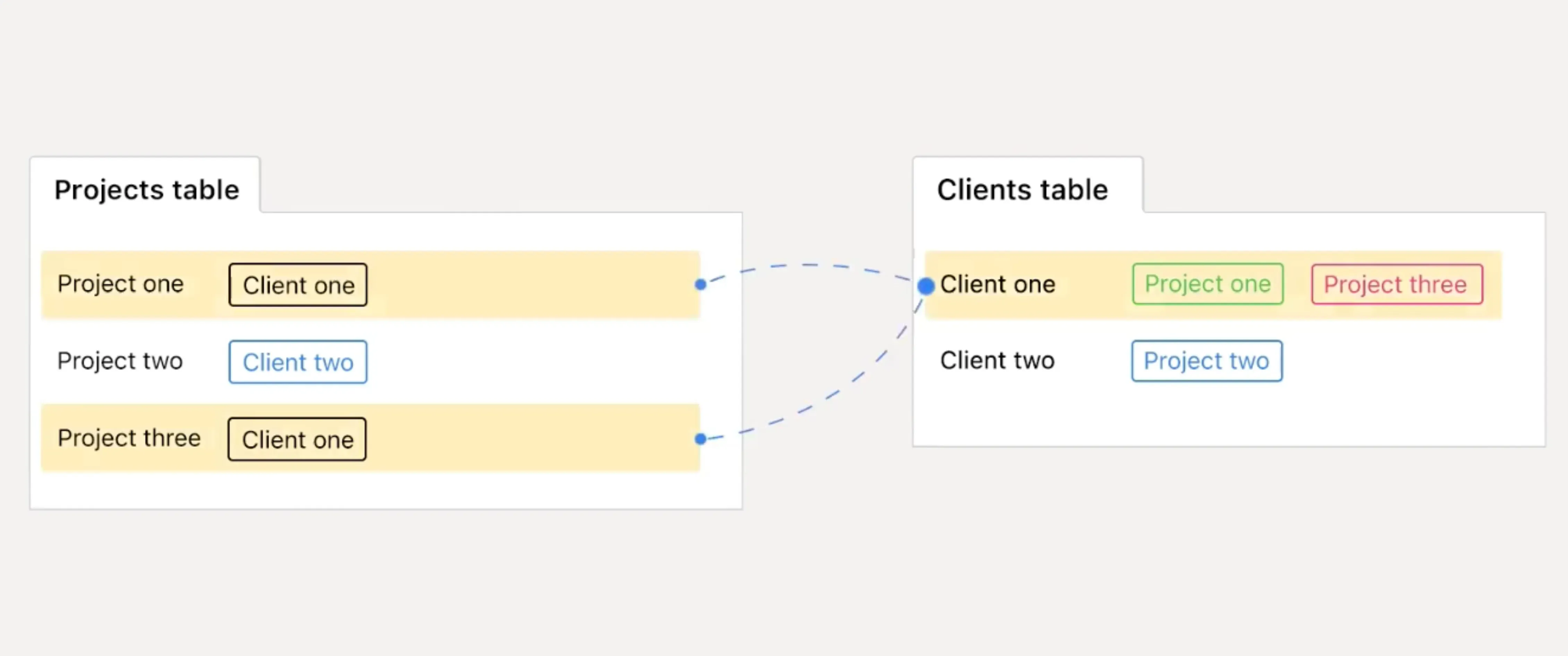
In Airtable, the kit could be a Deliverable linked to a Client, two Campaigns, and separate Decisions using linked records. Someone must maintain those links. Zentor's Airtable project management setup covers the broader project, task, and personal model; here the question is whether the kit deserves its own durable record.
Keep the handoff context where your work lives
Zentor can draw on your Airtable and Notion context and leave the next draft for your review.
Start free trial →
Compare Task Ownership and Dependencies
The PDF cannot go to the client until the lead checks the revised claim. In ClickUp, make that check block "Send kit for client review." Dependency Relationships are available on all plans. Warnings and automatic rescheduling require their respective ClickApps; a dependency alone does not prevent early closure.
The supplied ClickUp screenshot shows five tasks with dependency icons, not a blocking warning or a closure attempt. ClickUp says the Dependency Warning ClickApp shows a warning when you try to close a task that is still waiting on another task; the screenshot alone cannot establish whether that warning was enabled or acted on.
Airtable's date dependencies, available on paid plans as of November 10, 2026, can cascade dates after a creator configures the required fields. Airtable warns that some automation, API, or multi-record date updates can interrupt recalculation. That exception becomes part of the studio's maintenance work.
Neither feature proves the lead checked the claim. Record the outcome, reviewer, and version. If the client deadline moves, name who tells the client.
Compare Deliverable Records and Relationships
For a team weighing project records vs tasks, the second campaign makes the distinction concrete. For creative deliverable tracking in Airtable, one Deliverable record can link to Campaign A and Campaign B while keeping the asset and version identifier in one place. A campaign-specific edit may call for a new, related Deliverable record.
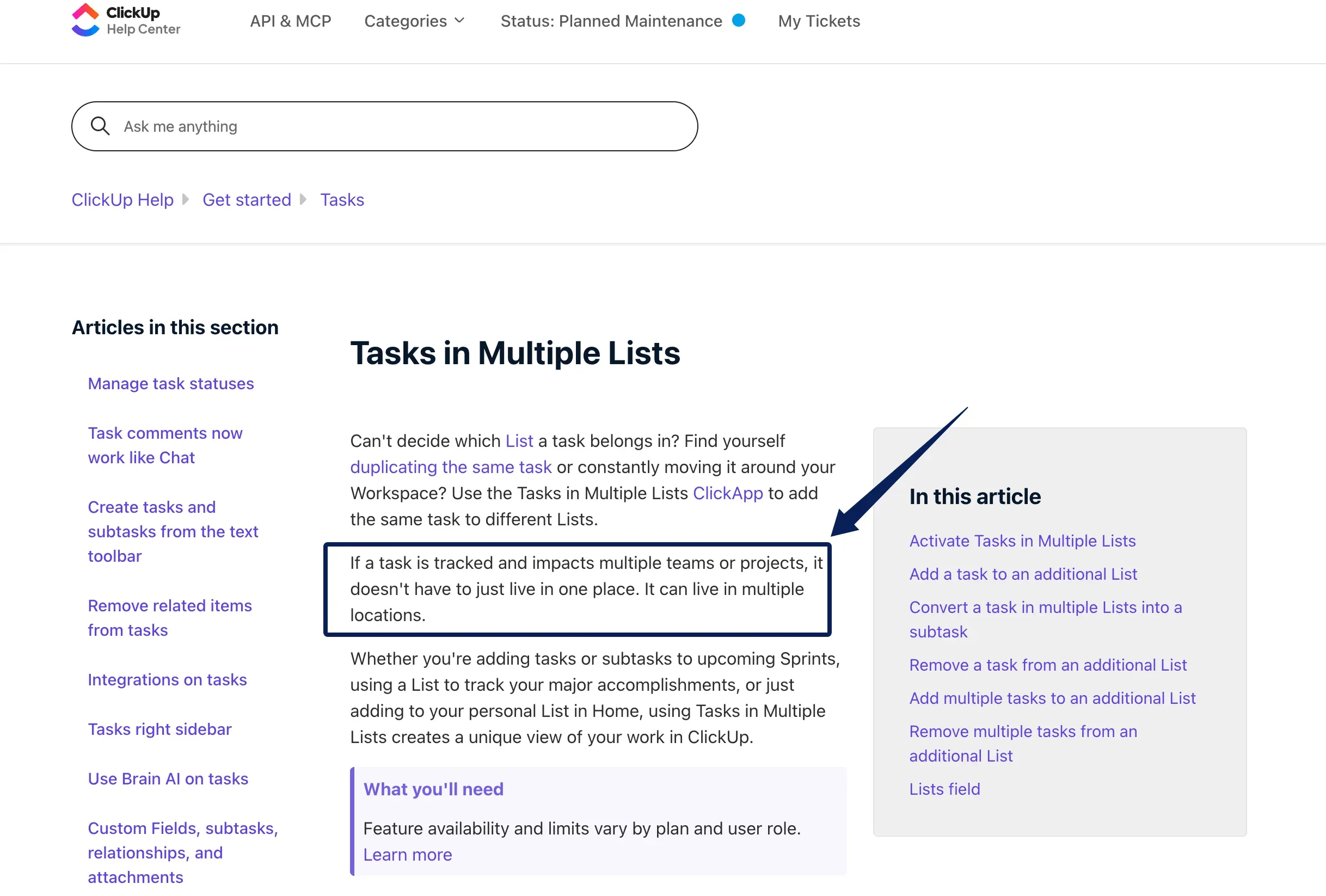
ClickUp's Tasks in Multiple Lists ClickApp, subject to plan and role limits, can show one task in two project lists. A Workspace owner or admin must enable it. Edits and comments on that task appear in every List, so check what each guest can see before using it across client audiences. One shared status may still be too coarse for separate campaign decisions.
"Kit v2," "Campaign B approval," and "Send Campaign B kit" are different objects. A colleague should find each without reading every comment.
Route Drafts Through Client Review
The client says page one is fine and marks the disputed claim on page two. ClickUp's Proofing on task attachments lets a reviewer place and assign comments on a PDF, image, or supported video. Guests can use it, but cloud-storage attachments are excluded. As of November 10, 2026, ClickUp lists a Core trial, 100 uses on Free Forever and Unlimited, and unlimited uses on Business, Business Plus, Enterprise, and Max. Check the allowance on your current plan.
As of November 10, 2026, Airtable's attachment Proofing is limited to Business and Enterprise Scale. It supports annotations and side-by-side versions for supported files, including PDFs, and permits appropriate interface-only or portal commenters to contribute. Turning an attachment field into "Versions" changes it from a place for independent files into versions of one file; Airtable recommends trying that change on a duplicate base first. The studio should keep separate fields or records for the kit and unrelated source files.
The page-two comment requests a specific change. The creator makes v2, the lead checks it, and the client decides on the revised kit. Zentor's content approval guide explains how to attach comments, revision decisions, and sign-off to the version each concerns. Resolving the comment does not establish acceptance of v2.
Give Clients the Right Level of Visibility
A one-time reviewer may need only the PDF and a place to comment. A recurring client may need a review queue. This changes permissions, price, and exposure risk.
ClickUp's guest permissions distinguish viewing, commenting, editing, and full access, subject to plan and role limits. Check the task with a representative guest account, especially if it appears in multiple lists.
Airtable's interface-sharing rules describe invited interface-only collaborators and plan-specific access. A publicly shared interface page is a paid-plan, read-only option; its public pages do not support commenting or revision history. Airtable also cautions that some conditionally hidden or chart data can be sent to the browser. Use an invited, scoped route for confidential client decisions and test what that client identity can inspect. A public status page is a different product decision from an approval workspace.
Check Reporting and Maintenance Effort
The manager needs to know which kits wait on the studio, which wait on the client, and which have approval. ClickUp can report from consistent task statuses and owners. Airtable can report across linked Deliverables, Campaigns, and Decisions. Either dashboard can hide a missing approval.
In ClickUp, the team maintains task states and decides where final versions and campaign approvals live. In Airtable, someone maintains links, views, permissions, and dependencies. The record model earns its upkeep when those relationships answer questions the task board cannot.
Include access and exit costs in the comparison. Count which clients need view, comment, or edit access, then verify the current plan, guest allowance, and checkout terms. This article does not assume a fixed per-seat price.
Choose the Better Home for Client Delivery
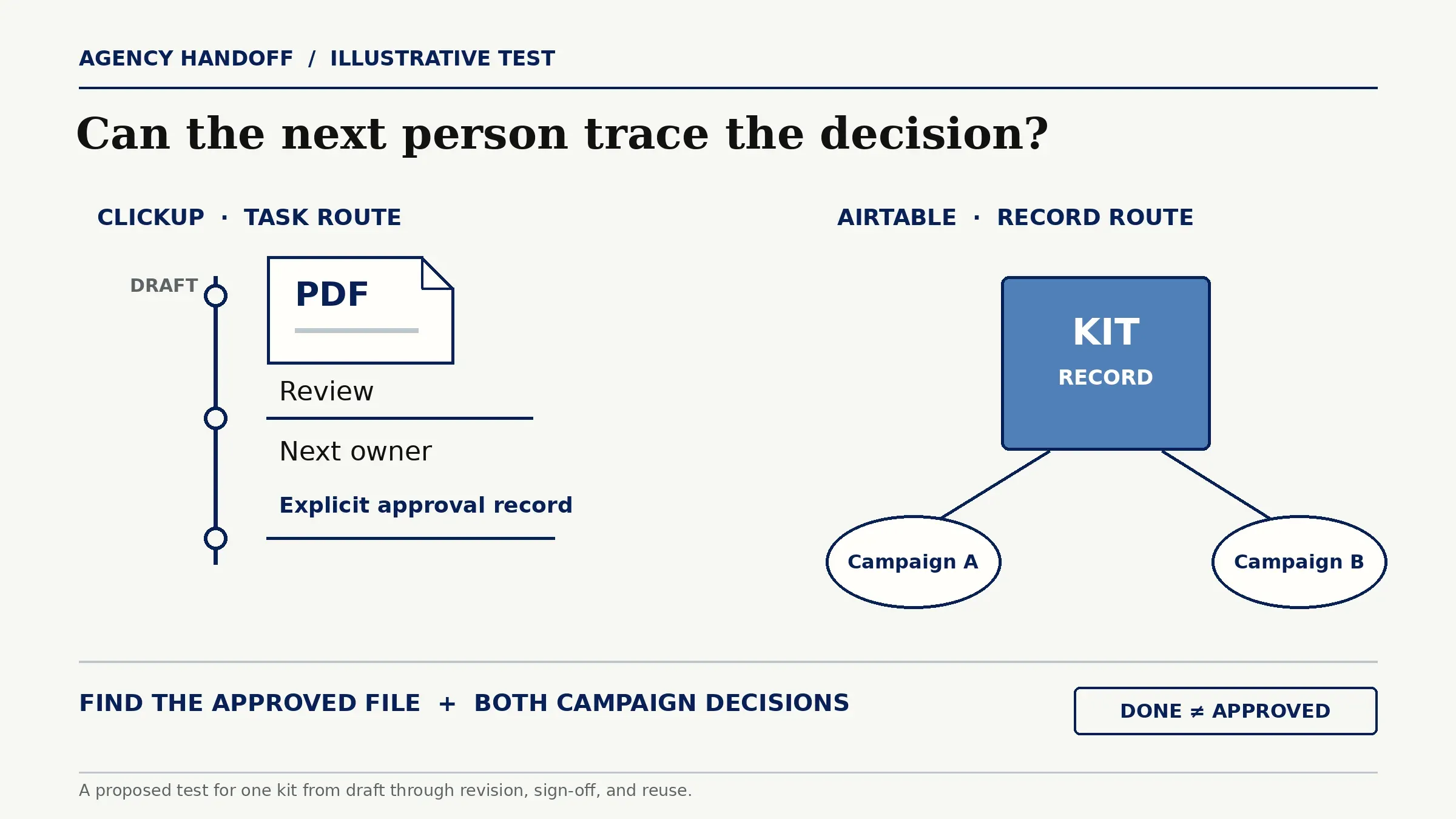
For an agency choosing task handoff software, ClickUp is the more direct home when owners cannot see what blocks their next step or who takes over after review. They can work from the task and its attached PDF. Keep an explicit record of final approval if task closure cannot express version, scope, and approver.
Choose Airtable when the kit is a record the studio must reuse, relate, and audit across campaigns. Budget for designing that structure and verifying plan-dependent Proofing and client access. A small team with few repeat assets may find the record model costly to maintain; a team with many reused deliverables may find a task-only history hard to reconstruct.
Before committing, run one kit through draft, revision, sign-off, and reuse. Ask another team member to find the approved file and both campaign decisions. If they infer approval from "Done," revise the setup.
FAQ
What if a deliverable belongs to two projects?
If due dates or approvers differ, create separate project-level work and decisions around one identified asset. In Airtable, link that asset to both projects and record each decision independently. In ClickUp, two related project tasks may express the distinct handoffs better than one shared task. Reusing the file does not transfer its approval.
How can a client reject only one part of an asset?
Record the rejected component, its version, and the scope of any earlier acceptance. Leave the unchanged parts' decision attached to the version the client saw. A revision can still change their context, so the named approver must check whether that acceptance carries forward when reviewing the assembled new version.
Can approved attachments move with their review comments during migration?
Do not assume they can move as one intact review package. ClickUp's task-data CSV export can include task comments and attachment hyperlinks, subject to plan and role limits; attachments are downloaded separately. That does not establish whether Proofing annotations retain their attachment and version context. Airtable's CSV view export omits record comments and uses attachment URLs that expire. Check a sample import for files, comments, annotations, versions, and approvals before retiring the original.
Who can move a deliverable after final approval?
Name a release owner and limit edit access to the approved asset and decision record. If a change is needed, make a new version and send it through the required review rather than overwriting the approved file. Neither a status label nor ordinary workspace permissions should be treated as an immutable approval lock; verify the actual roles and audit trail in your account.
When does linking both tools add more work than it saves?
Linking costs more when the team must reconcile two owners, two statuses, and two copies of each attachment after every handoff. Use both only if one holds the authoritative asset and approval record while the other holds clearly bounded execution tasks. Decide which system wins on conflicts, how links are checked, and who repairs a failed sync before adding it.
Airtable vs ClickUp Depends on What Must Survive the Handoff
Airtable vs ClickUp for agencies turns on whether the team can recover an old kit's approved version and decision. If the studio can find those facts and the next owner from a task without rebuilding context, ClickUp may be enough. If they must travel across several campaigns and reports, Airtable's record structure may justify its upkeep. Test the same kit in a real account before committing a client workflow.

Zentor Editorial Zentor editorial team
The Zentor editorial team writes about workflow automation, AI agents, and the tools we build. Default byline for industry overviews, listicles, and collaborative pieces.
Choosing between tools? Let Zentor run the work.
An always-on AI assistant that does the work. No switching required, no setup.