ChatGPT Alternatives for Research and Planning

ChatGPT alternatives for research and planning: compare Claude, Gemini, Perplexity, and Microsoft Copilot using one client brief.
The handoff is where a research answer gets expensive. Someone must trace recommendations to sources, turn notes into an editable plan, and flag decisions that need a person. For nontechnical consultants who mainly use ChatGPT for research and planning, the right choice among ChatGPT alternatives depends on where client materials live and how the next person will check them.
This comparison uses one fictional onboarding brief to show how the documented features of Claude, Gemini, Perplexity, and Microsoft Copilot can support the same handoff.
Key Takeaways:
- Choose around the source set: project files, Google Workspace, public web pages, or Microsoft 365.
- Treat citations and source lists as a route to verification. Open the source and check that it supports the specific claim.
- Keep the final plan editable and assign a person to verify owners, dates, and open questions before it reaches a client.
Which ChatGPT Task Needs Another Tool?
Before choosing among ChatGPT alternatives, identify the task that causes friction. Use a project workspace when the packet is mostly long documents, Gemini when project material sits in Google Workspace, Perplexity for public-source research, and Copilot when work must land in Word or Excel.
An AI research assistant can handle the source search while ChatGPT remains available for general thinking. When the handoff is the bigger job, compare AI planning tools by how much editing it takes to get from their draft to the client's working file.
Keep the client context for the next brief
Zentor remembers how you work and drafts recurring follow-ups for your review. Keep the approved plan in your own tools.
Start free trial →
Compare Sources, Documents, and Work Context
The brief calls for a 30-day onboarding plan that gives new hires workspace access by their fifth business day. Compare ChatGPT alternatives by the route that brings relevant evidence closest to the file your client will edit.
| Tool | Bring in the materials | Verify the evidence | Make and hand off the plan |
|---|---|---|---|
| Claude | Add the brief and files to a Project with project instructions | Ask for a source or file reference beside each finding, then open the original | Copy the accepted action table into the client's working document |
| Gemini | Connect the eligible Google Workspace account or provide approved files | Review the linked Workspace sources and confirm that each is current | Put the confirmed action rows into an editable Doc or Sheet |
| Perplexity | Start with public URLs and, where available, relevant uploaded files | Follow each citation to its source and check the date and claim | Export an answer as DOCX for editing or share the session for review |
| Microsoft Copilot | Retrieve work files and messages with the add-on license, or attach approved files to chat | Ask for the supporting document or email, then check the passage | Move the draft into the Word or Excel file the team will edit |
Whichever tool you use, keep approved client decisions tied to their sources so the next reviewer can see why a deadline or owner changed.
1. Claude for Long-Form Briefs
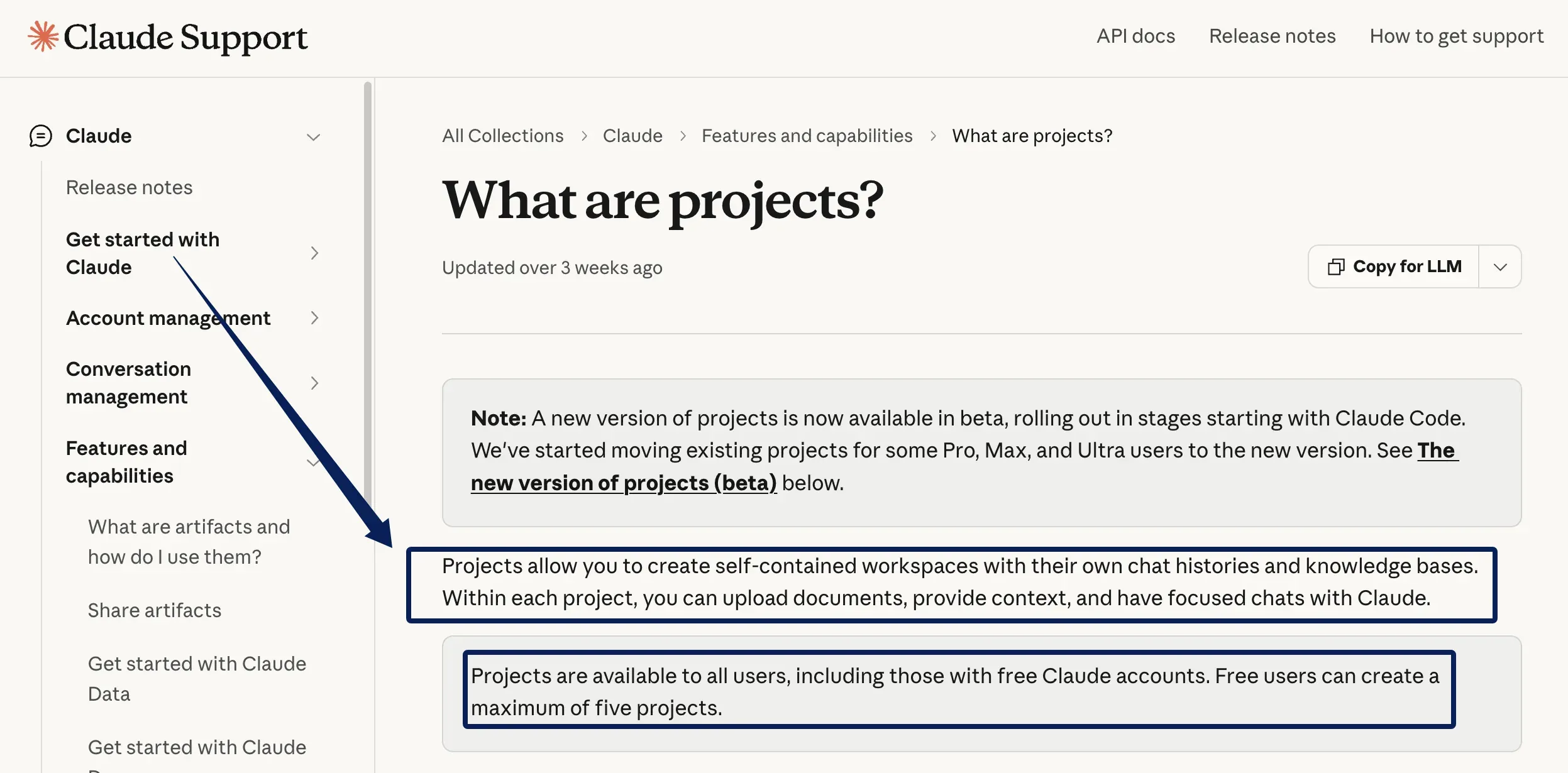
Among ChatGPT alternatives, Claude is a fit when a brief depends on several documents across follow-up questions; Claude Projects keep chats, source files, and instructions together. In the chat-based workflow, free accounts can create up to five Projects, and paid plans offer expanded project knowledge through retrieval. The new Projects beta is rolling out in stages, with some existing projects on paid accounts moving to the new workflow.
Put the onboarding brief, interview notes, and checklist in one Project. Ask Claude to record what the brief requires by day five, quote the supporting passage, and list who should grant access as an open decision. A source table with the document name and review date gives you a reference when the client revises the brief. Move the accepted action rows into the client's working document.
2. Gemini for Google Workspace Planning
If client context already sits in Gmail, Drive, Docs, Calendar, or Tasks, Gemini can find and summarize materials through a connected Workspace account. Workspace access depends on an eligible edition, account activity settings, and administrator approval.
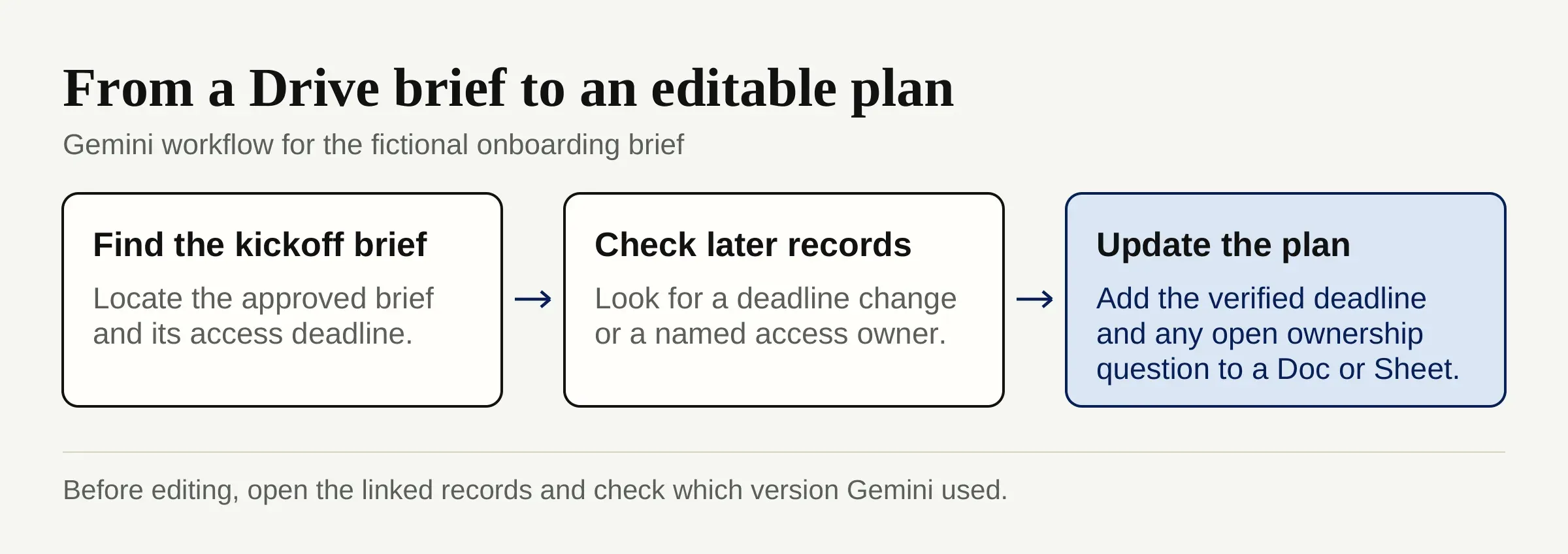
When the onboarding packet is in Drive, ask Gemini to find the approved kickoff brief and any later record that changes the day-five requirement or names an access owner. Open the linked records to see which version the answer used. Move the confirmed deadline and the ownership question into the team's editable Doc or Sheet.
3. Perplexity for Cited Web Research
Among ChatGPT alternatives, Perplexity fits the part of the brief that starts on the public web. Use it to research how the workspace vendor handles invitations and access roles, with the day-five deadline supplied as a client requirement. Open each citation before adding a setup step to the plan. The vendor's instructions can support the step, while the client's project lead still needs to decide who will own it. Research-mode access and limits vary by subscription.
For an editable handoff, export the individual answer as DOCX or Markdown and bring the verified steps into the plan. Share the session separately when a colleague needs the follow-up questions, answers, and sources, and the material is approved for that audience.
4. Microsoft Copilot for Microsoft 365 Work
Copilot fits when the evidence is in Outlook or SharePoint and the team edits the plan in Word or Excel. For Copilot Chat to search across work emails and files on its own, the work account needs the Microsoft Copilot add-on license for work data, with access limited to what the account can already open. Included Copilot Chat can work from approved files you attach, within its upload limits.
With licensed work search, ask Copilot to find the kickoff brief and any approved follow-up that names the access owner. With an attachment, supply the kickoff brief yourself and use it to draft the day-five row. Put the row in the team's Word plan or Excel tracker with the supporting file or message identified and the owner marked pending until the client assigns one.
Test One Research-to-Plan Handoff
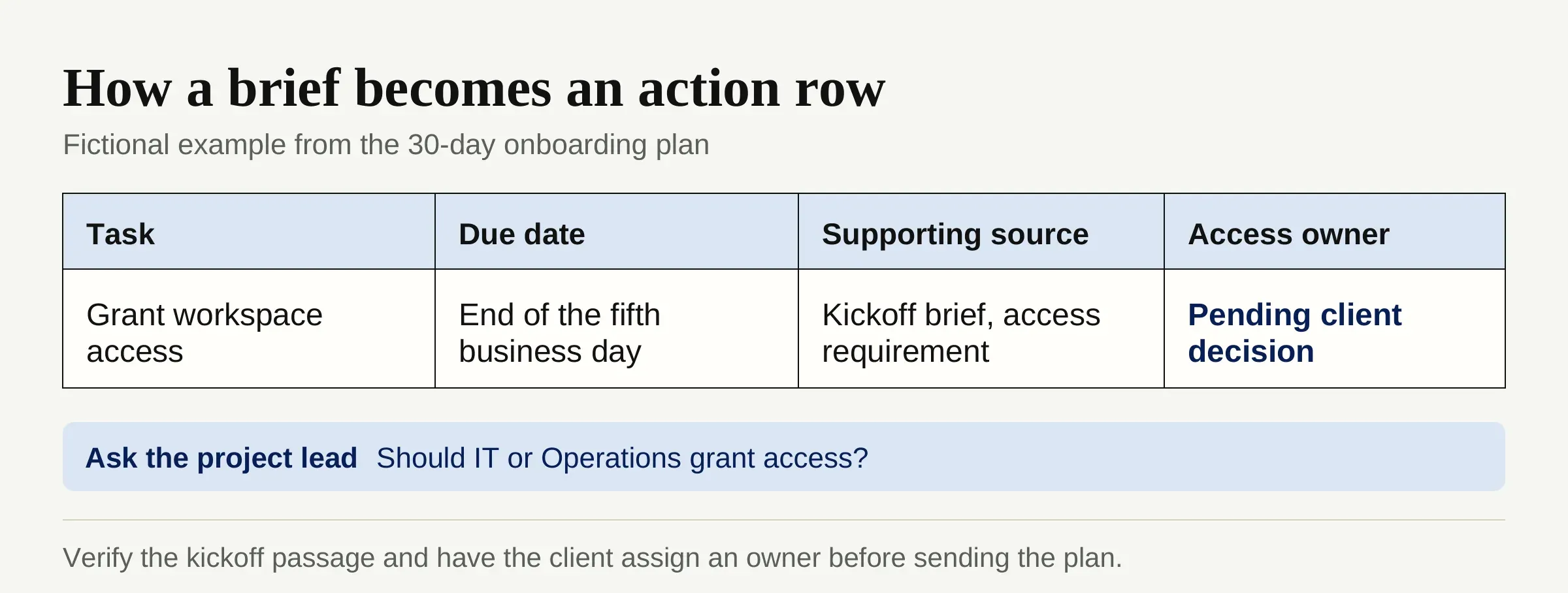
In this fictional example, a 12-person consulting studio is preparing a 30-day onboarding plan. The kickoff brief says, "New hires must have access to the shared project workspace by the end of their fifth business day." The packet includes interview notes, a setup checklist, and public vendor help pages. The deadline is confirmed. The client still has to decide whether IT or Operations will grant access.
Give the tools you're comparing the same approved source packet. For public research, supply the quoted requirement and use the vendor help pages for the setup steps. Ask for a source table and an editable plan with the task, owner, due date, dependency, and open question on each row. A usable draft would pair "Grant workspace access" with "End of the fifth business day," point back to the kickoff passage, and leave ownership pending until the client assigns it.
Open the passage beside each proposed action and check that it supports the wording in the plan. For this manual handoff, the consultant edits the draft, takes unresolved decisions to the project lead, and sends the approved plan. If you revisit this client each month, Zentor can keep approved preferences in workspace memory so your next draft starts with the same agreed context. Keep the source table and final sign-off in the client's working file. The citation-checking workflow is a separate review option for cited client material; for repeat work, Zentor can use retained context to draft follow-ups for your review.
When ChatGPT Is Enough
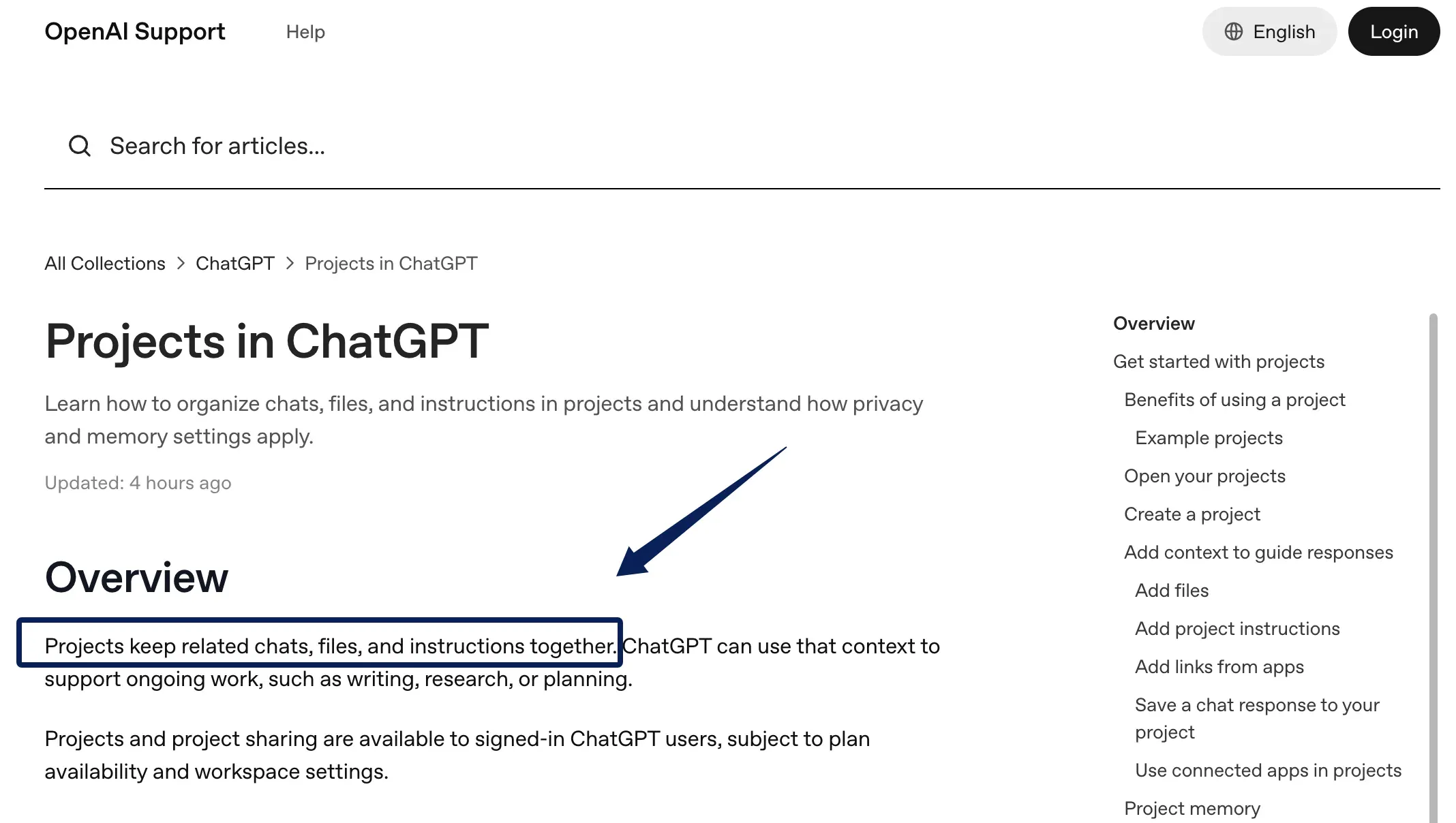
ChatGPT is enough for a short research question, early outline, or plan that only needs to live in the conversation. ChatGPT Projects keep related chats, files, and instructions together, subject to plan availability and workspace settings. Projects support ongoing work such as research and planning.
Keep the workflow that already gives you a source trail and usable draft; ChatGPT alternatives should earn a place in the handoff. Switch one stage only when moving documents, finding citations, or preparing an editable handoff is the bottleneck.
FAQ
Can ChatGPT Projects be moved into another assistant?
Current public documentation does not describe a one-step transfer that recreates a ChatGPT Project's files, instructions, and chat structure in another assistant. Export account data, save needed source files, and rebuild the context. Check the archive before closing the account.
Do alternatives keep your ChatGPT custom instructions?
No. Custom instructions belong to ChatGPT. Copy reusable preferences into the new assistant's equivalent settings and remove sensitive details. Claude offers cross-provider memory import, but Anthropic describes it as experimental; it does not transfer ChatGPT Projects or their history.
Can Microsoft Copilot use a personal Microsoft account?
Yes. A personal Microsoft account can use Copilot chat for free. Access inside Microsoft 365 desktop apps is a separate benefit tied to eligible subscriptions and, for shared plans, the subscription owner. Work or school access follows the organization's license and settings.
Can a client open a Perplexity research link without an account?
When the session is shared as "Anyone with the link," Perplexity says anyone with the link can open and view it. Its documentation does not spell out every sign-in prompt a client might see, so test the exact link while signed out before sending it. A recipient's follow-up starts a new session rather than changing yours.
What data can you export before closing a ChatGPT account?
Request the account export from Data Controls or the Privacy Portal before closing the account. The ZIP includes chat history and other account data; OpenAI confirms custom instructions are included. Open it and check for the conversations and files you need before deleting anything. Business, Enterprise, and Healthcare workspaces do not have self-service export; ask the workspace owner about data access.
Use One Client Brief to Decide Whether to Switch
Run one upcoming brief through two candidates with the same source pack. Keep the one that makes evidence easier to verify and leaves an editable next step. If neither helps, ChatGPT already covers the task.

Zentor Editorial Zentor editorial team
The Zentor editorial team writes about workflow automation, AI agents, and the tools we build. Default byline for industry overviews, listicles, and collaborative pieces.
Choosing between tools? Let Zentor run the work.
An always-on AI assistant that does the work. No switching required, no setup.