You.com Alternatives for Research (2026)

Compare You.com alternatives for source-checked client research: Perplexity, ChatGPT, and Gemini, with evidence checks and editable handoff tips.
You.com alternatives for client research differ in how they find evidence, turn it into a brief, and hand off an editable copy. Compare Perplexity, ChatGPT, and Gemini based on what you do in the browser and what the client can use after you send the report.
Key Takeaways:
- Choose Perplexity when your first job is finding public evidence worth opening and comparing.
- Choose ChatGPT when you need to set a research plan, control which sites it uses, and revise the report in Word or Markdown.
- Choose Gemini when authorized Drive material belongs in the research and the deliverable is an editable Google Doc.
- Run the same brief in each option. Open the key sources from the exported report and see what a recipient can verify without your session.
Hypothetical brief. A retailer asks a consultant to shortlist two returns portals. The client wants to know which ones work with its store platform and which can accommodate a 45-day return policy. The consultant will send a one-page recommendation that the operations lead can revise and forward.
Which You.com Research Job Are You Moving?
Start with the place where the work happens. A consultant who types a question into You.com, opens citations, and turns the findings into a brief is replacing a browser workflow. These You.com alternatives cover that job. Save the source URLs, approved wording, and reusable instructions in a research record for the next client report. Zentor workspace memory can preserve that context between client reports.
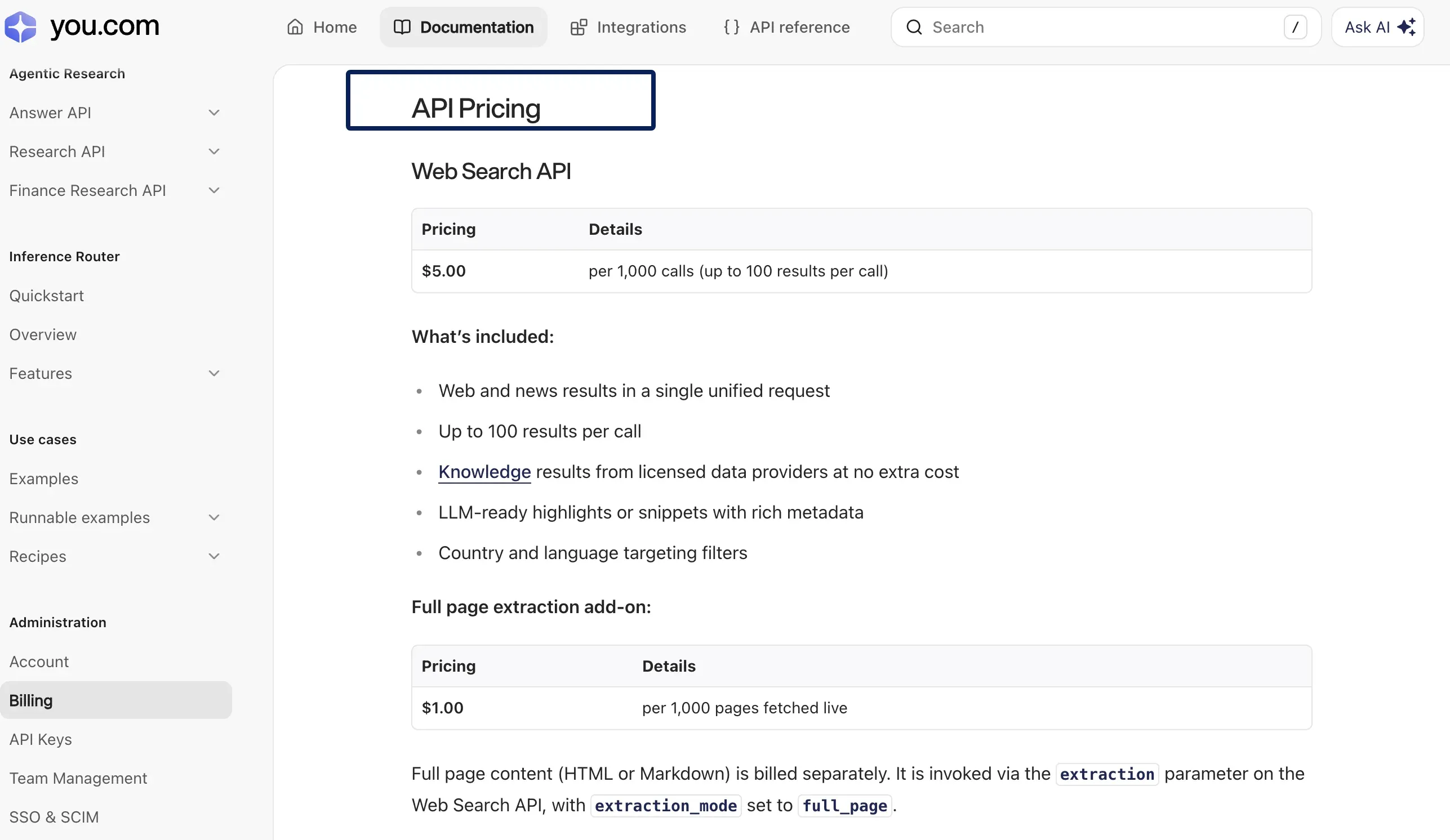
An application that sends requests to You.com has a different dependency. The Web Search API returns results for software to use, and the Research API can return a cited answer. Those products run through You.com's usage-based API billing. If your reports start from a script or an integration, compare endpoints, response formats, and usage costs. The consumer tools below are evaluated for work a consultant does in the app.
Keep the research trail with the work
Zentor remembers your approved sources and how you work. Keep the brief in your workspace and confirm each claim before you share it.
Start free trial →
Compare Sources, Workspaces, and Handoff
The three You.com alternatives are easiest to compare when the output stays fixed. Give each one the same vendor list and ask for the same decision. Track how you reach the original evidence, where the writing can be edited, and what you can hand to a client. If the approved requirements already live in Notion, Zentor can bring project context into that workspace; it is not a substitute for opening the cited vendor pages.
| Tool | Where to start | What to hand over |
|---|---|---|
| Perplexity | Find and inspect public vendor sources | An editable Research report when available, or a brief you assemble from the checked links |
| ChatGPT | Set the research plan and specify which sites or uploaded files belong in it | A Word or Markdown copy with the source trail, plus a PDF when a fixed copy helps |
| Gemini | Bring eligible Google sources and public search into the same brief | An editable Google Doc with the source access set for its readers |
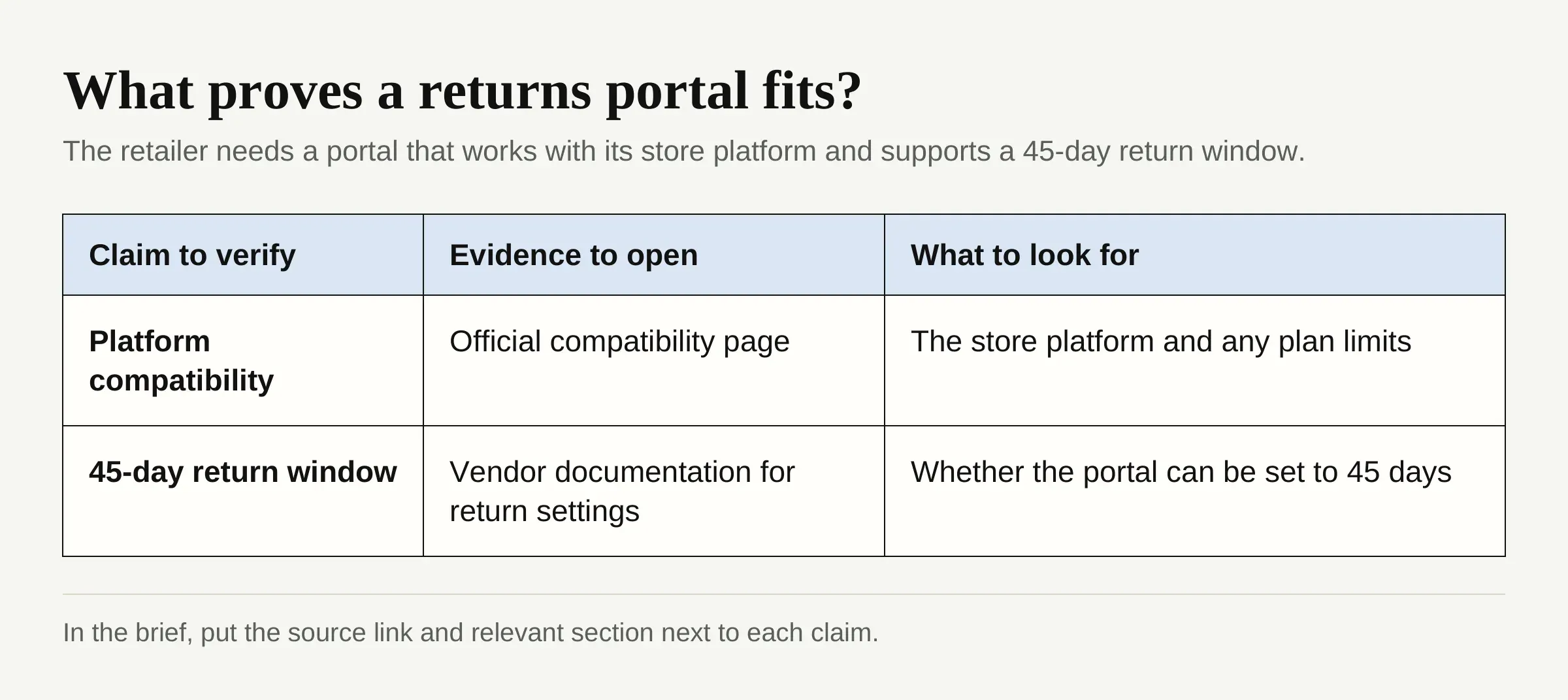
For the retailer, the store platform claim needs a compatibility page or an equivalent official record. The return window needs a source about what the portal can be configured to do. A vendor's own customer return policy would answer a different question. Ask for a source beside each claim so the person editing the brief can tell which evidence supports which sentence.
1. Perplexity for Cited Web Research
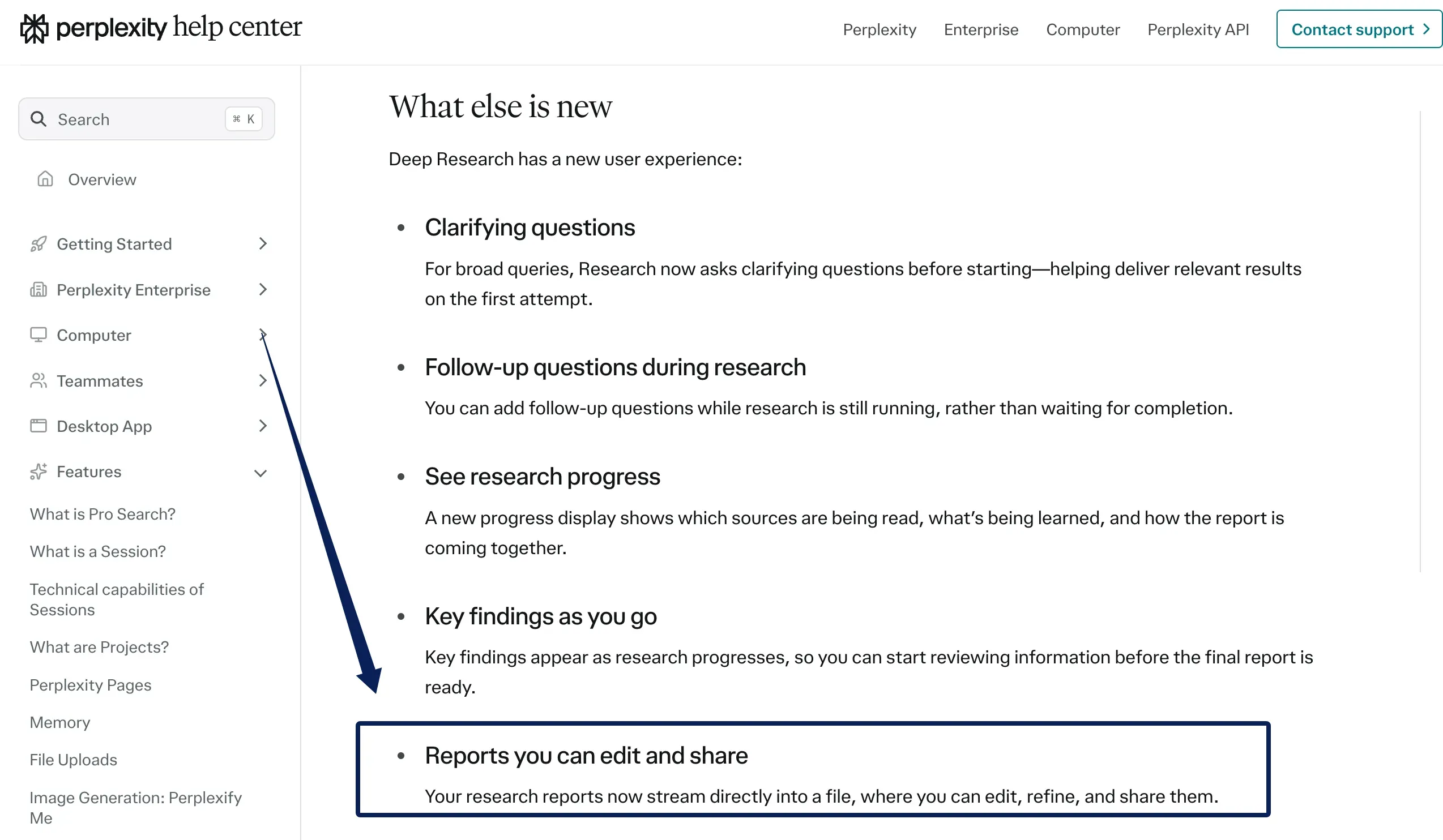
Start with Perplexity when you need a source-backed research assistant to find the relevant vendor pages. Advanced Deep Research puts the report in a file you can edit and share. The plan comparison listed one Research query per month on Free as of November 23, 2026, but Research-mode help described availability differently. Check which mode your own account offers before using Research for the pilot. Standard Search works for a first pass through public sources. Record it separately as a Search run and build the brief from the sources you verify.
In the returns portal brief, open the page behind the integration claim and note which product or plan it names. A vendor's overview can help you find the help article that gives the precise answer. Keep that source beside the recommendation. When you move the report into the client's editable document, bring the verified links with it.
2. ChatGPT for Research and Drafting
Choose ChatGPT when the assignment needs several rounds of editing. In Deep Research, you can upload files, review the proposed plan, and limit its web research to specified sites or prioritize them alongside a wider search. Use those controls to make the question precise before writing starts. For the returns brief, name the vendor documentation domains and ask the plan to treat the store platform and return-window setting as separate facts.
The completed report includes citations or source links and a list of sources used. ChatGPT offers Word, Markdown, and PDF downloads of completed Deep Research reports. Word is an easy handoff when a client works with tracked changes. Markdown is useful when the brief will be revised in a text editor or moved into a knowledge base. Keep the sentence about any unresolved vendor feature visible in the editable copy so it can become a question for the demo.
3. Gemini for Google-Centered Source Work
Choose Gemini when the useful background is already in Google Drive and the client will work in Docs. Gemini Deep Research includes Google Search by default. You can also upload a file or select eligible Drive and Gmail sources through a connected Google Workspace app. Pick the sources, then review the proposed plan against the approved project requirements.
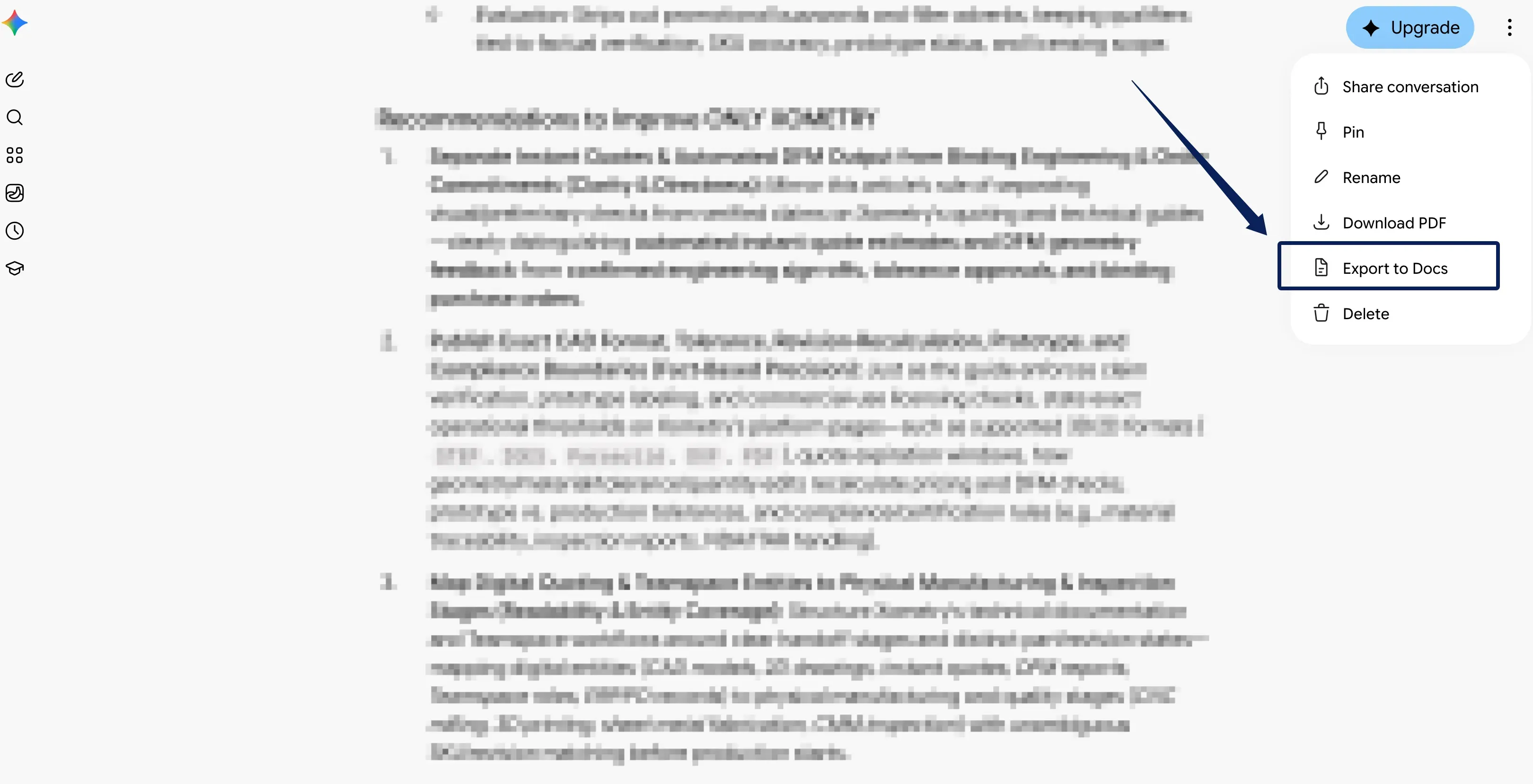
For the returns brief, use the approved requirements to state the client's 45-day policy and the vendor documentation to establish what each portal supports. Put the client requirement and the vendor capability in separate columns. When the report opens in Canvas, export the research report to Google Docs and edit the recommendation there. Give reviewers access to the brief and to any private evidence they are authorized to see. The file and its sources can have different permissions.
Pilot One Client Research Brief
To compare You.com alternatives, run a research report handoff on one question that is small enough to check by opening the original sources. For this example, give every tool the same shortlist, the same store platform and the same 45-day requirement. Keep the research date and the requested deliverable fixed. Use public documentation and a synthetic requirements note for the pilot.
- Write the request. Ask for one page with a recommendation, a comparison table, and open questions for the vendors. For each material claim, ask for the source title, URL or file name, and the relevant section. Ask the tool to leave a cell open when the source does not establish an answer.
- Review the evidence before editing. Open the sources for the compatibility and return-window claims. Read the surrounding passage for plan and effective-date conditions. Keep the source link and section heading beside each claim so the reviewer can find the passage.
- Edit the copy that will leave your workspace. Rewrite one recommendation in the delivery copy, open its citation from that copy, and compare the revised claim with the original passage. If the evidence applies to a single plan, keep that limit in the recommendation. Record open demo questions separately. Keep the approved requirements and source links in Zentor workspace memory for the next report. Open the cited vendor page yourself to check whether it actually shows that the retailer can set a 45-day return window in the portal.
- Open it as a recipient. Use a session with the recipient's permissions to open the editable brief, the key public citations, and any private source the recipient is expected to read. Test whether they can edit or comment as intended. When a private source must stay restricted, include an approved extract or a source description they are allowed to receive.
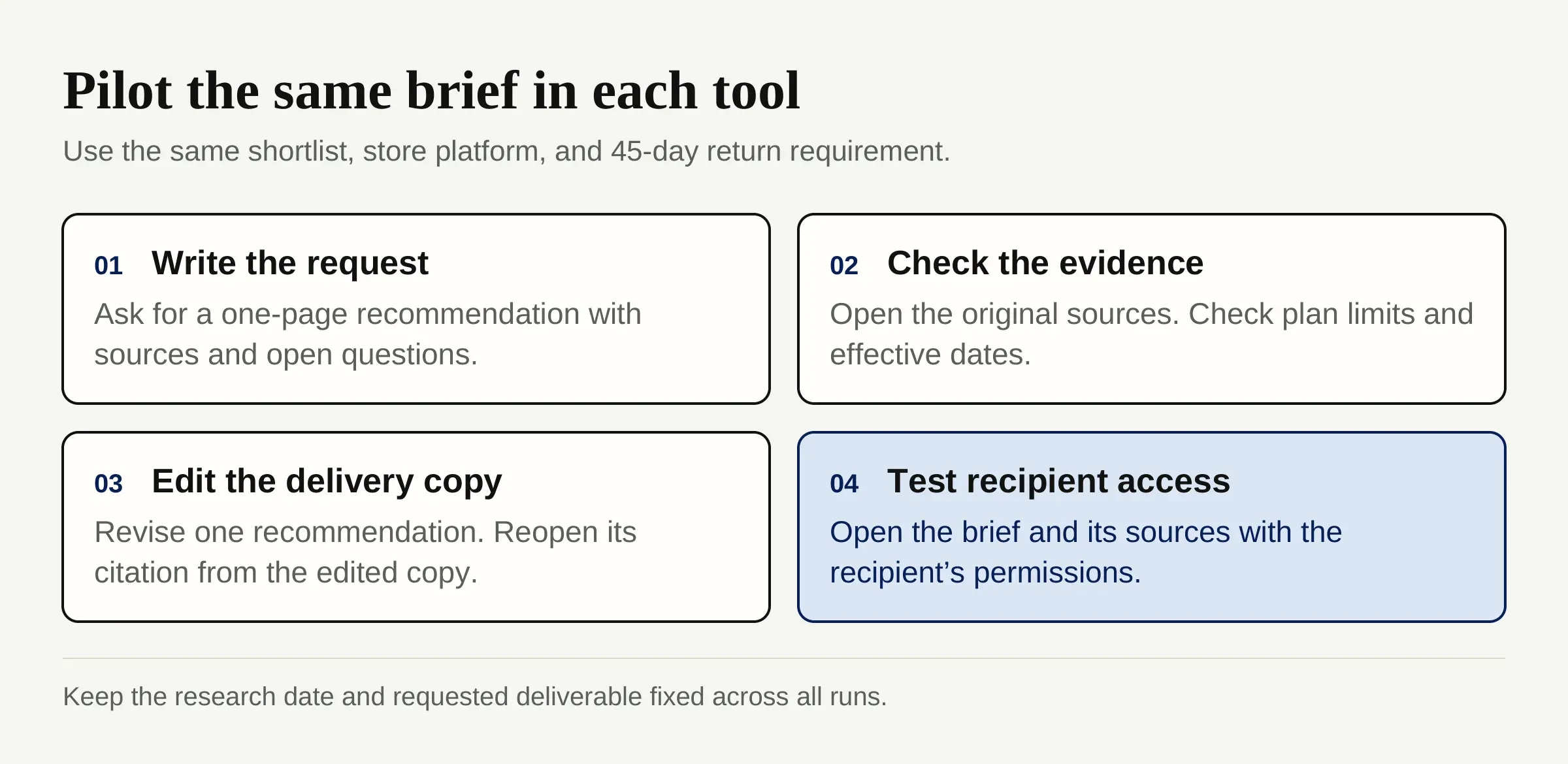
Use the pilot to see which step still takes work. When source discovery takes the longest, start with the tool that helps you reach the right pages. When the draft goes through several approvals, give more weight to the exported copy and the recipient's ability to work with it.
When You.com Still Fits Better
Keep You.com for an ongoing assignment when collaborators already rely on a saved research setup there. Capture the instructions and approved sources they use today, then give a new assignment to an alternative. Compare what you had to recreate with the time it took your collaborators to pick up the new brief. That gives you a basis for moving future work while the current assignment can continue.
FAQ
Can you export saved You.com research threads? Save the material you need from each thread you can still open. You.com lists chat copying and export in its help center. When you have an export option, open the downloaded copy and confirm it includes the questions, answers, and source links you need. Keep a dated copy of any missing material alongside it.
Does a You.com subscription include API usage? Treat a You.com chat subscription as access to the chat product. If your organization buys API access through a contract, look for an explicit allowance in the signed terms. For a self-serve pilot, estimate the cost in the developer account that will run the requests.
Can a replacement cite private files you uploaded? A tool can use supported uploads as research inputs. For evidence a client can verify, ask for the filename and page or section beside the claim, then read that passage yourself. If the intended reader cannot access the original, include an authorized extract or keep the material in a restricted working copy.
Can a teammate open the finished report without your account? Yes. Send an exported file or give your teammate access to the report document. A shared chat follows the chat's access settings and can include parts of the conversation outside the brief. Use the document when the teammate needs to leave comments or make edits.
Can you move a You.com custom agent into another tool? Plan to rebuild the workflow from the agent's instructions, example questions, and approved source list. Save the model choice and settings as a reference. The destination app has its own controls for model selection, files, and permissions. Test the rebuilt workflow on the same brief before assigning it regular work.
Choose the Tool That Fits Your Client Handoff
Choose the tool that leaves the least work between a supported recommendation and an editable brief the client can use. For the returns portal shortlist, send one page with the evidence the client can open and the questions they can take into the next vendor call. The client should be able to revise the recommendation and still see what supports it.

Zentor Editorial Zentor editorial team
The Zentor editorial team writes about workflow automation, AI agents, and the tools we build. Default byline for industry overviews, listicles, and collaborative pieces.
Choosing between tools? Let Zentor run the work.
An always-on AI assistant that does the work. No switching required, no setup.