ChatGPT Wallet Not Available? 2026 Checklist

ChatGPT Wallet not available? Check 2026 US eligibility, Pro and dot requirements, supported cards, rollout status, and approval versus merchant confirmation.
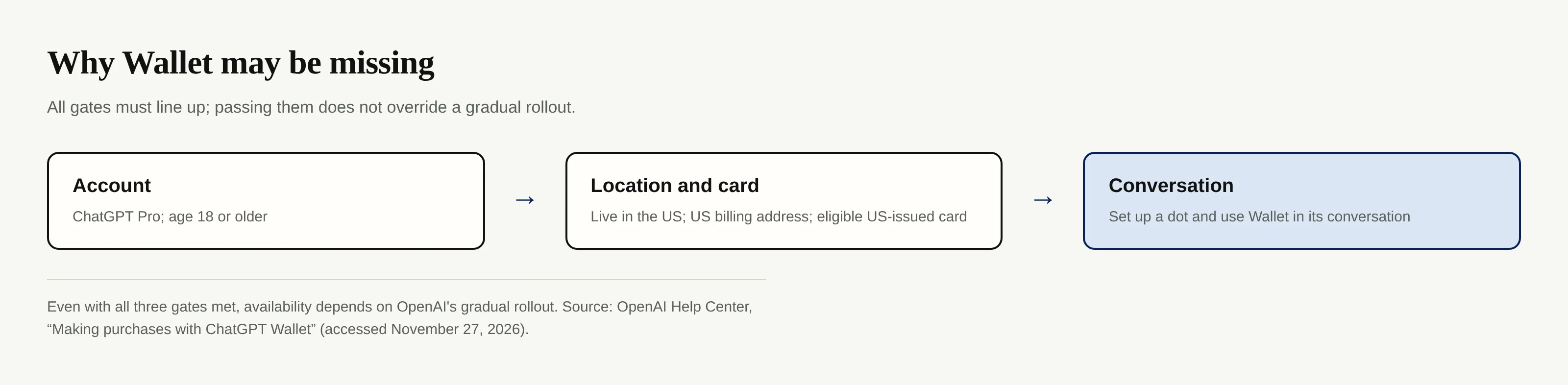
ChatGPT Wallet not available? In 2026, the likeliest explanations are a US-only gradual rollout, an ineligible account or card, or trying Wallet outside a dot conversation. OpenAI launched Wallet on November 13, 2026 for eligible US ChatGPT Pro subscribers aged 18 or older; eligibility still doesn't guarantee that your account has access today.
Key Takeaways:
- You need ChatGPT Pro, US residence, a US billing address, an eligible US-issued card, and a conversation with a dot.
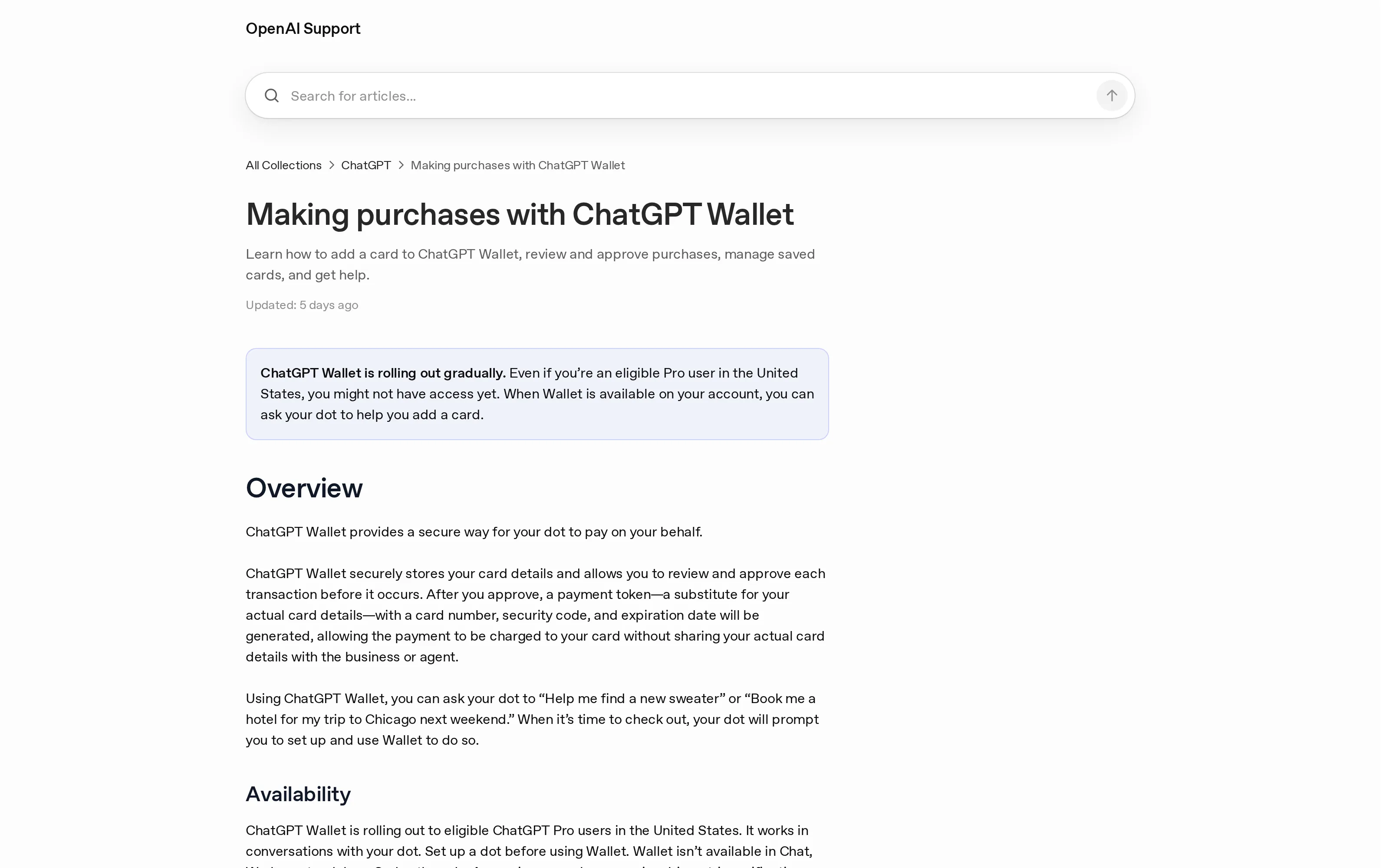
- Wallet is rolling out gradually. A qualifying account may still lack the feature.
- In the current purchase flow, save a card through a secure form, then review and approve each Wallet purchase with biometrics on a supported device.
- “Ready to check out” confirms your approval, not the store's order. Check the merchant's confirmation before you try again.
What ChatGPT Wallet actually does
Wallet lets your dot use a payment credential linked to your saved card when you ask it to complete a purchase. OpenAI's November release notes describe the sequence: add an eligible card, inspect the purchase details, authorize with a biometric check, and let the dot continue checkout. The substitute payment credential keeps your actual card details from the agent and merchant. Wallet is not a new bank balance, a universal payment method for every store, or permission for a dot to buy whatever it wants.
Think of a student comparing laptop bags before a Black Friday sale: the dot can help find one, but a recommendation isn't an order. The student must examine the seller, item, total, card, delivery details, and any recurring terms on the approval screen. OpenAI's Wallet terms say the merchant decides whether to accept and fulfill the order. The distinction matters most when a sale clock is running and a payment flow looks finished before the seller has accepted it.
Zentor has a different job. For a student, it can keep research notes and a decision checklist in a workspace memory and deliver organized work into Notion or Airtable; it isn't a replacement Wallet or a route around OpenAI's checkout rules.
Keep your shopping research in your own workspace
Use Zentor to organize product notes and decisions in the tools where you already work. Checkout stays with the merchant.
Start free trial →
ChatGPT Wallet not available outside the US?
As of November 27, 2026, OpenAI's purchase help page lists the United States, not a worldwide country list. You must live in the US, be at least 18, have ChatGPT Pro, and use an eligible US-issued card with a US billing address. American Express, Chase, Mastercard, and Visa appear in OpenAI's supported-card list; a network logo alone doesn't guarantee an individual card will pass. For an eligible Chase card, OpenAI says you must be the primary cardholder rather than an authorized user.
Why ChatGPT Wallet can be missing from your account
The first check is simply availability. OpenAI's Help Center screenshot states that the rollout is gradual and that even an eligible US Pro user might not have access yet. A missing Wallet entry isn't proof that your account is broken, and this article cannot see your account's rollout status.
Next, check the conversation. OpenAI says Wallet works in conversations with your dot; you need to set up a dot before using it. It is not available in ordinary Chat, Work, or standalone Codex threads. If you are in the wrong surface, moving your shopping request to a dot is more useful than repeatedly refreshing a general chat.
Finally, separate card eligibility from access. OpenAI does not support adding a virtual card at launch, even though Wallet itself generates a virtual payment number after approval. Some US-issued debit cards work, but Chase debit cards don't. If a bank verification step fails or the card remains unavailable, follow the error in the secure setup flow or ask the card issuer; don't send card details to a chat message. Those card limits come from OpenAI's purchase instructions.
How to add a card and approve a Wallet purchase
If Wallet is enabled, start a conversation with your dot and ask, “Help me add a card to Wallet.” OpenAI also documents a route through Settings → Wallet → Add Card on mobile. Either route should open a secure form. Enter the number, expiry date, and security code there, not in the dot conversation. Read the Wallet terms and privacy notice; complete any bank verification the setup requests, and wait until you see Card added. An existing card used to pay for your ChatGPT subscription isn't automatically your Wallet card.
When you want to buy, ask the dot to complete the purchase. The OpenAI Help Center flow asks you to review the merchant, items, total, selected card, and any shipping or recurring-payment terms. Select Approve and complete Face ID or Touch ID, or another supported biometric check. If your current device can't handle approval, OpenAI describes continuing on a supported device signed into the same account using a link or QR code. Saving the card and authorizing a transaction are distinct actions.
Black Friday: approval is not a store order
OpenAI says some websites may block agent purchases, and payment risk systems may decline or cancel legitimate transactions; its launch post calls out compatibility work with merchants and payment providers. You can pass every account and card check and still be unable to buy from a particular seller. If a limited-stock item matters, keep the merchant's ordinary checkout available rather than assuming an agent will get through.
The confusing moment arrives after you approve. OpenAI's help text says “Ready to check out” means your approval is complete, not that the merchant has placed the order. The Wallet terms likewise distinguish submission from merchant acceptance. Look for the seller's confirmation number or receipt. If the result is unclear, check the store's order history and contact it before paying again; an immediate retry can create confusion if the first purchase actually went through.
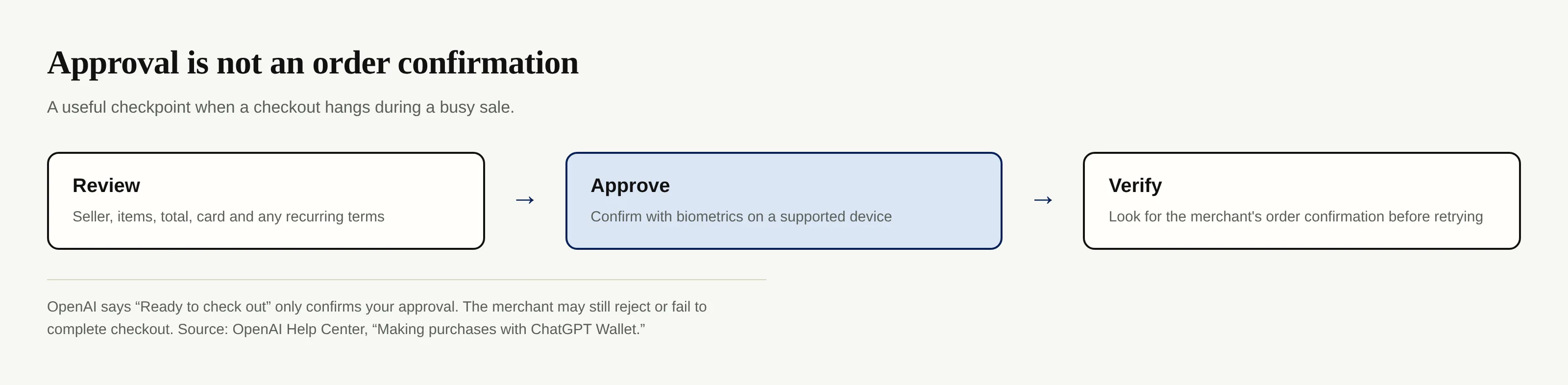
For a student ordering a textbook, the decision isn't whether the dot said “done.” It's whether the bookstore confirms an order for the right edition at the price shown on the approval screen. If a pending charge appears without an order confirmation, OpenAI advises checking with the merchant and asking the card issuer about the hold rather than treating a conversation error as the final result.
What to do when Wallet cannot finish checkout
If the seller accepts your order but you need a return or cancellation, contact the merchant under its policy. OpenAI's purchase guide is explicit: removing a card from Wallet does not cancel a purchase or a recurring charge. A saved card on a merchant website is also a separate route from Wallet; the dots safety FAQ describes purchases using merchant-stored cards, but that is not a workaround that turns on ChatGPT Wallet.
You can still use an assistant for the non-payment portion of the task. A solo seller checking holiday supplies could have Zentor organize product comparisons, vendor notes, and a reorder checklist in Airtable, then purchase directly from the supplier. Research can travel into your work tools, but order confirmation stays with you. See our guide to AI assistants with memory and memory versus chat history.
FAQ: ChatGPT Wallet availability and payments
Is ChatGPT Wallet available outside the United States?
OpenAI currently lists eligible US Pro users who live in the US, have a US billing address, and hold an eligible US-issued card. It hasn't supplied a date for other countries on its Wallet launch page.
ChatGPT Wallet not available after a Pro upgrade?
Pro alone is insufficient. Check your age, US residence, card and billing eligibility, your dot conversation, and the gradual rollout. Your own account may not have access yet even if you pass every published requirement.
Can I add my virtual card or Chase debit card?
OpenAI says virtual cards cannot be added at launch and Chase debit cards aren't supported. Wallet's virtual number used after approval is a different thing from a virtual card you try to add.
Does approving a Wallet payment mean my purchase went through?
No. OpenAI distinguishes your approval from the merchant's acceptance. Verify the seller's confirmation before ordering again; ask the merchant about order status and your issuer about a pending charge.
Can Zentor activate ChatGPT Wallet for me?
No. Zentor helps keep your own research and recurring work organized; it cannot change OpenAI's eligibility or rollout. Use the Zentor pricing page only if that separate workspace job is what you need.

Zentor Editorial Zentor editorial team
The Zentor editorial team writes about workflow automation, AI agents, and the tools we build. Default byline for industry overviews, listicles, and collaborative pieces.
Ready to put this into practice?
Zentor runs browser tasks, research, and schedules automatically. Try it free.