Best AI Executive Assistants for 2027

Compare the best AI executive assistant options for inbox, calendar, and client handoffs, with clear limits for solo operators planning for 2027.
The best AI executive assistant for a solo business moves a client commitment from an inbox or meeting into the next owned action. Lindy, Motion, and Fyxer AI start from different places: connected workflows, the calendar, and email. None should make client promises without you.
Mateo· built by the Zentor team
Personal inbox loose ends need a different assistant
Mateo checks your inbox and calendar, finds the trial, the refund and the form you forgot, and handles them. Works in any browser, anywhere.
Ask Mateo →
Free in early access
Key Takeaways:
- Choose Lindy when a repeat task crosses tools, but inspect permissions, credits, and approval settings.
- Choose Motion when work rarely gets protected time on your calendar. A scheduled block is not a completed deliverable.
- Choose Fyxer when email triage and reply drafts consume the day. Review client-facing drafts before sending.
I'm Vera, writing for Zentor. I checked vendor information on October 9, 2026. This is a 2027 planning guide, not a fresh three-product hands-on test. I mapped one fictional Friday handoff: two client emails, a meeting moved by 45 minutes, and a proposal due at 4 p.m. My question was where the next action would live, and who would notice if it was wrong.
Which AI executive assistant fits a solo business?
An AI executive assistant for freelancers earns its place when client work stops falling between systems. Lindy suits cross-app sequences. Motion suits defined work that rarely gets protected time. Fyxer suits an inbox where organizing and drafting are the bottleneck. These are conditional fits, not a ranking of model intelligence.
If your problem is deciding which commitments deserve attention, Zentor's AI chief of staff guide for solopreneurs distinguishes that role from task assistance. Virtual executive assistant tools should not quietly inherit authority over pricing or scope.
How do we compare inbox, calendar, and task handoffs?
I asked five questions of each candidate: What starts the work? What can it read? What can it change? Where is the result? What needs approval? A moved call might produce a calendar change, a draft, or a follow-up. Those are different outcomes.
While tracing the Friday handoff, I kept returning to the proposal. All three tools could make part of the day feel more organized, yet only one thing would satisfy the client: the right proposal, reviewed and delivered on time. That difference between a tidier interface and a finished obligation is the test behind this comparison.
| Option | Primary input | Typical output to inspect | Boundary in the Friday case |
|---|---|---|---|
| Lindy | Authorized messages and connected tools | Draft or configured workflow action | Confirm the account and approval gate before an external action |
| Motion | Tasks, deadlines, availability, calendar events | Rescheduled work block and task record | The proposal still needs its current brief and a human send |
| Fyxer AI | Connected inbox and, when enabled, meetings and calendar | Reply draft in Gmail or Outlook | The draft does not create an approved project record |
If you need the approved brief to remain usable across more than one AI tool, Zentor's user-owned workspace memory is a separate question from scheduling a block or drafting a reply. It is not evidence that the three assistants above can complete this handoff.
Public information establishes intended behavior, not success rates. I did not connect a client account or measure time saved. Run a low-risk handoff in your own account and compare the source, resulting task, and approval.
Lindy - multi-step assistant workflows
Lindy is a fit when one request crosses inbox, calendar, and another system. Its plans describe routines, connected tools, and approvals. Test whether it can identify the changed meeting, draft a response, and leave a proposal follow-up in the intended destination without mixing accounts.
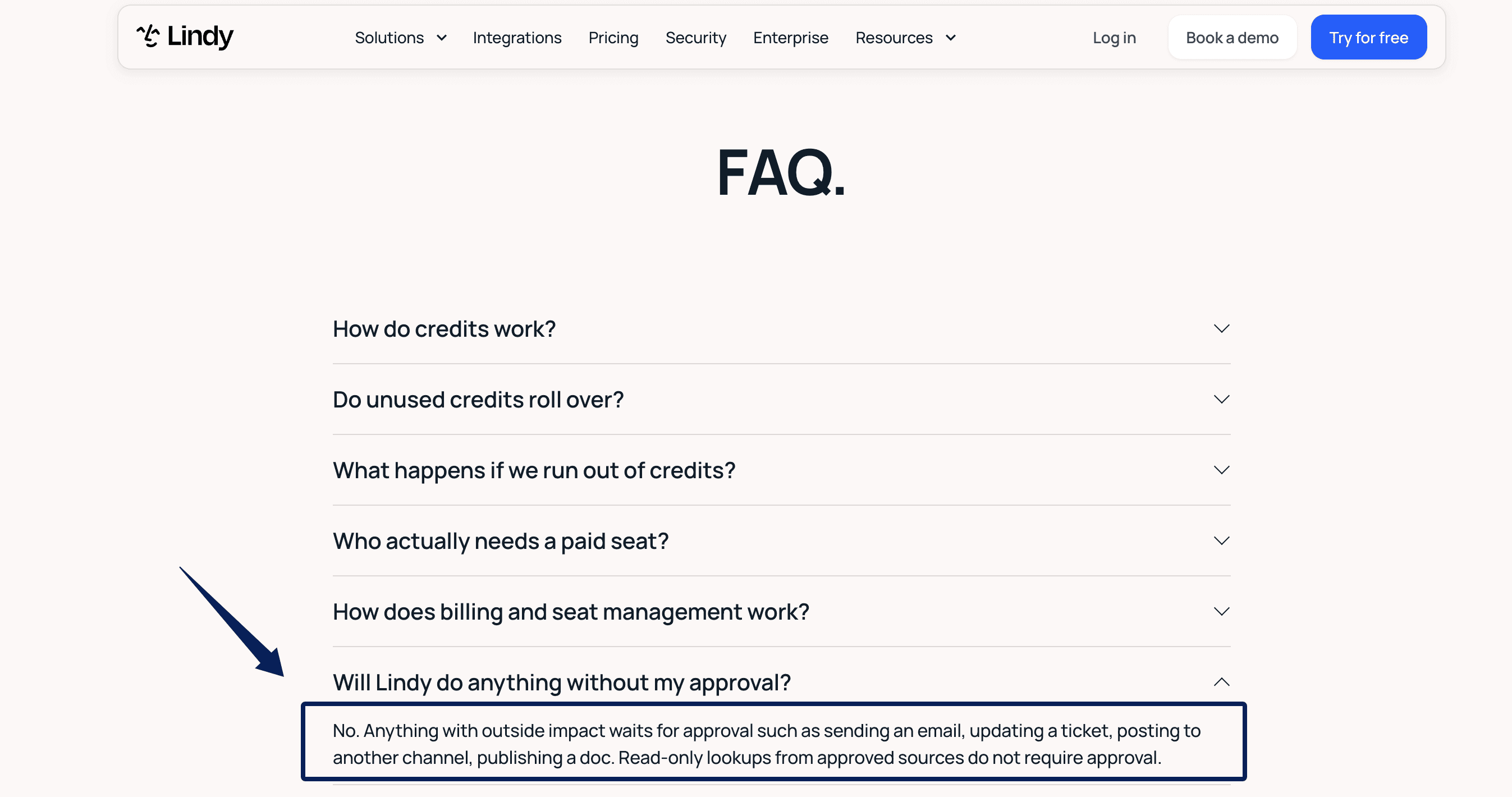
Lindy's public pricing FAQ says outside-impact actions wait for approval, including sending email or changing a ticket. But its integration guardrails also allow writes without asking and only apply in shared Slack threads, not web chat or DMs. Check the account, channel, and approval setting before allowing writes; a prompt cannot correct a client-calendar mix-up.
Where Lindy fits and where approval matters
I would start with a draft and internal task, not an automatic send. If a client writes "Thursday is better," I want the source thread, proposed time, destination calendar, and unsent reply visible. Ambiguity calls for a question, not a booked meeting.
I did run a narrower Lindy memory test in Slack on August 26, 2026. I changed a weekly brief's third section from "Risk note" to "Follow-up question." The edit worked in-thread, then a later prompt reverted until I stated it as a future rule. I connected no inbox or calendar, so that experience supports testing repeated instructions, not a claim about client-email accuracy.
As of October 9, 2026, Lindy's paid entry starts at $29.99 per active user monthly with 3,000 credits added to a shared pool. A multi-step task may use more credits than a draft; price the whole handoff.
Motion - calendar-led task planning
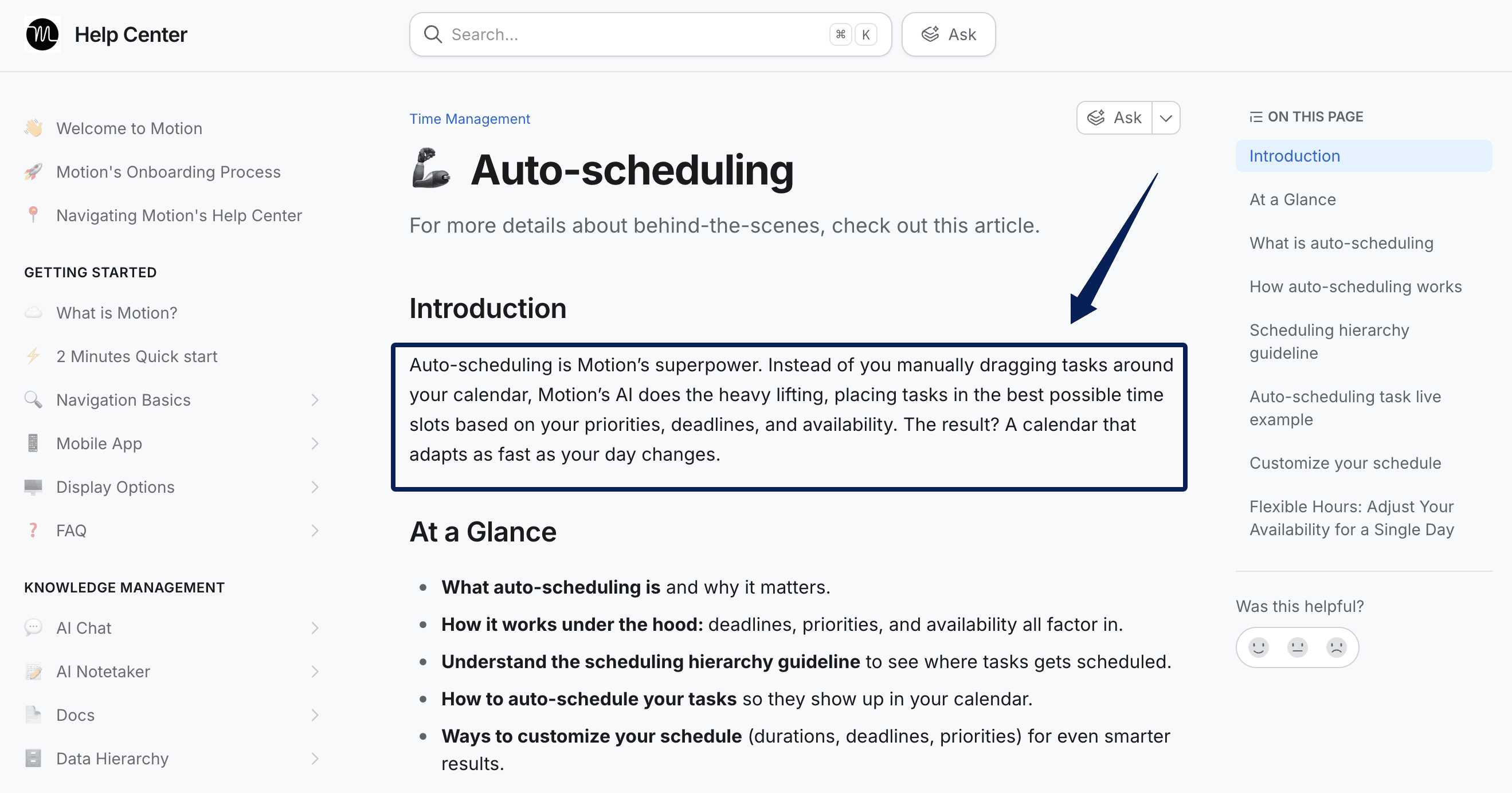
Motion starts with named work. Give a task a duration, priority, and deadline; its auto-scheduling system places it around events and recalculates when plans change. A moved meeting can shift proposal-writing time. That helps an overloaded week, not a missing client brief.
The inspectable output is a task and scheduled blocks, not a finished proposal. Motion has broader project features; "calendar-led" describes the buying reason here, not its full product range.
Where Motion fits and where context stops
One sync detail matters: Motion's calendar sync model treats events and tasks differently. Events can sync both ways; a Motion task displayed in Google or Outlook does not accept task edits back from that calendar. Dragging its block there is not editing the Motion task.
Correct duration, deadline, and status in Motion's task record. After rescheduling, check the meeting and proposal task; an open calendar slot says nothing about whether the deliverable is done.
For cost planning, Motion currently lists Individual Pro AI at $29 a month billed annually; the $19-per-seat annual rate is for Teams Pro AI, not a solo account. It lists 7,500 monthly credits per seat. Those credits are not directly comparable with Lindy's: check what your own tasks consume, and include the annual commitment in your pilot budget.
Fyxer AI - email-led assistance
Fyxer fits a day ruled by email. Connected to Gmail or Outlook, it categorizes mail, drafts replies, and supports follow-ups. Its email and calendar permissions allow calendar changes when instructed through Chat, but email replies remain drafts for the user to send. Meeting access depends on enabling the notetaker.
In the Friday case, Fyxer could surface the thread and draft a reply. A polished email does not mean the proposal task was updated.
Where Fyxer fits and where work leaves the inbox
The approval point is visible: Fyxer places drafts in Gmail or Outlook for review. If a reply promises "revised scope Monday," record Monday's deliverable in your task system before pressing Send. An AI inbox and calendar assistant is not automatically a project manager.
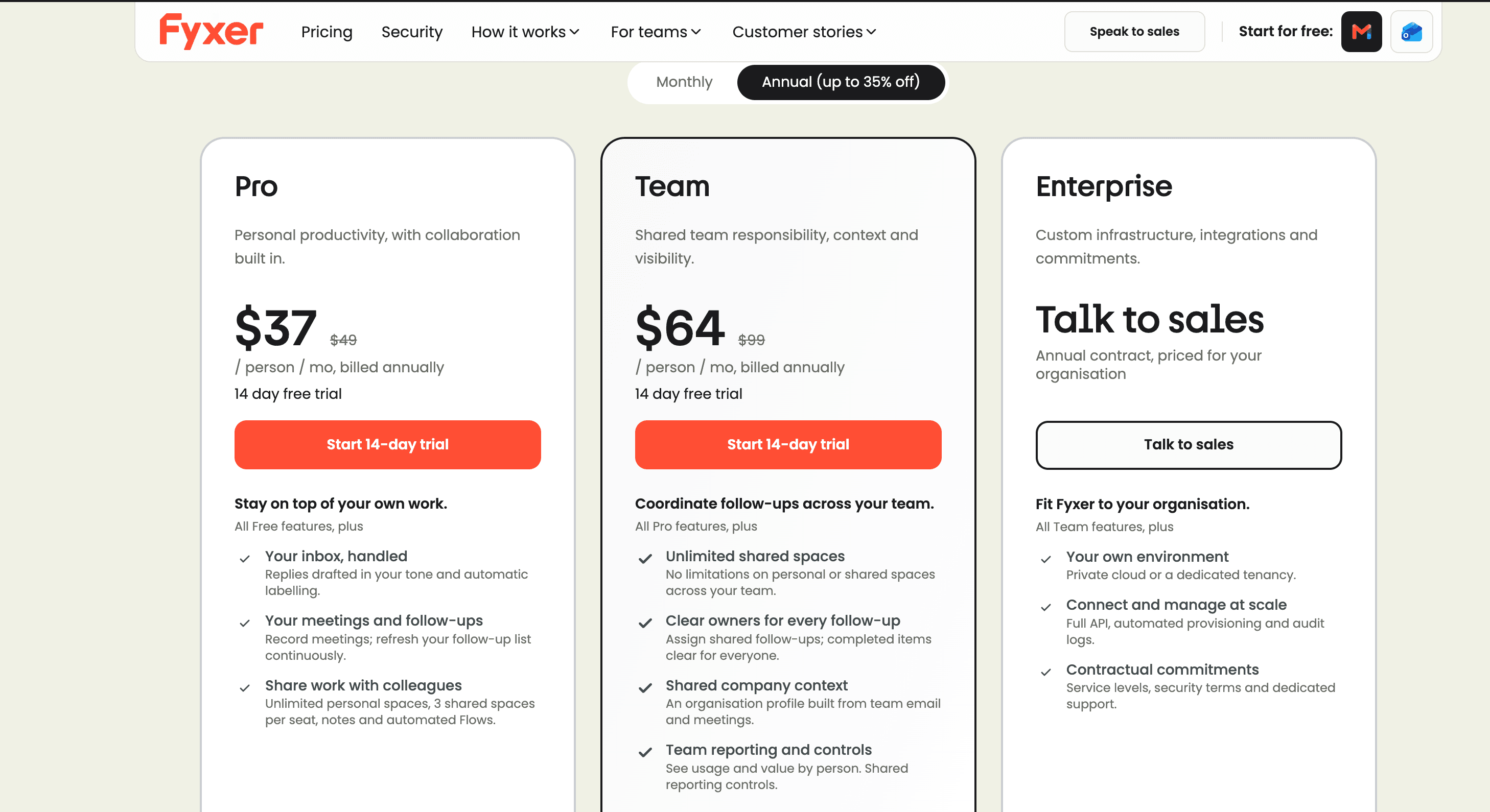
Fyxer's current Pro listing shows $37 per person monthly on annual billing. Compare billing terms, credits, and connected accounts before placing that beside Lindy's monthly price.
For personal inbox loose ends rather than client handoffs, Mateo is a separate option from the Zentor team: it checks connected email and calendar for things you've missed. It isn't a substitute for approving a client proposal.
There is also a data decision beyond price. Fyxer says its setting to use customer data to train its private AI models is on by default, though users can opt out. It says third-party AI providers cannot train their models on that data; opting out stops future training but cannot remove data already used in a trained model. I would settle that setting before connecting client correspondence, not after a month of drafts.
How should a freelancer choose an assistant?
Start with last month's missed handoff. If time was the bottleneck, trial Motion with real task durations. If email triage was, trial Fyxer on low-sensitivity threads. If an approved task must cross apps, trial Lindy with one read, one draft, and one approval gate before enabling writes. That is a better way to find the best AI executive assistant for your client work than counting features.
After the call moves, can you point to the calendar event, proposal task, source email, and approver? Count setup and correction time too. Saving ten minutes of typing while adding twenty minutes of checking is not a win.
If the approved brief lives in Notion, a separate workspace route such as Zentor's Notion connection for project context may matter more than another inbox feature. Check whether the context persists and whether the approved output lands where you work; this does not make Zentor a default winner.
Keep the approved brief available beyond one tool
Zentor keeps workspace context usable across AI tools. Try a small, reviewable task before connecting client work.
Get early access →
FAQ
Can Lindy use a shared inbox without a separate account?
Not necessarily. An alias or delegated mailbox may not be a separate connection. Lindy documents multiple connected accounts, but that does not establish your shared mailbox's authorization path. Test a harmless thread and draft with its owner before granting send access.
Does Motion keep a record of tasks moved after a client meeting changes?
Motion has an activity feed for task changes, including deadline, duration, priority, and status edits. That does not establish that every automatic block shift is individually logged. Preserve the meeting change and task update if the sequence matters.
Can Fyxer AI draft replies in a second language?
Yes, for many major languages. Fyxer's draft-language behavior follows the latest inbound message, not the thread's dominant language. An English forward on a Spanish thread may switch the draft to English. Check tone and regional terms before sending.
Can any of these assistants separate personal and client calendar access?
Partly, but not uniformly. Lindy supports multiple connected accounts; Motion manages connected calendars; Fyxer uses the calendar you authorize. These controls do not prove complete client isolation; verify which calendar each connected account can read and change. Where contracts demand separation, use distinct accounts and test visibility with harmless events.
What can a solo operator export if they stop using an assistant?
Exportability varies by product and data type. See Fyxer meeting downloads as an example of a specific export, not a promise of full portability. Keep original mail and calendars as records, then test exports for tasks, notes, workflow settings, and history before cancelling. Fyxer documents meeting recording, summary, and transcript downloads, but that doesn't establish a full export of task history or workflow settings across these tools. Save client commitments with dates, owners, and source links outside the assistant.
Best AI Executive Assistant: Choose the Handoff You Need
For 2027 planning, choose the tool that leaves work in the right place without hiding a changed promise: Lindy for configured cross-tool steps, Motion for protected time, or Fyxer for reviewable email drafts. Give each the same low-risk client handoff. Inspect what actually moved, and keep the relationship decision with its human owner.

Zentor Editorial Zentor editorial team
The Zentor editorial team writes about workflow automation, AI agents, and the tools we build. Default byline for industry overviews, listicles, and collaborative pieces.
Choosing between tools? Let Zentor run the work.
Always-on AI assistant on its own cloud computer. No switching required, no setup.