Manus Studio for Client Work: Files to Deliverables
Manus Studio can work with local files to shape documents and other deliverables. Map one client workflow, approvals, and export checks.
Manus Studio is Manus's desktop workspace for authorized local files and tools. For client work, the test is whether a brief and source folder become a verifiable deliverable.
Key takeaways
- Start with a defined deliverable and a small, approved source folder.
- Treat Studio's draft as a proposal, not a finished client file.
- Keep originals, record corrections, and check the exported copy before delivery.
I tested Manus Studio 2.0.2 on a Mac on October 2, 2026, using a free account and five synthetic files: a Word brief, Excel budget, two PDFs, and a PNG logo. I planted USD 4,600 in the brief and USD 4,800 in the workbook. Would Studio preserve the conflict or smooth it away? No client files were used.
Define the Client Deliverable
The task called for a findings memo and budget appendix. In client work, start from an approved brief and finish with a reviewed file in the agreed folder. Name the audience, due date, sources, format, and approver. A polished document with the wrong budget is unfinished work.
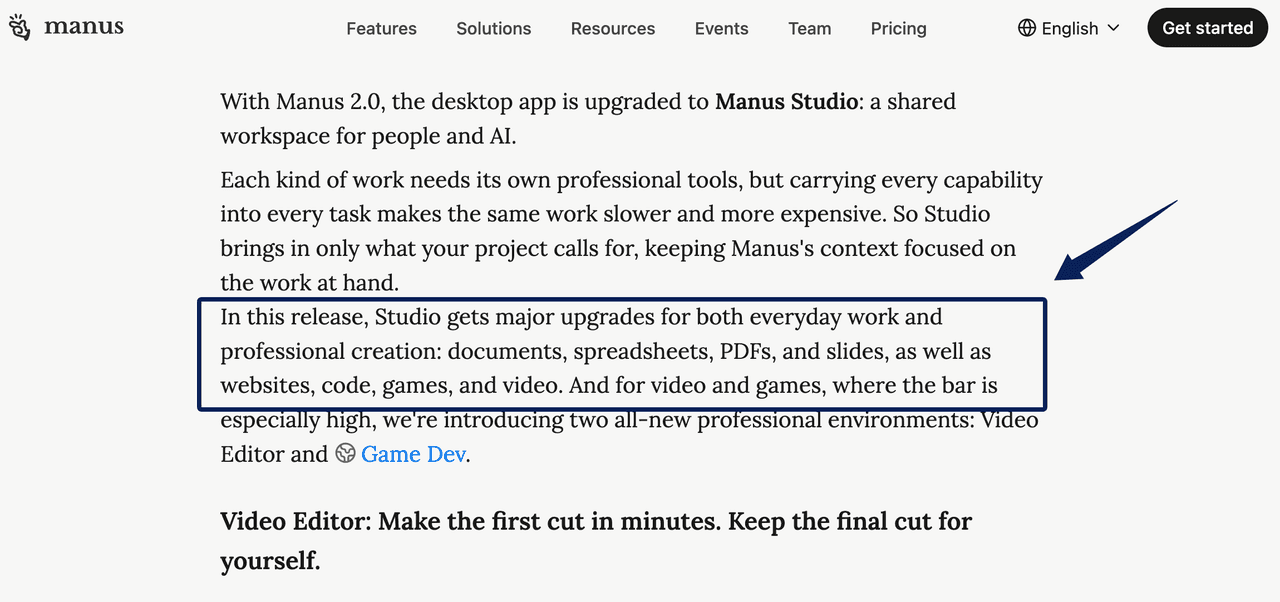
This is an AI document workflow, not full client management. The Manus 2.0 release added Studio support for documents, spreadsheets, PDFs, and slides, but it does not promise perfect import or export fidelity.
Gather Source Files and Approval Rules
I kept the five inputs in sources and gave Studio access only to the test folder, with a separate output directory. The task prohibited web browsing, sends, installations, and edits to originals. For client work, record the originals' checksums before the run and compare them afterward.
Studio can start from local files, folders, and tools. Authorize the relevant folder, not the whole drive. Require source notes and mark unsupported claims; for this test, outside research was disallowed.
Build the First Draft in Manus Studio
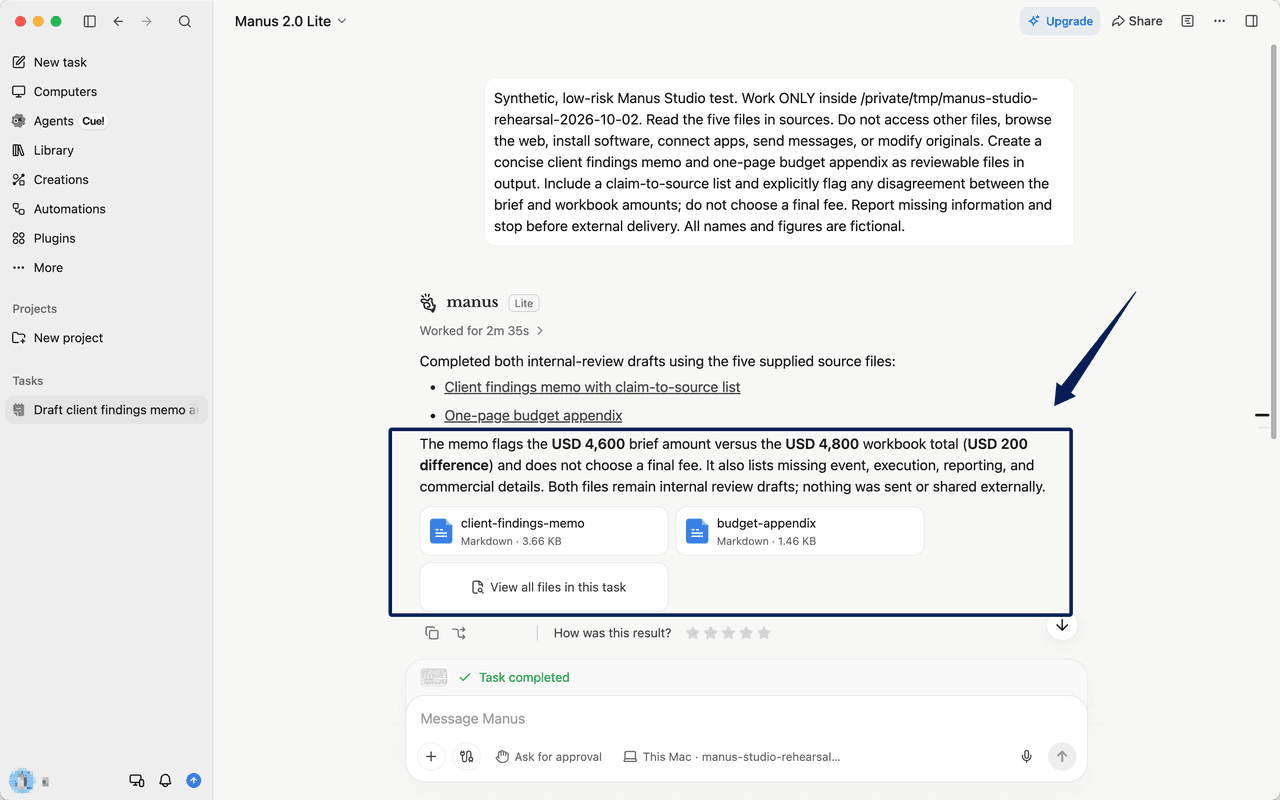
Ask Studio for a memo, appendix, source notes, and open questions. In this single run, Manus 2.0 Lite produced two Markdown drafts in 2 minutes 35 seconds. It flagged the USD 200 difference, preserved both amounts, and declined to choose the fee. Its claim-to-source list identified the brief, workbook cells, PDF pages, and logo. That made review faster; it did not settle the client's commercial decision.
Start From Documents, Spreadsheets, and PDFs
The brief supplied scope, the spreadsheet supplied calculations, and the PDFs supplied evidence. Studio also marked attendance, revenue, and conversion figures as unavailable instead of inventing them. One simple packet does not establish how protected PDFs, complex workbooks, or unusual fonts will behave.
Keep Supporting Assets With the Project
Keep originals, drafts, and the decision log together. A client who questions a changed figure needs its source and approval, not a reconstructed chat summary.
Review and Correct the Deliverable
Check Claims, Calculations, and Formatting
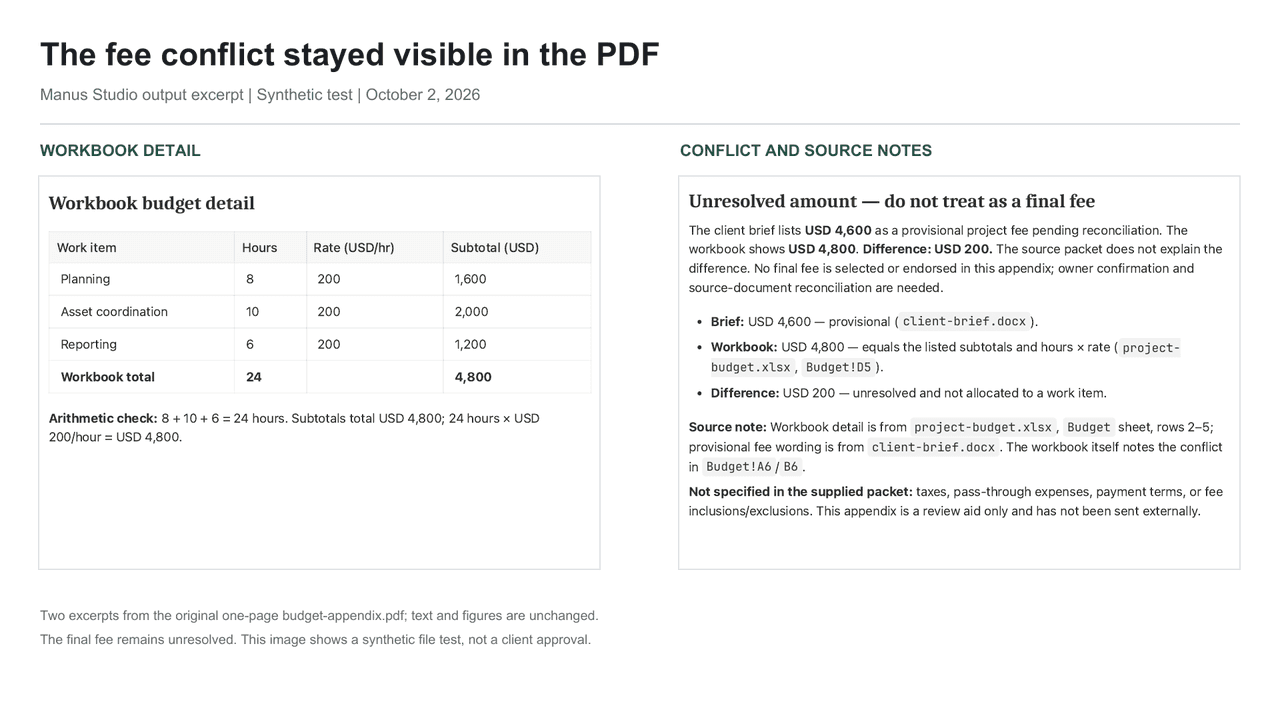
I checked the memo against the sources: the brief's USD 4,600, the workbook's USD 4,800, and the USD 200 gap were represented correctly. The appendix's 8, 10, and 6 hours added to 24; its line items added to USD 4,800. Manus describes approval options for terminal commands. Before using client files, check which actions your current settings actually pause. I did not test external sending, and command approval does not verify a document's content.
Record Client-Specific Changes
If the client replaces the budget, record the new file, changed figure, affected paragraphs, and approver; retain the earlier draft. For repeat clients, Zentor's AI workspace approach to retained context helps frame how approved preferences carry forward. It is separate from Manus and cannot validate current numbers.
Export and Hand Off
My first run produced Markdown, not a client-ready PDF or Word file. In a second prompt, Studio used existing local tools to make an editable DOCX memo and PDF appendix. I parsed both files, checked that each retained the disputed amounts, and visually inspected the one-page PDF. This was prompted conversion, not a verified one-click export or Word-template fidelity test. Manus describes PowerPoint and PDF presentation exports, but a client template still needs its own check. Keep a version manifest and approve recipient access before delivery; I did not test client-facing delivery.
Recover From Missing Files or Failed Edits
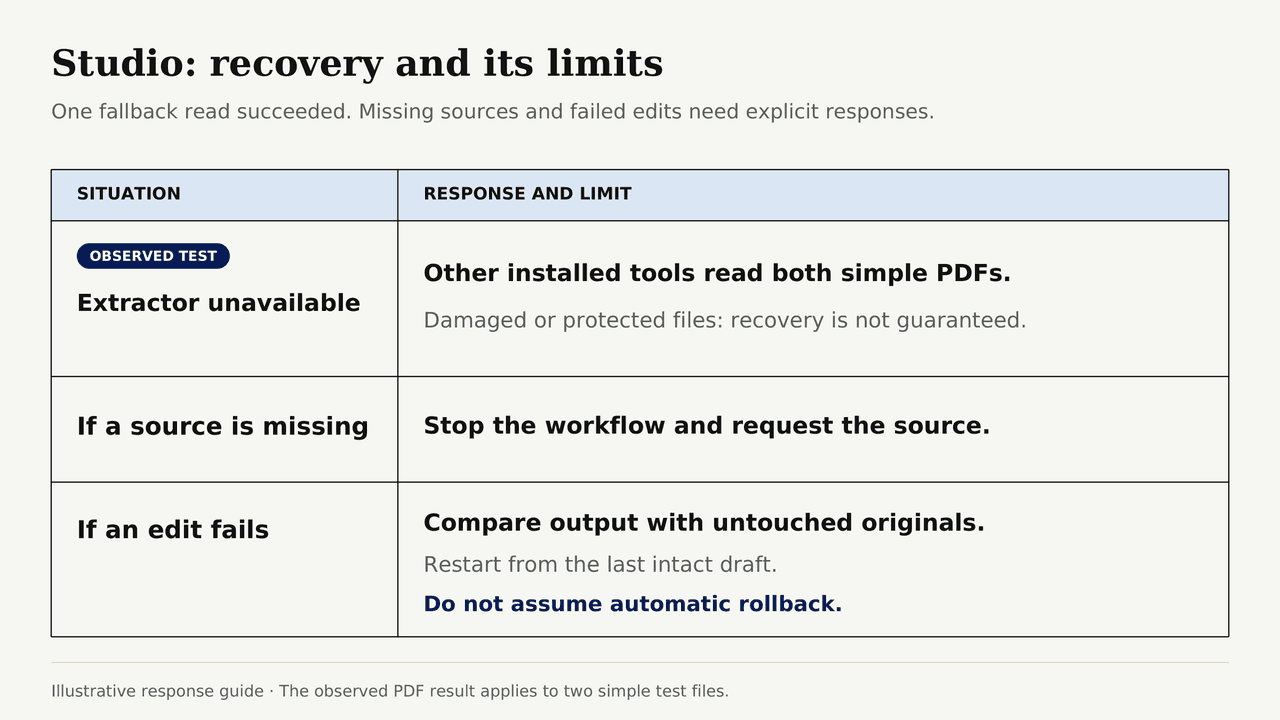
Studio reported that its usual PDF text extractor was unavailable. It tried other installed local tools and eventually read both simple PDFs. That recovery is useful, but no guarantee for damaged or protected files. If a source is missing, stop and request it. If an edit fails, compare output with untouched originals and restart from the last intact draft. Do not assume automatic rollback.
FAQ
Can Studio Open Password-Protected Client Files?
There is no blanket guarantee for protected formats. Request an authorized, accessible copy through the client's secure process; do not paste passwords into prompts.
Does Studio Keep Versions After a File Is Exported?
Do not assume version history. Keep dated source, reviewed, and sent copies in approved storage, with reviewer and export date recorded.
Can a Client Comment Without Installing Manus Studio?
That is not established as a general Studio capability. Send a reviewed copy through the client's existing document or PDF review channel, then bring approved comments back into the working project.
Can Studio Preserve Word Styles and Spreadsheet Formulas?
Not as a blanket promise. My test created a new DOCX; it did not preserve or evaluate an existing client template. Compare styles, formulas, totals, and layout in the target applications before relying on either format.
Where Does Studio Store Local-File Project History?
The public launch material does not give a complete Studio-specific storage map. Check the current app settings and account terms for your setup; keep your own approved source and delivery archive regardless.
Manus Studio for Client Work Needs a Verifiable Handoff
Manus Studio caught the planted fee conflict and produced reviewable files from five synthetic inputs. That is promising for draft assembly, not proof of client-ready reliability. The handoff still depends on a person resolving the USD 200 gap, checking the final formats, and deciding what may leave the project folder.

Zentor Workflows Lab Automation use cases & playbooks
We test automation patterns inside Zentor and publish what works (and what doesn't). Specific use-case breakdowns, workflow templates, and step-by-step playbooks.
This is exactly what Zentor does.
Try the workflow described here - your AI assistant is one chat away.