Client Report Template for Weekly Updates

Use a client report template for weekly progress, decisions, blockers, and next steps. Copy the editable worksheet and link every update to evidence.
Use this weekly client report template to summarize completed work, current progress, blockers, decisions, and next steps. Keep each statement tied to a deliverable or source. A client should be able to scan the update and see what changed, what needs their input, and what happens next.
Atlassian's project-status template also organizes recurring updates around project health and progress. The client report template below adapts that familiar reporting purpose to a concise service-delivery update. Atlassian project-status template.
Key Takeaways:
- Start from the previous report so existing promises do not disappear between updates.
- Distinguish work delivered for review from work the client has accepted.
- Make decisions and blockers explicit, including their effect on the next step.
- Preserve sources in the working draft and verify access before sharing the client-facing version.
The template below is editable in place. Copy it into email, a document, or a Notion page. No Zentor account is required to use it.
Copy the weekly client report template
Subject: [Project] weekly update, [date range]
Status: [On track / At risk / Blocked]
Summary: [One sentence on progress and its effect.]
Completed
- [Deliverable]: [Accepted / Awaiting approval]: [Evidence link]
In progress
- [Deliverable]: [Current state]: [Owner]: [Target date]
Decisions needed
- [Decision]: [Decision maker]: [Needed by]: [Impact if delayed]
Risks and blockers
- [Issue]: [Impact]: [Next action and owner]
Next week
- [Deliverable]: [Owner]: [Target date]
Changes since last report
- [Changed commitment]: [Reason]: [Approval status]
Remove sections that have nothing useful to report, or write “None this week” when the absence of blockers or decisions matters. Replace every placeholder before sending.
Filled example: a website project update
This is a constructed worksheet example, not a customer case study:
Subject: TEST website project - weekly update - September 7–11
Status: At risk. Homepage copy is ready for review; the build schedule depends on the client's image selection.
Completed: Revised homepage copy delivered for review. Approval is pending. Evidence: link to the draft document.
In progress: Designer preparing the mobile layout. Target: September 15, subject to image selection.
Decision needed: Client to choose the final hero image by September 14. A later decision may move the mobile-layout delivery date.
Risk: The image selection remains open. Project owner will send a shortlist on September 11.
Next week: Complete the mobile layout after the image decision; confirm the build start date with the client.
Change: The second landing page remains outside the agreed scope. No additional work is confirmed.
The report separates delivery from acceptance, and a target date from a guaranteed commitment. Those distinctions make the update useful when someone reads it again next week.
Notice that the summary names the dependency affecting the next deliverable. It does not merely say the project is busy or that the team made good progress. The client can see the specific decision needed to move the work forward.
Also notice what the example leaves out: internal debate about image options, every revision to the copy, and a percentage-complete estimate without a defined calculation. Those details may exist in the project record, but they do not all belong in the weekly message.
When adapting the example, replace the test dates with the actual reporting period and agreed targets. Do not reuse an example deadline because it makes the update look complete. The report should describe the work you can support with evidence.
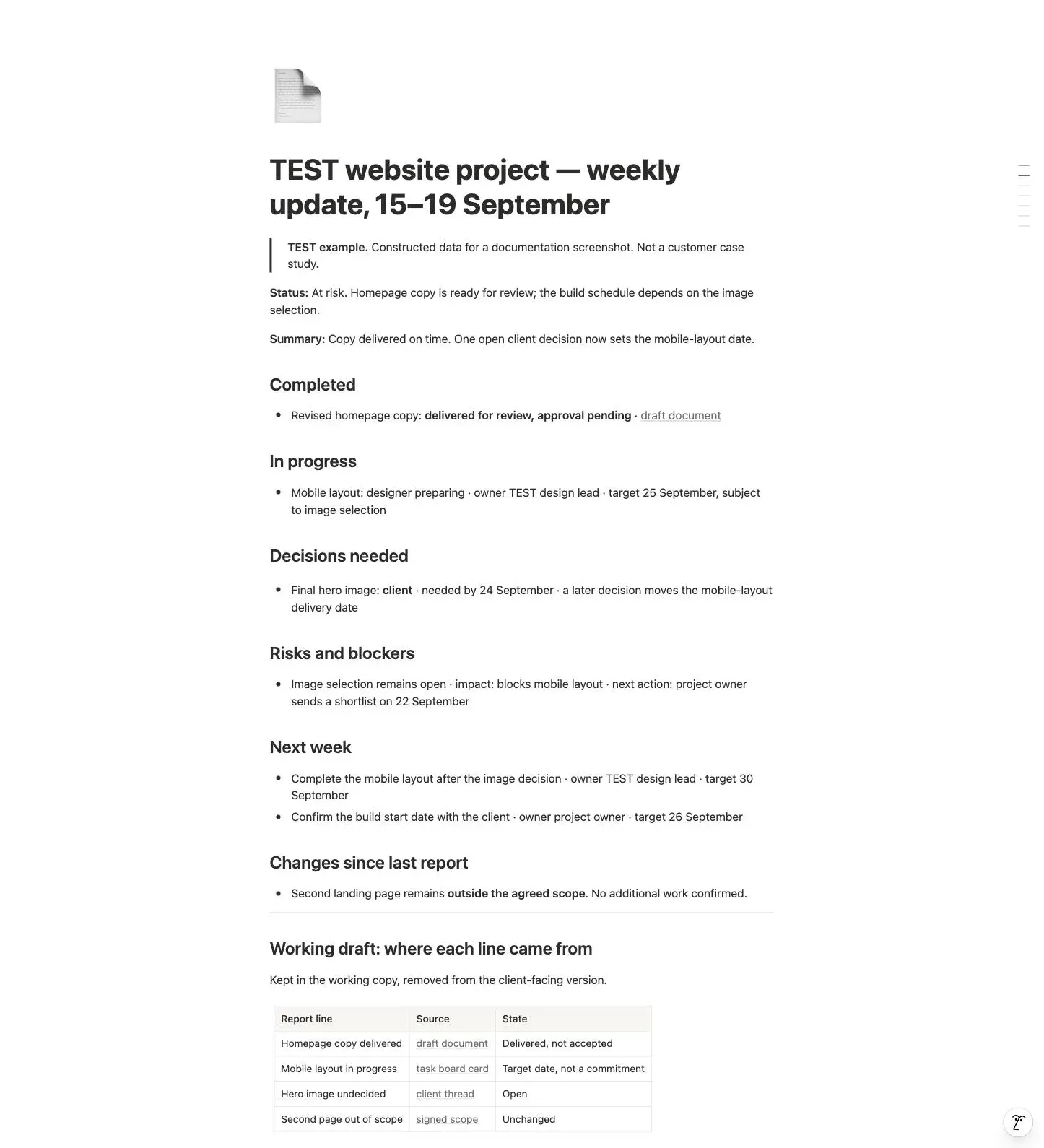
A constructed TEST example, labelled as such. Delivered is kept separate from accepted, and the working-draft table records where each line came from.
How to prepare a client weekly report from scattered notes
Start with last week's report. Check each open commitment against the current task board, relevant email threads, and meeting notes. Mark what is complete, what moved, and what still needs a decision.
Then write the summary from those changes. Avoid starting with a fresh summary of every message: a long conversation may contain less useful progress than one approved deliverable.
For each claim, keep a source link in your working draft. Before sharing, make sure the client can access links intended for them. Replace private internal references with an appropriate client-facing document when needed.
Make a quick comparison list before writing prose: previous commitment, current evidence, present state, and explanation of change. This prevents a new summary from silently dropping a promised deliverable that is now inconvenient to discuss.
For a blocked item, distinguish the missing input from its consequence. “Waiting for feedback” identifies a condition but not its effect. Add which deliverable depends on that feedback and what decision you need now. Avoid assigning blame when the record only establishes that an input remains unresolved.
Teamwork.com's reporting guidance emphasizes timely, decision-relevant reporting for client work. Apply that principle by preparing the update while the client can still act on the open decision, rather than waiting until the missed deadline is only history. Client-reporting practices.
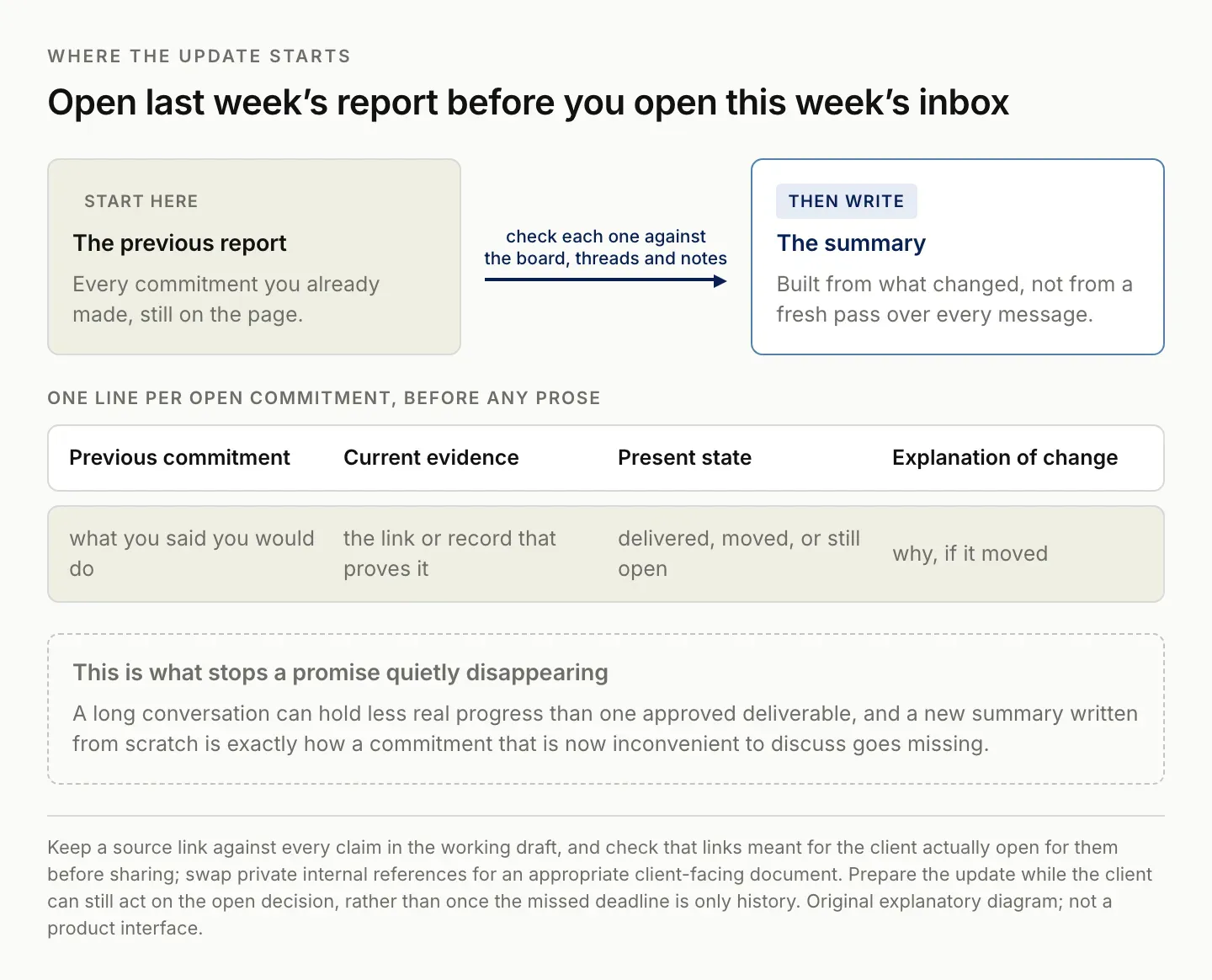
Starting from a blank summary is exactly how a commitment that is now awkward to discuss goes missing.
Use this prompt for a draft weekly client update
Draft a weekly client update using only the supplied sources and the
report format below. Compare with the previous report. Separate delivered
work from accepted work. Do not invent progress percentages, approvals,
results, dates, or owners. Flag conflicting statements and missing details.
For each factual bullet, include its source in the working draft.
Do not send the report.

Reporting period: [dates]
Previous report: [paste]
Current sources: [paste relevant excerpts with source labels]
Format: Completed; In progress; Decisions; Risks; Next week; Changes.
Review the result against the source material, especially postponed dates and claims of completion. Remove internal source labels from the final message only after you have checked them and retained the evidence in your working record.
If the sources disagree, ask the draft to expose the conflict. A task board may show Complete while an email asks for another revision. The correct report might be “Draft delivered; revision requested,” rather than choosing whichever source was easiest to summarize. Zentor's follow-up email generator covers the drafting step once the record is current.
Keep the assistant's suggested wording separate from the underlying facts during review. You can improve the tone without changing the commitment. A more confident sentence is not automatically a more accurate one.
If you use generated charts, compare their labels and values against the verified table. A correct source spreadsheet does not guarantee a correct visual. Include the reporting period and units wherever a number would otherwise be ambiguous.
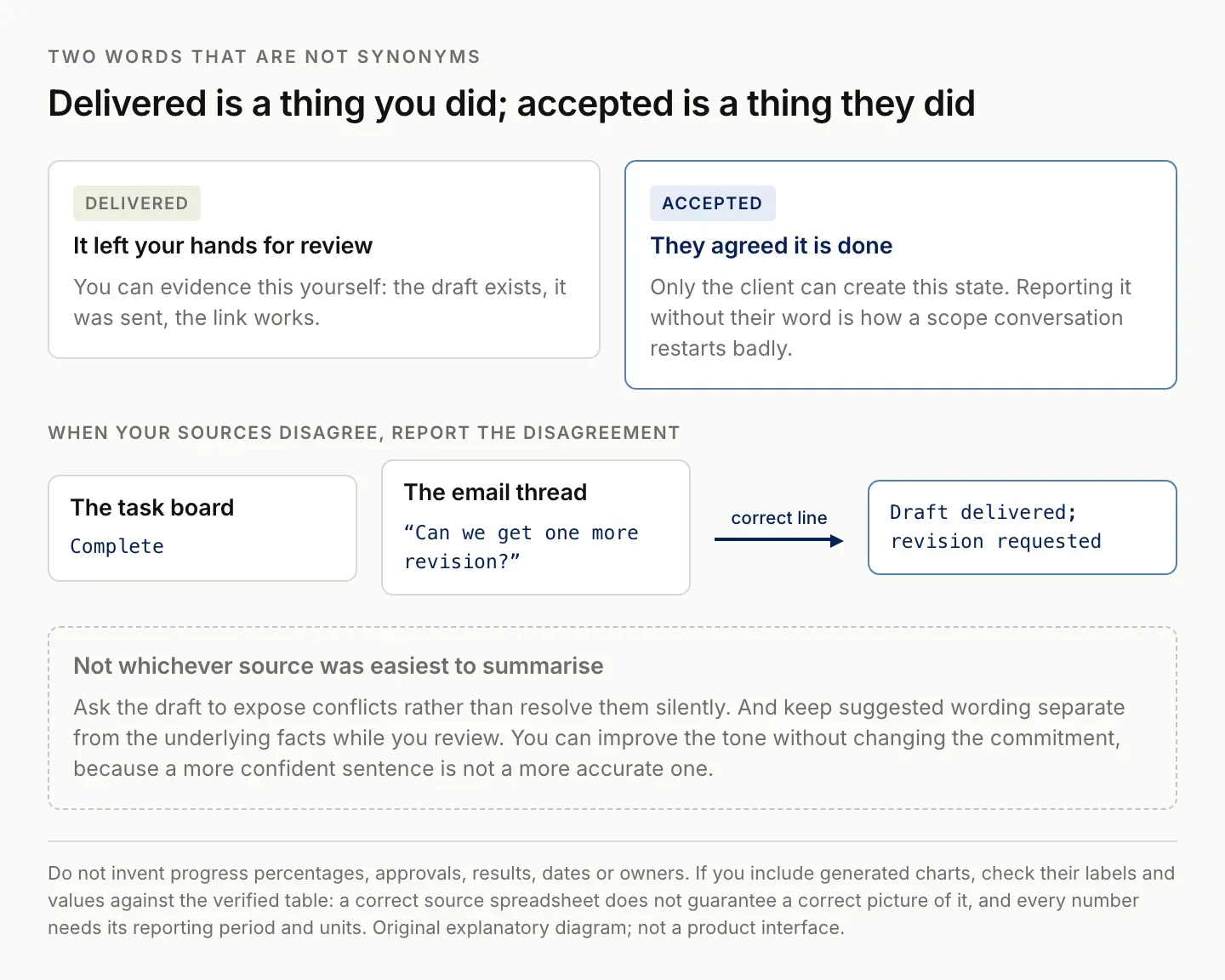
Only the client can create the accepted state. Reporting it without their word restarts a scope conversation badly.
Adjust the template to the work you deliver
For a design project, focus on deliverables, feedback, and approvals. For ongoing operations, focus on completed tasks, exceptions, and unresolved requests. For a marketing engagement, add metrics only when the reporting period, source, and comparison are available.
Keep the same section order each week so changes are easy to find. Add a metrics table when it helps a client make a decision, not just to make the report look fuller.
A weekly status report for internal teammates may include implementation detail. A client report usually benefits more from the effect on scope, timing, and required decisions. Choose the detail based on the reader's responsibility.
For a retainer, report the agreed categories of work and notable exceptions. For a fixed project, tie progress to deliverables and approvals. For advisory work, distinguish recommendations delivered from decisions the client has implemented. These variations preserve the same structure while changing the evidence that belongs in it.
If metrics matter, define each one before comparing periods. A count of leads, qualified leads, and sales conversations describes different stages. Keep the source, date range, and any changed definition visible so the comparison is interpretable.
Project-status guidance from Asana provides another established model for explaining overall state, accomplishments, and upcoming work. Use these structures as aids to communication rather than a reason to add sections with no useful content. Asana project-status guidance.
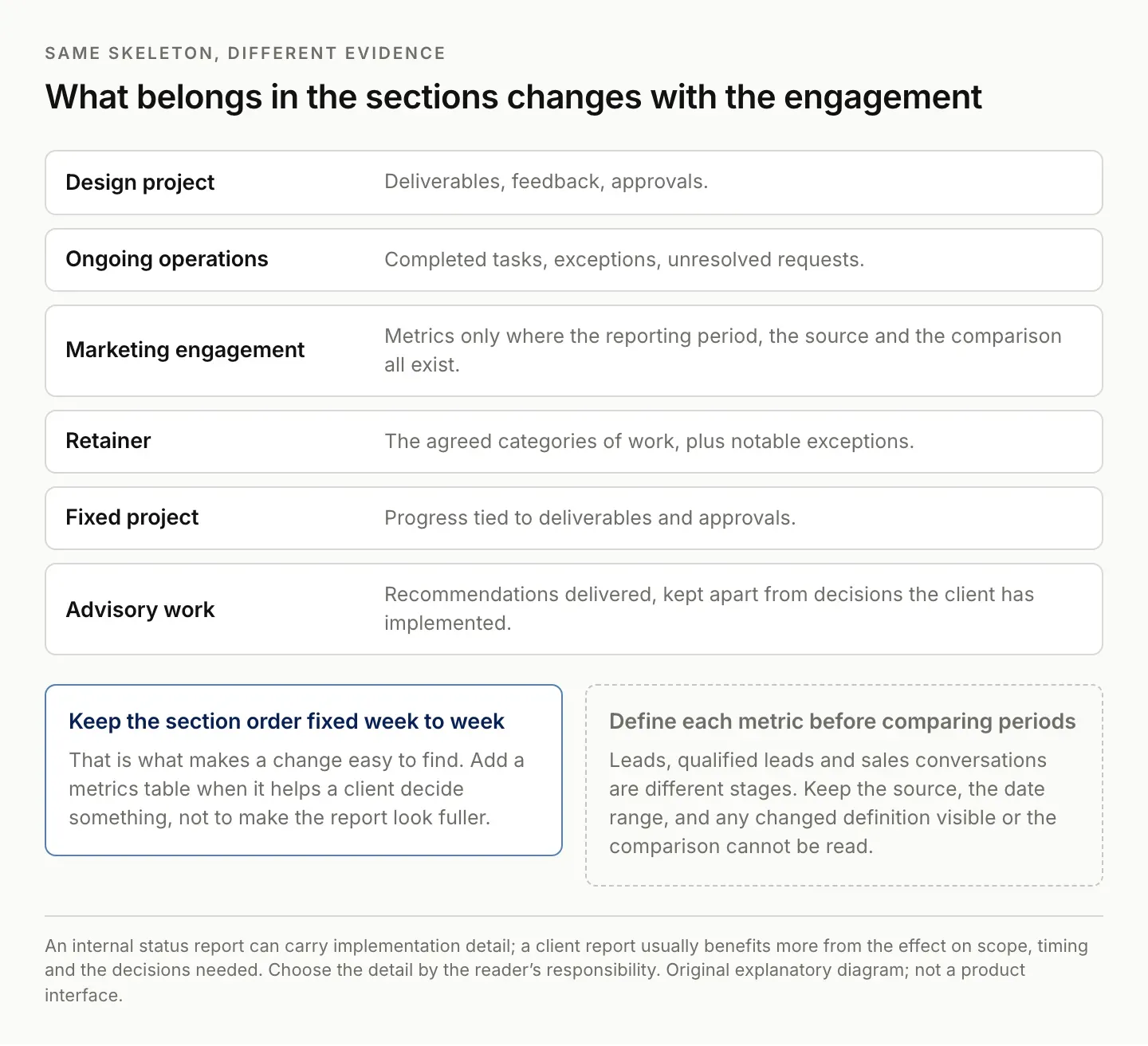
Keep the section order fixed week to week. That is what makes a change easy to find.
Check the report before sending
Confirm the date range and recipients. Check that “complete” means what you intend: delivered, approved, or deployed. Verify every deadline against the current agreement. Make the next client decision explicit, with its consequence if delayed.
Finally, compare the next-week section with the previous report. Explain changes instead of silently replacing a commitment. Save the sent version where you can find it when preparing the next update.
Check the sharing settings of linked documents. Google Drive allows specific people to receive different access levels; select the intended audience and access rather than assuming anyone with the report can open every attachment. Google Drive sharing guidance. Zentor's Gmail integration page lists what a connected mail account currently exposes.
Read the report as a client who has not followed the internal conversation. Replace unexplained abbreviations and references such as “the usual issue.” Identify the deliverable and decision in plain language. The client should not need to ask what the status means before they can respond.
Keep the final send as a distinct action. A generated or reviewed draft should remain labeled Draft until it is actually shared through the intended channel. This matters if you use the report itself as evidence that a client was informed.
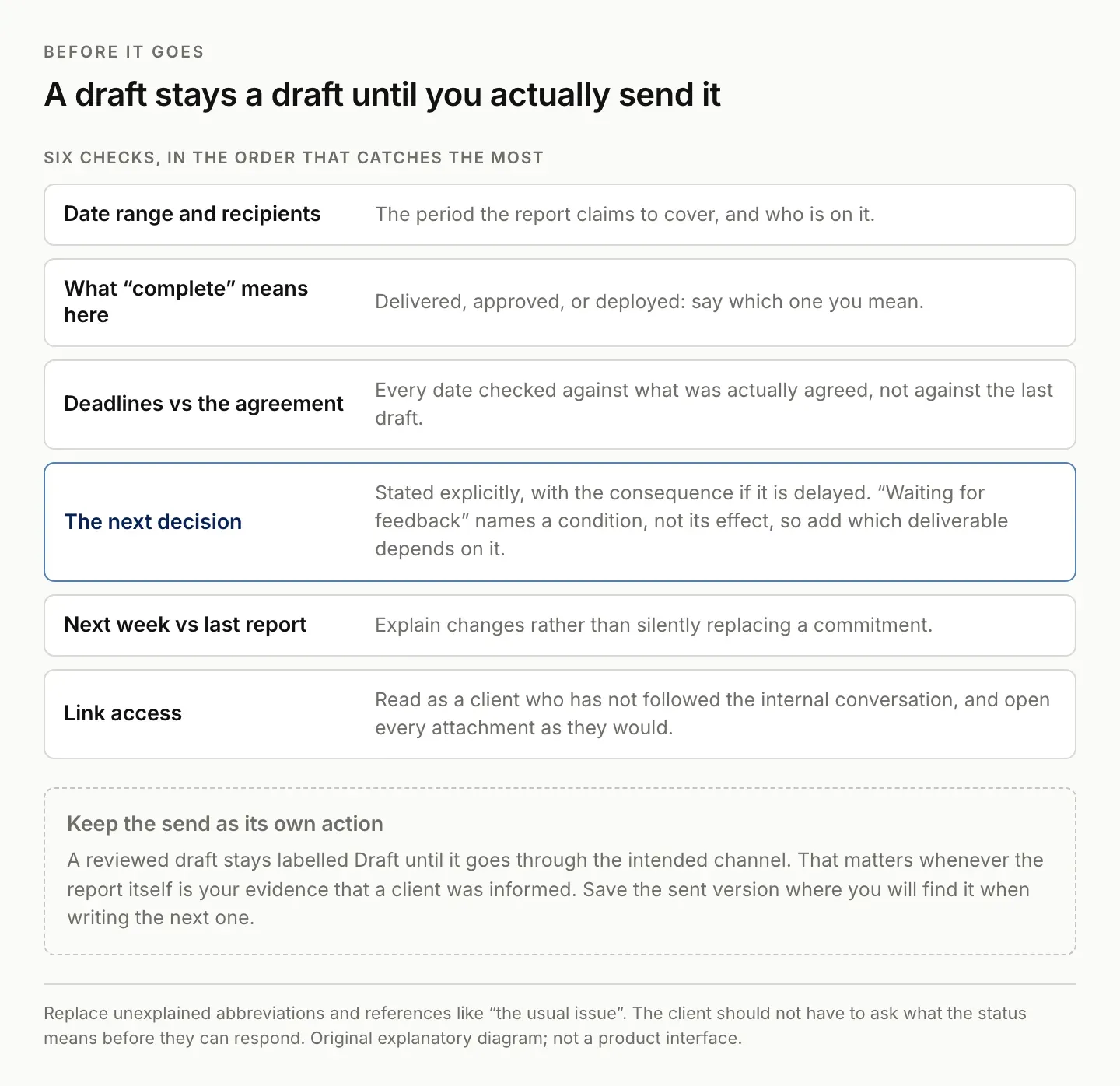
A reviewed draft stays a draft until it goes through the intended channel.
Where Zentor fits
The recurring task is carrying forward prior commitments and combining current evidence into an update. That is aligned with Zentor's workspace-memory positioning. This template works independently; it does not establish that Zentor currently gathers every source or sends reports automatically.
A useful evaluation brief is: “Compare this week's approved sources with the previous client report. Prepare the next update using this template, preserve evidence for every changed commitment, and flag missing approvals. Save a draft for review.” This defines a concrete deliverable and a clear stopping point.
Zentor is in early access. Confirm the available connections and inspect the saved result before relying on scheduled preparation. Explore Zentor with one client's reporting routine and a representative set of sources.
Native reporting tools may already meet your needs. Teamwork.com's reporting overview, for example, describes built-in and custom reporting with scheduled sharing depending on plan. Evaluate what your current system already provides before adding another layer. Teamwork.com reporting overview.
The useful comparison is the effort required to produce an accurate update from your actual sources. If the work is already centralized and the native report answers the client's questions, keep it. If the repeated effort is reconstructing context across messages, documents, and previous promises, use that specific burden as the evaluation task.
FAQ: using the weekly client report template
How long should a weekly client report be?
Use the shortest update that covers progress, open decisions, risks, and next steps. Link to detailed deliverables rather than reproducing them inside the report.
What if little changed this week?
Say what remains unchanged and why. Include the next expected event or decision. Do not invent progress to fill the template.
Can I reuse this client report template?
Yes. Keep a blank copy and save each completed report separately, so the next update can be compared with what you previously communicated.
Should the report include a percentage complete?
Only if you can say how it is calculated. An undefined percentage invites the client to treat it as a schedule commitment. Deliverables with an accepted or awaiting-approval state carry the same information and survive scrutiny.

Zentor Editorial Zentor editorial team
The Zentor editorial team writes about workflow automation, AI agents, and the tools we build. Default byline for industry overviews, listicles, and collaborative pieces.
This is exactly what Zentor does.
Try the workflow described here - your AI assistant is one chat away.