4 Ecommerce Automation Software Options for Small Stores

Compare four ecommerce automation software options for small stores by store fit, handoff control, exceptions, maintenance, and total setup effort.
Ecommerce automation software connects store events to actions in Shopify and other business apps. For a small store, the choice comes down to where the work happens: inside Shopify, across a short chain of apps, or through several decisions that need different outcomes.
Key Takeaways:
- Start with Shopify Flow for rules centered on one Shopify store.
- Choose MESA when a person's approval is a regular part of an ecommerce workflow.
- Use Zapier for a straightforward cross-app handoff; consider Make when the work needs several conditional routes.
- Include approval access, retries, and setup effort in the decision, alongside the subscription.
Here's the scene I picture when I think about store automation. I'm at the packing table ten minutes before the carrier pickup. A paid order pops up in Google Sheets, and the review column is blank. I've already pulled the item off the shelf. Now I'm holding it in one hand and scrolling through messages with the other, trying to figure out who can clear the order. Right then, I'd want two things on that row: a clear "Hold" and the name of the person who can tell me when it's okay to ship.
What Store Workflow Should the Software Own?
A useful starting task is sending a paid Shopify order to a Google Sheets operations queue. In this example, the row carries the store ID, order ID, and review status so a person can decide what happens next. It gives the four tools a common job to compare without requiring a full store redesign.
The payment state matters. An order can exist before payment is complete, so "new order" and "paid order" are different starting points. The destination matters too: a row intended for review should not automatically release fulfillment or send a customer message.
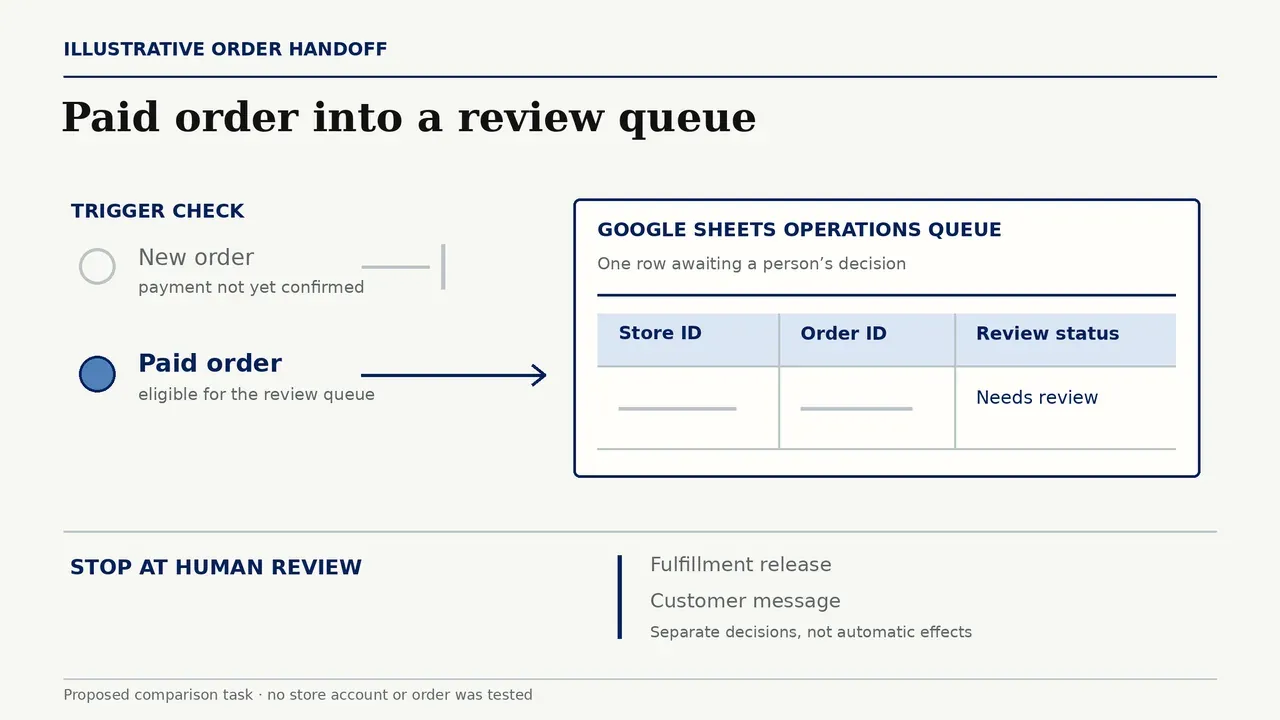
The ecommerce automation workflow blueprint explains how to define that sequence. For ecommerce automation software selection, focus on the part you want to hand over. A store rule, an approval request, and a route through several apps place different demands on the tool.
Keep customer replies ready for your review
Keep the order queue in your store workflow. Zentor reads Gmail threads and drafts replies you confirm before sending.
Start free trial →
How the Four Options Were Screened
This comparison uses product documentation, with the paid-order queue as an illustrative task rather than a hands-on benchmark. Each option is assessed on the same five dimensions: store event, destination, human approval, recovery, and ongoing upkeep.
Exact store app integrations, field access, and plan entitlements need confirmation in the merchant's account. These are the final setup checks after choosing a tool for the job.
1. Shopify Flow for Store-Native Rules
For one Shopify storefront, start with Flow. It runs on Basic, Grow, Advanced, and Plus, although some actions are restricted by plan. Its Order paid event, conditions, and store actions make it a natural place for rules whose logic belongs with the order. A Google Sheets connector extends that rule to an operations queue by adding a row. The Sheets account needs edit access to the destination spreadsheet.
That is enough for a merchant who wants paid orders collected for review while the rest of the process stays in Shopify. The store event and the rule remain close together, and there is no need to introduce a separate cross-app workflow merely to make a store-side decision.
Flow becomes a less direct choice when the central requirement is an approval inbox shared with people working outside Shopify. Its Wait action delays a run; it does not record a person's approval. In that situation, MESA's dedicated approval step deserves a look before adding more app actions around Flow.
2. MESA for Ecommerce-Focused Workflows
MESA is a strong candidate when orders routinely wait for someone to review them. Its Approval action pauses the workflow for a decision. Include the store, order ID, and reason in the request so the reviewer has the context to act.
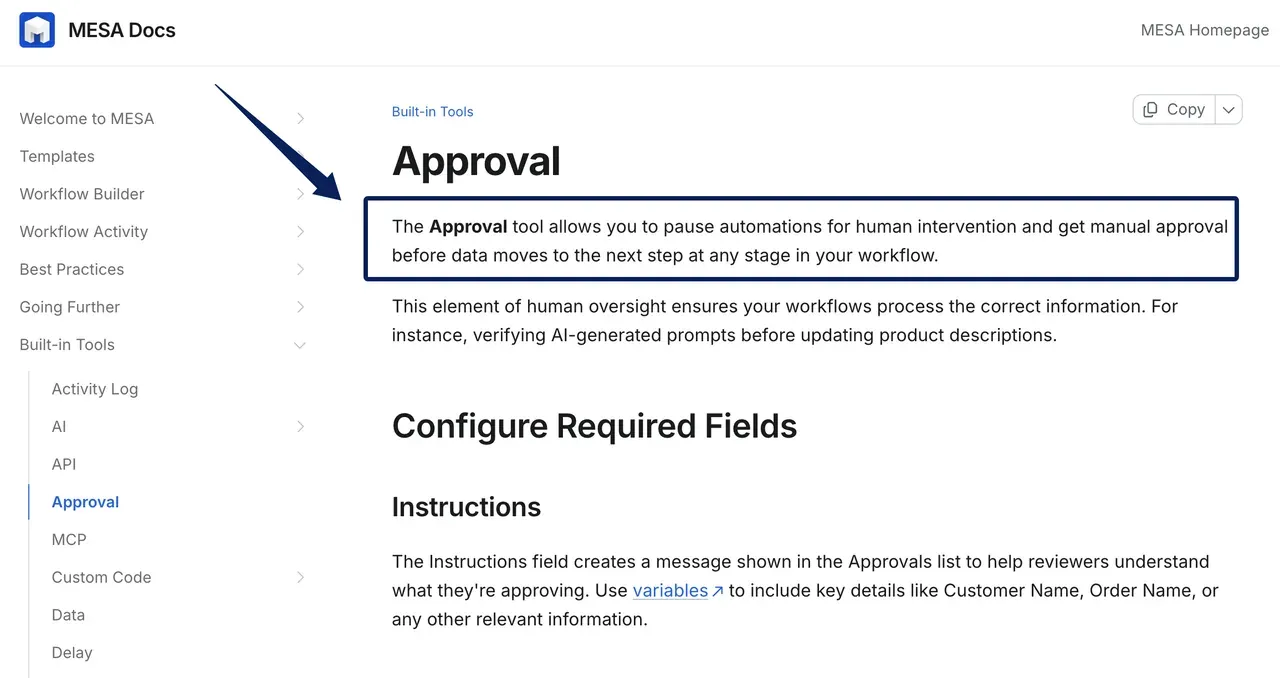
The placement of that step changes the daily experience. Writing the sheet row first makes the sheet a pending-work queue. Writing it after approval makes it a record of cleared work, with pending requests handled in MESA. Choose the arrangement that matches where the team actually reviews orders.
The important complication for this example is Sheets retry behavior. MESA's Google Sheets step defaults to automatically replaying a failed step, with up to five attempts in total. An uncertain response after a successful append could therefore produce another row. Use a write path that enforces one row per store/order/event key, or change failed-step handling so uncertain writes go to review. Merely placing the key in a new row does not prevent duplication.
Choose MESA when approval is part of the regular job and its ecommerce workflow controls replace a manual handoff. Its activity view and replay support help with recovery; the Sheets append behavior needs a deliberate setup choice.
3. Zapier for Simple Cross-App Handoffs
Zapier suits a store whose next step is in another app: a paid order becomes a spreadsheet row, then the team works from that queue. Shopify is a premium app requiring a paid Zapier plan, and its New Paid Order trigger supplies the payment event for this route.
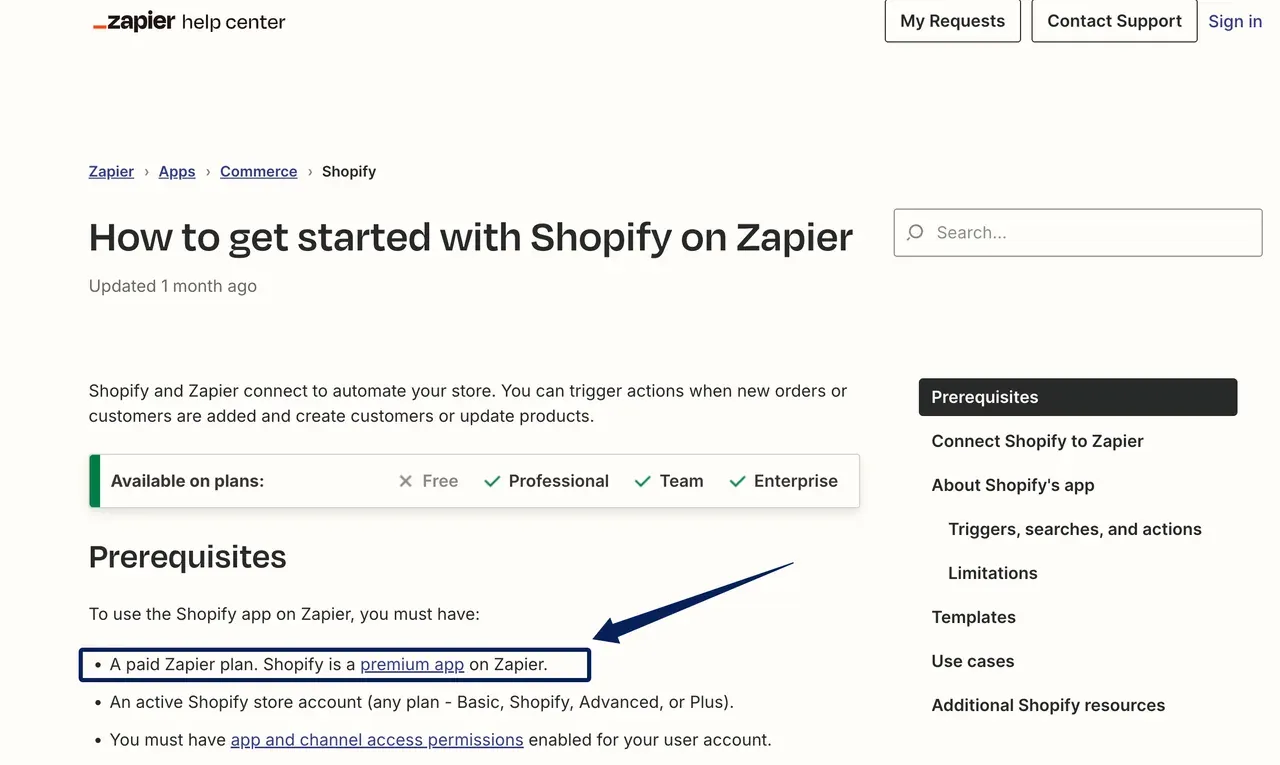
The distinction for a small team is who approves. Zapier's paid Human in the Loop step supports approval, but Professional users can send requests only to themselves. Bringing in another reviewer requires Team or Enterprise, a shared Zap, and the appropriate reviewer login. A solo seller and a seller delegating order review therefore have different plan needs even with the same workflow.
Successful actions consume tasks, so count the full route when estimating usage. Zap history shows failed or held runs, with replay and retry governed by the error and settings. For a short handoff, particularly if the store already uses Zapier for other apps, it is a sensible shortlist choice.
4. Make for More Conditional Cross-App Work
Make earns its place when orders need different routes. A complete order might go to the main queue while one missing information goes to a separate review path. Routers and filters express those decisions within a scenario, making the branches part of the workflow itself. For the broader builder choice, see Zapier vs Make.
Its Shopify modules and Google Sheets actions cover the source and destination for this comparison. The exact paid-state event remains a selection question: an order-watching module should not be assumed equivalent to Shopify's Order paid trigger. For a store that needs action precisely when payment becomes paid, confirm the chosen module and filter before committing to Make.
For recovery, incomplete executions store unfinished runs for investigation. This storage is disabled by default and operates within plan limits. Enable it as part of setup if the team needs that recovery route.
Choose Make when conditional routing is the reason for buying the software. A merchant moving each paid order to the same sheet has less reason to take on the configuration and upkeep of a branching scenario.
Compare Approval, Recovery, and Maintenance
For merchants weighing Shopify Flow alternatives, approval is often the decisive difference. MESA provides a dedicated step; Zapier ties reviewer access to the plan. Flow and Make need an explicit approval state in the store or review queue, with later actions conditioned on that state.
For this review workflow, fulfillment and customer messages should require affirmative approval. MESA stops on denial by default, but its "continue when denied" option allows continuation, and Auto-advance can approve or deny after a time limit. Keep automatic approval off when a person must decide. In Zapier, set decline to stop and timeout to end the run. Denied or unanswered requests belong in a human queue.
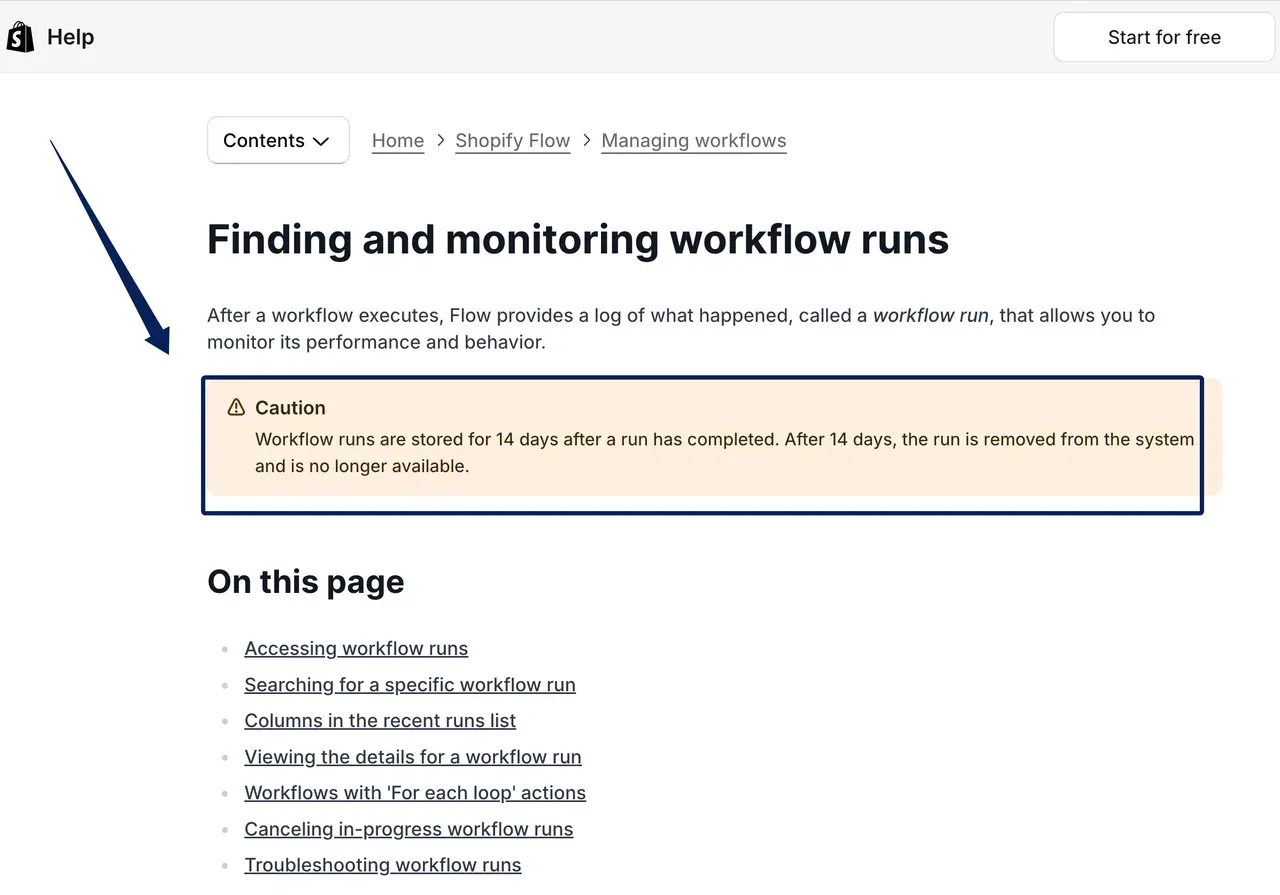
Recovery records also differ. Shopify Flow's completed workflow runs remain available for 14 days. MESA and Zapier provide activity and replay, while Make offers optional incomplete-execution storage. Keep a separate order record if investigations need a longer history.
For ecommerce automation software, setup effort includes connections, column mappings, reviewer access, and the person who will maintain them.
Choose One Tool for a Real Store Task
Before subscribing, price the whole handoff: trigger, destination, approval step, and expected action count. Compare plans covering those steps alongside the effort needed to set them up.
Use one controlled sample before activation. The acceptance check is brief: the event starts at the right payment state, one identifiable row reaches the destination, approval blocks later actions, and a repeated attempt leaves one usable record. Confirm connector permissions and the required fields during this setup.
Select the ecommerce automation software that handles the current task with the least unnecessary configuration. Extend order workflow automation when another repeated job gives you a concrete reason to add a destination or branch.
FAQ
Does a second storefront need a separate workflow?
Plan for a separate store connection and trigger, even when both stores use the same logic. Shopify Flow's direct copy to another store requires Shopify Plus, though it also supports export and import. MESA supports export and import between stores with MESA installed; connections must be set up again. A shared operations sheet should include the store ID alongside the order ID so rows remain distinguishable across shops.
Who should review a failed order handoff?
The person responsible for order operations should decide what happens to the order. A technical owner can repair credentials or a field mapping, but may not know whether fulfillment has already started. Give the operations reviewer access to the run details and destination record so they can distinguish an unfinished handoff from one that succeeded without a confirmation.
Can a workflow be paused during a store migration?
Yes. The important distinction is between stopping new work and handling work already waiting. Record pending approvals and delayed actions before the move, then assign each to the old or new store process. In Shopify Flow, deactivating a workflow stops waiting runs; switching it back on does not resume those runs.
How should duplicate customer events be handled?
Choose an identifier for the action being performed. For an order handoff, store ID plus order ID plus event type is more useful than the customer's email address: one customer can place several orders. Decide whether a repeated event updates the existing record, is ignored, or goes to review, and apply that rule to automatic retries as well as manual replays.
Can a merchant retain old run logs after cancelling a tool subscription?
Retention and export access vary by tool and plan. Export the records needed for open order investigations before the paid access ends, and store them with the relevant order identifiers. A cancellation plan should cover both historical records and unresolved work, including pending approvals, so neither depends on continued access to the canceled subscription.
Choose a Tool You Can Repair When an Order Stalls
For a small Shopify store starting with one paid-order queue, Flow is the first option to evaluate. Move MESA to the front when review by a person is the central step. Prefer Zapier when the work is a short transfer between apps, and Make when several conditional routes are already part of the job.
Buy for that distinction. A dedicated approval step can justify another tool; a larger integration directory alone gives little reason to move a rule that already belongs in Shopify.

Zentor Editorial Zentor editorial team
The Zentor editorial team writes about workflow automation, AI agents, and the tools we build. Default byline for industry overviews, listicles, and collaborative pieces.
Choosing between tools? Let Zentor run the work.
An always-on AI assistant that does the work. No switching required, no setup.