Airtable Slack Integration: Alerts With Clear Ownership
Design an Airtable Slack integration that sends actionable alerts, captures ownership, and avoids duplicate or noisy notifications.
An Airtable Slack integration brings a record change to the person who should act on it. Posting is not completion. A useful alert has one meaningful event, one owner, one next step, and a record of what happened afterward.
Key takeaways:
- Alert on a decision or handoff, not every field edit.
- Include the record link, owner, deadline, and requested action.
- Keep the Airtable record authoritative; a Slack reaction is not automatically an approval.
- Check the run history and destination when an alert goes missing.
I checked Airtable's current Slack options on October 7, 2026, then mapped six synthetic edits to one approval record. Only the move into "Needs review" deserved an alert. This was a rule-design exercise, not a live Airtable-Slack test; the counts below are planning math.
Decide Which Events Belong in Slack
Start with a decision. New intake may need triage; "Needs review" needs an approver. A spelling correction rarely needs a channel message.
Airtable can post base, record, or view activity to Slack; an automation sends a custom message from a chosen trigger. For time-based reminders, entering a view because time passed does not trigger a base-activity notification. Use an appropriate automation and test a real due date.
For my sample, I would alert only on "Needs review" with an owner present. Route blank ownership to the base maintainer. A message to nobody is not a workflow.
Picture a Friday deadline pushing a record into "Overdue" at midnight. Nobody edited it, so the base-activity rule may stay silent. For overdue record alerts, test a scheduled check against the expected local time.
Send Alerts With Enough Record Context
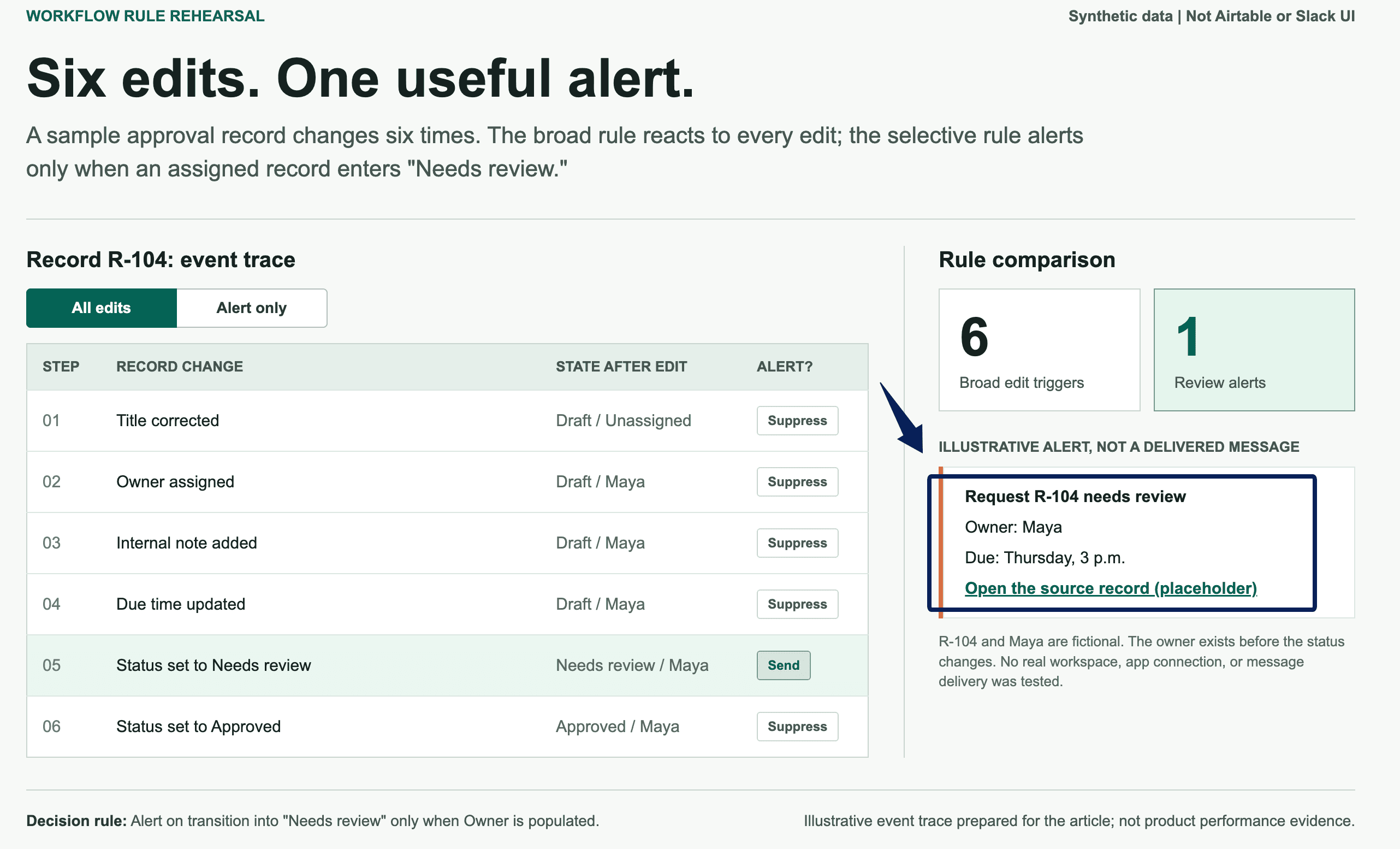
An alert needs the changed status, a named owner, a due time, and a link to the triggering record. For example: "Request R-104 needs review. Owner: Maya. Due: Thursday, 3 p.m. Open the record for the brief." R-104 and Maya are fictional. In a live workflow, populate the owner and link from that record, not from a base view.
Keep sensitive details in Airtable. A channel may include guests without base access; copying the full request bypasses that boundary. Private channels limit visibility to members, but remain shared conversations.
Read the Slack Airtable workflow message as Maya. Does "review" mean checking a file, approving a budget, or requesting changes? Say which.
I would test the link from a teammate's account, not just the base owner's. An access-denied screen is a dead end. Grant minimum appropriate access or reroute the request; do not paste the protected record into Slack.
Give Every Notification an Owner and Next Step
A channel is a destination, not an owner. Assign one in Airtable before routing, with an action and review time. "Someone will check this" will still be waiting tomorrow.
If the owner is away, name a fallback instead of copying everyone. The owner-and-next-action rule makes an alert a prompt to act, not a claim of resolution.
Approval notifications are especially easy to misread when sent to a channel. Two people may react, but neither may own the final call. Put the approver's name on the record before sending it. If that person changes, update the assignment and verify whether the earlier alert still points to the right decision-maker. Slack cannot resolve an ambiguous responsibility field for you.
Keep Decisions Tied to the Airtable Record
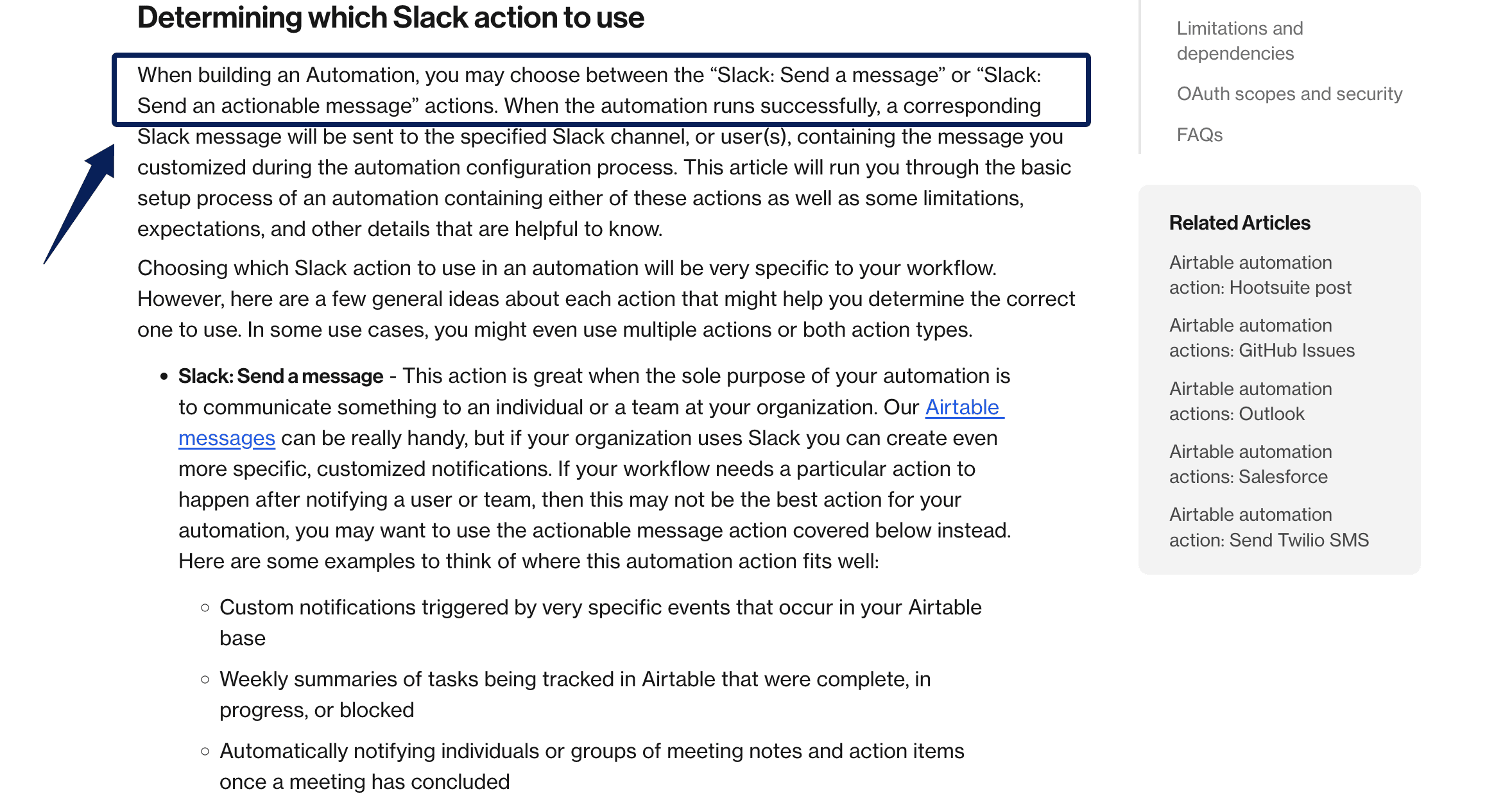
Airtable offers plain Slack messages and actionable messages with buttons. Buttons can update configured fields; an ordinary notification reply does not do that by itself. A thumbs-up is not approval unless a separate, tested integration makes it so.
Third-party paths can start from Slack messages or reactions, as Zapier's Airtable-Slack workflows illustrate. That is a separately configured workflow, not a feature of the plain Airtable alert.
Map the triggering record ID dynamically. A fixed ID updates the same item every time. Button users need Editor-level access or higher, and only the first response is recorded. That fits one approver, not a two-person sign-off.
If discussion happens in Slack, have the owner record the outcome, approver, and next step in Airtable. Nobody should reconstruct a decision from emoji later.
For a two-person sign-off, model separate decisions rather than one shared button. One person approves content; another approves spending or release. Advance only after both fields are complete. This rule needs configuring and testing.
Prevent Duplicates and Notification Noise
A broad trigger could notify on all six synthetic edits: title, owner assignment, note, due date, review status, and approval. With the owner assigned before the status changes to "Needs review," only that transition warrants a review alert.
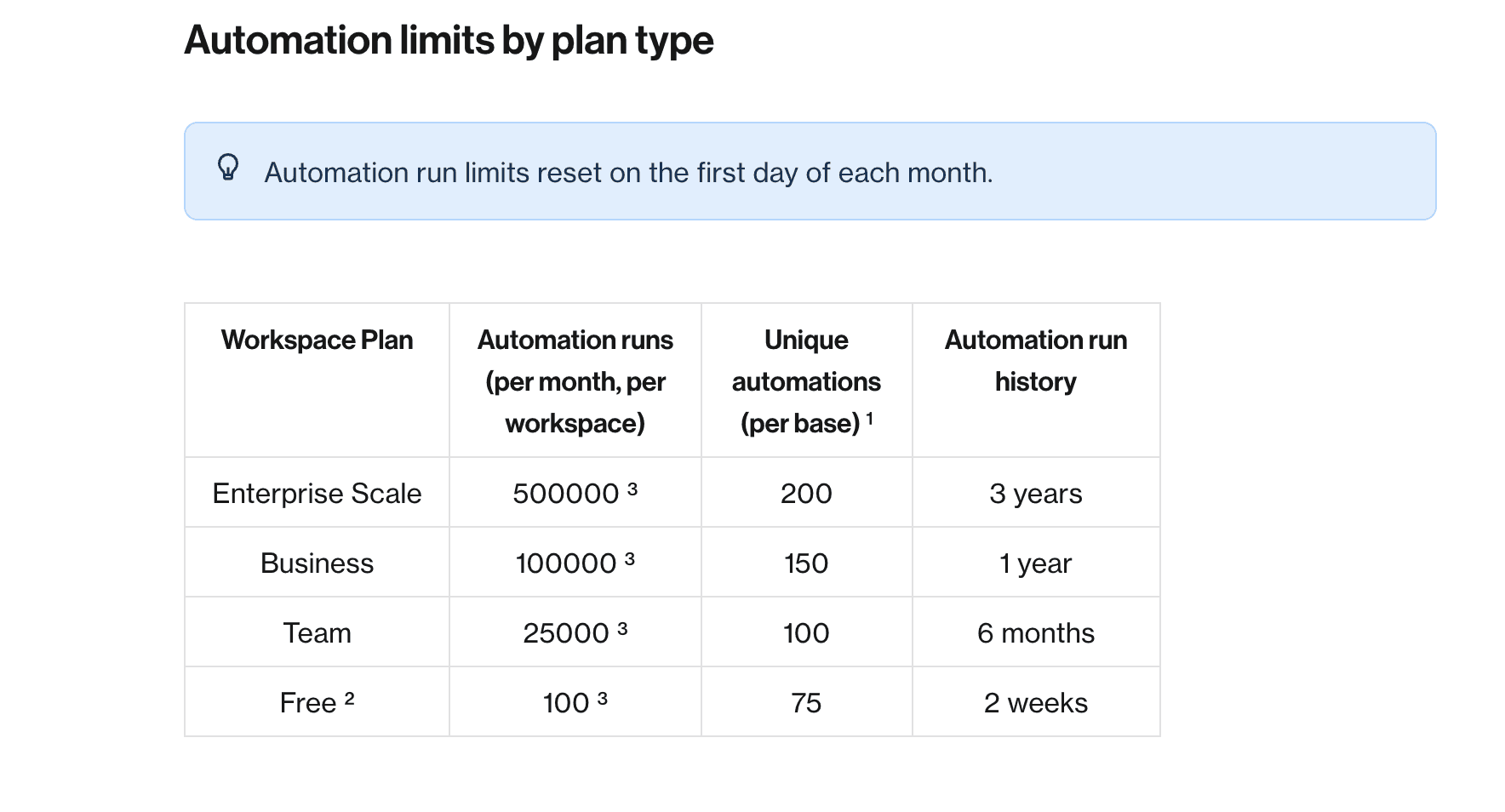
The difference affects capacity. Airtable counts triggered runs even when actions fail. Free currently includes 100 monthly runs per workspace. Twenty repetitions would mean 120 broad-trigger runs versus 20 selective ones, assuming each edit triggers a run. This is illustrative, not observed usage.
Use a status transition or "Alert ready" field. Prevent bookkeeping edits from retriggering the alert; identify later review cycles separately.
Status updates can still arrive too frequently if a record bounces between "Needs review" and "Changes requested." Set a clear re-entry rule: send again only after the owner submits a new version, not whenever someone fixes a typo. Otherwise people learn to mute the channel, and the truly urgent alert loses its audience.
Monitor Delivery and Repair Missed Updates
A successful run does not prove anyone understood the request. For a missed alert, compare record status, owner, run history, and Slack destination. Airtable's failure review exposes the failing step; missing recipients, channel permissions, and disconnected accounts need different fixes.
Assign a daily exception check. If a review-ready item has no alert, assign it manually, fix the connection, and test safely before retrying. A blind retry can duplicate delivery. Check Airtable run-limit troubleshooting separately from routing failures.
Integrated automations can fail when their connected owner's account is deactivated. Name a replacement maintainer before that happens and verify the connection under their access.
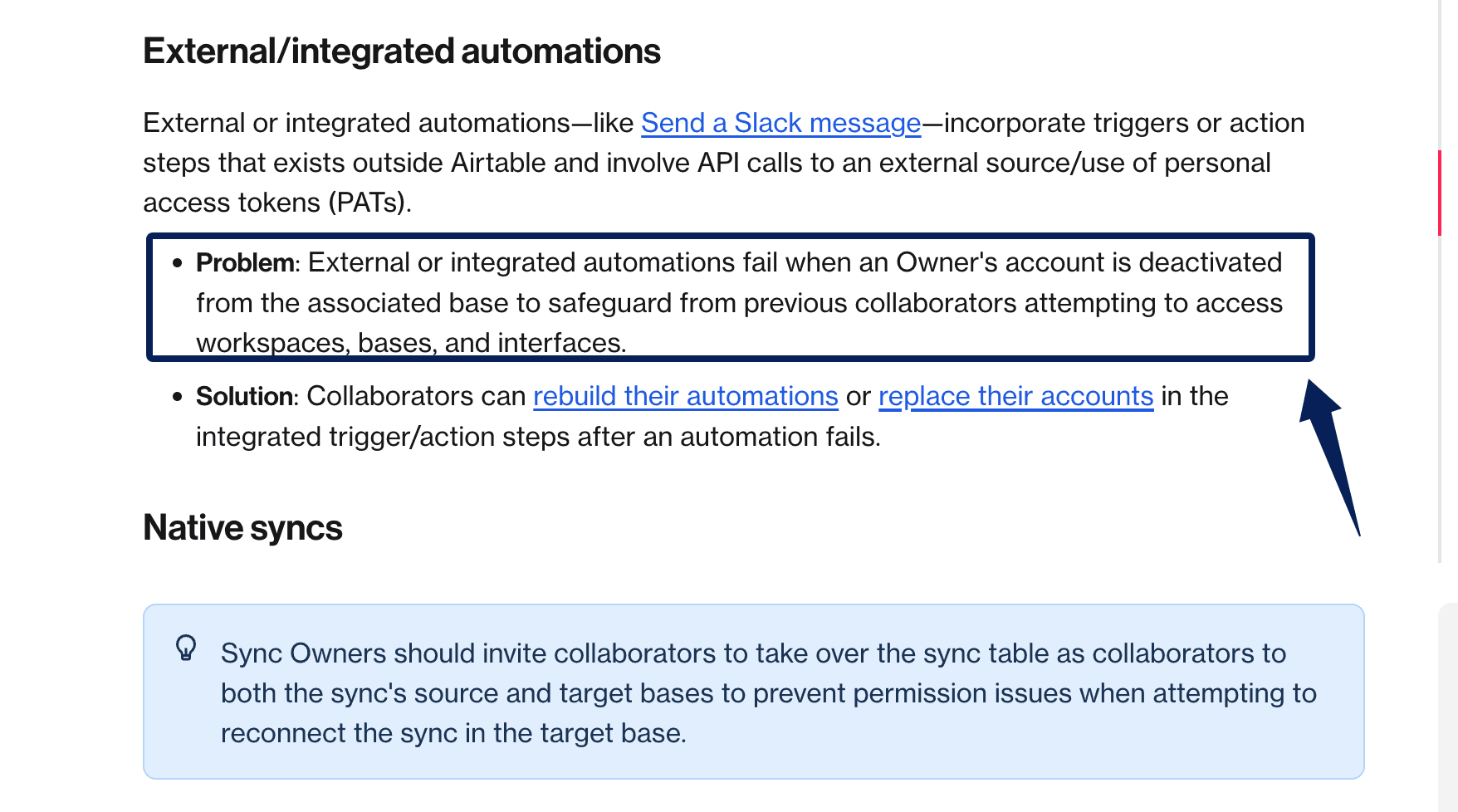
I would inspect ten review-ready records weekly, comparing owners, expected alerts, and decisions. A missing alert is a delivery fault; an alert with no decision is an ownership fault. A green run alone cannot tell you which happened.
FAQ
Can Airtable's AI assistant update a record from Slack?
Yes, if Airtable AI in Slack is enabled, an authorized user can ask @Airtable to update a record. The assistant uses that user's Airtable permissions and asks for confirmation before saving. This is separate from replying to an automation alert.
How should private-channel notifications be handled?
Add the Airtable app where needed, test with harmless data, and review membership. Private does not mean every field is safe to post.
Can one Airtable base notify multiple Slack workspaces?
Potentially, with separate connections and routing. Test each workspace; do not assume one authorization covers both. Assign one response owner.
What is the safest way to include customer data in alerts?
Use a neutral case ID, owner, deadline, and access-controlled record link. Airtable automation messages currently do not show Slack link previews. A teammate's manually pasted record link can preview up to ten fields for authorized users, so review the linked view and channel membership before sharing.
How can teams pause alerts during maintenance?
For base-activity notifications, the person who configured the rule must disable it. For automations, use an authorized owner or creator. Note the pause window and review pending items before restarting; switching off an automation may cancel open actionable messages.
Airtable Slack Integration Works When the Record Still Owns the Decision
The alert works when the right person opens the right record. The task is done only when Airtable holds the decision or next status, with an owner who can explain it. That gap is what keeps Slack useful rather than noisy.

Zentor Editorial Zentor editorial team
The Zentor editorial team writes about workflow automation, AI agents, and the tools we build. Default byline for industry overviews, listicles, and collaborative pieces.
Stop doing this manually.
Zentor runs on its own cloud computer - research, monitoring, reports, browser tasks. No setup. No self-hosting.