Best AI Note-Taking Apps for 2027
Compare the best AI note taking apps for capture, retrieval, and reuse, with clear boundaries between personal notes and meeting records.
The best AI note taking apps help you capture ideas, find them again when you remember only part of the wording, and reuse them with the original notes in reach. Reflect Open is the better fit for a personal library of linked notes, Notion AI fits notes that already belong beside shared projects, and existing Mem users should export their libraries before the service closes. These are documented-feature recommendations as of November 19, 2026, not tests of 2027 releases.
Key Takeaways:
- Choose Reflect Open for daily notes, backlinks, and a library you can open as ordinary Markdown files. Its optional AI uses a provider you configure and pay separately.
- Choose Notion AI when notes are part of a workspace with project pages, shared decisions, and database properties that help you find the current record.
- Export Mem notes before January 15, 2027. Keep the complete archive, including the collection indexes and any available attachments.
- A useful AI answer identifies the current decision and takes you to the note that records it. A plausible answer citing an older draft can still send you in the wrong direction.
Illustrative scenario. I save a paragraph about a lighter onboarding process and jot down a plan for a five-step checklist. The next day, I cut it into three steps and write down what changed. A week later, all I remember is that we wanted less setup. I want to find the three-step decision and the reading that informed it without scrolling through everything I wrote that week.
What kind of notes do you need AI to handle?
Start with the notes you will use again: reading excerpts, half-formed ideas, project decisions, and the reasons you changed your mind. AI note apps help bring those back when you remember the subject but have forgotten the title. A meeting recorder starts with a different job: capturing what people say. This comparison of the best AI note taking apps covers the notes you write, clip, and organize yourself.
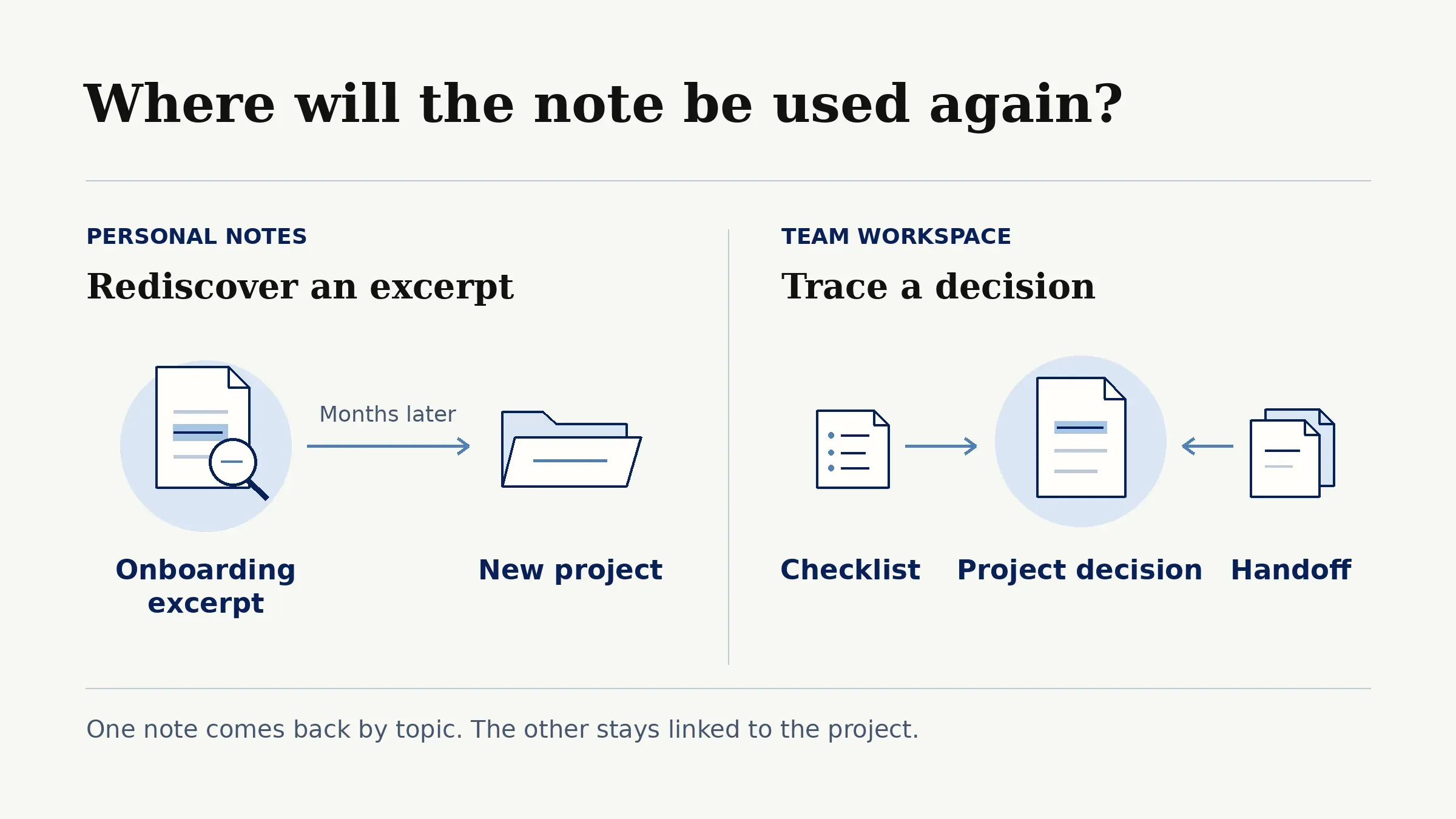
An AI personal knowledge app is most useful when you make connections across things you saved at different times. The onboarding excerpt might turn up again when you start a different project months later. A workspace has a different advantage. The person reviewing the checklist can open the decision, see which project it belongs to, and use the same record when they hand the work over. The choice starts with who needs the note and where it will come back into use.
Keep your notes where you work
Use your Notion context to draft a client handoff in Zentor, then check the source before you send it.
Start free trial →
How do we compare capture, retrieval, and control?
To compare the best AI note taking apps, use the same three notes: the reading excerpt, the five-step proposal, and the later three-step decision. Capture is the effort it takes to save them. Organization determines how you reach them again. AI note search earns its keep when the answer distinguishes the proposal from the decision and points to the source. Control covers who can reach the notes and what you can take with you.
| App | Capture and organization | Retrieval and reuse | Control and portability |
|---|---|---|---|
| Mem (migration only) | Quick entries and Collections in the existing library | Deep Search found notes by meaning. Chat synthesized across notes | Export the library before shutdown |
| Reflect Open | Daily notes and backlinks in a folder you choose | Local search and optional AI answers with links to notes | Plain Markdown and separate asset files. Private notes are excluded from AI access |
| Notion AI | Pages, database properties, and project relations | Enterprise Search can cite workspace sources | Existing access rules govern search. Export pages and database data as files |
Features and plan availability were checked against official pages on November 19, 2026. The workflows below illustrate how to use documented features with the same set of notes; they do not represent hands-on comparative testing.
1. Mem: quick capture and recall
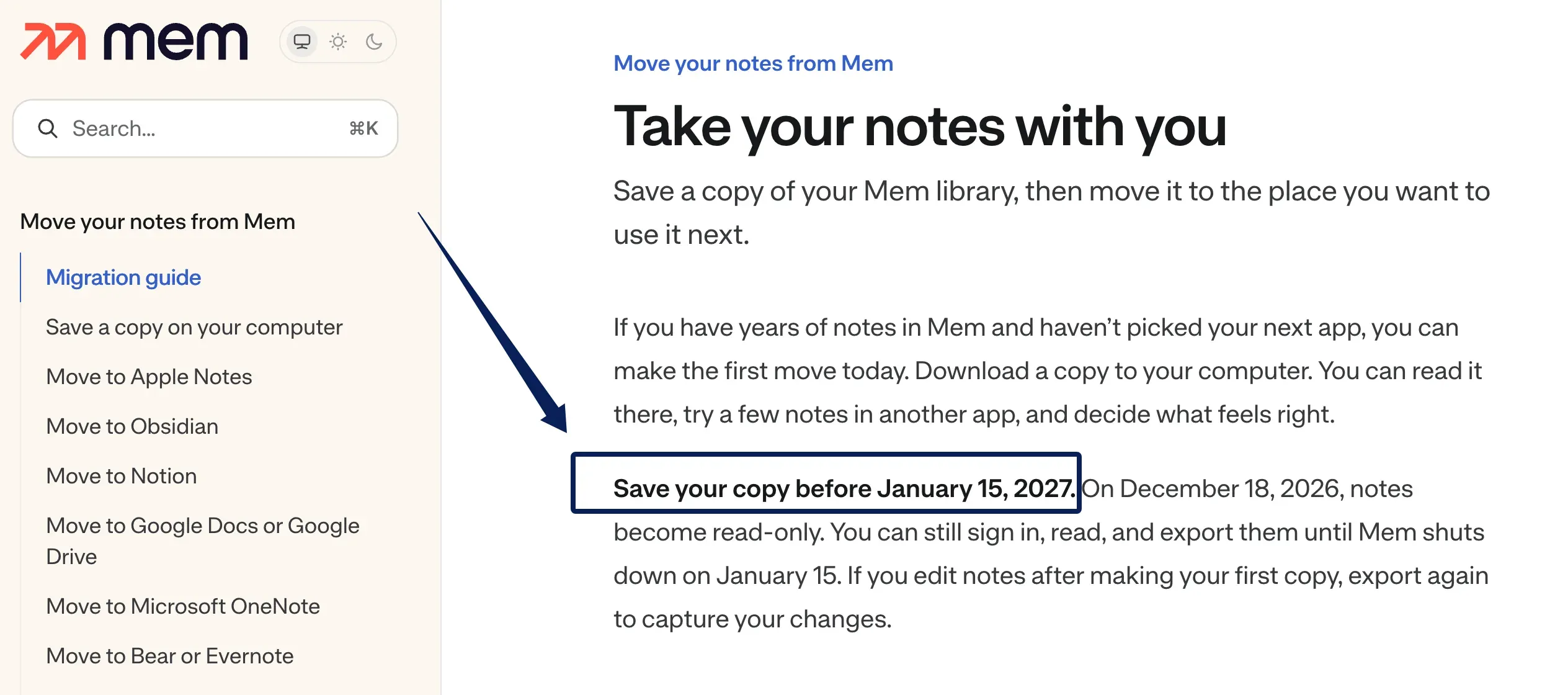
Mem's Deep Search matched descriptions to note contents, even when you used different words. Mem Chat could summarize information across notes, and Collections grouped related work. For existing libraries, Mem's export window continues after notes become read-only on December 18, 2026, and ends when the service shuts down on January 15, 2027. Don't choose Mem for a new library at this point; this section is for people moving existing notes.
Mem's note workflow and limits
On a computer, open Settings, then Exports, and start a new export to My Computer. Keep the ZIP even if you already know where the notes will go. It contains Markdown notes, collection indexes, and the available files referenced by the notes. An export report, when present, records items Mem could not include. Mem's file-by-file export instructions explain where to check each of those folders. Start the download early enough to resolve any missing items while the service is available.
For the onboarding project, keep the excerpt, the draft, and the decision together with any files they reference. Mem has a documented route into Notion that brings notes and collection indexes into a workspace as pages. Recreate any project or status fields you need there. If you want to preserve the reading library as files first, you can open the extracted notes in a Markdown editor while you decide how to organize them.
2. Reflect: linked personal knowledge
Choose Reflect Open when ideas tend to begin in a daily note and develop across several notes. Put the reading excerpt in its own note, then link to it from the proposal and the later decision. When you revisit the excerpt, its backlinks show where you used it. That makes a saved passage useful well beyond the project that prompted you to save it.
Reflect's note workflow and limits
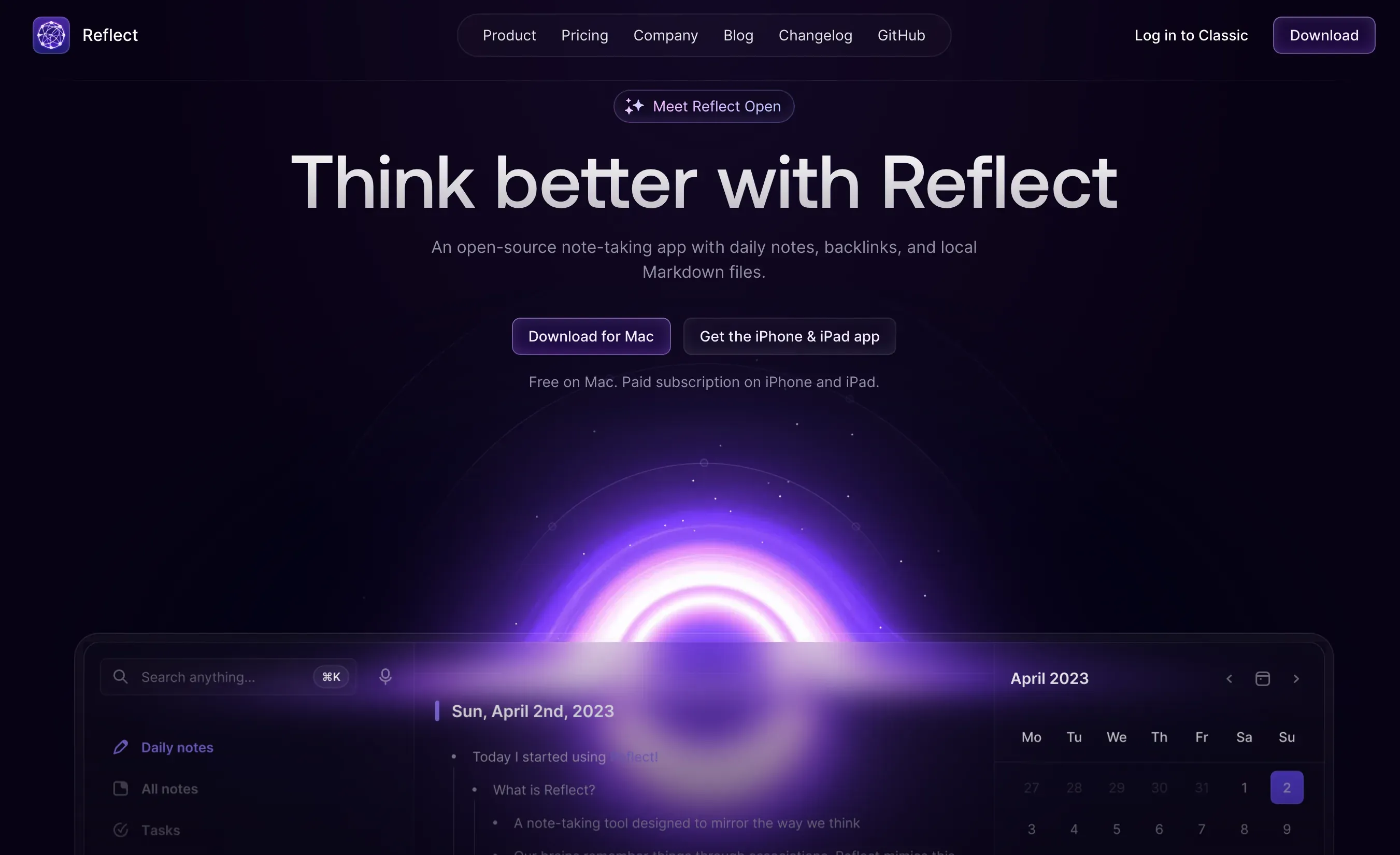
Reflect's current product page describes notes stored as local Markdown files, local search, and optional AI answers with links to source notes. The Mac app is free, and the iPhone and iPad apps require a paid subscription. Its release repository also lists unsigned Windows and Linux builds; check the release assets and platform limitations before relying on them. Reflect calls the folder a graph. Move the whole folder to keep attachments with their notes.
AI requires a provider key you configure in Reflect and sends retrieved content to that provider, which bills usage separately. Reflect Open keeps notes marked private out of AI retrieval. Those notes remain part of any iCloud Drive sync or Git backup you configure. Text you paste into chat still goes to the provider. This is Reflect's AI setup, not a requirement of Zentor.
Reflect Classic stores notes with end-to-end encryption. In Classic, starting an AI chat from search sends the matching notes to the model provider. You can copy a Classic graph to Open. Edits in either copy stay in that app.
3. Notion AI: notes in a workspace
Choose Notion AI when a note needs to sit next to a project, an owner, or a decision others will act on. Start with a small Notion notes database. Give each entry a project, source, and status. The five-step proposal can remain in the database for context while the three-step decision is the record the team uses. That structure takes a little upkeep, and it pays off when a project has several contributors or versions. For work that spans several tools, Zentor's Notion integration can use your project notes in Notion to draft a handoff; Zentor is an adjacent work tool, not another note-taking app.
Notion's note workflow and limits
Notion Enterprise Search cites the workspace sources it uses. You can narrow search to a chosen page or teamspace and turn off web search when the question is about your notes. Notion AI respects existing page permissions. A filtered view helps organize the notes you see, while page and database access rules determine which records you can open.
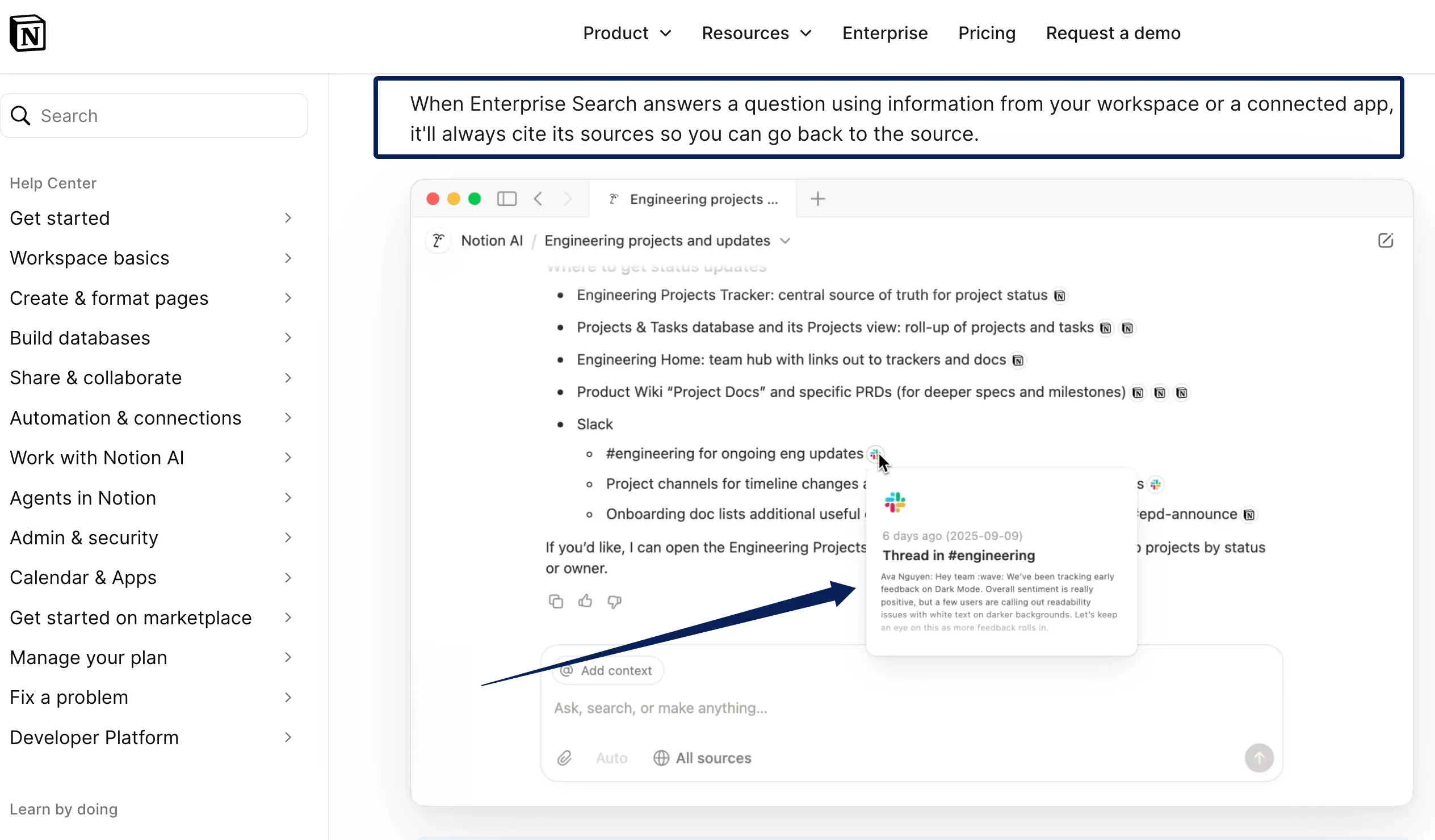
Enterprise Search is available on Business and Enterprise; Free and Plus have limited AI responses as of November 19, 2026. Notion itself is available on the web, Mac, Windows, iOS, and Android. For a portable copy, Notion exports pages as Markdown and full-page databases as CSV, with Markdown for subpages. A workspace export can include uploaded files, subject to permissions. The files are useful for an archive, while recreating the working database takes more than uploading a CSV.
How should you test retrieval with your own notes?
Use two dated versions of a decision and the source that informed it. Search using the language you would actually remember, such as "What did we decide about reducing setup for new users?" A good result surfaces the three-step decision and opens the note that made it official. The earlier five-step proposal should still be findable as history. Ask a second question about something the notes never settled, such as who will own the rollout. A usable answer leaves that detail open.
Then turn the result into a short handoff and give it a source link. Keeping working summaries separate from original records lets you fix the handoff without rewriting the decision. Smart note-taking software can do the first pass. If the right record surfaces but the summary drops the reason the checklist changed, keep the link and add that reason yourself.
FAQ
Can Mem export notes with their original creation dates?
Mem's shutdown instructions describe Markdown notes and collection indexes but don't state whether the download preserves every original creation timestamp. A file's creation date in the extracted folder can reflect the export or extraction. For notes where chronology matters, record the date shown in Mem as part of the note or in a separate index while you still have access.
Can Reflect separate work and personal notes in search?
Reflect Classic lets you filter search before opening AI Chat, so the chat uses the matching notes. Reflect Open lets you store work and personal libraries in separate graph folders. For sensitive notes, check the current graph selection and private-note setting rather than assuming every search mode shares one scope.
Can Notion AI restrict an answer to a chosen database?
Enterprise Search can narrow to a page or teamspace, and Notion says it can search database views, relations, and properties. That does not make a saved view filter an access rule. For a question with an exact row filter, use the database view to identify matching records directly.
Which option lets you correct an AI summary without changing the source note?
Both Reflect Open and Notion AI support this workflow. In Reflect, copy the generated text into a separate note and revise it there. In Notion, paste the response into a separate draft page or add the summary to a dedicated database property you can edit. Keep a link to the source so a later reader can retrace the correction.
What happens to attachments when moving between these note apps?
Attachments can arrive as separate files even when the note itself imports normally. The receiving app determines whether those files appear inline or have to be opened separately. Open a PDF and an image from inside an imported note while you still have the original archive.
Best AI Note-Taking Apps for Linked Research or Shared Decisions
For reading, writing, and following an idea across projects, start with Reflect Open. A backlink gives you a route back to the reading, and the Markdown folder gives you a usable copy of the library outside the app. For decisions other people need to act on, start with Notion AI where the project and the people already work. Mem users should download the full archive before access ends, then move the notes they still use into the system that fits their next job.
Zentor Editorial Zentor editorial team
The Zentor editorial team writes about workflow automation, AI agents, and the tools we build. Default byline for industry overviews, listicles, and collaborative pieces.
Choosing between tools? Let Zentor run the work.
An always-on AI assistant that does the work. No switching required, no setup.